
Introduction
Thank you for choosing the Lexon Mino X Floating Bluetooth Speaker. This compact and durable speaker is designed for versatile use, featuring IPX7 water resistance, Bluetooth connectivity, and TWS (True Wireless Stereo) technology for an enhanced audio experience. This manual provides essential information for setting up, operating, maintaining, and troubleshooting your device.
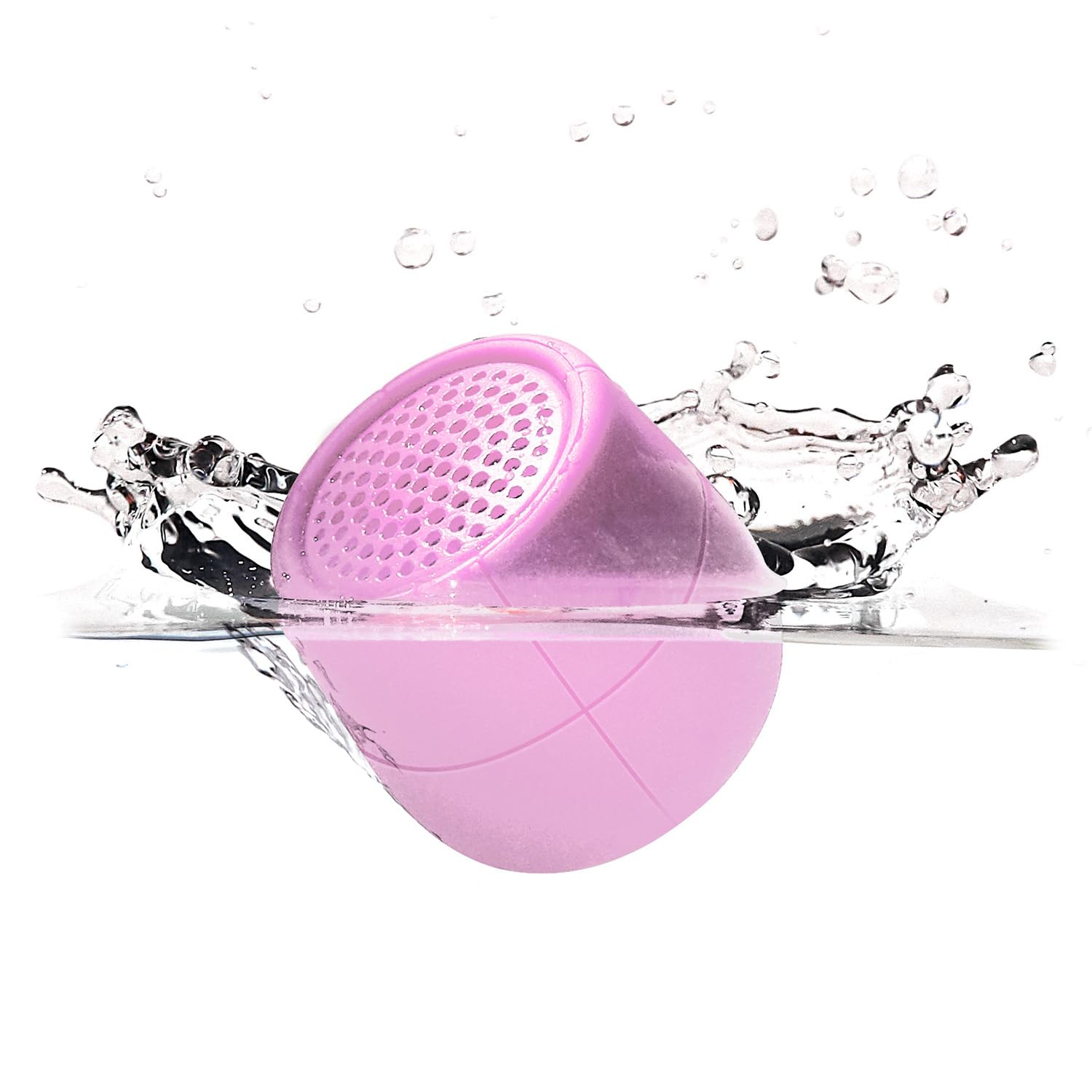
Image: The Lexon Mino X Floating Bluetooth Speaker in Soft Pink, showcasing its compact design.
What's in the Box
- Lexon Mino X Floating Bluetooth Speaker
- USB-C Cable
- User Manual (this document)
Product Features
- Portable Bluetooth speaker with 3W output
- IPX7 Water Resistance: Designed to float and withstand immersion in water up to 1 meter for 30 minutes.
- Rechargeable via USB-C port
- "Hands-free" microphone for calls
- Selfie control function
- TWS (True Wireless Stereo) technology: Allows pairing two Mino X speakers for stereo sound.
- Up to 3 hours of playtime on a full charge.

Image: The Lexon Mino X speaker floating in water, demonstrating its IPX7 water-resistant and floatable design.
Setup
- Initial Charge: Before first use, fully charge your Mino X speaker using the provided USB-C cable. Connect the USB-C end to the speaker's charging port and the USB-A end to a compatible power source (e.g., computer USB port, wall adapter). The charging indicator light will show charging status. Charging time is approximately 1 hour.
- Power On: Press and hold the power button (usually located on the bottom or side) for a few seconds until you hear an audible cue or see an indicator light.

Image: A close-up view of the Mino X speaker showing the USB-C charging port with a cable connected.
Operating Instructions
Power On/Off
- To Power On: Press and hold the power button for approximately 3 seconds.
- To Power Off: Press and hold the power button for approximately 3 seconds.
Bluetooth Pairing
- Ensure the Mino X speaker is powered on and within range of your Bluetooth device (smartphone, tablet, laptop).
- The speaker will automatically enter pairing mode, indicated by a flashing LED light.
- On your device, go to Bluetooth settings and search for available devices.
- Select "Lexon Mino X" from the list.
- Once paired, the speaker will emit an audible confirmation, and the LED light will become solid.
TWS (True Wireless Stereo) Pairing
To enjoy stereo sound, you can pair two Lexon Mino X speakers together.
- Ensure both Mino X speakers are powered on and not connected to any other Bluetooth device.
- Double-press the power button on one of the speakers. It will enter TWS pairing mode.
- The two speakers will automatically connect to each other. You will hear an audible confirmation once TWS pairing is successful.
- Once TWS paired, connect your device to one of the speakers via Bluetooth as described in the "Bluetooth Pairing" section. Both speakers will then play audio in stereo.

Image: Several Lexon Mino X speakers in various colors, demonstrating the ability to connect two speakers for stereo sound.
Hands-free Calls
When connected to your smartphone, the Mino X speaker can be used for hands-free calls.
- Answer/End Call: Press the power button once to answer an incoming call or end an ongoing call.
- Reject Call: Press and hold the power button for 2 seconds to reject an incoming call.
Selfie Control
When connected to your smartphone, the Mino X speaker can act as a remote shutter for your camera.
- Open your smartphone's camera application.
- Press the power button on the Mino X speaker once to trigger the camera shutter.
Charging
The Lexon Mino X speaker is equipped with a rechargeable battery.
- Connect the provided USB-C cable to the speaker's charging port.
- Connect the other end of the cable to a USB power source (e.g., computer, USB wall adapter).
- A full charge takes approximately 1 hour.
- The speaker provides up to 3 hours of music playback on a single charge.
Water Resistance (IPX7)
The Mino X speaker is rated IPX7, meaning it is protected against immersion in water up to 1 meter (3 feet) for up to 30 minutes.
- Ensure the charging port cover is securely closed before exposing the speaker to water.
- The speaker is designed to float, making it suitable for use in pools, baths, or by the sink.
- Do not intentionally submerge the speaker for extended periods or beyond the specified depth.
- After exposure to water, wipe the speaker dry with a soft cloth before charging.

Image: A pink Lexon Mino X speaker covered in water droplets, highlighting its water-resistant properties.
Maintenance
- Clean the speaker with a soft, damp cloth. Do not use abrasive cleaners or solvents.
- Store the speaker in a cool, dry place when not in use.
- Avoid extreme temperatures and direct sunlight.
- Do not attempt to disassemble or repair the speaker yourself, as this will void the warranty.
Troubleshooting
| Problem | Solution |
|---|---|
| Speaker does not power on. | Ensure the battery is charged. Connect the speaker to a power source using the USB-C cable and allow it to charge for at least 15 minutes before attempting to power on again. |
| Cannot pair via Bluetooth. |
|
| No sound or low volume. |
|
| TWS pairing fails. |
|
Specifications
| Feature | Detail |
|---|---|
| Model Name | Mino X |
| Item Model Number | MINO-X-PINK(LA120P9) |
| Brand | Lexon |
| Connectivity Technology | Bluetooth, USB |
| Wireless Communication Technology | Bluetooth |
| Bluetooth Range | 10 Meters |
| Speaker Maximum Output Power | 3 Watts |
| Water Resistance Level | IPX7 (Water Resistant) |
| Power Source | Battery Powered (1 Lithium Ion battery required) |
| Charging Time | 1 Hour |
| Item Weight | 80 Grams (2.82 ounces) |
| Product Dimensions | 1.5"D x 1.5"W x 1.6"H |
| Material | Acrylonitrile Butadiene Styrene (ABS) |
| Control Method | Touch |
| Included Components | USB-C Cable, User Manual |
Official Product Video
Video: An official product video showcasing the Lexon Mino X speaker's features, including its water resistance and portability. This video is provided by Lexon Design USA.
Warranty and Support
The Lexon Mino X Floating Bluetooth Speaker comes with a Limited Warranty. For specific warranty terms and conditions, please refer to the warranty information provided with your purchase or contact Lexon customer support.
For further assistance, technical support, or warranty claims, please visit the official Lexon website or contact their customer service department.


