
Blink Blink Mini (ASIN: B07X27VK3D)
Blink Mini Indoor Smart Security Camera User Manual
Model: Blink Mini (ASIN: B07X27VK3D)
Product Overview
The Blink Mini is a compact indoor plug-in smart security camera designed to monitor the inside of your home day and night. It features 1080p HD video, infrared night vision, motion detection, and two-way audio. This camera is easy to set up and integrates seamlessly with Alexa-enabled devices, providing enhanced home security and convenience.

Image: The Blink Mini camera, highlighting its key features: Day + Night HD View, Two-Way Audio, and Motion Detection.
What's Included
Your Blink Mini package includes the following components:
- Blink Mini camera (quantity dependent on package selected, e.g., 2 cameras for this model)
- Mounting stand (attached to each camera)
- Mounting screws (2 per camera)
- USB cable (1 per camera)
- Power adapter (1 per camera)
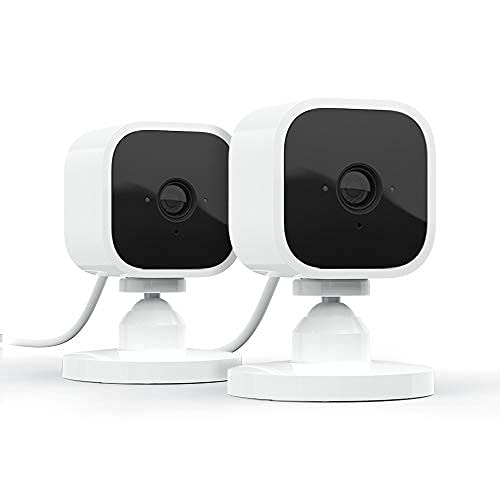
Image: Two Blink Mini cameras, illustrating the typical contents of a multi-camera pack.
Setup Guide
Setting up your Blink Mini camera is a straightforward process designed for quick installation.
- Power On: Plug the USB cable into the Blink Mini camera and connect the power adapter to a standard electrical outlet. The camera will power on automatically.
- Download App: Download the free Blink Home Monitor app from your smartphone's app store (available for iOS 15.0+, Android 9.0+, or Fire 9.0+).
- Create Account: Open the Blink Home Monitor app and create a new account or log in to an existing one.
- Add Device: Follow the in-app instructions to add your new Blink Mini camera. You will typically scan a QR code on the back of the camera or manually enter its serial number.
- Connect to Wi-Fi: The app will guide you through connecting your Blink Mini to your home's 2.4 GHz Wi-Fi network (802.11g/n). Ensure your Wi-Fi has a minimum 2 Mbps upload speed.
- Placement: Position your camera in the desired indoor location. The attached stand allows for flexible placement on flat surfaces or mounting to a wall using the included screws.
Operating Your Blink Mini
The Blink Mini offers various functionalities to monitor and interact with your home environment.
Live View and Two-Way Audio
Access a live feed of your camera's view directly from the Blink Home Monitor app. The integrated two-way audio allows you to hear what's happening and speak through the camera, enabling communication with people or pets in your home.
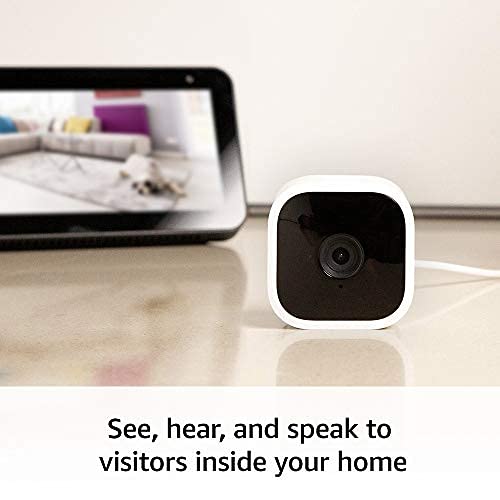
Image: A Blink Mini camera next to a smartphone displaying a live feed, illustrating the two-way audio feature.
Motion Detection and Alerts
The camera is equipped with motion detection capabilities. You will receive alerts on your smartphone whenever motion is detected. You can customize motion detection zones within the app to focus on specific areas and reduce unnecessary notifications.
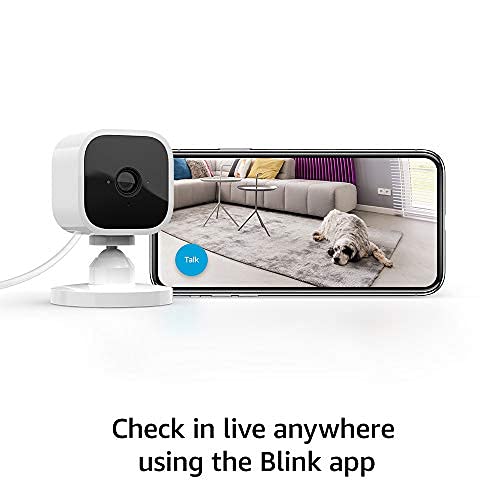
Image: A Blink Mini camera beside a smartphone displaying a live feed of a room, demonstrating the ability to check in live from anywhere.
Integration with Alexa
The Blink Mini works seamlessly with Alexa-enabled devices. You can use voice commands to engage live view, arm, and disarm your camera. For example, say "Alexa, show me the kitchen camera" to view the feed on a compatible Echo Show device.
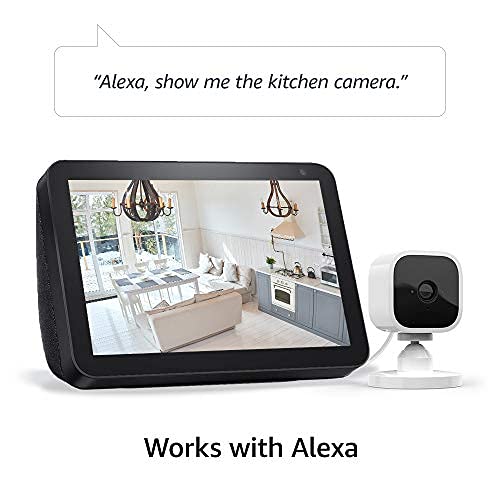
Image: A Blink Mini camera positioned next to an Echo Show device, illustrating its compatibility with Alexa for voice-controlled viewing.
Blink Subscription Plan & Local Storage
You can choose to save and share video clips with a Blink Subscription Plan (free 30-day trial typically included). Alternatively, you can store clips locally using the Blink Sync Module 2 (sold separately).
Blink Mini as Chime
If you own a Blink Video Doorbell, the Blink Mini can function as an indoor plug-in chime, providing real-time alerts when someone presses your doorbell.
Maintenance
To ensure optimal performance and longevity of your Blink Mini camera, follow these simple maintenance guidelines:
- Cleaning: Gently wipe the camera lens and body with a soft, dry, lint-free cloth. Avoid using harsh chemicals or abrasive materials.
- Power Connection: Ensure the power adapter and USB cable are securely connected to the camera and the power outlet.
- Software Updates: Keep your Blink Home Monitor app updated to the latest version to receive new features and security enhancements. The camera's firmware updates are typically managed through the app.
- Placement: Avoid placing the camera in direct sunlight or near heat sources, which can affect performance and lifespan.
Troubleshooting
If you encounter issues with your Blink Mini, consider the following common troubleshooting steps:
- No Power/Offline:
- Check if the power adapter is securely plugged into a working outlet and the USB cable is firmly connected to the camera.
- Verify your Wi-Fi network is active and stable.
- Restart your Wi-Fi router.
- Poor Video Quality:
- Ensure your Wi-Fi signal strength is adequate at the camera's location.
- Clean the camera lens gently with a soft cloth.
- Check for obstructions in the camera's field of view.
- Motion Detection Issues:
- Review your motion detection settings and activity zones in the Blink Home Monitor app.
- Ensure there are no objects constantly moving in the detection zone (e.g., curtains near a vent).
- Two-Way Audio Problems:
- Check the volume settings on your smartphone and within the Blink app.
- Ensure there are no physical obstructions blocking the camera's microphone or speaker.
- App Connectivity Issues:
- Ensure your smartphone has a stable internet connection.
- Close and reopen the Blink Home Monitor app.
- Clear the app's cache or reinstall the app if problems persist.
For more detailed troubleshooting or persistent issues, refer to the official Blink support resources or contact customer service.
Specifications
- Field of View:
- 110° diagonal
- Camera Resolution:
- 1080p HD video (day), infrared HD night vision (after dark)
- Camera Frame Rate:
- Up to 30 frames per second
- Size:
- 2 in. x 1.9 in. x 1.4 in. (50 mm x 49 mm x 36 mm)
- Weight:
- 1.7 ounces (48 grams)
- CPU:
- Immedia Proprietary – AC1002B, 4 cores / 200 MHz
- Power:
- 2 meter micro USB and power adapter, electrical rating: 100-240V 50/60 HZ 0.15A
- Wi-Fi Connectivity:
- Supports 2.4 Ghz 802.11g/n; requires minimum 2 Mbps upload speed.
- Available Colors:
- White, Black
- Minimum Smartphone Requirements:
- iOS 15.0, Android 9.0, or Fire 9.0
- Blink App:
- Blink Home Monitor
- Audio:
- Speaker output and 2-way audio recording
- LEDs:
- One blue LED to indicate activity (optional)
- Generation:
- 1st generation – 2020 release
Warranty and Support
The Blink Mini comes with a 1-year limited warranty and service. For detailed warranty information and terms of use, please refer to the official Blink documentation.
For additional support, frequently asked questions, and troubleshooting guides, visit the official Blink Mini support page. You can typically find a link to this page within the Blink Home Monitor app or on the Blink website.
Software security updates are guaranteed for at least four years after the device is last available for purchase as a new unit on Blink's websites.
Related documentsBlink Mini (ASIN: B07X27VK3D)


Ask a question about this manual
Ask about setup, troubleshooting, compatibility, parts, safety, or missing instructions. Manuals+ will review the question and use this page’s manual context to help answer it.