
1. Introduction
This manual provides essential instructions for the Dell Latitude 5400 laptop. It covers initial setup, basic operation, routine maintenance, and common troubleshooting steps. The Dell Latitude 5400 is a 14-inch business laptop equipped with an Intel Core i5 processor, 8GB of RAM, and a 256GB SSD, designed for efficient performance.
2. Setup
2.1 Unpacking and Initial Inspection
Carefully remove the laptop and all accessories from the packaging. Inspect the device for any signs of damage. Ensure all components, including the power adapter, are present.
2.2 Connecting Power
Connect the power adapter to the laptop's power input port and then plug it into a wall outlet. The battery will begin charging automatically.

Figure 2.2.1: Side view of the Dell Latitude 5400, illustrating port locations for power and peripherals.
2.3 First Boot and Operating System Setup
Press the power button located on the top right of the keyboard. The laptop will power on. Follow the on-screen instructions to complete the initial setup of the Windows operating system, including language selection, network connection, and user account creation.
3. Operating the Laptop
3.1 Power On/Off and Sleep Mode
- Power On: Press the power button.
- Shut Down: Click the Start button, then Power, and select "Shut down."
- Sleep Mode: Close the laptop lid or click the Start button, then Power, and select "Sleep."
3.2 Using the Keyboard and Touchpad
The Dell Latitude 5400 features a full-size keyboard and a precision touchpad for navigation. The touchpad supports multi-touch gestures for scrolling, zooming, and other functions.
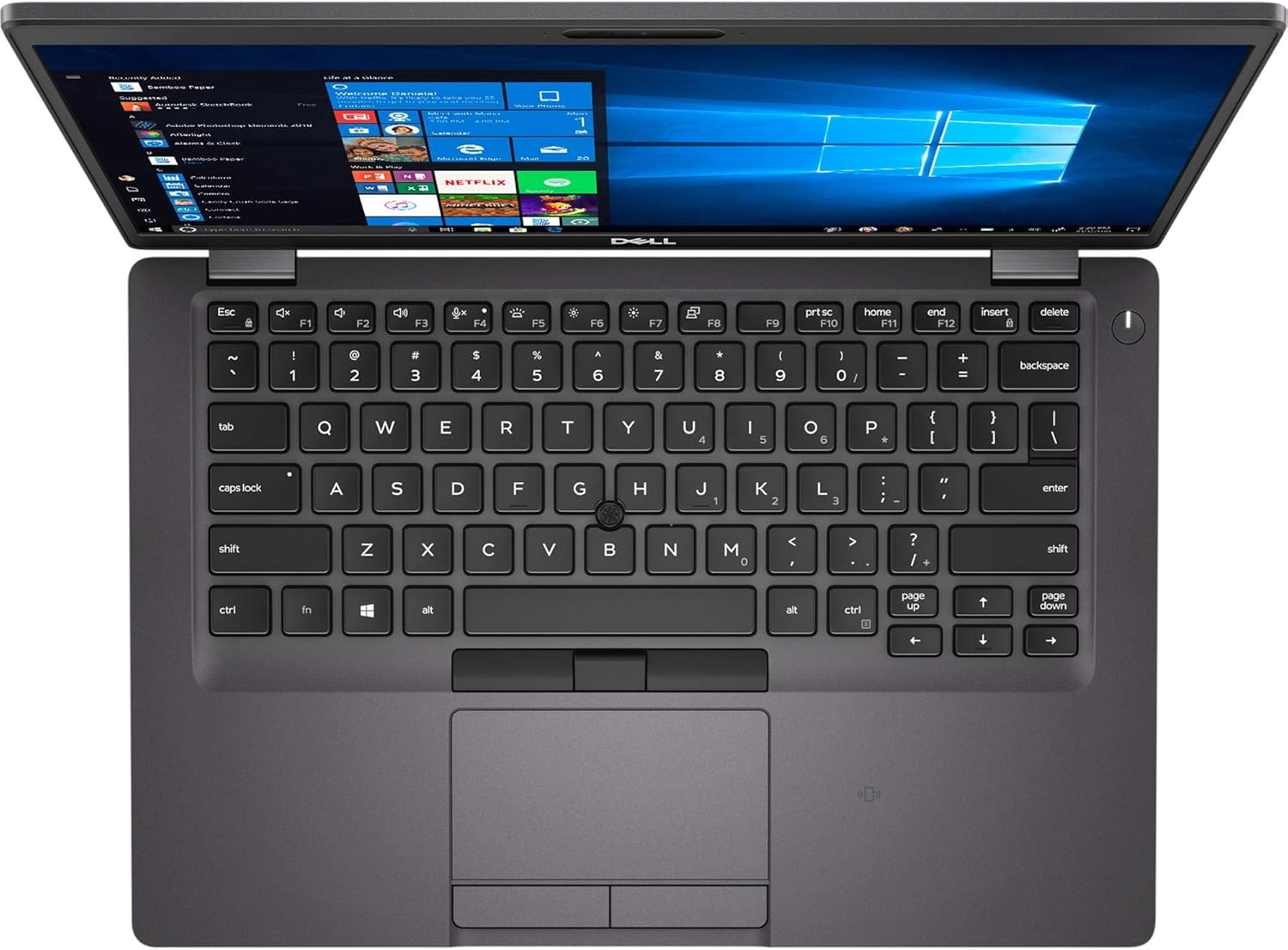
Figure 3.2.1: Keyboard and touchpad layout of the Dell Latitude 5400.
3.3 Touchscreen Functionality
This model includes a 14-inch touchscreen display. You can interact directly with the screen using touch gestures for navigation, selection, and input, complementing the keyboard and touchpad.

Figure 3.3.1: Front view of the Dell Latitude 5400, showcasing the touchscreen display.
3.4 Connecting Peripherals
The laptop supports various peripherals via its USB ports, Bluetooth, and wireless (802.11ac) capabilities. Refer to the side view image in Section 2.2 for port locations.
4. Maintenance
4.1 Cleaning the Laptop
- Use a soft, lint-free cloth slightly dampened with water or a screen cleaner to clean the display.
- For the keyboard and chassis, use a soft cloth. Avoid harsh chemicals.
- Periodically use compressed air to clear dust from vents.
4.2 Software Updates
Regularly check for and install Windows updates and Dell driver updates to ensure optimal performance and security. Access Windows updates via Settings > Update & Security.
4.3 Battery Care
To prolong battery life, avoid extreme temperatures and allow the battery to discharge partially before recharging. Do not leave the laptop plugged in constantly for extended periods if not in use.
5. Troubleshooting
5.1 Laptop Does Not Power On
- Ensure the power adapter is securely connected to both the laptop and a working power outlet.
- Verify the power outlet is functional by plugging in another device.
- If the battery is completely drained, allow it to charge for at least 15-30 minutes before attempting to power on.
5.2 Display Issues
- If the screen is blank, try adjusting the display brightness using the function keys (Fn + F-keys).
- Ensure the laptop is not connected to an external monitor that might be set as the primary display.
- Restart the laptop.
5.3 Performance Slowdown
- Close unnecessary applications running in the background.
- Check for and install any pending Windows or driver updates.
- Run a system scan for malware or viruses.
- Ensure there is sufficient free space on the 256GB SSD.
6. Specifications
| Brand | Dell |
| Model Name | Latitude 5400 |
| Screen Size | 14 Inches |
| Display Type | Touchscreen |
| Native Resolution | 1920 x 1080 pixels (1080p) |
| Refresh Rate | 144 Hz |
| CPU Model | Intel Core i5-8365U |
| CPU Speed (Max) | 4.1 GHz |
| RAM Memory Installed | 8 GB DDR4 |
| Hard Disk Size | 256 GB SSD |
| Operating System | Windows |
| Graphics Card | Integrated |
| Wireless Connectivity | 802.11ac |
| Bluetooth | Yes |
| Webcam | Yes |
| Special Features | Portable, Touchscreen |
| Form Factor | Ultra-Portable |
| UPC | 854007528278 |
7. Warranty and Support
This Dell Latitude 5400 laptop is a renewed product. Please refer to the seller's specific warranty and return policy for details. Typically, renewed products come with a limited warranty or a return period. For this product, a 90-day return/replacement policy is generally offered by the seller. For technical support or service inquiries, please contact the seller or Dell's official support channels, providing your product's service tag if available.
For general Dell support, visit www.dell.com/support.