
1. Introduction
Thank you for choosing the Jebao SLW-10 Aquarium Wave Maker. This device is designed to create natural sine wave flow patterns within your aquarium, promoting optimal water circulation, improving water quality, and supporting the health and growth of your aquatic inhabitants. The SLW-10 features a compact design, quiet operation, and an external controller for versatile wave mode adjustments.
This manual provides detailed instructions for the safe installation, operation, and maintenance of your Jebao SLW-10 Wave Maker. Please read it thoroughly before use to ensure proper function and longevity of the product.
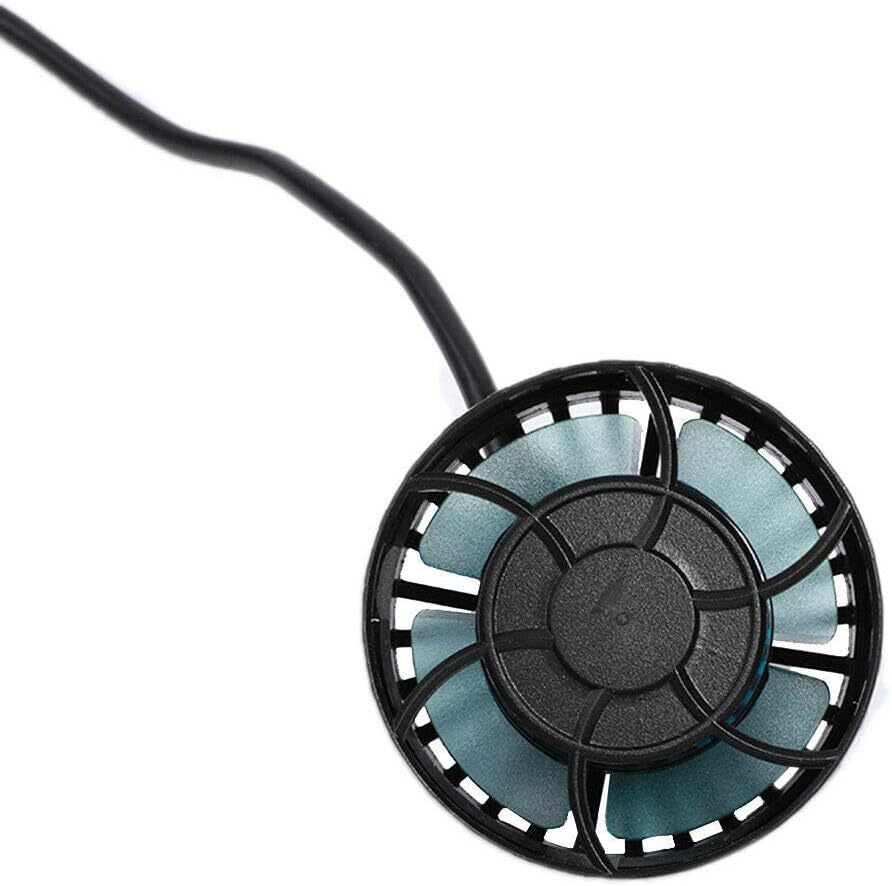
Figure 1.1: Jebao SLW-10 Wave Maker Pump
2. Safety Instructions
- Always disconnect the power supply before performing any maintenance, installation, or cleaning.
- This product is designed for indoor aquarium use only. Do not use it for any other purpose.
- Ensure your hands are dry when handling the power plug and controller.
- The pump motor is designed for internal use within the aquarium water. Do not operate the pump dry.
- The magnetic mount is suitable for aquarium glass thickness up to 8mm. Exceeding this thickness may result in insufficient magnetic grip and potential detachment.
- Do not modify or attempt to repair the unit. Refer all servicing to qualified personnel.
- Keep the power cord and pump cord away from sharp edges or hot surfaces.
- Ensure a drip loop is formed with the power cord to prevent water from traveling along the cord and reaching the electrical outlet.
3. Package Contents
Verify that all components are present and undamaged upon opening the package:
- 1 x Jebao SLW-10 Wave Maker Pump
- 1 x External Controller
- 1 x DC24V Power Supply Adapter
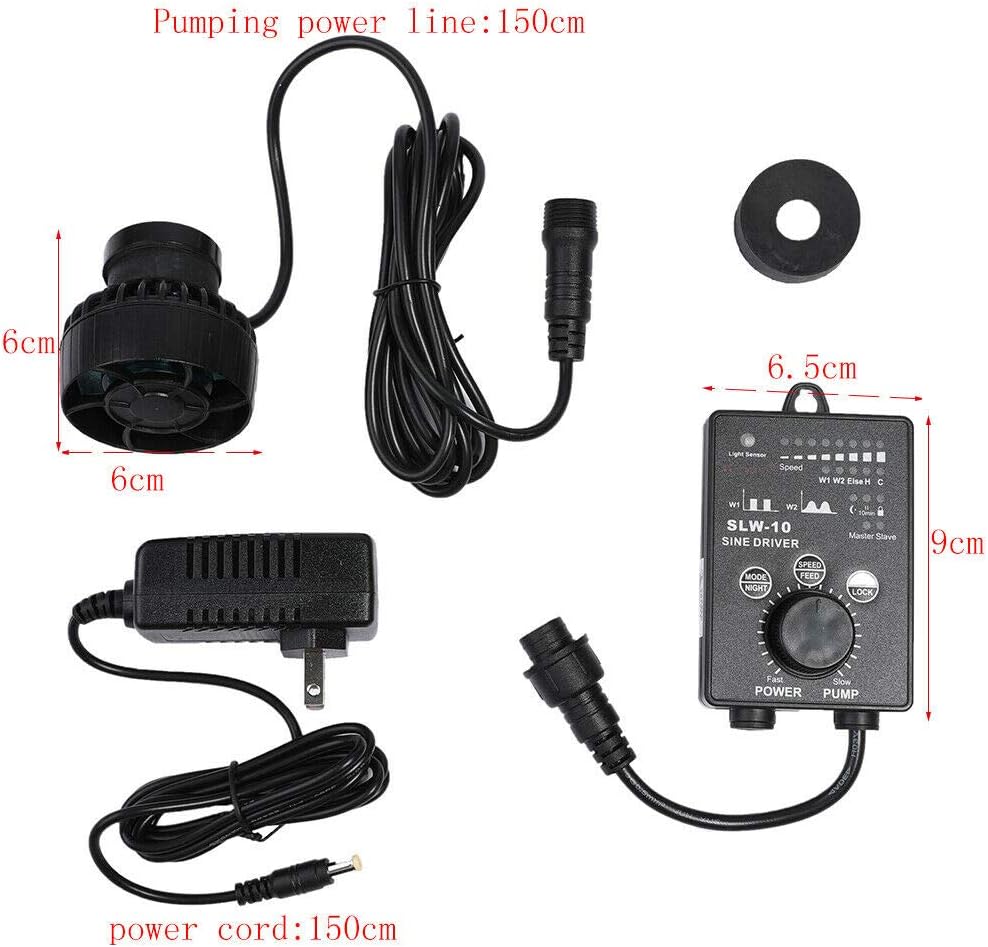
Figure 3.1: All components included in the Jebao SLW-10 package, showing the pump, controller, and power supply with their respective cable lengths.
4. Product Overview and Components
The Jebao SLW-10 system consists of three main parts:
- Wave Maker Pump Unit: The submersible unit that generates water flow. It features a compact design and a magnetic base for attachment to the aquarium glass.
- External Controller: This unit allows you to select different wave modes, adjust flow intensity, and activate special functions like feed mode and night sensor. It connects the pump to the power supply.
- Power Supply Adapter: Converts household AC power to the required DC24V for safe operation of the wave maker.
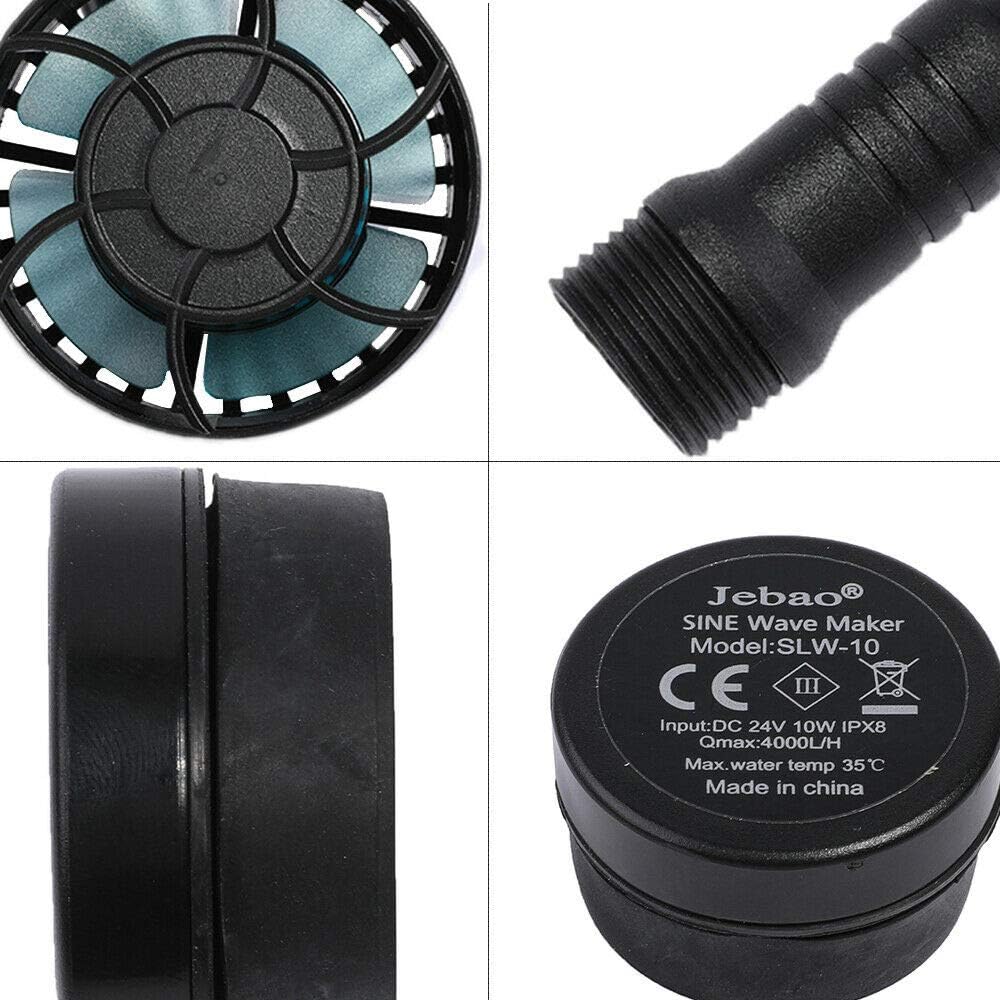
Figure 4.1: Close-up view of the Jebao SLW-10 pump unit and the controller, highlighting the model information and input specifications.
5. Installation
Follow these steps to install your Jebao SLW-10 Wave Maker:
- Choose Placement: Select a location inside your aquarium that allows for optimal water circulation. Avoid placing the pump directly against the substrate or too close to decorations that might obstruct flow. The pump can be rotated to adjust the output water direction.
- Attach Pump: Place the wet side (pump unit) inside the aquarium. Align the dry side (external magnet) on the outside of the aquarium glass, directly opposite the wet side. The strong magnetic force will hold the pump in place. Ensure the glass thickness does not exceed 8mm for secure attachment.
- Connect Controller: Connect the pump's cable to the designated port on the external controller. Ensure the connection is secure.
- Connect Power Supply: Plug the DC24V power supply adapter into the controller.
- Power On: Plug the power supply adapter into a suitable electrical outlet. The controller will illuminate, indicating power is supplied.

Figure 5.1: Illustration of the magnetic attachment method for the Jebao SLW-10, showing the internal pump unit and external magnet securing it to the aquarium glass.
6. Operation
The external controller provides various functions to customize your wave maker's performance:
- Mode Button: Press to cycle through different wave modes:
- Short Pulse: Creates short, sharp wave pulses.
- SINE Wave Pulse: Generates smooth, oscillating wave patterns.
- Random: Varies flow patterns randomly for a natural effect.
- Steady Stream: Provides a constant, continuous flow.
- Speed/Flow Adjustment Knob: Rotate the knob to increase or decrease the flow intensity of the pump.
- Feed Mode Button: Press this button to temporarily pause the pump for 10 minutes, allowing fish to feed without being disturbed by strong currents. The pump will automatically resume operation after 10 minutes.
- Night Sensor: The controller includes a light sensor that can automatically reduce pump activity during low light conditions (night mode) to simulate natural nocturnal environments.
- Master and Slave Wireless Control: If you have multiple Jebao SLW series wave makers, they can be wirelessly synchronized for coordinated flow patterns. Refer to the controller's specific instructions for pairing.
7. Maintenance
Regular maintenance ensures optimal performance and extends the lifespan of your wave maker:
- Cleaning the Pump: Periodically remove the pump from the aquarium and disassemble the impeller cover. Clean the impeller and its housing with a soft brush to remove any algae, detritus, or calcium buildup. Rinse thoroughly with clean water.
- Check Cables and Connections: Inspect all cables and connections for any signs of wear, damage, or corrosion. Ensure they are securely plugged in.
- Magnet Check: Ensure the magnetic mount remains clean and free of debris to maintain a strong grip on the aquarium glass.
- Power Off During Maintenance: Always unplug the power supply before performing any cleaning or maintenance inside the aquarium.
8. Troubleshooting
If you encounter issues with your Jebao SLW-10, refer to the following common problems and solutions:
| Problem | Possible Cause | Solution |
|---|---|---|
| Pump not operating | No power; Loose connection; Impeller jammed. | Check power outlet and connections. Disconnect power, remove pump, and clean impeller. |
| Weak or inconsistent flow | Impeller dirty or obstructed; Incorrect mode setting. | Clean the impeller and pump housing. Cycle through different modes on the controller. |
| Excessive noise | Impeller dirty or damaged; Air trapped in pump; Improper mounting. | Clean or inspect impeller for damage. Gently shake pump to release trapped air. Ensure pump is securely mounted and not vibrating against glass or decorations. |
| Pump detaches from glass | Glass too thick; Magnet dirty; Improper alignment. | Ensure tank thickness is within 8mm. Clean both sides of the magnet. Realign the wet and dry sides precisely. |
If the problem persists after attempting these solutions, please contact Jebao customer support.
9. Specifications
| Feature | Specification |
|---|---|
| Model | SLW-10 |
| Max Flow Rate | 4000 LPH (1050 GPH) |
| Max. Power Consumption | 10 Watts |
| Pump Dimensions (L x W x H) | 6cm x 6cm x 5cm (2.36" x 2.36" x 1.97") |
| Power Supply | DC24V, 110V-240V / 50-60Hz |
| Power Supply Cord Length | 1.5 meters |
| Pump Cord Length | 1.5 meters |
| Suitable Fish Tank Size | 30cm ~ 60cm |
| Max. Tank Glass Thickness | 8mm |
| Item Weight | 16 ounces (1 pound) |
| Material | Plastic |
10. Warranty and Support
For warranty information, please refer to the documentation provided with your purchase or contact your retailer. Jebao products typically come with a limited warranty covering manufacturing defects.
If you require technical assistance or have questions not covered in this manual, please contact Jebao customer support through their official website or your point of purchase. When contacting support, please have your product model (SLW-10) and purchase details ready.


