Introduction
This manual provides comprehensive instructions for the setup, operation, and maintenance of your Motorola CD4012 Digital Cordless Telephone with Answering Machine. Please read this manual thoroughly before using your new telephone system to ensure proper functionality and to take full advantage of its features.

The Motorola CD4012 digital cordless telephone system, featuring two handsets for extended coverage.
What's in the Box
Carefully unpack all items and ensure you have the following components:
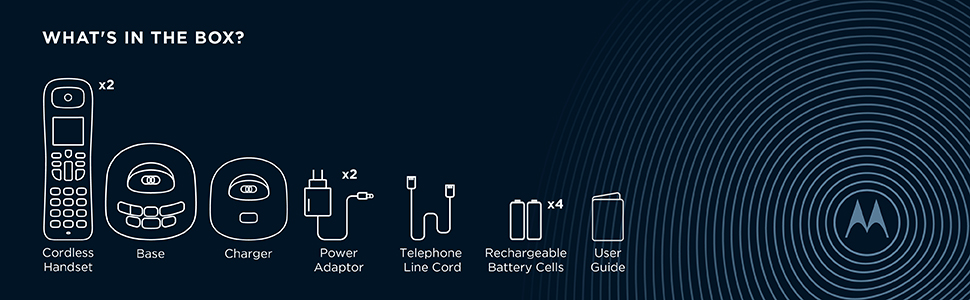
An illustration of the contents typically found in the Motorola CD4012 product packaging.
- 2 x Cordless Handsets
- 1 x Main Base Unit
- 1 x Additional Handset Charger
- 2 x Power Adaptors
- 1 x Telephone Line Cord
- 4 x AAA Rechargeable Batteries (2 per handset)
- 1 x User Guide (this manual)
Setup
1. Battery Installation
For each handset, locate the battery compartment cover on the back. Slide the cover off. Insert the two supplied AAA rechargeable batteries, observing the correct polarity (+ and -). Replace the battery compartment cover.
2. Connecting the Base Unit
Connect one end of the telephone line cord to the TEL LINE jack on the main base unit and the other end to your telephone wall jack. Connect one power adaptor to the POWER jack on the main base unit and plug the other end into a standard electrical outlet. For the additional handset charger, connect the second power adaptor to its POWER jack and plug into an electrical outlet.
3. Charging the Handsets
Place each handset into its respective charging cradle (main base unit or additional charger). The handset display will indicate charging. For optimal battery performance, allow the handsets to charge for at least 16 hours before initial use.
Operating Instructions
Making and Receiving Calls
- To Make a Call: Pick up a handset, press the TALK button, and dial the number.
- To Receive a Call: When the phone rings, press the TALK button.
- To End a Call: Press the END button or place the handset back in its cradle.
Hands-Free Speakerphone
During a call, press the SPEAKER button to activate the hands-free speakerphone. Press it again to switch back to handset mode.

The handset features a dedicated speakerphone button for convenient hands-free communication.
Answering Machine
The integrated digital answering machine records messages when you are unable to answer. It offers up to 12 minutes of recording time.
- Playing Messages: Press the PLAY button on the base unit or handset to listen to new messages.
- Recording Outgoing Message: Follow the menu prompts on the handset to record your personalized outgoing message.
Phone Book
Store up to 50 names and numbers in the phone book for quick dialing. Access the phone book via the MENU/OK button and navigate using the arrow keys.
Call Blocking
Block unwanted calls by adding numbers to the call block list. The phone can block up to 10 numbers. Press the dedicated BLOCK button to access the call block menu.
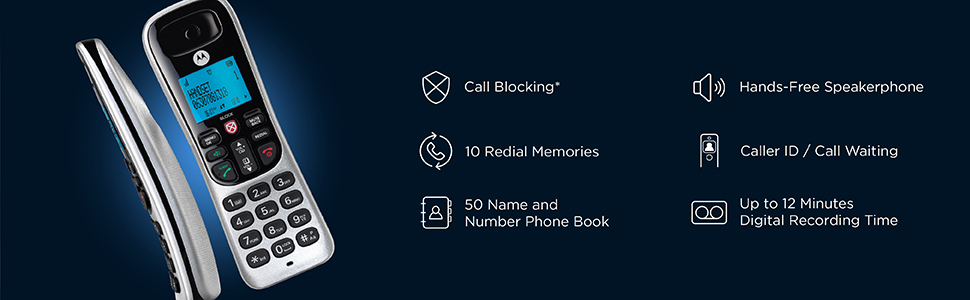
The call blocking feature allows you to manage unwanted calls effectively.
Redial
The phone stores the last 10 dialed numbers. Press the REDIAL button to view and redial recent calls.
Intercom and Call Transfer
If you have multiple handsets, you can use the intercom feature to communicate between them or transfer calls from one handset to another.
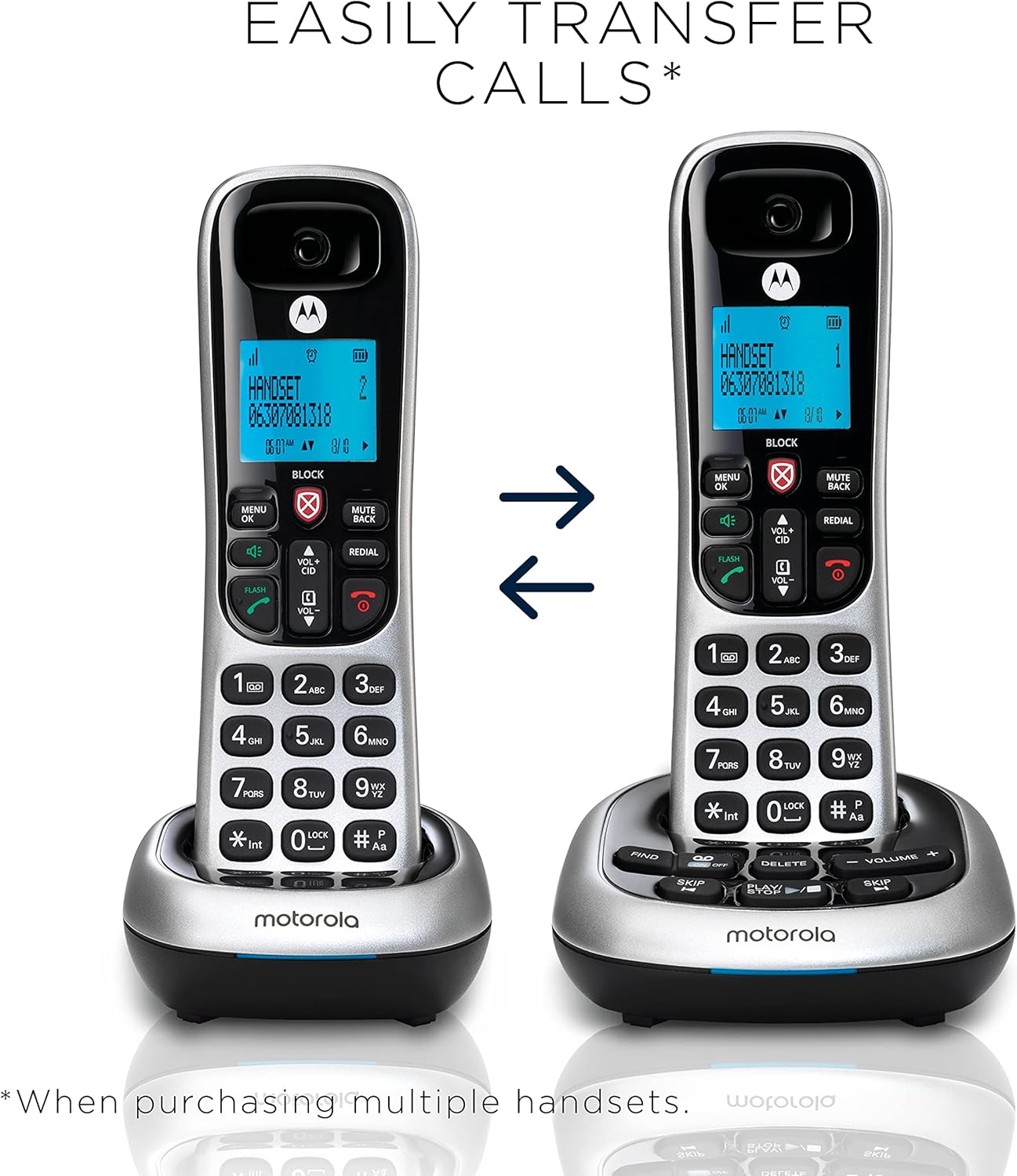
Easily transfer calls between multiple handsets within your system.
Key Features Overview
- Digital Answering Machine: Up to 12 minutes of digital recording time ensures you never miss important messages.
- Hands-Free Speakerphone: Take calls conveniently over the loudspeaker, freeing your hands for other tasks.
- Bright Backlit Display and Keypad: Provides clear visibility and easy dialing, even in low-light conditions.
- 50 Name and Number Phone Book: Store and quickly access your frequently called contacts.
- Call Blocking and Mute: Block up to 10 unwanted numbers with a dedicated key for quick access to the Call Block menu. The mute function allows you to speak privately without the caller hearing.
Official product video showcasing the features of the Motorola CD4 Series cordless phones.
Maintenance
- Cleaning: Wipe the phone and base unit with a soft, damp cloth. Do not use abrasive cleaners or solvents.
- Battery Care: Use only the supplied rechargeable batteries. If the phone will not be used for an extended period, remove the batteries from the handsets.
- Environmental Conditions: Avoid exposing the phone to direct sunlight, moisture, or extreme temperatures.
Troubleshooting
| Problem | Possible Solution |
|---|---|
| No dial tone | Ensure the telephone line cord is securely connected to both the base unit and the wall jack. Check if the power adaptor is properly connected and plugged in. |
| Handset not charging | Ensure the handset is correctly seated in the charging cradle. Verify the charging contacts on both the handset and cradle are clean. Check the power adaptor connection for the charger. |
| Poor audio quality | Move closer to the base unit. Check for interference from other electronic devices. Ensure the telephone line cord is not damaged. |
| Answering machine not recording | Check if the answering machine is turned on. Ensure there is sufficient recording time available. |
| Cannot block calls | Ensure you are subscribed to a Caller ID service from your network operator, as this feature requires it. |
Specifications
| Attribute | Detail |
|---|---|
| Model Number | CD4012 |
| Telephone Type | Cordless |
| Answering System Type | Digital (up to 12 minutes recording) |
| Number of Handsets | 2 |
| Color | Silver |
| Batteries | 4 AAA rechargeable batteries (included) |
| Item Weight | 1.6 pounds |
| Product Dimensions | 7.4 x 6.5 x 3.4 inches |
| Power Source | Corded Electric |
| Dialer Type | Single Keypad |
Warranty and Support
Your Motorola CD4012 Digital Cordless Telephone is covered by a manufacturer's warranty. Please refer to the warranty card included in your product packaging for specific terms and conditions. For technical support, troubleshooting assistance, or warranty claims, please contact Motorola Voice customer service through their official website or the contact information provided in your product documentation.
For additional resources and product information, you may visit the official Motorola Voice store: Motorola Voice Store.


