
1. Product Overview
The Bushnell TRKR 400 Lumen LED Tactical Flashlight is a durable and versatile lighting tool designed for various outdoor and emergency situations. It features multiple light modes, including a specialized blood tracking mode, and is built with an aircraft-grade aluminum body for resilience.

Figure 1: Bushnell TRKR 400 Lumen LED Tactical Flashlight. This image displays the flashlight from an angled top-down view, highlighting its black aluminum body and textured grip.
2. Setup
2.1 Battery Installation
The Bushnell TRKR 400L flashlight requires two (2) AA batteries for operation. These batteries are typically included with the product.
- Unscrew the tail cap of the flashlight by turning it counter-clockwise.
- Insert two AA batteries into the battery compartment, ensuring correct polarity (+/-) as indicated inside the flashlight.
- Screw the tail cap back on clockwise until it is securely tightened.

Figure 2: Battery compartment with two AA batteries. The image shows the flashlight with its tail cap removed, revealing the battery compartment and two AA batteries ready for insertion.
2.2 Charging (if applicable for rechargeable models)
Some Bushnell TRKR models feature a rechargeable battery. If your model is rechargeable, locate the charging port by rotating the collar near the tail cap. Connect the provided USB charging cable to the port and a power source.
Video 1: Bushnell 400 Lumen TRKR Flashlight Features. This video demonstrates the flashlight's features, including how to access the charging port by rotating the collar and connecting the USB cable.
3. Operating Instructions
3.1 Power On/Off and Mode Selection
The flashlight features a power button located on the tail cap. It offers multiple lighting modes:
- Momentary On: Half-press and hold the power button for temporary illumination. Release to turn off.
- Constant On/Off: Fully press the power button until it clicks to turn the flashlight on. Press again to cycle through modes (White, Red, Blood Tracking). Press and hold to turn off.
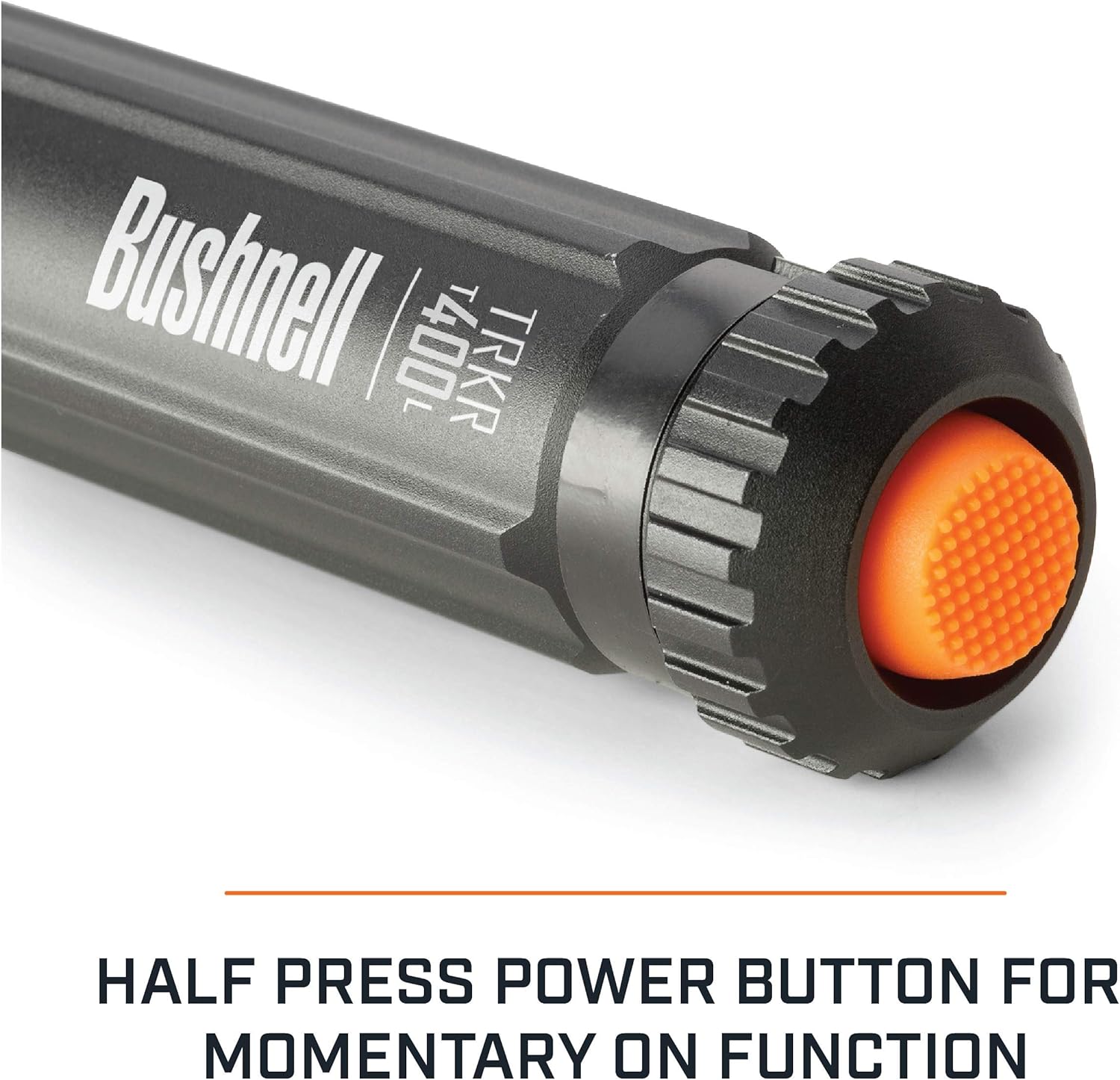
Figure 3: Close-up of the flashlight's tail cap, showing the orange power button and the text "HALF PRESS POWER BUTTON FOR MOMENTARY ON FUNCTION".
3.2 Light Modes
The TRKR 400L offers three distinct light modes:
- White Light: Provides 400 lumens for general illumination.
- Red Light: Offers 13 lumens, ideal for preserving night vision.
- Blood Tracking Mode (Blue Light): Provides 6 lumens, specifically designed to enhance the visibility of blood trails.

Figure 4: Three panels illustrating the different light modes: Blood Tracking (blue), Red, and White. Each panel shows the flashlight head emitting the respective color.
3.3 Carrying and Portability
The flashlight includes a sturdy clip for secure attachment to clothing, belts, or gear, preventing loss during activities.

Figure 5: The flashlight is shown attached to a tactical pouch, demonstrating its portability and secure clip feature.
4. Maintenance
4.1 Battery Care
To ensure optimal performance and longevity of your flashlight, regularly check batteries for signs of corrosion. Replace old or corroded batteries promptly. Use high-quality, non-leaking batteries to prevent damage to the device.
4.2 Cleaning
Wipe the flashlight body with a soft, damp cloth to remove dirt and debris. Avoid using harsh chemicals or abrasive materials that could damage the finish or internal components. Ensure the lens is clean for maximum light output.
5. Troubleshooting
- Light does not turn on: Check battery installation and ensure batteries are fresh or fully charged. Verify the tail cap is securely tightened.
- Dim light output: Replace batteries with fresh ones or recharge if applicable. Ensure the lens is clean.
- Charging issues: Ensure the USB cable is properly connected to both the flashlight and the power source. Check the power source for functionality.
6. Specifications
| Feature | Specification |
|---|---|
| Brightness (White) | 400 Lumens |
| Brightness (Red) | 13 Lumens |
| Brightness (Blood Tracking) | 6 Lumens |
| Power Source | 2 AA Batteries (included) |
| Light Source Type | LED |
| Material | Aircraft Grade Aluminum |
| Water Resistance Level | IPX4 (Weather Resistant) |
| Impact Resistance | 1-meter |
| Item Weight | 3.64 Ounces |
| Model Number | 50011 |
| UPC | 810007480800 |
7. Warranty Information
For detailed warranty information regarding your Bushnell TRKR 400 Lumen LED Tactical Flashlight, please refer to the warranty card included with your purchase or visit the official Bushnell website. Keep your proof of purchase for any warranty claims.
8. Support
If you require further assistance or have questions not covered in this manual, please contact Bushnell customer support. Contact details can typically be found on the product packaging or the official Bushnell website.

