
Introduction
The Zeadio Camera Smartphone Stabilizer (Model DV-HDE-GC10) is designed to enhance video recording stability for various devices, including cameras, camcorders, action cameras, DSLRs, and smartphones. It features a versatile design that supports both single-hand and two-hand operation, aiming to reduce camera shake and provide multiple attachment points for accessories.
Setup
What's in the Box
- 1 x Handheld Stabilizer Frame
- 1 x Phone Clamp Mount
Assembly Instructions
- Assemble the Stabilizer Frame: The stabilizer frame consists of a central mounting plate and two curved handles. Connect the handles to the central plate by aligning the quick-release mechanisms and pressing the red buttons to secure them. Ensure both handles are firmly locked into place.
- Attach the Phone Clamp Mount: The phone clamp mount can be attached to any of the 1/4 inch screw threads on the central mounting plate. Secure it by rotating the screw until tight.
- Mount Your Device:
- For Smartphones: Place your smartphone into the phone clamp mount. Ensure it is securely held.
- For Cameras/Camcorders/DSLRs: Use the 1/4 inch screws on the central mounting plate to attach your camera. Adjust the position of the screws to balance your device.
- Attach Accessories (Optional): The stabilizer features triple cold-shoe mounts and additional 1/4 inch threaded holes. These can be used to attach external microphones, LED lights, or other photography devices.

Image: Overview of the Zeadio Camera Smartphone Stabilizer, showing its assembled form.

Image: Illustration of the quick release mechanism for switching between two-handed and one-handed modes.
Operating Instructions
Single-Hand Mode
To use the stabilizer in single-hand mode, detach one of the curved handles using the quick-release button. This configuration is suitable for low-angle shots or when a more compact setup is desired. Ensure the remaining handle is securely attached.
Two-Hand Mode
For maximum stability and reduced camera shake, operate the stabilizer with both hands. This mode is ideal for capturing smooth video footage, especially when moving or tracking subjects. The ergonomic design of the handles provides a comfortable grip.

Image: The stabilizer being used in two-hand handheld shooting mode with a smartphone and action camera.
Tripod Compatibility
The central mounting plate includes a built-in 1/4 inch threaded hole at the bottom. This allows the stabilizer to be mounted onto a tripod, slider, or rail car for enhanced stability and precise camera movements. This is particularly useful for static shots or controlled tracking.
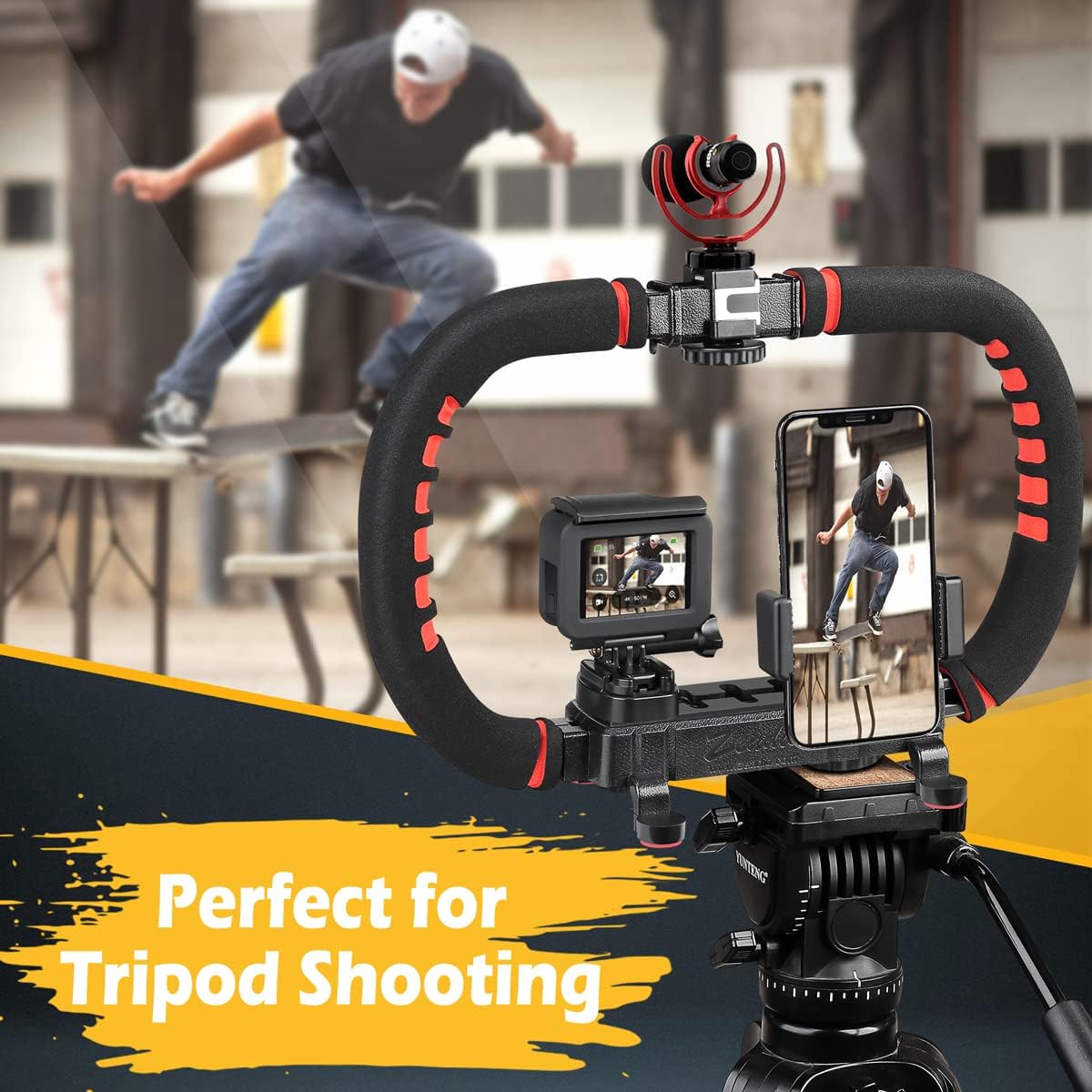
Image: The stabilizer mounted on a tripod, demonstrating its compatibility for stable shots.
Accessory Mounting
Utilize the triple cold-shoe mounts and multiple 1/4 inch screws to attach various accessories such as external microphones, LED video lights, or monitors. This allows for a customized setup to meet specific photography and videography needs.

Image: Close-up of the triple cold shoe mounts and a camera mounted on the rig, illustrating accessory attachment.

Image: Detail of the universal 1/4 inch screws on the mounting plate for attaching various devices.

Image: Various configurations showing different combinations of cameras, smartphones, microphones, and lights mounted on the stabilizer.
Maintenance
To ensure the longevity and optimal performance of your Zeadio Camera Smartphone Stabilizer, follow these maintenance guidelines:
- Cleaning: Wipe the stabilizer with a soft, dry cloth after each use to remove dust and debris. For stubborn dirt, use a slightly damp cloth and mild soap, then dry thoroughly. Avoid harsh chemicals or abrasive materials.
- Storage: Store the stabilizer in a cool, dry place away from direct sunlight and extreme temperatures. If disassembling for storage, ensure all components are clean and dry.
- Inspection: Periodically check all screws, mounts, and quick-release mechanisms for tightness and proper function. Tighten any loose screws to maintain stability.
Troubleshooting
- Issue: Excessive Camera Shake:
Solution: Ensure all devices (camera, smartphone, accessories) are securely mounted and all screws are tightened. When using the two-hand mode, maintain a firm and steady grip. For heavier setups, consider using a tripod or monopod for additional support. - Issue: Handles feel loose or unstable:
Solution: Verify that the quick-release buttons on the handles are fully engaged and locked. If the issue persists, inspect the connection points for any obstructions or damage. - Issue: Missing parts upon delivery:
Solution: Carefully check all packaging materials. If any components listed in the 'What's in the Box' section are missing, contact Zeadio customer support immediately for assistance.
Specifications
| Product Dimensions | 4.17 x 13.98 x 7.95 inches (10.59 x 35.51 x 20.19 cm) |
| Item Weight | 1.14 pounds (516 grams) |
| Model Number | DV-HDE-GC10 |
| ASIN | B07WTKXNF6 |
| Brand | Zeadio |
| Compatible Devices | Camcorder, Camera, Cellphone, DSLR |
| Color | Black |
| Folded Size | 53mm x 177.5mm x 101mm |
Warranty and Support
For warranty information, technical support, or any inquiries regarding your Zeadio Camera Smartphone Stabilizer, please contact Zeadio customer service through the retailer where the product was purchased or visit the official Zeadio website. Please retain your proof of purchase for warranty claims.
