
Kidde 5CO
Kidde 5CO Carbon Monoxide Alarm User Manual
Model: 5CO | Brand: Kidde
Introduction
This user manual provides essential information for the installation, operation, and maintenance of your Kidde 5CO Carbon Monoxide Alarm. This device is designed to detect carbon monoxide (CO) gas, a colorless, odorless, and tasteless toxic gas, and alert you to its presence, helping to protect your home and family. Please read this manual thoroughly before installation and keep it in a safe place for future reference.
Important Safety Information
WARNING: This carbon monoxide alarm is designed to detect carbon monoxide gas from any source of combustion. It is NOT designed to detect smoke or fire. This alarm is not a substitute for a smoke alarm. This device is not suitable for use in hazardous locations as defined in the National Electrical Code.
Carbon monoxide is a highly toxic gas that can be fatal. Symptoms of CO poisoning include headache, dizziness, nausea, vomiting, and fatigue. Prolonged exposure can lead to unconsciousness, brain damage, and death. If the alarm sounds, immediately move to fresh air and call emergency services.
The Kidde 5CO alarm is CE and UKCA marked, and Kitemarked to the most up-to-date British Standards Institute (BSI) standard for carbon monoxide alarms (BS EN 50291-1:2018), ensuring its reliability and safety compliance.

Image: The Kidde 5CO Carbon Monoxide Alarm highlighting its CE, UKCA, and Kitemarked certifications, indicating compliance with safety standards.
Product Overview
The Kidde 5CO is a compact and lightweight carbon monoxide alarm designed for continuous monitoring. It features clear indicators and an easy-to-use test button.

Image: Front view of the Kidde 5CO Carbon Monoxide Alarm, displaying its main features including the test button, LED indicators for Alarm, Operate, and Fault, and the model number.
Components and Indicators:
- Test/Reset Button: Used to test the alarm's functionality and silence it during an alarm event.
- Alarm LED: Illuminates when carbon monoxide is detected.
- Operate LED: Flashes periodically to indicate normal operation.
- Fault LED: Illuminates to indicate a fault or low battery condition.
- Loud 85dB Alarm: Emits a piercing sound to alert occupants to CO presence.

Image: Detailed view of the Kidde 5CO alarm, highlighting the easy-to-use test/hush button, the compartment for two AA batteries, and the loud 85dB alarm speaker grille.
Product Dimensions:

Image: The Kidde K5CO Carbon Monoxide Alarm shown with its compact dimensions: 127mm in length, 73mm in height, and 39mm in depth.
Product Overview Video:
Video: A comprehensive product overview of the Kidde K5CO Carbon Monoxide Alarm, demonstrating its features and design.
Setup and Installation
The Kidde 5CO alarm is designed for easy setup and can be either free-standing or wall-mounted. It comes with 2x AA batteries included for immediate use.
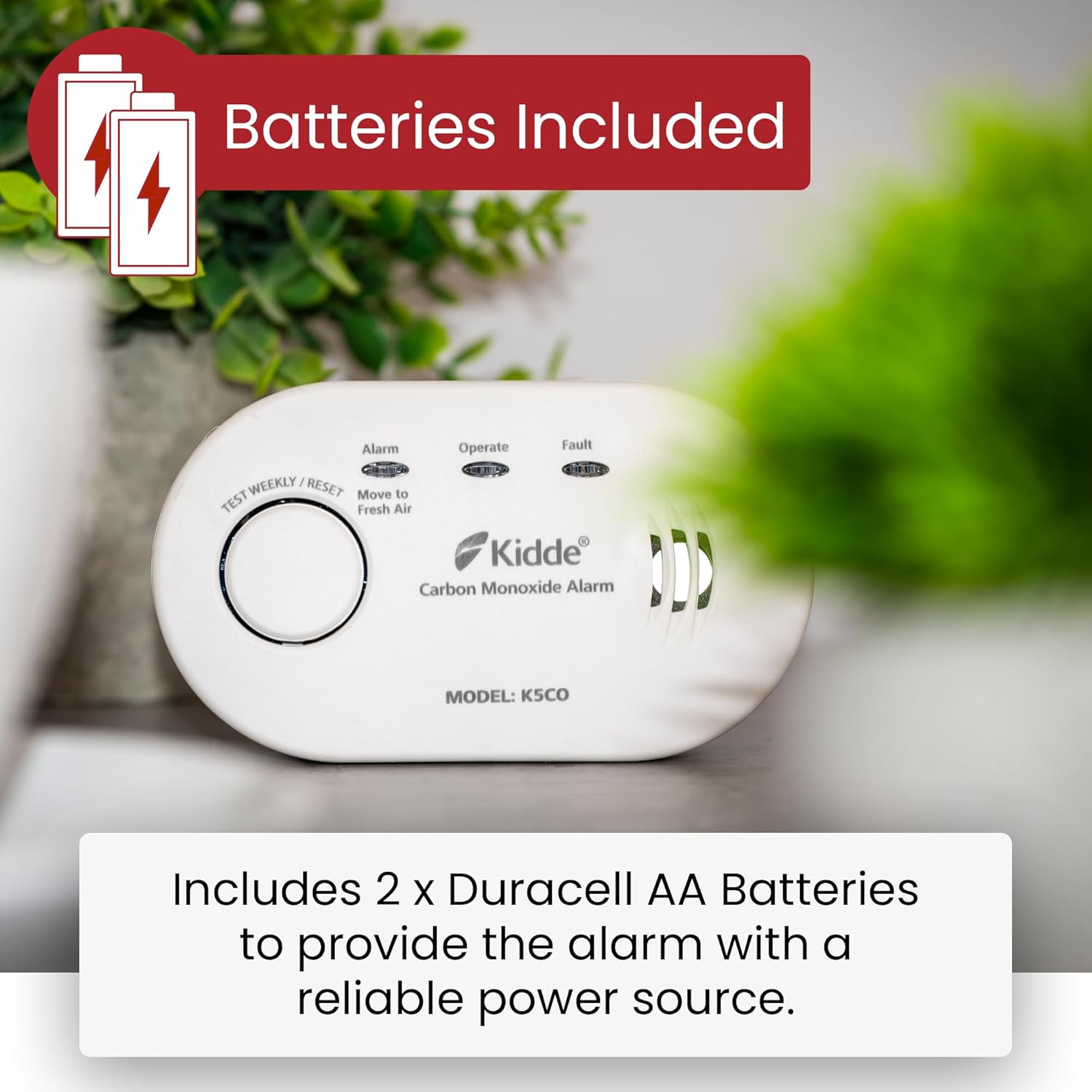
Image: The Kidde 5CO Carbon Monoxide Alarm, emphasizing that it includes two Duracell AA batteries for reliable power.

Image: The Kidde 5CO Carbon Monoxide Alarm displayed with all its included accessories: two AA batteries, the mounting plate, screws, and wall plugs for installation.
Battery Installation:
- Open the battery compartment cover on the back of the alarm.
- Insert the two supplied AA batteries, ensuring correct polarity (+ and -).
- Close the battery compartment cover securely. The alarm will chirp and the green 'Operate' LED will flash to indicate it is powered on.
Placement Guidelines:
- Install the alarm in a central location on each level of your home, near sleeping areas and any fuel-burning appliances.
- For optimal detection, place the alarm at least 1-3 meters (3-10 feet) away from fuel-burning appliances to avoid false alarms from initial bursts of CO.
- Do not install in garages, kitchens, furnace rooms, or bathrooms.
- Avoid placing near windows, doors, or areas with strong drafts, as this can affect sensor accuracy.
- The alarm can be placed free-standing on a shelf or table, or wall-mounted using the provided fixing kit.
Wall Mounting (Optional):
- Choose a suitable location on a wall, following the placement guidelines above.
- Mark the positions for the two mounting screws using the alarm's keyhole slots as a template.
- Drill two holes and insert the wall plugs.
- Insert the screws, leaving them slightly protruding.
- Align the alarm's keyhole slots with the screws and slide the alarm down to secure it.
Operating Instructions
Normal Operation:
During normal operation, the green 'Operate' LED will flash approximately once every 30 seconds, indicating that the alarm is functioning correctly.
Testing the Alarm:
It is recommended to test your carbon monoxide alarm weekly to ensure proper functionality. To test:
- Press and hold the 'Test/Reset' button on the front of the alarm.
- The alarm will emit a loud, piercing sound (85dB) and all three LEDs (Alarm, Operate, Fault) will illuminate.
- Release the button. The alarm should stop sounding, and the LEDs will return to their normal operating state.

Image: A hand demonstrating how to press the 'Test Weekly / Reset' button on the Kidde 5CO Carbon Monoxide Alarm, illustrating the ease of testing and silencing the device.
Alarm Condition:
If carbon monoxide is detected, the alarm will sound with a series of four quick beeps, followed by five seconds of silence. The red 'Alarm' LED will flash. This cycle will repeat until the CO concentration drops to a safe level or the alarm is reset.
If the alarm sounds:
- Immediately move to fresh air outdoors or open all doors and windows to ventilate the area.
- Do a head count to check that all persons are accounted for.
- Do not re-enter the premises until the alarm has stopped sounding and the area has been thoroughly ventilated.
- Call your emergency services or a qualified appliance technician to investigate the source of the carbon monoxide.
Product Summary Video:
Video: A brief summary video showcasing the key features and benefits of the Kidde K5CO Carbon Monoxide Alarm.
Maintenance
Regular maintenance ensures the continued reliability of your Kidde 5CO Carbon Monoxide Alarm.
Weekly Testing:
As mentioned in the Operating Instructions, test your alarm weekly by pressing the 'Test/Reset' button.
Cleaning Your Alarm:
Clean the alarm regularly to prevent dust and debris from accumulating on the sensor or vents. Use a soft, damp cloth to wipe the exterior. Do NOT use cleaning solvents or polishes.
Battery Replacement:
The alarm is powered by 2x AA batteries. When the batteries are low, the yellow 'Fault' LED will flash and the alarm will chirp approximately once every 60 seconds. Replace the batteries immediately with fresh AA alkaline batteries (e.g., Duracell MN1500, MX1500, Energizer E91, Gold Peak 15A, or Golden Power GLR6A). Do not use Lithium batteries in this unit.
The alarm has a 10-year sensor life. After 10 years from the date of manufacture, the unit will indicate an end-of-life signal (the yellow 'Fault' LED will flash twice every 30 seconds and the alarm will chirp twice every 30 seconds). At this point, the entire unit must be replaced.

Image: Close-up view of the battery compartment of the Kidde 5CO Carbon Monoxide Alarm, showing the label with "DATE OF MFG: 2020, 03, 11" and fields to record "Date installed" and "Replace 10 Years After Installation".
Troubleshooting
| Problem | Possible Cause | Solution |
|---|---|---|
| Alarm sounds continuously (4 beeps, 5 seconds silence) | Carbon Monoxide detected. | Immediately move to fresh air. Call emergency services. Do not re-enter until safe. |
| Yellow 'Fault' LED flashes and alarm chirps every 60 seconds | Low battery. | Replace batteries immediately with new AA alkaline batteries. |
| Yellow 'Fault' LED flashes twice and alarm chirps twice every 30 seconds | End of unit life (10 years from manufacture date). | Replace the entire alarm unit. |
| Alarm does not sound during test | No power, faulty unit, or dead batteries. | Check battery installation. Replace batteries. If problem persists, replace unit. |
Specifications
- Model: 5CO
- Power Source: 2 x AA Batteries (included)
- Sensor Type: Electrochemical
- Alarm Loudness: 85dB at 3 meters
- Operating Temperature: -10°C to 40°C
- Operating Humidity: 10-95% Relative Humidity (RH) non-condensing
- Product Dimensions: 126 x 72 x 35mm (Length x Height x Depth)
- Item Weight: 115g
- Sensor Life: 10 Years
- Certifications: CE, UKCA, Kitemarked to BS EN 50291-1:2018
Warranty and Support
The Kidde 5CO Carbon Monoxide Alarm comes with a 7-year manufacturer's warranty from the date of purchase. This warranty covers defects in materials and workmanship under normal use and service.
For technical support, warranty claims, or further information, please refer to the contact details provided in the original packaging or visit the official Kidde website. Ensure you have your product model number (5CO) and date of purchase available when contacting support.
Related documents5CO


Ask a question about this manual
Ask about setup, troubleshooting, compatibility, parts, safety, or missing instructions. Manuals+ will review the question and use this page’s manual context to help answer it.