Introduction
This user manual provides comprehensive instructions for the safe and efficient operation of your Melitta Look V Perfection 1025-06 filter coffee maker. Please read all instructions carefully before first use and retain this manual for future reference. This appliance is designed for household use only.
The Melitta Look V Perfection coffee maker combines modern design with advanced functionality, featuring a removable water tank, a patented AromaSelector for customizable coffee strength, and a 3-in-1 Calc Protection system for extended appliance life.
Setup
1. Unpacking and Initial Cleaning
- Carefully remove all packaging materials from the coffee maker.
- Clean all removable parts (water tank, filter holder, glass carafe) with warm water and a mild detergent. Rinse thoroughly.
- Wipe the exterior of the appliance with a damp cloth.
- Before first use, operate the coffee maker with clean water only (without coffee) for two full brewing cycles to rinse the internal components.
2. Filling the Water Tank
The water tank is removable for easy filling. Lift the water tank from the back of the appliance.
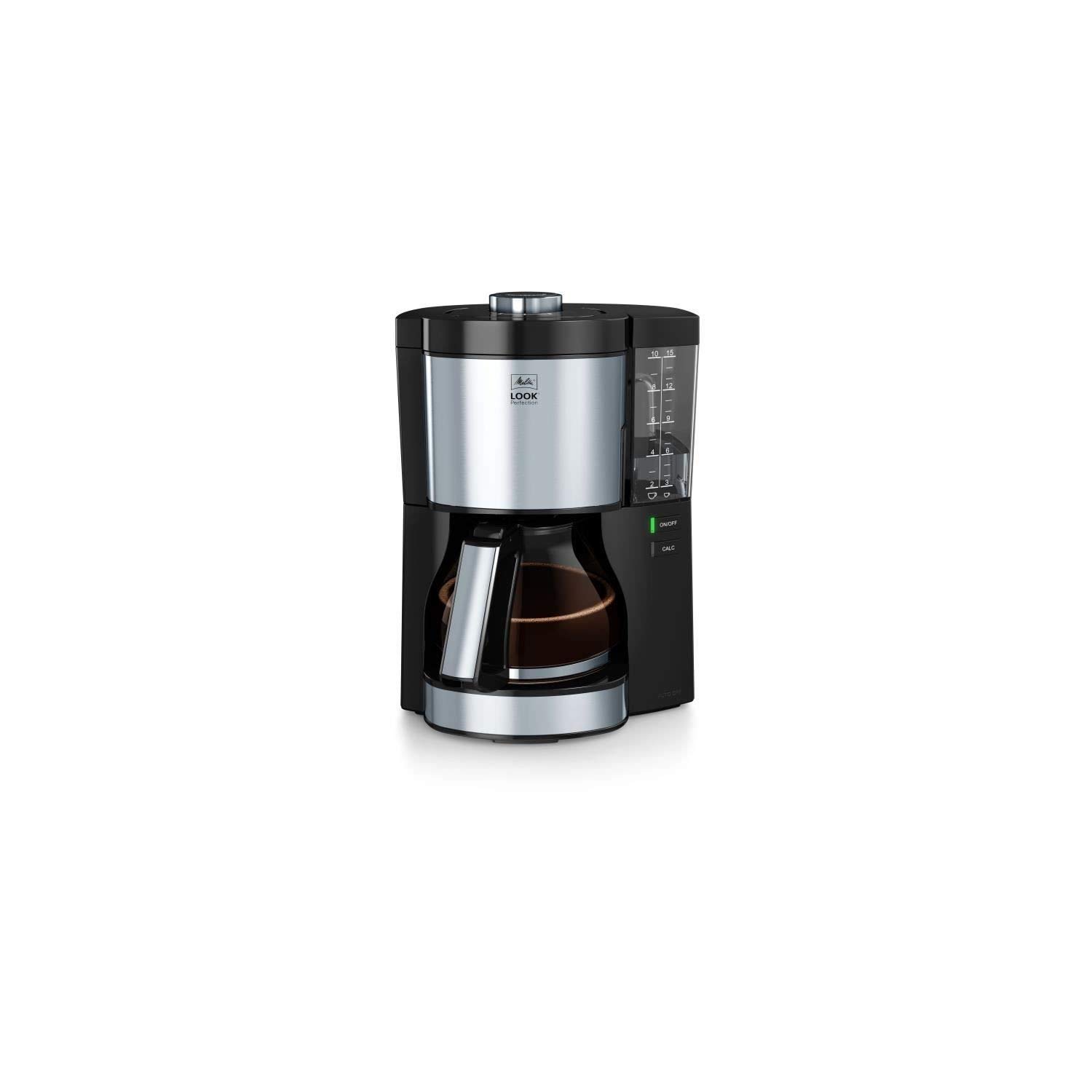
Image: The Melitta Look V Perfection coffee maker with its removable water tank being lifted for filling.
Fill the water tank with fresh, cold water up to the desired number of cups, indicated by the double graduation for 10 large cups (125ml) or 15 small cups (85ml). Reinsert the water tank securely into the appliance.
3. Inserting the Filter and Coffee
The filter holder is designed to pivot out for convenient access.

Image: The Melitta Look V Perfection coffee maker with the swing-out filter holder open, ready for a filter.
- Swing out the filter holder.
- Insert a standard paper filter (size 1x4 or similar, depending on model specifics) into the filter holder.
- Add the desired amount of ground coffee into the paper filter. A general guideline is one level tablespoon of coffee per cup (125ml).
- Close the filter holder securely.

Image: The Melitta Look V Perfection coffee maker with the filter holder open, showing a paper filter containing ground coffee.
Operating Instructions
1. Adjusting Coffee Strength (AromaSelector)
The patented AromaSelector allows you to customize the intensity of your coffee from mild to strong. Rotate the dial on top of the appliance to your preferred setting.

Image: A close-up view of the Melitta Look V Perfection coffee maker, highlighting the AromaSelector dial for adjusting coffee strength.
2. Brewing Coffee
- Ensure the glass carafe is placed correctly on the warming plate. The anti-drip system will prevent coffee from dripping when the carafe is removed during brewing.
- Press the ON/OFF button to start the brewing process. The indicator light will illuminate.
- The coffee maker will automatically brew the coffee.
3. Keep-Warm Function
The appliance features an adjustable keep-warm function. After brewing, the coffee will be kept warm for 20, 40, or 60 minutes, depending on your setting. Refer to the appliance's specific controls for adjusting this duration.
Maintenance
1. Daily Cleaning
- Always unplug the coffee maker and allow it to cool completely before cleaning.
- Remove the filter holder and glass carafe. Wash them with warm water and mild detergent, then rinse thoroughly. These parts may also be dishwasher safe (check specific model instructions).
- Wipe the exterior of the appliance and the warming plate with a damp cloth. Do not immerse the appliance in water.
2. Descaling (3-in-1 Calc Protection)
Regular descaling is crucial for the longevity and performance of your coffee maker. The 3-in-1 Calc Protection system includes:
- Water Hardness Programming: Program the water hardness level into the appliance. This allows the coffee maker to monitor and indicate when descaling is needed.
- Descaling Indication: The coffee maker will alert you when descaling is required (e.g., via a 'CALC' indicator light).
- Descaling Program: An integrated descaling program ensures effective and thorough removal of limescale deposits. Follow the instructions provided with your descaling agent and the appliance's specific descaling procedure.
Use only descaling agents suitable for coffee machines. Never use vinegar, as it can damage the appliance.
Troubleshooting
| Problem | Possible Cause | Solution |
|---|---|---|
| Coffee does not brew or brews slowly. | Appliance is calcified; water tank is empty; filter holder is not closed properly. | Perform descaling procedure; fill water tank; ensure filter holder is securely closed. |
| Coffee is too weak or too strong. | Incorrect coffee-to-water ratio; AromaSelector setting. | Adjust coffee quantity; adjust AromaSelector dial. |
| Water leaks from the appliance. | Water tank not seated correctly; filter holder not closed; carafe not positioned correctly. | Ensure water tank is firmly in place; close filter holder completely; position carafe correctly on warming plate. |
| CALC indicator light is on. | Appliance requires descaling. | Perform the descaling program as per instructions. |
Specifications
- Brand: Melitta
- Model Number: 1025-06
- Color: Black
- Dimensions (L x W x H): 21 x 24 x 33.5 cm
- Weight: 998 grams
- Capacity: 1.25 Liters (approx. 10 large cups / 15 small cups)
- Power: 1080 Watts
- Voltage: 230 Volts
- Material: Plastic, Stainless Steel, Glass
- Special Features: Adjustable coffee intensity (AromaSelector), Ground coffee input, Jug coffee reservoir, Removable water tank, 3-in-1 Calc Protection.
Warranty and Support
This Melitta coffee maker is designed for durability and performance. Spare parts are generally available for a period of 1 year from the date of purchase.
For warranty claims, technical support, or further assistance, please refer to the contact information provided with your purchase documentation or visit the official Melitta website for your region. Always have your model number (1025-06) and proof of purchase ready when contacting support.


