
1. Introduction
This manual provides detailed instructions for the installation, operation, and maintenance of your ASHATA 120dB Touch Sensor Security Alarm Door Knob. This device is designed to provide an audible alert upon detecting unauthorized contact with a door or window, enhancing security for your home, office, or shop. Please read this manual thoroughly before using the product to ensure proper function and safety.
2. Safety Information
- Ensure the device is used with the specified 9V battery. Incorrect battery types may cause damage or malfunction.
- Do not expose the device to extreme temperatures, direct sunlight, or moisture.
- Keep the device out of reach of children to prevent accidental activation or misuse.
- The alarm produces a loud sound (120dB). Avoid prolonged exposure to the sound at close range to prevent hearing discomfort.
- Do not attempt to disassemble or repair the device yourself. Refer to qualified personnel for service.
3. Package Contents
Verify that all items are present in your package:
- 1 x ASHATA Touch Sensor Security Alarm
- 1 x User Manual (this document)
Note: A 9V battery is required for operation and is not included in the package.
4. Product Overview
The ASHATA Touch Sensor Security Alarm is a compact and portable device designed for easy deployment. It features a sensitive touch sensor and a loud siren to deter intruders.
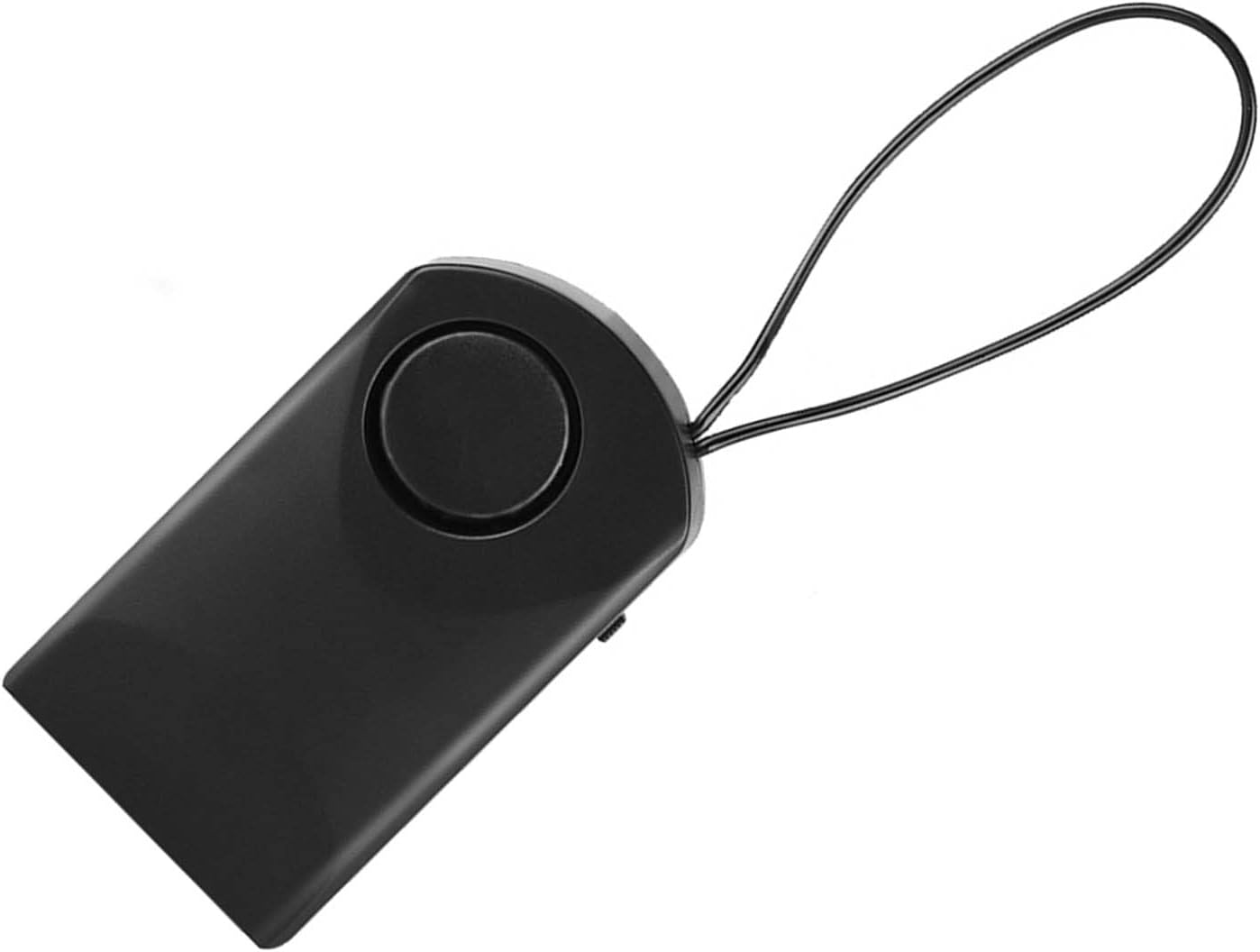
Figure 4.1: Front view of the ASHATA Touch Sensor Security Alarm. This image shows the main body of the alarm with the siren speaker visible on the front surface.

Figure 4.2: Side view of the ASHATA Touch Sensor Security Alarm, highlighting the ON/OFF switch. The switch allows for easy activation and deactivation of the alarm function.
Key Components:
- Siren Speaker: Emits a 120dB alarm sound.
- Touch Sensor: Detects contact or vibration.
- ON/OFF Switch: Activates or deactivates the alarm.
- Battery Compartment: Located on the back (requires 9V battery).
- Hanging Loop: For easy attachment to door handles or knobs.
5. Setup
5.1 Battery Installation
- Locate the battery compartment cover on the back of the alarm unit.
- Slide or gently pry open the cover.
- Insert a new 9V alkaline battery, ensuring correct polarity (+/-).
- Replace the battery compartment cover securely.
5.2 Mounting the Alarm
The alarm is designed for easy, temporary mounting on door handles or knobs.
- Identify the door or window you wish to secure.
- Use the integrated hanging loop to place the alarm over the inside door handle or knob. Ensure the alarm hangs freely and can detect movement.

Figure 5.1: The alarm unit attached to a door handle. The hanging loop allows for quick and easy placement on various door types.

Figure 5.2: The alarm positioned on a door knob, illustrating its use in a bedroom setting for personal security. The alarm is designed to activate if the door knob is touched.
6. Operating Instructions
6.1 Activating the Alarm
- Once the alarm is securely mounted and the battery is installed, locate the ON/OFF switch on the side of the unit.
- Slide the switch to the ON position.
- The alarm is now armed. Any significant touch or vibration detected on the door handle/knob will trigger the 120dB siren.
6.2 Deactivating the Alarm
- To deactivate the alarm, slide the ON/OFF switch to the OFF position.
- The alarm will cease to function until reactivated.
Note: The alarm is highly sensitive. Test its sensitivity by gently touching the door handle after activation to ensure it functions as expected.
7. Maintenance
- Cleaning: Wipe the device with a soft, dry cloth. Do not use abrasive cleaners or solvents.
- Battery Replacement: Replace the 9V battery when the alarm sound becomes weak or the unit fails to activate. Always use a fresh alkaline battery.
- Storage: If storing the device for an extended period, remove the battery to prevent leakage and damage. Store in a cool, dry place.
8. Troubleshooting
| Problem | Possible Cause | Solution |
|---|---|---|
| Alarm does not sound. |
|
|
| Alarm sounds too easily (false alarms). |
|
|
| Alarm sound is weak. | Low battery. | Replace the 9V battery with a new one. |
9. Specifications
| Feature | Detail |
|---|---|
| Model | ASHATAurz2poca7s |
| Alarm Volume | 120 dB |
| Power Source | 1 x 9V Battery (not included) |
| Material | ABS Plastic |
| Control Method | Touch Sensor, ON/OFF Switch |
| Mounting Type | Door Handle/Knob Mount |
| Dimensions (Approx.) | 9.9 x 5.4 x 2.5 cm (3.9 x 2.1 x 1.0 inches) |
| Weight (Approx.) | 69g (2.4oz) without battery |
10. Warranty and Support
ASHATA products are designed for reliability and performance. For specific warranty details, please refer to the warranty card included with your purchase or visit the official ASHATA website.
If you encounter any issues or have questions regarding your ASHATA Touch Sensor Security Alarm, please contact ASHATA customer support through the retailer where the product was purchased or via the contact information provided on the official ASHATA website.
Please have your model number (ASHATAurz2poca7s) and purchase information ready when contacting support.