
Introduction
This manual provides instructions for the safe and efficient operation of the Beacon Pet SBT Automatic Double Type 12000 Vacuum Suction Pen. This tool is designed for precise handling of small electronic components such as ICs, SMD, SMT, and BGA chips during assembly or repair processes. It features adjustable vacuum suction and supports simultaneous operation by two users.
Safety Information
Always read and understand all safety warnings and instructions before using this product. Failure to follow these instructions may result in electric shock, fire, or serious injury.
- Ensure the power supply matches the specified voltage (110V/220V).
- Do not operate the device in wet conditions or near flammable materials.
- Keep hands and foreign objects away from the suction pens during operation.
- Unplug the device from the power outlet when not in use or before cleaning.
- Use only manufacturer-approved accessories and replacement parts.
Package Contents
Verify that all items listed below are included in your package:
- 1 x Pump Vacuum Suction Pen Placement Machine
- 2 x Vacuum Suction Pen
- 2 x Tube
- 3 x Needles (1.6mm)
- 2 x Sucker (3mm, 10mm)

Image: The main unit of the vacuum suction pen system, showing the pump, two connected suction pens, and tubing. The pump is white with a blue label, and the pens are metallic.
Setup
- Unpack Components: Carefully remove all items from the packaging.
- Connect Tubes: Attach one end of each transparent tube to the output ports on the vacuum pump unit.
- Connect Suction Pens: Attach the other end of each tube to the rear inlet of a vacuum suction pen. Ensure connections are secure to prevent air leaks.
- Select Sucker/Needle: Choose the appropriate size sucker (3mm or 10mm) or needle (1.6mm) for the component you intend to handle. Attach it firmly to the tip of the suction pen.
- Power Connection: Plug the power cable into the vacuum pump unit, then connect it to a standard 110V or 220V (depending on model) electrical outlet.
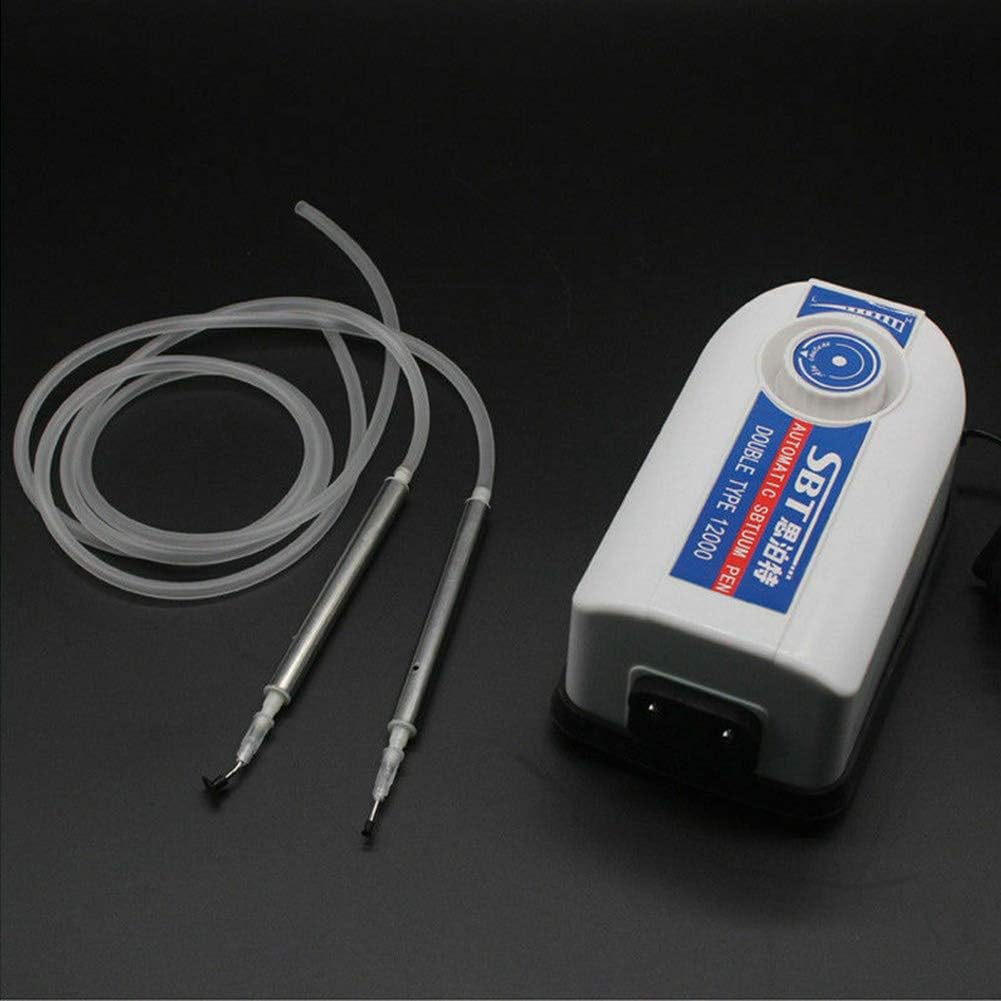
Image: A rear view of the vacuum pump unit, highlighting the power input socket and the two ports where the suction tubes connect.
Operating Instructions
- Power On: Turn on the vacuum pump unit. The unit will begin to generate vacuum pressure.
- Adjust Suction: Use the adjustable knob on the pump unit to set the desired vacuum suction pressure. The range is 0-12000Pa. Adjust based on the size and weight of the component being handled.
- Pick Up Component: Place the tip of the suction pen directly over the component. Block the small hole on the side of the suction pen with your finger to activate the vacuum, picking up the component.
- Place Component: Move the component to the desired location. To release the component, remove your finger from the hole on the suction pen.
- Simultaneous Operation: The unit supports two suction pens for simultaneous use by two operators or for handling different components.
- Power Off: When finished, turn off the vacuum pump unit and unplug it from the power outlet.

Image: A close-up of a hand holding one of the metallic suction pens, with a small component attached to its tip, illustrating the pick-up action.
Maintenance
- Cleaning: Regularly wipe the exterior of the pump unit and suction pens with a soft, dry cloth. Do not use abrasive cleaners or immerse the unit in water.
- Tube Inspection: Periodically check the tubes for kinks, cracks, or blockages. Replace damaged tubes immediately to maintain optimal suction.
- Sucker/Needle Replacement: Replace suckers or needles if they become worn, damaged, or lose their ability to securely hold components.
- Storage: Store the device in a clean, dry environment away from direct sunlight and extreme temperatures.
Troubleshooting
| Problem | Possible Cause | Solution |
|---|---|---|
| No suction or weak suction |
|
|
| Unit not turning on |
|
|
Specifications
| Model | SBT Automatic Double Type 12000 |
| Voltage | 110V / 220V (User selectable/model dependent) |
| Suction Range | 0 - 12000 Pa (Adjustable) |
| Tube Length | 80 cm |
| Chuck Length | 120 mm |
| Power Cable Length | 87 cm |
| Product Size (L x W x H) | 175 x 90 x 78 mm |
| Weight | 1.5 Kg |
| Material | Stainless Steel (pens) |
Warranty and Support
For warranty information or technical support, please contact your retailer or the manufacturer directly. Keep your purchase receipt as proof of purchase.
Manufacturer: huijieus
Brand: Beacon Pet