
1. Introduction
The Peteme Outdoor Smart Plug PS-1602 provides convenient control over your outdoor electrical devices. With Wi-Fi connectivity, dual outlets, and compatibility with voice assistants like Amazon Alexa and Google Home, you can manage your outdoor lighting, decorations, and appliances remotely or with scheduled timers. This manual provides instructions for setup, operation, and maintenance of your smart plug.
2. Product Features
- Remote and Voice Control: Compatible with Amazon Alexa and Google Assistant for voice commands. Control devices via the Smart Life app from your smartphone. Supports 2.4 GHz Wi-Fi networks only.
- Dual AC Outlets: Features two independent AC outlets, each capable of handling up to 15A. Control both outlets together or individually via the app or voice commands.
- Timer Functions: Set daily automatic timers or create custom on/off schedules for connected devices, helping to manage energy consumption.
- Outdoor Durability: IP44 weatherproof rating, certified FCC/RoHS. Constructed with fire-retardant ABS material and a splash-proof design to withstand humid or wet conditions.
- Quality Assurance: FCC and ETL approved product, ensuring safety and reliability.
3. Package Contents
- 1 x Peteme Outdoor Smart Plug (Model: PS-1602)
- 1 x User Manual
4. Product Overview and Specifications

Image: The Peteme Outdoor Smart Plug showing its dimensions (1.46in, 3.03in, 5.0in, 19in cable) and highlighting its dual sockets and touch switches.
Technical Specifications
| Manufacturer | Peteme |
| Model Number | PS-1602 |
| Material | Acrylonitrile Butadiene Styrene |
| Voltage | 110 Volts |
| Plug Profile | In-plug |
| Certifications | CE, ETL, FCC, RoHS |
| Special Features | Waterproof (IP44) |
| Batteries Required | No |
| Product Dimensions | 7.59 x 12.5 x 3.58 cm; 208.65 g |

Image: The Peteme Outdoor Smart Plug shown in a circular diagram illustrating its versatility for various outdoor applications, including controlling grills, pool equipment, garden lights, and sprinklers.
5. Setup Guide
5.1. Smart Life App Installation and Device Pairing
Follow these steps to connect your Peteme Outdoor Smart Plug to your Wi-Fi network using the Smart Life app:
- Download the App: Scan the QR code in the user manual (if provided) or search for "Smart Life" in the App Store (iOS) or Google Play Store (Android) to download the application. Ensure you search for the correct name "Smart Life".
- Register/Log In: Register a new account or log in to your existing "Smart Life" account.
- Power On and Enter Pairing Mode: Plug in the smart plug. Press and hold the power button on the plug for 5 seconds until the indicator light flashes rapidly. This indicates the device is in pairing mode.
- Add Device in App: In the Smart Life app, tap the "+" icon in the top right corner. Select "All Devices" and then choose "Electrical Outlet" from the list.
- Confirm Indicator: Confirm that the indicator light on the plug is rapidly blinking in the app.
- Connect to Wi-Fi: Enter your Wi-Fi network password. Note: The smart plug only supports 2.4 GHz Wi-Fi networks. 5 GHz Wi-Fi is not supported.
- Device Added: Once connected, the app will confirm that the device has been added successfully.
- Rename Device: Rename the device to an easily recognizable word or phrase, such as "Outdoor Plug" or "Patio Lights".

Image: A visual guide showing the steps for easy installation, including app screenshots for entering Wi-Fi password, adding a device, and resetting the device for pairing.
5.2. Pairing with Amazon Alexa
To enable voice control with Amazon Alexa:
- Open the Amazon Alexa app.
- Go to "Skills & Games" (or "Skills").
- Search for the "Smart Life" skill.
- Tap "Enable" or "Enable to Use".
- Log in with your Smart Life account credentials and tap "Link Now".
- Once linked, ask Alexa to discover devices (e.g., "Alexa, discover my devices").
- Your smart plug will be found and can now be controlled by voice.
5.3. Pairing with Google Home
To enable voice control with Google Home:
- Open the Google Home app.
- Tap the "+" icon to add a device.
- Select "Set up device" then "Works with Google".
- Search for "Smart Life".
- Log in with your Smart Life account credentials.
- Your smart plug will now be linked and controllable via Google Assistant.
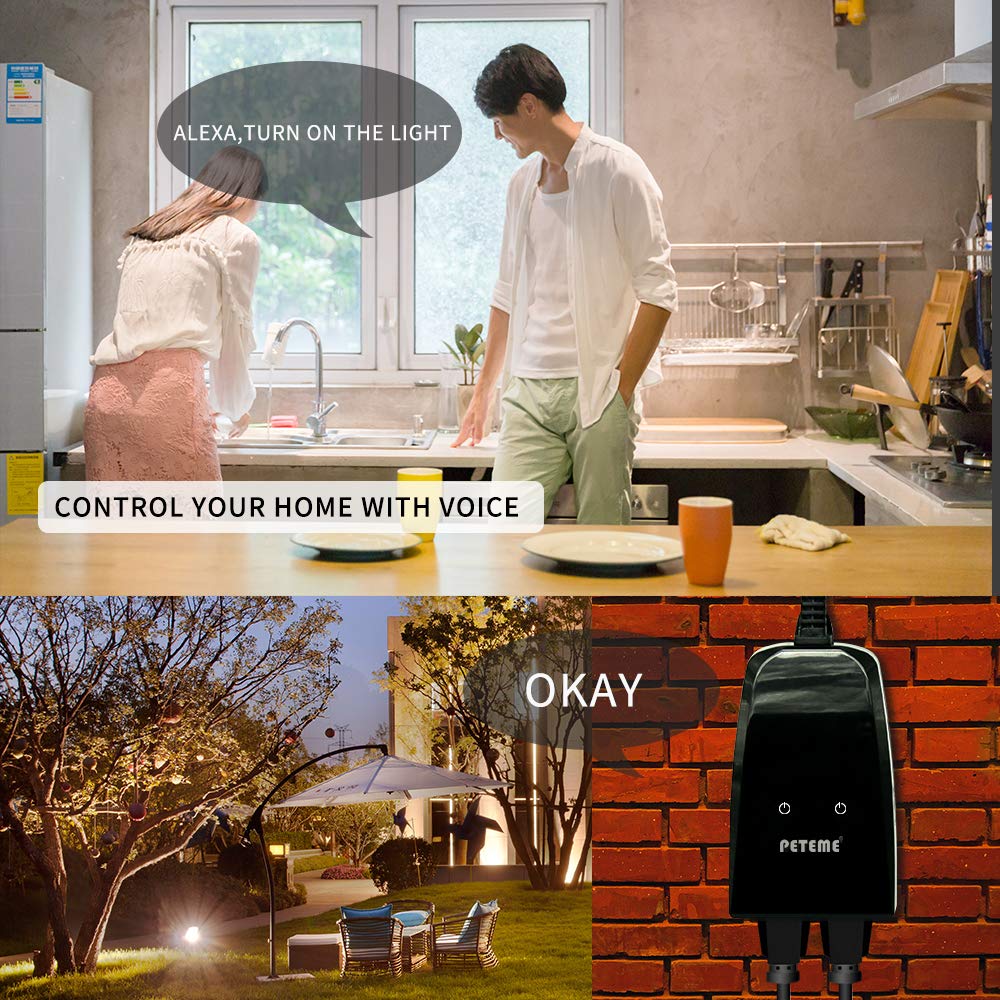
Image: A person in a kitchen using a voice command to control an outdoor light connected to the smart plug, demonstrating voice control functionality.
6. Operating Instructions
6.1. Manual Control
Each outlet on the smart plug has a physical power button. Pressing these buttons will manually turn the respective outlet on or off.
6.2. App Control
Open the Smart Life app on your smartphone. From the device list, select your Peteme Outdoor Smart Plug. You can:
- Toggle each outlet on/off individually.
- Toggle both outlets on/off simultaneously.
- Set schedules and timers for automatic operation.
- Create automation rules based on conditions like weather or other smart devices.
6.3. Voice Control
Once paired with Amazon Alexa or Google Home, use voice commands to control your smart plug. Examples:
- "Alexa, turn on Outdoor Plug."
- "Hey Google, turn off Patio Lights."
- "Alexa, turn on the first outlet of Outdoor Plug."
7. Maintenance
To ensure optimal performance and longevity of your Peteme Outdoor Smart Plug:
- Cleaning: Wipe the device with a soft, dry cloth. Do not use harsh chemicals or abrasive cleaners.
- Inspection: Periodically check the plug and cable for any signs of damage, wear, or corrosion.
- Storage: If not in use for extended periods, store the smart plug in a cool, dry place away from direct sunlight.
8. Troubleshooting
If you encounter issues with your smart plug, refer to the following common solutions:
- Device Not Connecting to Wi-Fi:
- Ensure your Wi-Fi network is 2.4 GHz. The plug does not support 5 GHz networks.
- Check that your Wi-Fi password is entered correctly.
- Make sure the smart plug is within range of your Wi-Fi router.
- Try resetting the smart plug by holding the power button for 5 seconds until the indicator blinks rapidly, then attempt pairing again.
- Voice Control Not Working:
- Verify that the Smart Life skill/service is enabled and linked in your Alexa or Google Home app.
- Ensure the device name in the Smart Life app matches the name you are using for voice commands.
- Ask your voice assistant to discover devices again.
- Plug Not Responding:
- Check if the plug is receiving power.
- Verify your Wi-Fi connection is stable.
- Try unplugging and re-plugging the smart plug.
9. Safety Information
Please read and follow these safety guidelines:
- This device is rated IP44 for outdoor use, meaning it is protected against splashing water from any direction. Do not immerse the device in water.
- Do not exceed the maximum load of 15A per outlet or for the entire device. Overloading can cause overheating and fire hazards.
- Ensure the plug is fully inserted into the power outlet.
- Keep out of reach of children.
- Do not disassemble or modify the device. This will void the warranty and may cause safety risks.
- Disconnect power before cleaning or when not in use for extended periods.

Image: The Peteme Outdoor Smart Plug shown with water droplets, emphasizing its IP43 waterproof and splash-proof design for use in extreme weather conditions.
10. Warranty and Support
The Peteme Outdoor Smart Plug is FCC and ETL approved, ensuring compliance with safety and quality standards.
If you encounter any problems or require further assistance, please do not hesitate to contact us directly through Amazon. Our support team is available to help with any product-related issues.