
Introduction
The Bowers & Wilkins PX5 are on-ear wireless headphones designed to deliver high-quality audio with adaptive noise cancellation. This manual provides essential information for setting up, operating, maintaining, and troubleshooting your PX5 headphones.
Package Contents
Before proceeding with setup, please ensure all items are present in the package:
- Bowers & Wilkins PX5 Wireless On-Ear Headphones
- Storage Pouch
- USB-C Charge Cable
- 3.5mm Aux Cable
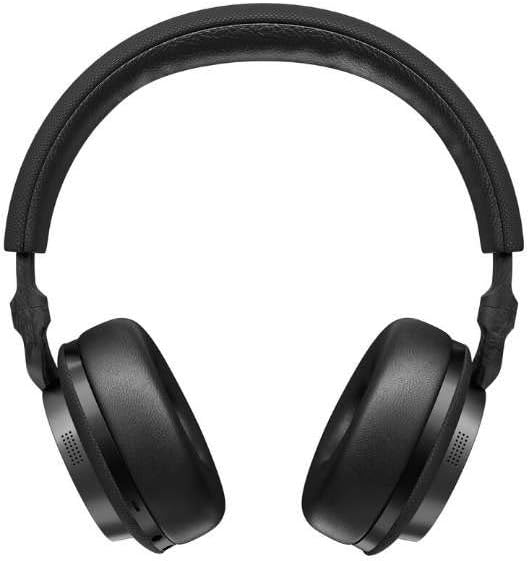
Image: Front view of the Bowers & Wilkins PX5 headphones.
Setup
Charging the Headphones
Before first use, fully charge your PX5 headphones. Connect the supplied USB-C charge cable to the headphone's USB-C port and a compatible USB power source. A full charge provides approximately 25 hours of playback. A 15-minute quick charge can provide up to 3 hours of audio playback.
Bluetooth Pairing
- Ensure the headphones are powered off.
- Press and hold the Power button until the LED indicator flashes blue, indicating pairing mode.
- On your device (smartphone, tablet, computer), navigate to Bluetooth settings and select "Bowers & Wilkins PX5" from the list of available devices.
- Once connected, the LED indicator will turn solid blue.
The PX5 supports Bluetooth 5.0 and has a range of up to 10 meters.
Wired Connection
For a wired connection, use the supplied 3.5mm Aux Cable. Connect one end to the headphone's 3.5mm jack and the other end to your audio source's 3.5mm output.
Operating Instructions
Power On/Off
- To power on, press and hold the Power button until the LED illuminates.
- To power off, press and hold the Power button until the LED turns off.
Media Control
The PX5 headphones feature integrated media controls. These typically include buttons for Play/Pause, Volume Up/Down, and Track Skip. Refer to the specific button layout on your headphones for exact functionality.
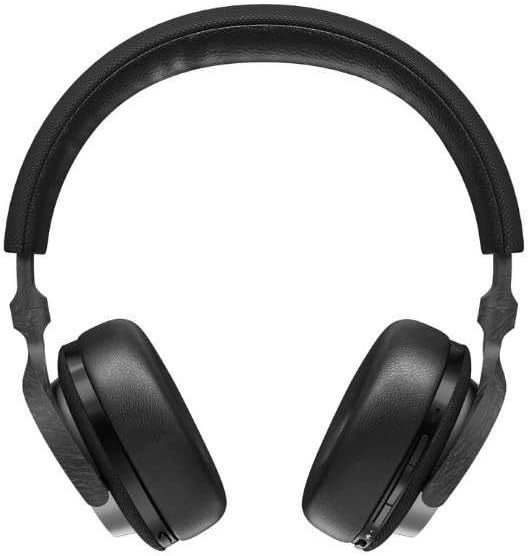
Image: Side view of the Bowers & Wilkins PX5 headphones, highlighting the control buttons.
Adaptive Noise Cancellation (ANC)
The PX5 headphones feature adaptive noise cancellation technology. This system automatically adjusts to your environment to minimize external noise, allowing for an immersive listening experience. The ANC level can often be adjusted via a dedicated button or through the companion mobile application.
Smart Features
The headphones are equipped with smart sensors. If you lift an ear cup or remove the headphones, music playback will automatically pause. Placing them back on your ears will resume playback.
Maintenance
Cleaning
To clean your headphones, use a soft, dry cloth. Avoid using abrasive materials, solvents, or chemical cleaners. Do not immerse the headphones in water.
Storage
When not in use, store the headphones in the provided storage pouch to protect them from dust and scratches. Avoid storing them in extreme temperatures or high humidity.
Water Resistance
The Bowers & Wilkins PX5 headphones are not water resistant. Avoid exposure to rain, splashes, or excessive moisture to prevent damage.
Troubleshooting
- No Sound: Ensure the headphones are powered on, charged, and properly connected via Bluetooth or the 3.5mm cable. Check the volume levels on both the headphones and your audio source.
- Bluetooth Connection Issues: If the headphones fail to pair, try restarting both the headphones and your device. Clear previous Bluetooth pairings on your device and attempt to pair again. Ensure the headphones are within the 10-meter Bluetooth range.
- Wired Connection Disconnects: Ensure the 3.5mm cable is securely plugged into both the headphones and the audio source. Avoid excessive movement or strain on the cable.
- Noise Cancellation Ineffective: Ensure the ANC feature is activated. Check for any obstructions around the microphone ports.
- Battery Not Charging: Verify the USB-C cable is correctly connected and the power source is functional. Try a different USB-C cable or power adapter.
Specifications
| Feature | Detail |
|---|---|
| Model Name | PX5 |
| Connectivity Technology | Bluetooth |
| Bluetooth Version | 5.0 |
| Bluetooth Range | 10 Meters |
| Noise Control | Active Noise Cancellation |
| Audio Driver Size | 35 Millimeters |
| Frequency Response | 10 Hz |
| Impedance | 22 Ohms |
| Battery Life | 25 Hours |
| Charging Time | 25 Hours (full charge) |
| Dimensions (L x W x H) | 2.76 x 6.3 x 8.66 inches |
| Item Weight | 9 ounces (254 Grams) |
| Material | Carbon Fiber, Leather |
| Headphones Jack | 3.5 mm Jack |
| Water Resistance Level | Not Water Resistant |

Image: Angled view of the Bowers & Wilkins PX5 headphones.
Official Product Video
Video: An overview of the Bowers & Wilkins PX5 Wireless Headphones, showcasing key features and design.
Warranty Information
Bowers & Wilkins products are manufactured to the highest standards and are covered by a limited warranty. Please refer to the warranty card included with your product or visit the official Bowers & Wilkins website for detailed warranty terms and conditions specific to your region.
Customer Support
For further assistance, technical support, or service inquiries, please visit the official Bowers & Wilkins support website or contact their customer service department. Contact information can typically be found on the brand's official website or in the product packaging.


