
LEXiBOOK CRT10
LEXIBOOK Digital Electronic Drawing Tablet User Manual
Model: CRT10
Introduction
Thank you for choosing the LEXIBOOK Digital Electronic Drawing Tablet. This manual provides essential information for the safe and effective use of your new device. Please read it thoroughly before operation and retain it for future reference.
This innovative tablet offers a large 10-inch multi-colored screen, making drawing, writing, and learning an engaging experience. Its pressure-sensitive LCD screen allows for varied line weights, and the included stencils aid in creative development. Designed for portability, it is ultra-thin, lightweight, and durable, perfect for use on the go.
Safety Information
WARNING:
- Not suitable for children under 3 years due to small parts. Choking Hazard.
- Always supervise young children during use.
- Do not expose the tablet to extreme temperatures or direct sunlight.
- Avoid dropping or subjecting the tablet to strong impacts.
- Do not attempt to disassemble or modify the tablet.
Package Contents
Please check the package contents to ensure all items are present:
- 1 x LEXIBOOK Digital Electronic Drawing Tablet (Model: CRT10)
- 1 x Stylus
- 6 x Stencil Sheets (containing 70 stencils)
- 1 x Battery (pre-installed, ultra-low power consumption)

Image: The product packaging, illustrating the tablet, stylus, and the included stencil sheets. The packaging highlights the 10-inch screen and precise drawing features.
Setup
- Unpacking: Carefully remove the tablet and all accessories from the packaging.
- Stylus Placement: The stylus is stored in a dedicated slot at the bottom of the tablet. Gently slide it out for use.
- Battery: The tablet comes with a pre-installed battery. No initial battery installation is required. The ultra-low power consumption ensures long battery life.

Image: A young user holding the stylus and actively drawing on the LEXIBOOK Digital Electronic Drawing Tablet, demonstrating the ease of use.
Operating Instructions
Drawing and Writing
- Use the provided stylus to draw or write directly on the 10-inch multi-colored LCD screen.
- The screen is pressure-sensitive, allowing for variations in line thickness based on the pressure applied.

Image: The LEXIBOOK Digital Electronic Drawing Tablet showcasing a vibrant dolphin drawing on its screen, accompanied by several stencil sheets featuring various shapes and letters.
Using Stencils
- Place one of the 6 stencil sheets on the tablet's screen.
- Trace the outlines of the stencils with the stylus to create various shapes, letters, and numbers.
- The 70 stencils are designed to assist in learning and creative drawing.
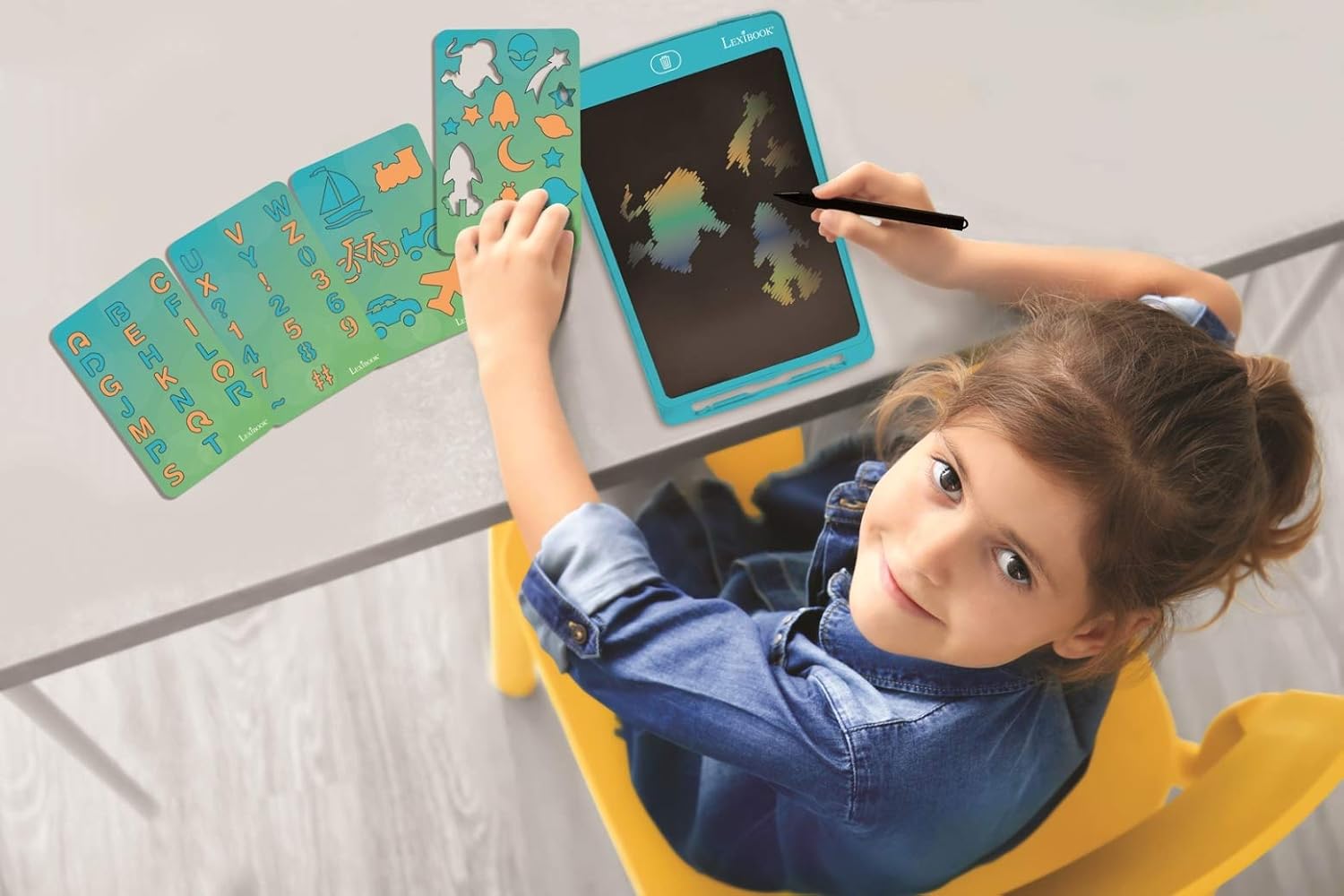
Image: A child is shown actively using the LEXIBOOK Digital Electronic Drawing Tablet, with the various stencil sheets spread out on the table, ready for use.
Erasing Content
- To clear the screen, press the dedicated "Erase" button located at the top of the tablet. This will instantly clear all content.
- The tablet features an "Erase Lock" switch. Slide this switch to the locked position to prevent accidental erasing of your drawings.

Image: The LEXIBOOK Digital Electronic Drawing Tablet displaying a detailed lion drawing on its screen, demonstrating the clarity of the display.
Maintenance
- Cleaning: Use a soft, dry cloth to clean the screen and body of the tablet. Do not use liquid cleaners or abrasive materials.
- Storage: When not in use, store the stylus in its designated slot to prevent loss. Keep the tablet in a cool, dry place away from direct sunlight.
- Battery: The tablet's battery is designed for long-term use. If the screen becomes dim or unresponsive, it may indicate a low battery. Consult the manufacturer for battery replacement if needed.
Troubleshooting
| Problem | Possible Cause | Solution |
|---|---|---|
| Screen does not clear when erase button is pressed. | Erase Lock switch is engaged. | Slide the "Erase Lock" switch to the unlocked position. |
| Lines are faint or screen is dim. | Low battery. | The tablet uses a long-life battery. If performance degrades significantly, contact LEXIBOOK customer support for assistance. |
| Stylus is lost. | Stylus not stored properly. | Always store the stylus in its dedicated slot at the bottom of the tablet when not in use. Replacement styluses may be available from LEXIBOOK. |
Specifications
| Feature | Detail |
|---|---|
| Model Number | CRT10 |
| Screen Size | 10 inches (26 cm) |
| Screen Type | Multi-colored LCD, Pressure-sensitive |
| Dimensions (L x W x H) | 10.06 x 6.54 x 0.37 inches |
| Weight | 4.9 ounces |
| Power Source | Battery Operated (ultra-low power consumption) |
| Included Accessories | Stylus, 70 Stencils on 6 sheets |
| Manufacturer Recommended Age | 3 years and up |
| Manufacturer | Lexibook |
Warranty and Support
For warranty information and customer support, please refer to the official LEXIBOOK website or contact their customer service directly. Keep your purchase receipt as proof of purchase.
LEXIBOOK Official Website: www.lexibook.com
Related documentsCRT10

Ask a question about this manual
Ask about setup, troubleshooting, compatibility, parts, safety, or missing instructions. Manuals+ will review the question and use this page’s manual context to help answer it.