
1. Introduction
This manual provides instructions for the Zerone Replacement Remote Control, Model Zerone15zhcexa2d. This remote is designed as a direct replacement for various televisions, offering essential functions for daily TV operation. It is constructed from durable ABS material for longevity.
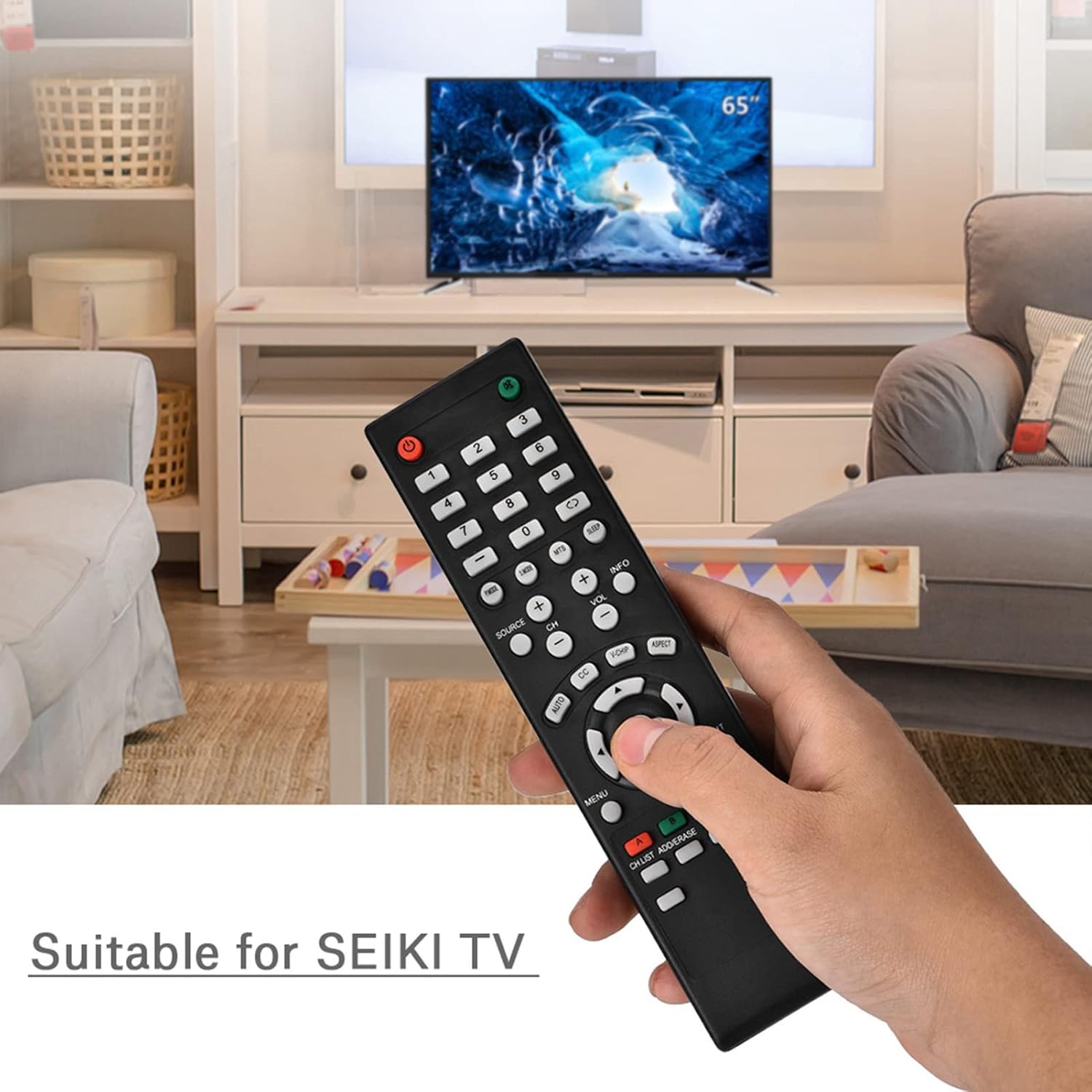
Image 1.1: The Zerone Replacement Remote Control in use, demonstrating its compatibility with televisions.
2. Setup
2.1 Battery Installation
The remote control requires two AAA batteries (not included). Follow these steps to install the batteries:
- Locate the battery compartment on the back of the remote control.
- Slide the battery compartment cover downwards to open it.
- Insert two AAA batteries, ensuring the positive (+) and negative (-) terminals align correctly with the markings inside the compartment.
- Replace the battery compartment cover by sliding it back into place until it clicks securely.

Image 2.1: Rear view of the remote control, illustrating the battery compartment.
2.2 Initial Use
This remote control is designed for immediate use with compatible televisions. No programming or setup is typically required. Once batteries are installed, the remote should function directly with your TV.
Video 2.1: Demonstration of battery installation for the Zerone Replacement Remote Control.
3. Operating Instructions
3.1 Basic Functions
The remote control provides standard television functions. Point the remote directly at your television's infrared receiver for optimal performance.
- Power Button (●): Turns the TV on or off.
- Number Buttons (0-9): Directly select channels.
- Volume Up/Down (VOL +/-): Adjusts the sound volume.
- Channel Up/Down (CH +/-): Changes the TV channel.
- Source Button (SOURCE): Cycles through input sources (HDMI, AV, etc.).
- Menu Button (MENU): Accesses the TV's main menu.
- Navigation Buttons (Arrows & OK): Navigate menus and confirm selections.
- Exit Button (EXIT): Exits current menu or function.
- Mute Button (●): Mutes or unmutes the TV sound.

Image 3.1: Front view of the remote control, highlighting button layout.
3.2 Operating Range
The effective operating distance for this remote control is typically over 8 meters (approximately 26 feet). Actual range may vary depending on the specific television model and environmental factors such as obstacles or interference.

Image 3.2: Illustration of the remote control's effective operating range.
4. Maintenance
4.1 Cleaning
To clean the remote control, use a soft, dry cloth. For stubborn dirt, slightly dampen the cloth with water or a mild, non-abrasive cleaner. Avoid using harsh chemicals or abrasive materials, as these can damage the remote's surface or internal components.
4.2 Battery Replacement
Replace batteries when the remote's performance degrades (e.g., reduced range, unresponsive buttons). Refer to Section 2.1 for battery installation instructions. Always replace both batteries at the same time with new ones of the same type (AAA).

Image 4.1: The remote control, showcasing its durable construction material.
5. Troubleshooting
| Problem | Possible Cause | Solution |
|---|---|---|
| Remote not working. | Dead or incorrectly installed batteries. | Check battery orientation. Replace with new AAA batteries (refer to Section 2.1). |
| Limited operating range. | Weak batteries, obstruction, or remote not pointed at TV. | Replace batteries. Ensure a clear line of sight to the TV's IR receiver. Point the remote directly at the TV. |
| Specific buttons not responding. | Dirt or debris under buttons, or internal malfunction. | Clean the remote. If the issue persists after battery replacement and cleaning, the remote may require replacement. |
6. Specifications
| Feature | Detail |
|---|---|
| Brand | Zerone |
| Model Number | Zerone15zhcexa2d |
| Compatible Devices | Televisions (specifically designed for SEIKI TVs, but compatible with others) |
| Connectivity Technology | Infrared (IR) |
| Maximum Range | Over 8 meters (approx. 26 feet) |
| Power Source | 2 x AAA Batteries (not included) |
| Material | ABS |
| Dimensions (L x W x H) | 7.1" x 2" x 0.6" (180mm x 50mm x 15mm) |
| Button Quantity | 45 |

Image 6.1: Dimensions of the Zerone Replacement Remote Control.
7. Warranty and Support
7.1 Warranty Information
Specific warranty details for the Zerone Replacement Remote Control may vary. Please refer to the product packaging or the retailer's purchase terms for the most accurate and up-to-date warranty information.
7.2 Customer Support
For further assistance or inquiries regarding your Zerone Replacement Remote Control, please contact the retailer or manufacturer's customer support channels. Contact information is typically provided with your purchase documentation or on the manufacturer's official website.