
vivo V40 5G
vivo V40 5G Smartphone User Manual
Model: V40 5G
1. Introduction
Welcome to the user manual for your new vivo V40 5G smartphone. This guide provides essential information on setting up, operating, maintaining, and troubleshooting your device. The vivo V40 5G is equipped with advanced features including a 50 MP AF+OIS (ZEISS) main camera, a 50 MP AF (ZEISS) wide-angle rear camera, and a 50 MP AF selfie camera. It is powered by a Qualcomm Snapdragon® 7 Gen 3 Processor, features 12GB RAM, 512GB internal storage, an 80W fast charging system, and a 17.22 cm (6.78-inch) AMOLED display with a 5500 mAh battery.

Image: The vivo V40 5G smartphone in Ganges Blue, showcasing its front display and rear camera module.
2. What's in the Box
Please check the contents of your product package. If any items are missing or damaged, contact your retailer.
- vivo V40 5G Smartphone
- Power Adapter (80W)
- USB Cable (Type-C)
- SIM Tray Ejector
- Phone Case
- Screen Protector (Applied)
3. Initial Setup
3.1. SIM Card Installation
The vivo V40 5G supports Dual SIM cards. Follow these steps to install your SIM card(s):
- Locate the SIM card tray on the side of your phone.
- Insert the SIM tray ejector tool into the small hole next to the tray and press gently until the tray pops out.
- Place your Nano-SIM card(s) into the tray with the gold contacts facing down. Ensure they are correctly oriented.
- Carefully push the SIM tray back into the phone until it clicks into place.

Image: Side view of the vivo V40 5G, highlighting the SIM card tray and USB Type-C port.
3.2. Powering On and Initial Configuration
- Press and hold the Power button (located on the right side of the phone) until the vivo logo appears.
- Follow the on-screen instructions to complete the initial setup, which includes selecting your language, connecting to Wi-Fi, setting up your Google account, and configuring security features.
- Your phone runs on Funtouch OS 14 Global, vivo's customized Android operating system.
3.3. Charging the Battery
Before first use, it is recommended to fully charge the device. Use only the provided 80W power adapter and USB Type-C cable.
- Connect the USB Type-C cable to the charging port at the bottom of your phone.
- Connect the other end of the cable to the power adapter, then plug the adapter into a power outlet.
- The phone supports 80W fast charging. The charging indicator will appear on the screen.
4. Operating Your vivo V40 5G
4.1. Display and Navigation
The vivo V40 5G features a 17.22 cm (6.78-inch) AMOLED display with a resolution of 2800 x 1260 pixels. Navigation is primarily via touchscreen gestures and on-screen buttons.

Image: Front view of the vivo V40 5G, showcasing its expansive AMOLED display.
4.2. Camera Features
Your device is equipped with a versatile camera system co-engineered with ZEISS.
- Rear Camera System: 50 MP AF+OIS (ZEISS) main camera and a 50 MP AF (ZEISS) wide-angle camera.
- Front Camera: 50 MP AF selfie camera with a 92±3° Field-of-view.
- Shooting Modes: Includes Automatic, Portrait, and Night Mode.
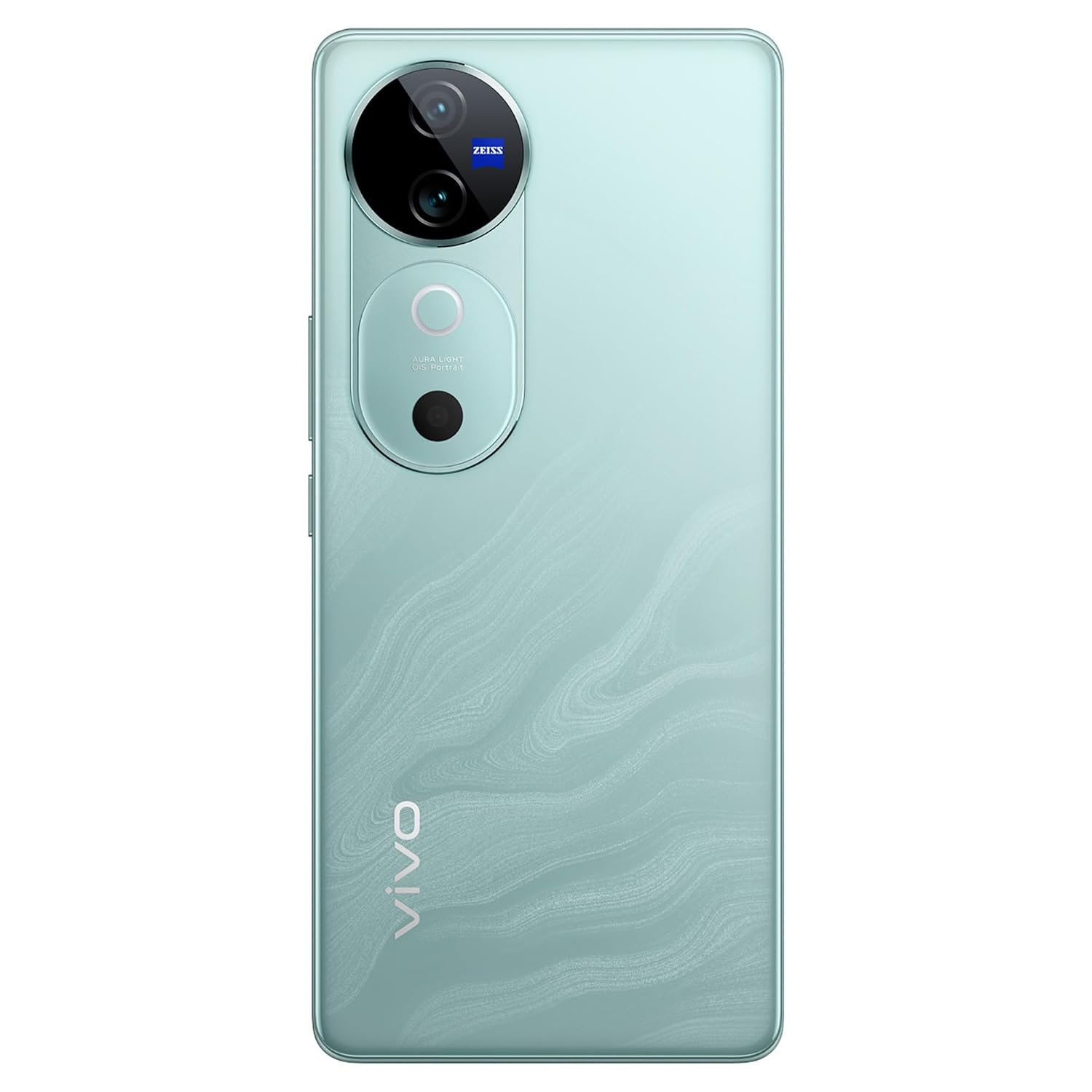
Image: Back view of the vivo V40 5G, highlighting the prominent ZEISS co-engineered camera module.

Image: Visual representation of vivo V40 5G camera capabilities, including AI Object Eraser and ZEISS Cinematic Portrait Video.
4.3. Performance and Storage
The vivo V40 5G is powered by the Qualcomm Snapdragon® 7 Gen 3 Processor, ensuring smooth performance for various applications. It comes with 12GB of RAM and 512GB of internal storage, providing ample space for apps, photos, and videos.

Image: Key features of the vivo V40 5G, illustrating its ultra-slim 3D curved display and the Qualcomm Snapdragon 7 Gen 3 processor.
5. Maintenance and Care
5.1. General Care
- Keep your phone dry. Moisture can damage electronic circuits.
- Avoid extreme temperatures. High temperatures can shorten the life of electronic devices, damage batteries, and warp or melt certain plastics.
- Do not use harsh chemicals, cleaning solvents, or strong detergents to clean the phone. Wipe it with a soft, clean cloth.
- Handle your phone with care. Do not drop, knock, or shake it.
5.2. Battery Care
- The phone uses a 5500 mAh Lithium-Ion battery.
- To prolong battery life, avoid fully discharging the battery frequently.
- Use only vivo-approved chargers and cables.
6. Troubleshooting
If you encounter issues with your vivo V40 5G, try the following solutions:
- Phone not turning on: Ensure the battery is charged. Connect the charger and wait a few minutes before attempting to power on again.
- Apps crashing or freezing: Close the problematic app and reopen it. If the issue persists, restart your phone.
- Poor network signal: Check if your SIM card is properly inserted. Move to an area with better network coverage.
- Battery draining quickly: Reduce screen brightness, close unused apps running in the background, and disable unnecessary features like GPS or Bluetooth when not in use.
- Phone unresponsive: Press and hold the Power button for about 10-15 seconds to force a restart.
- Forgotten password/pattern: If you have a Google account linked, you can usually reset your password through Google's account recovery process. A factory reset may be necessary as a last resort (this will erase all data).
For more complex issues, refer to the official vivo support website or contact customer service.
7. Specifications
| Feature | Specification |
|---|---|
| Brand | vivo |
| Model | V40 5G |
| Operating System | Funtouch OS 14 Global |
| Processor | Qualcomm Snapdragon® 7 Gen 3 |
| RAM | 12 GB |
| Internal Storage | 512 GB |
| Screen Size | 17.22 cm (6.78 Inches) |
| Display Type | AMOLED |
| Resolution | 2800 x 1260 (FHD+) Pixels |
| Rear Camera | 50 MP AF+OIS (ZEISS) main + 50 MP AF (ZEISS) wide-angle |
| Front Camera | 50 MP AF |
| Battery Capacity | 5500 mAh (Lithium-Ion) |
| Charging | 80W Fast Charging |
| Connector Type | USB Type C |
| SIM Card Slot | Dual SIM |
| Cellular Technology | 5G |
| Dimensions (L x W x H) | 16.4 x 7.5 x 0.8 Centimeters |
| Item Weight | 190 Grams |
| Model Year | 2024 |
8. Warranty and Support
8.1. Warranty Information
Your vivo V40 5G smartphone comes with a 1-year warranty provided by the manufacturer from the date of purchase. Please retain your proof of purchase for warranty claims.
8.2. Manufacturer and Support
Manufacturer: vivo Mobile India Pvt Ltd
Address: Plot No 08, Sector 24, Yamuna Expressway Area, Gautam Buddha Nagar, Uttar Pradesh, 201310
For further assistance, technical support, or service inquiries, please visit the official vivo support website or contact their customer service channels.
Related documentsV40 5G


Ask a question about this manual
Ask about setup, troubleshooting, compatibility, parts, safety, or missing instructions. Manuals+ will review the question and use this page’s manual context to help answer it.