
KRUPS XS300010
Krups XS300010 Cleaning Tablets for Espresseria Automatic Coffee Machines
Instruction Manual
1. Product Overview
The Krups XS300010 cleaning tablets are specifically designed for maintaining Krups Espresseria Automatic coffee machines. These 1.5g tablets are formulated to effectively remove coffee oil residues and deposits from the internal water circuits of your machine, ensuring optimal performance and extending its lifespan.
Regular cleaning with these tablets helps prevent blockages, maintains coffee flavor, and protects internal components from damage caused by residue buildup.
2. Safety Information
- Keep out of reach of children: These tablets contain chemicals that can be harmful if ingested.
- Avoid contact with eyes and skin: In case of contact, rinse immediately with plenty of water. If irritation persists, seek medical advice.
- Do not ingest: These tablets are for machine cleaning only and are not for consumption.
- Store in a cool, dry place: Keep the tablets in their original packaging until use.
- Use only as directed: Follow the instructions provided by your coffee machine's manufacturer for the cleaning cycle.
3. Compatibility
These cleaning tablets are compatible with a wide range of Krups Espresseria Automatic coffee machine models, including but not limited to:
- EA8000 series (e.g., EA800015, EA8000E1, EA800410, EA8005BL, EA800R10)
- EA8010 series (e.g., EA801015, EA801040, EA8010A2, EA8010DE)
- EA8025 series (e.g., EA8025BL, EA8025E1, EA8025PE)
- EA8050 series (e.g., EA805040, EA8050A2, EA8050BL)
- EA8080 series (e.g., EA8080A2, EA8080BL, EA8080E1)
- EA8100 series (e.g., EA810540, EA810740, EA810840, EA810B70)
- EA8110 series (e.g., EA811010, EA811810, EA811K10)
- EA8150 series (e.g., EA815040, EA815210, EA815570)
- EA8160 series (e.g., EA816031, EA816170, EA816570)
- EA8170 series (e.g., EA817010, EA817810, EA817K10)
- EA8200 series (e.g., EA8200FR, EA8200PN, EA8222220FR)
- EA8240 series (e.g., EA824055, EA8240PE, EA824515)
- EA8250 series (e.g., EA825015, EA825055, EA8250FR)
- EA8260 series (e.g., EA826015, EA8260FR, EA8260K1)
- EA8280 series (e.g., EA8280FR, EA8280PE, EA8281FR)
- EA8290 series (e.g., EA829810, EA829D10, EA829E10)
- EA8320 series (e.g., EA832040, EA832060, EA8320PE)
- EA8340 series (e.g., EA834010, EA834030)
- EA8420 series (e.g., EA842110, EA842210, EA842230)
- EA8430 series (e.g., EA843210, EA843230)
- EA8440 series (e.g., EA844110, EA844210, EA844810)
- EA850B series (e.g., EA850B10, EA850B30)
- EA860E10, EA880810, EA880E10, EA881810
- EA8900 series (e.g., EA890110, EA890810, EA890C10)
- EA8910 series (e.g., EA891110, EA891810, EA891C10)
- EA8920 series (e.g., EA892110, EA892810, EA892C10)
- EA8930 series (e.g., EA893110, EA893810, EA893C10)
- EA8940 series (e.g., EA894810, EA894910, EA894T10)
- EA9000 series (e.g., EA900025, EA900030, EA900040)
- EA9010 series (e.g., EA901010, EA901030, EA901040)
- EA9078 series (e.g., EA907810, EA907D10)
- XP7180 series (e.g., XP7180DE, XP7180PN)
- XP7200 series (e.g., XP720044, XP7200A2, XP7200BL)
- XP7210 series (e.g., XP7210AR, XP7210DE)
- XP7220 series (e.g., XP722044, XP7220BL, XP7220CN)
- XP7230 series (e.g., XP7230AR, XP7230CN)
- XP7240 series (e.g., XP724044, XP7240A2, XP7240BL)
- XP7250 series (e.g., XP7250A2, XP7250FB, XP7250FR)
- XP9000 series (e.g., XP900010, XP900025, XP9000AU)
For a complete list of compatible models, please refer to your coffee machine's user manual or the Krups official website.
4. Maintenance: Usage Instructions
Regular cleaning is crucial for the longevity and performance of your Krups Espresseria Automatic coffee machine. These tablets are designed for the automatic cleaning cycle of your machine.
Preparation:
- Ensure your coffee machine is turned on and ready for a cleaning cycle.
- Empty the drip tray and the coffee grounds container.
- Fill the water tank with fresh water up to the maximum level.
- Place a suitable container (at least 600ml capacity) under the coffee spouts to collect the cleaning solution.
Starting the Cleaning Cycle:
- Follow the specific instructions on your coffee machine's display or user manual to initiate the automatic cleaning program. This usually involves navigating through the menu to find the "Clean" or "Maintenance" option.
- When prompted by the machine, place one Krups XS300010 cleaning tablet into the designated cleaning tablet compartment (often located near the coffee grounds chute or a specific slot).
- Close the compartment lid securely.
- The machine will then proceed with the cleaning cycle, which typically takes approximately 20 minutes. It will flush water through its internal systems to dissolve and remove coffee residues.
- During the cycle, the machine may pause and prompt you to empty the drip tray or refill the water tank. Follow all on-screen instructions.
- Once the cleaning cycle is complete, the machine will usually indicate this on its display.
Post-Cleaning:
- Empty and rinse the drip tray and coffee grounds container thoroughly.
- Rinse the water tank and refill it with fresh water.
- It is recommended to run one or two rinse cycles (without coffee) to ensure all cleaning solution residues are flushed out before preparing beverages.
Frequency: The frequency of cleaning depends on your usage and water hardness. Your machine will typically prompt you when a cleaning cycle is required. Adhere to these prompts for optimal machine health.
5. Troubleshooting
If you encounter issues during the cleaning process, consider the following:
- Cleaning cycle does not start: Ensure the water tank is filled, the drip tray is empty, and the coffee grounds container is empty. Check your machine's display for specific error messages.
- Tablet not dissolving: Ensure the tablet was placed correctly in the designated compartment. If the machine's water flow is severely restricted, a descaling cycle might be needed first (these tablets are for cleaning, not descaling).
- Residue after cleaning: Run additional rinse cycles. If persistent, ensure you are using genuine Krups cleaning tablets and following the machine's instructions precisely.
- Machine prompts for cleaning again shortly after: This could indicate an incomplete cycle or a sensor issue. Consult your coffee machine's specific user manual for troubleshooting sensor-related problems.
For further assistance, refer to your coffee machine's comprehensive user manual or contact Krups customer support.
6. Specifications
| Product Name | Krups XS300010 Cleaning Tablets |
| Brand | KRUPS |
| Model Number | XS300010 |
| Item Form | Tablet |
| Tablet Weight | 1.5 grams per tablet |
| Quantity | 30 tablets per pack |
| Product Dimensions | 22.5 x 17 x 1.5 cm |
| Product Weight | 72 grams (total package) |
| Specific Use | Coffee Machine Cleaning (Espresso Machines) |
| Liquid Content | No |
7. Storage and Disposal
Storage:
- Store the tablets in their original, sealed packaging.
- Keep in a cool, dry place, away from direct sunlight and moisture.
- Ensure the product is stored out of reach of children and pets.
Disposal:
- Dispose of used cleaning solution down the drain with plenty of water.
- Empty packaging can be disposed of with household waste, following local recycling guidelines.
- Do not dispose of unused tablets in the environment.
8. Product Images

Image 1: Packaging of Krups XS300010 cleaning tablets. The box displays product information in multiple languages, and a blister pack of tablets is visible next to it.
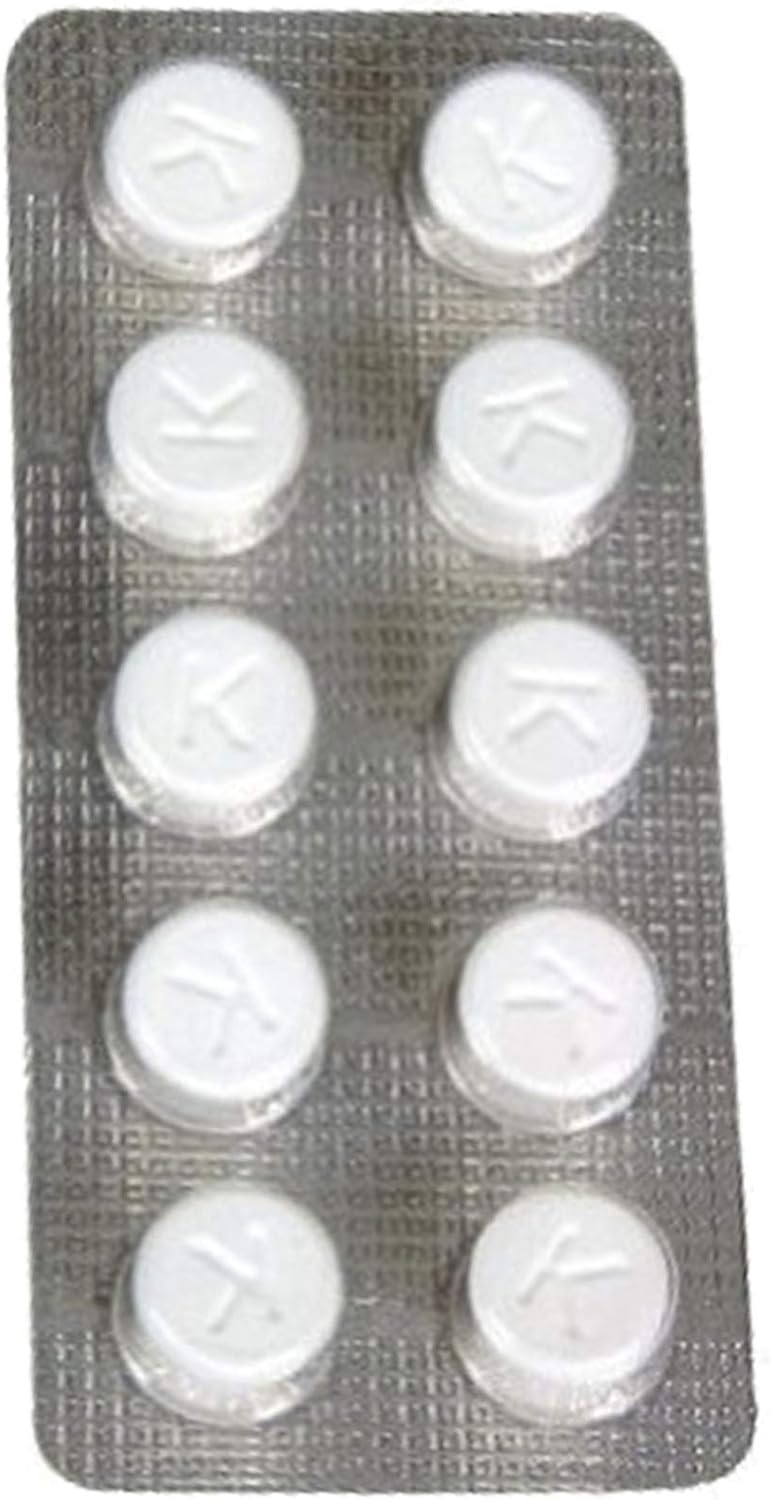
Image 2: A close-up view of a single blister pack containing ten white Krups cleaning tablets. Each tablet is embossed with the letter 'K'.

Image 3: The front of the Krups XS3000 cleaning tablets box. It features the "Krups Original" logo and the product name "Cleaning Tablets XS 3000 Espresseria Automatic".
9. Warranty and Support
This product is a consumable item and typically does not come with a separate warranty. However, if you have any questions regarding the product's quality or effectiveness, please contact Krups customer support.
For specific warranty information related to your Krups coffee machine, please refer to the documentation provided with your appliance.
You can find support contact information on the official Krups website.
Related documentsXS300010


Ask a question about this manual
Ask about setup, troubleshooting, compatibility, parts, safety, or missing instructions. Manuals+ will review the question and use this page’s manual context to help answer it.