
Cygolite Ranger 1400
Cygolite Ranger 1400 Bicycle Headlight Instruction Manual
Model: Ranger 1400 (RGR-1400-USB)
Brand: Cygolite
1. Introduction
Product Overview
The Cygolite Ranger 1400 is a high-performance USB rechargeable bicycle headlight designed to provide exceptional visibility and safety for cyclists. With its powerful 1400 lumen output, compact design, and durable construction, it is suitable for various cycling environments, including road, mountain, and urban commuting.
Key Features
- 1400 Lumen Brightness: Provides a long-range and extra-wide beam for maximum visibility.
- 8 Lighting Modes: Includes 5 night modes (Boost, High, Medium, Low, SteadyPulse) and 3 daytime modes (DayLightning, Triple Flash, Zoom), plus a Walking mode.
- IP67 Waterproof: Designed to withstand various weather conditions.
- USB Rechargeable: Convenient charging with a fast 3:30 hour charge time.
- Secured Hard Mount: Ensures the light remains stable on handlebars, even on rough terrain.
- Light Lock Mode: Disables the light for transport or storage to prevent accidental activation.
- Light Mode Memory: Recalls the last used mode when the light is turned back on.
- Low Battery Indicator: Alerts you when a charge is needed.
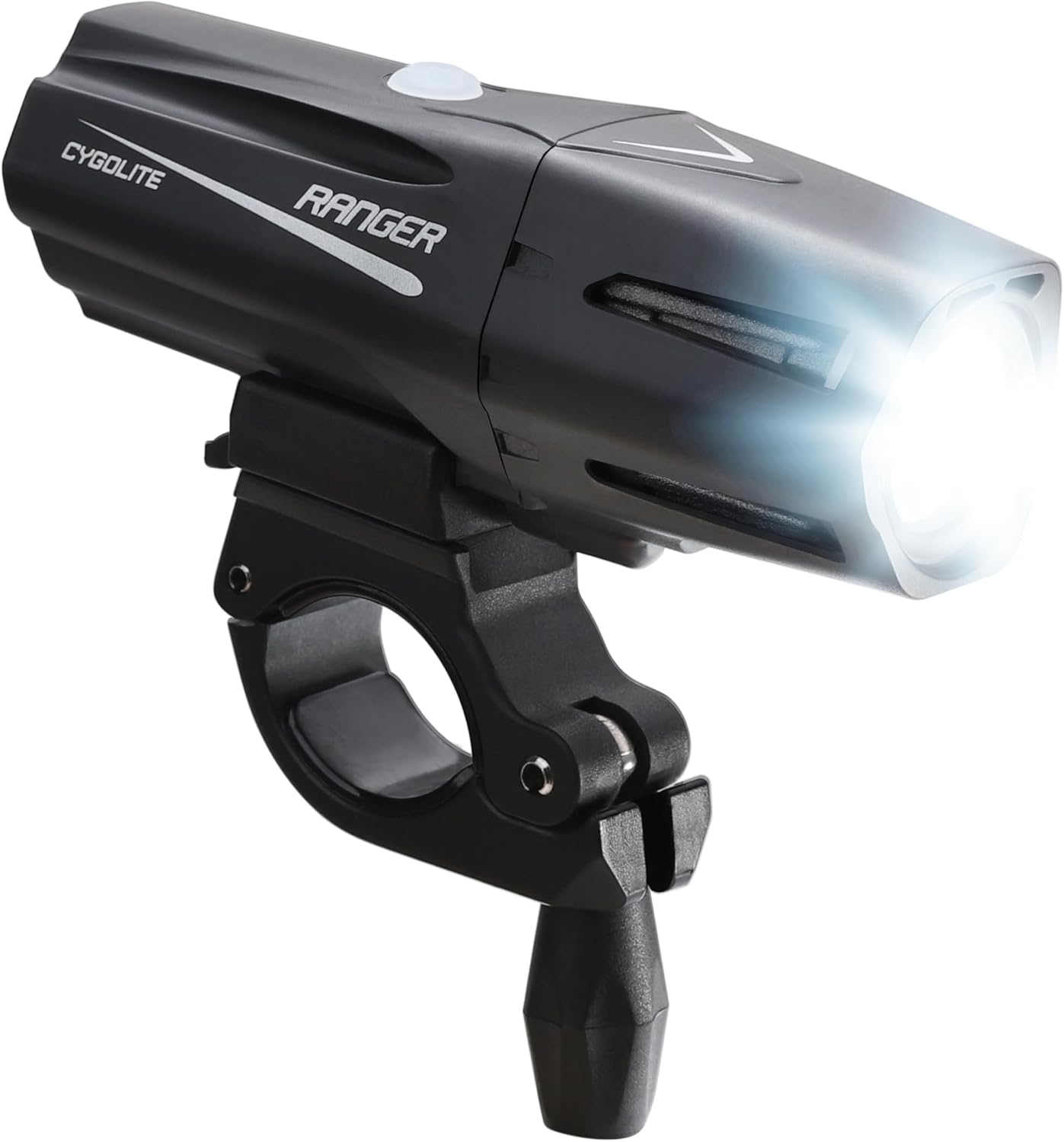
2. What's Included
Your Cygolite Ranger 1400 package should contain the following items:
- Ranger 1400 Bicycle Headlight
- Handlebar Mount
- Micro USB Charging Cable (2 feet length)

3. Setup
Mounting the Headlight
- Attach Handlebar Mount: Secure the hard clamp handlebar mount to your bicycle's handlebars. Ensure it is positioned centrally and tightened firmly. The mount is designed to fit handlebars up to 32mm in diameter. For smaller diameters, use the included rubber spacers for a snug fit. For 32mm handlebars, the rubber spacers may need to be removed for proper fit, but ensure the mount is still secure to prevent slipping.
- Insert Headlight: Slide the Ranger 1400 headlight onto the mount until it clicks securely into place. The quick-release tab allows for fast removal when needed.
- Adjust Angle: Adjust the angle of the headlight to ensure optimal illumination of your path without blinding oncoming traffic.

4. Charging the Battery
The Ranger 1400 features a built-in rechargeable battery. It is recommended to fully charge the light before its first use.
- Connect Charger: Plug the micro USB charging cable into the charging port on the light and connect the other end to a USB power source (e.g., computer, wall adapter).
- Charging Indicator: The light's indicator will show charging status. A full charge typically takes 3 hours and 30 minutes.
- Low Battery Alert: The low battery indicator will alert you when the battery level is critical and a charge is needed.

5. Operation
Power On/Off
Press and hold the power button located on top of the light to turn it on or off.
Changing Modes
Once powered on, short press the power button to cycle through the various lighting modes. The light features 8 distinct modes plus a walking mode:
- Night Modes (for seeing):
- Boost: Maximum brightness for critical visibility (approx. 1 hr 15 min run time).
- High: High brightness for general night riding (approx. 2 hr run time).
- Medium: Balanced brightness for extended rides (approx. 3 hr run time).
- Low: Lowest steady brightness for long duration (approx. 9 hr run time).
- SteadyPulse: Alerts motorists with attention-grabbing pulses while maintaining a steady beam (approx. 4 hr run time).
- Daytime Modes (for being seen):
- DayLightning: Bursts lightning-like flashes to maximize visibility in broad daylight (approx. 15 hr run time).
- Triple Flash: A distinct triple flash pattern for daytime visibility (approx. 25 hr run time).
- Zoom: A unique flashing mode (approx. 4 hr run time).
- Walking Mode: A low-power mode suitable for walking (approx. 30 hr run time).

Light Lock Mode
To prevent accidental activation during transport or storage, engage the Light Lock Mode. Refer to the specific instructions in your product's quick start guide for activating and deactivating this feature.
Mode Memory
The Ranger 1400 remembers the last mode used. When you turn the light back on, it will resume in the mode it was in when turned off.
6. Maintenance
- Cleaning: Wipe the light body with a soft, damp cloth. Do not use harsh chemicals or abrasive cleaners. Ensure the USB port cover is securely closed to maintain water resistance.
- Storage: Store the light in a cool, dry place away from direct sunlight. For long-term storage, charge the battery to approximately 50% every few months to preserve battery life.
- Battery Care: Avoid fully discharging the battery frequently. Recharge the light promptly when the low battery indicator appears.
7. Troubleshooting
| Problem | Possible Cause | Solution |
|---|---|---|
| Light does not turn on. | Battery is depleted. Light Lock Mode is active. | Charge the light. Deactivate Light Lock Mode (refer to quick start guide). |
| Light does not charge. | USB cable or power source issue. Charging port obstruction. | Try a different USB cable or power source. Ensure the charging port is clean and free of debris. |
| Mount slips on handlebar. | Mount not tightened sufficiently. Incorrect use of rubber spacers. | Ensure the mount is tightened firmly. If using on 32mm handlebars, remove rubber spacers and ensure a very tight fit. For smaller handlebars, ensure spacers are correctly used to provide grip. Consider adding a thin, high-friction material between the mount and handlebar if slipping persists. |
| Light output is dim. | Low battery. Lens is dirty. | Recharge the light. Clean the lens with a soft cloth. |
8. Specifications
| Feature | Detail |
|---|---|
| Brightness | 1400 Lumens |
| Weight | 185 Grams |
| Water Resistance Level | IP67 (Water Resistant) |
| Power Source | Battery Powered (USB Rechargeable) |
| Material | Plastic |
| Dimensions (LxWxH) | 4.5 x 1.5 x 1.5 inches |
| Number of Settings | 8 (plus Walking mode) |
| Mounting Type | Handlebar Mount |
| Fast Charging Time | 3 hours 30 minutes |
| Model Number | RGR-1400-USB |
| UPC | 745025096286 |
9. Warranty and Support
Warranty Information
The Cygolite Ranger 1400 comes with a One Year Limited Warranty. Please retain your proof of purchase for warranty claims. For detailed warranty terms and conditions, refer to the documentation included with your product or visit the official Cygolite website.
Customer Support
For technical assistance, troubleshooting, or general inquiries, please visit the official Cygolite store or contact their customer support. You can find more information and support resources at the Cygolite Store on Amazon.
Related documentsRanger 1400

Ask a question about this manual
Ask about setup, troubleshooting, compatibility, parts, safety, or missing instructions. Manuals+ will review the question and use this page’s manual context to help answer it.