
GloFish AQ-78238
GloFish Aquarium Kit User Manual
Model: AQ-78238
Product Overview
The GloFish Aquarium Kit is designed to provide a vibrant and engaging aquatic environment. This 5-gallon glass tank features a curved-corner design, integrated Tetra Hidden Filtration, and a versatile GloFish Cycle Light system. It is ideal for creating a captivating display with GloFish fluorescent fish and decor.

Image: Fully assembled GloFish 5-gallon portrait aquarium kit, showcasing the vibrant LED lighting with fish and aquatic plants.
Key Features:
- Complete Kit: Includes a 5-gallon curved-corner glass tank, Tetra Hidden Filtration with adjustable flow pump, and GloFish Cycle Light.
- Compact Size: The 5-gallon capacity is suitable for various room sizes and settings.
- Advanced Lighting: Hinged light offers four distinct modes: Sunlight, Moonlight, Midnight, and Twilight.
- Expandable Design: Compatible with GloFish gravel, plants, and decor (sold separately) for enhanced visual effects.
Setup Guide
Unpacking and Initial Inspection
- Carefully remove all components from the packaging.
- Inspect the glass tank and all accessories for any signs of damage or breakage. Do not proceed with setup if any components are damaged.
- Rinse the aquarium and all included components (filter, light, etc.) with clean, lukewarm water. Do not use soap or detergents.
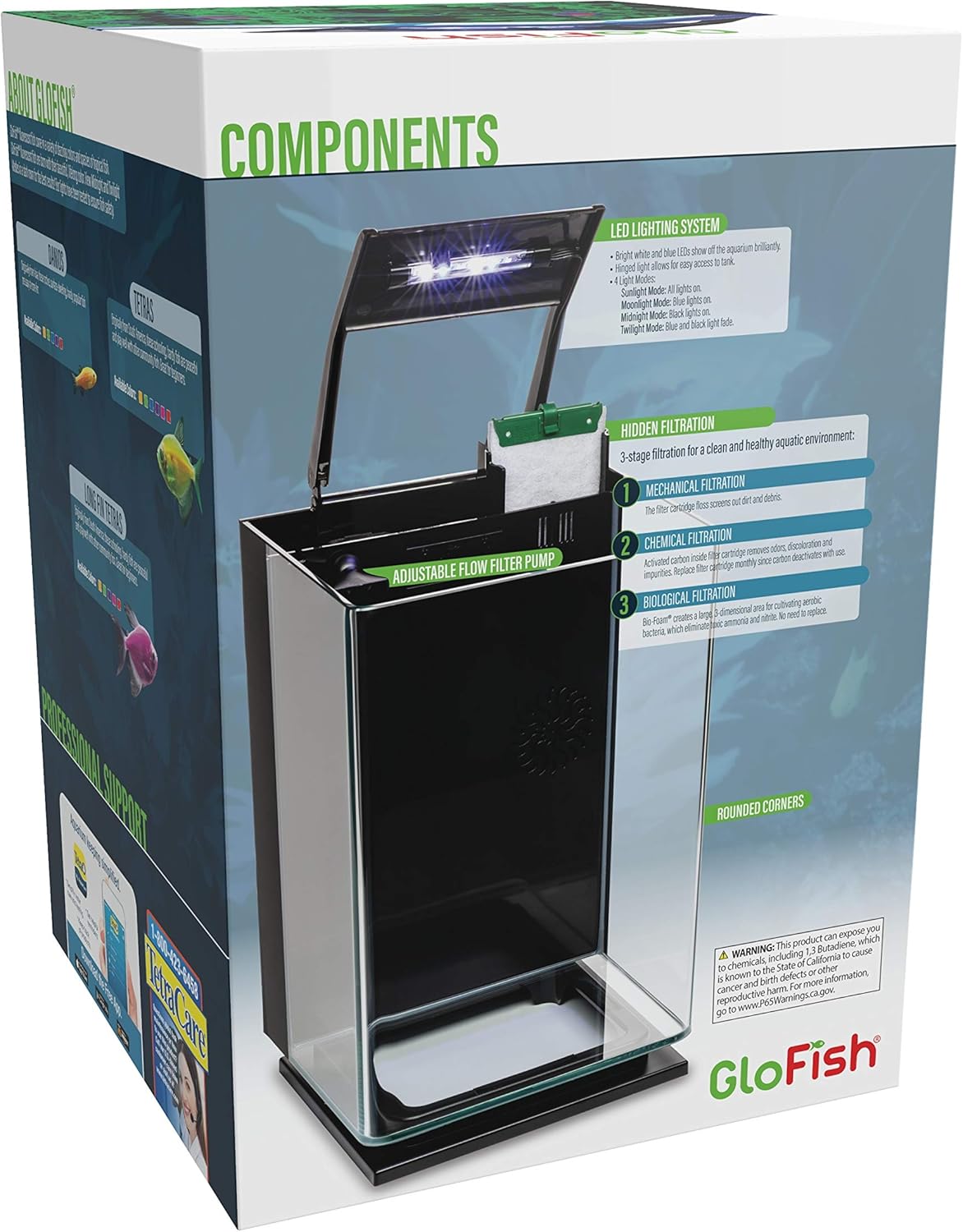
Image: Diagram illustrating the various components of the GloFish Aquarium Kit, including the LED lighting system, hidden filtration, and rounded corners.
Aquarium Placement
- Choose a sturdy, level surface capable of supporting the weight of a full 5-gallon aquarium (approximately 50 lbs when filled).
- Place the aquarium away from direct sunlight, heat sources, and drafts to maintain stable water temperature and prevent excessive algae growth.
- Ensure there is easy access to an electrical outlet for the filter and light.
Component Assembly
- Filter Installation: The Tetra Hidden Filtration system is integrated into the back of the tank. Ensure the adjustable flow filter pump is securely placed within its compartment.
- Insert the included Tetra Whisper Bio-Bag Medium Filter Cartridge into the filter housing. Ensure it is properly seated.
- Light Installation: Position the GloFish Cycle Light securely on the top edge of the aquarium. The hinged design allows for easy access to the tank interior.
- Connect the power cords for both the filter pump and the LED light to a surge protector or wall outlet. Do not plug them in until the tank is filled with water.

Image: Top-down view of the GloFish aquarium, illustrating the integrated hidden filtration system and the hinged LED light fixture.
Operating Instructions
Filling the Aquarium
- Add a layer of aquarium gravel (not included) to the bottom of the tank, sloping it slightly higher towards the back.
- Carefully fill the aquarium with dechlorinated water. Use a plate or plastic bag on the gravel to minimize disturbance while pouring.
- Fill the tank to approximately one inch below the top rim.
- Once filled, plug in the filter pump and LED light.
Filtration System Operation
The Tetra Hidden Filtration system provides 3-stage filtration for a clean and healthy aquatic environment:
- Mechanical Filtration: The filter cartridge floss screens out dirt and debris.
- Chemical Filtration: Activated carbon in the filter cartridge removes odors, discolorations, and impurities.
- Biological Filtration: The Bio-Bag provides a large surface area for cultivating aerobic bacteria, which eliminate ammonia and nitrite.
The filter pump features an adjustable flow control. Rotate the control to increase or decrease water flow as needed for your fish and tank setup.
LED Lighting System Modes
The GloFish Cycle Light offers four distinct lighting modes, controlled by a switch on the light fixture:
- Sunlight Mode: All lights are on, providing bright white illumination for vivid colors that complement any decor and fish.
- Moonlight Mode: Blue lights are on, enhancing the fluorescence of GloFish decor and fish.
- Midnight Mode: Black lights are on, specifically designed to make GloFish fluorescent fish and decor glow intensely.
- Twilight Mode: Cycles between Moonlight and Midnight Modes, offering dynamic color-changing effects for optimal viewing.
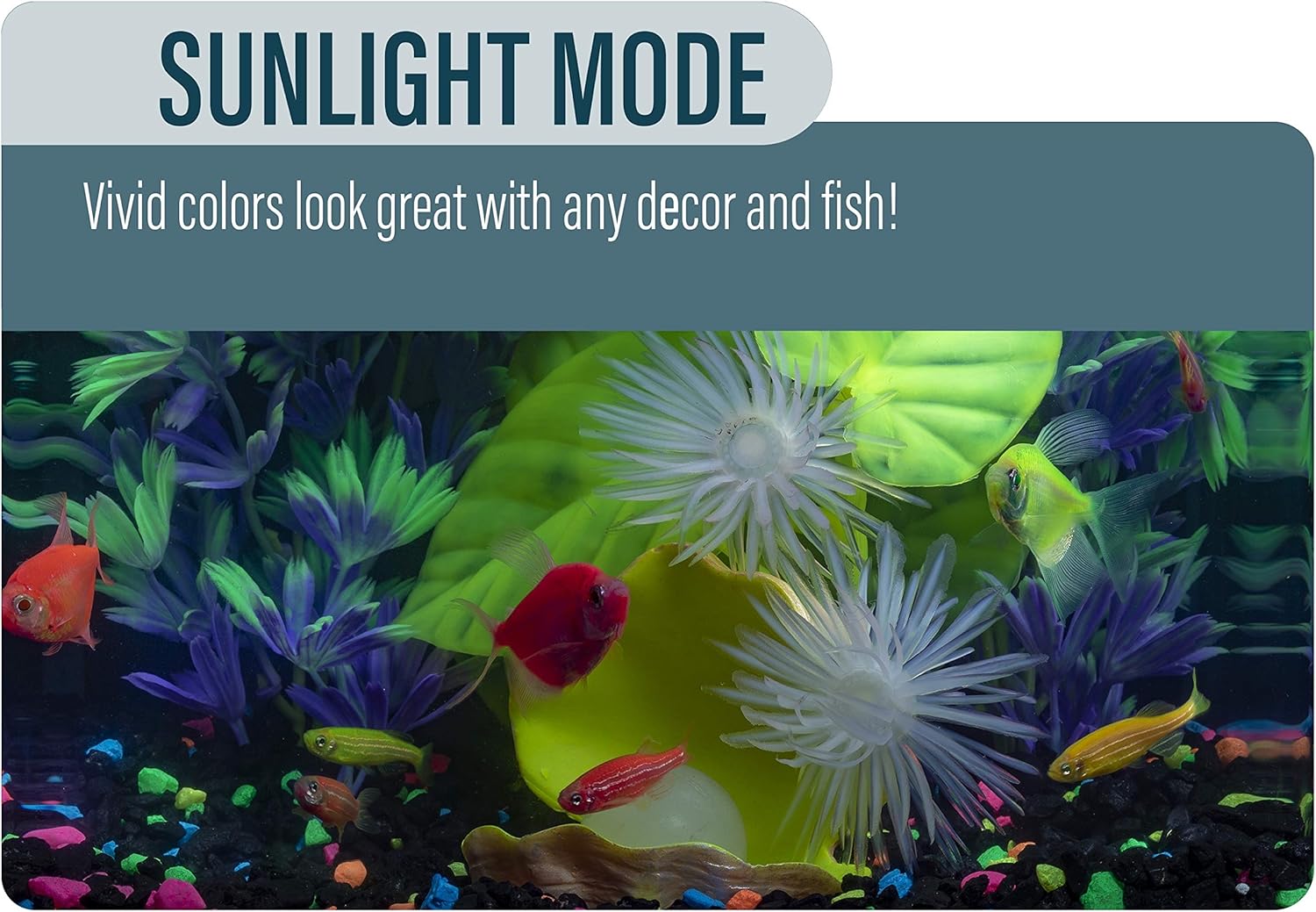
Image: The GloFish aquarium illuminated in Sunlight Mode, showcasing bright, natural-looking colors of fish and decor.

Image: The GloFish aquarium in Moonlight Mode, with blue LED lights highlighting the fluorescent properties of GloFish and decorations.

Image: The GloFish aquarium in Midnight Mode, where black lights cause GloFish and compatible decor to fluoresce brightly.
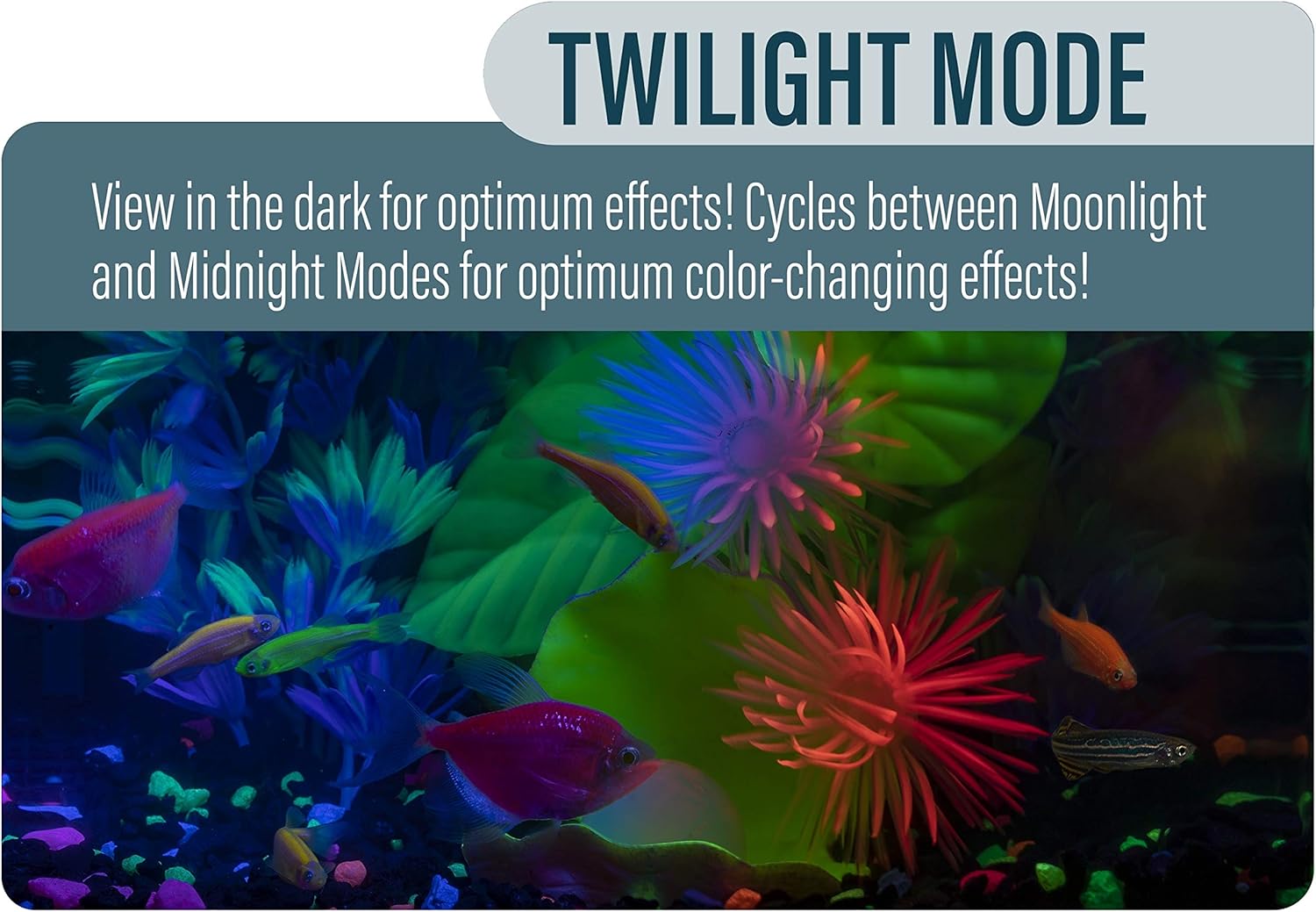
Image: The GloFish aquarium displaying Twilight Mode, which transitions between blue and black light for a dynamic visual experience.
Maintenance
Routine Cleaning
- Perform weekly partial water changes (25-30% of the tank volume) to remove nitrates and replenish essential minerals.
- Use an aquarium gravel vacuum to clean the substrate and remove accumulated waste.
- Wipe down the interior and exterior glass surfaces with an aquarium-safe cleaner or a clean cloth to remove algae and water spots.
Filter Cartridge Replacement
- Replace the Tetra Whisper Bio-Bag Medium Filter Cartridge approximately every 2-4 weeks, or as needed based on water clarity and filter performance.
- When replacing, rinse the new cartridge briefly under lukewarm water before inserting it into the filter housing. Do not rinse with tap water containing chlorine.
Troubleshooting
| Problem | Possible Cause | Solution |
|---|---|---|
| Cloudy Water | New tank syndrome (bacterial bloom), overfeeding, insufficient filtration, dirty filter cartridge. | Perform partial water change. Reduce feeding. Check filter for proper operation and replace cartridge if dirty. Allow time for beneficial bacteria to establish. |
| Filter Not Pumping Water | Power outage, clogged intake, impeller obstruction, pump not primed. | Check power connection. Clean intake tube and impeller. Ensure pump is fully submerged and primed (filled with water). |
| LED Light Not Working | Power connection issue, light switch off, faulty LED unit. | Check power cord connection. Ensure light switch is in the ON position or desired mode. If still not working, contact customer support. |
| Excessive Algae Growth | Too much light exposure, excess nutrients in water. | Reduce lighting duration (8-10 hours per day is typical). Perform more frequent water changes. Avoid overfeeding. |
Specifications
| Attribute | Value |
|---|---|
| Model Name | GloFish Aquarium Kit Fish Tank with LED Lighting |
| Model Number | AQ-78238 |
| Tank Volume | 5 Gallons |
| Material | Glass |
| Shape | Rectangular (Portrait) |
| Item Weight | 16.72 pounds (7.6 kg) |
| Package Dimensions (L x W x H) | 19.53 x 14.17 x 13.86 inches |
| Included Components | Filtration system, LED lighting |
| Manufacturer | Spectrum Brands |
| Date First Available | August 7, 2019 |
Warranty and Support
Warranty Information
For detailed warranty information regarding your GloFish Aquarium Kit, please refer to the documentation included with your product packaging or visit the official GloFish website. Warranty terms and conditions may vary.
Customer Support
If you encounter any issues or have questions not covered in this manual, please contact GloFish customer support. Refer to your product packaging or the official GloFish website for the most current contact information.
Related documentsAQ-78238


Ask a question about this manual
Ask about setup, troubleshooting, compatibility, parts, safety, or missing instructions. Manuals+ will review the question and use this page’s manual context to help answer it.