Introduction
Thank you for choosing MIDOLA Kids Headphones MD-B01. This manual provides essential information for the safe and effective use of your new headphones. Please read it thoroughly before use and retain it for future reference. These headphones are designed with a focus on hearing protection, offering multiple volume limit settings suitable for various age groups and environments.
Package Contents
Ensure all items are present in the package:
- MIDOLA Kids Headphones (MD-B01)
- 3.5 mm Aux Cord
- Type-C Charging Cable
- User Manual (This document)
- Cartoon Free Combination Stickers
Product Overview
The MIDOLA Kids Headphones feature an over-ear design with soft, breathable ear cushions for comfort. The adjustable headband ensures a secure fit for various head sizes. The headphones are foldable for easy storage and portability.
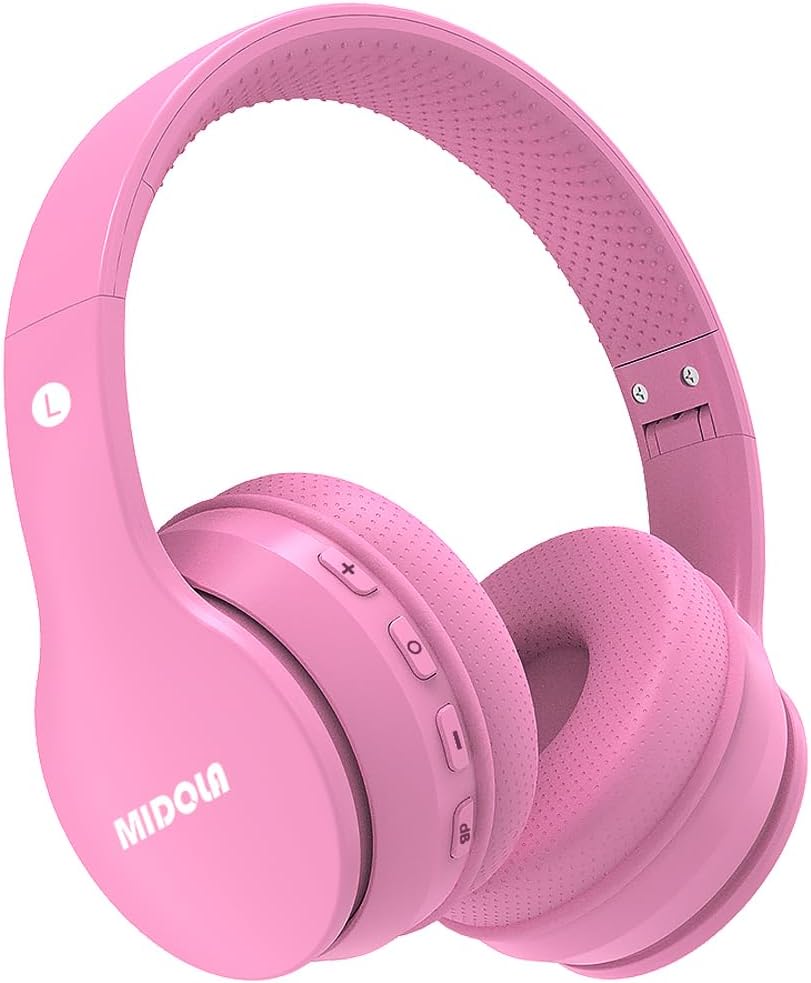
Image: Front view of the MIDOLA Kids Headphones MD-B01 in pink, showing the earcups and headband.
Controls and Ports
- Power Button: Used to turn the headphones on or off.
- Volume Up/Next Track Button: Increases volume or skips to the next track.
- Volume Down/Previous Track Button: Decreases volume or goes to the previous track.
- Multi-function Button (MFB): Play/Pause, Answer/End calls.
- DB Button: Switches between the 3-stage volume limit modes.
- Type-C Charging Port: For charging the internal battery.
- 3.5mm Audio Jack: For wired connection.
- Microphone: Built-in for hands-free calls.
Setup
1. Charging the Headphones
Before first use, fully charge the headphones. Use the provided Type-C charging cable to connect the headphones to a USB power source (e.g., computer, wall adapter). A full charge typically takes approximately 2 hours. The LED indicator will show charging status (e.g., red for charging, blue for fully charged).
2. Powering On/Off
- To Power On: Press and hold the Power Button until the LED indicator lights up and you hear a power-on prompt.
- To Power Off: Press and hold the Power Button until the LED indicator turns off and you hear a power-off prompt.
3. Bluetooth Pairing (Wireless Mode)
The headphones utilize Bluetooth 5.4 for a stable wireless connection up to 15 meters.
- Ensure the headphones are powered off.
- Press and hold the Power Button for approximately 5-7 seconds until the LED indicator flashes red and blue alternately, indicating pairing mode.
- On your device (smartphone, tablet, PC), enable Bluetooth and search for available devices.
- Select "MIDOLA MD-B01" from the list of found devices.
- Once paired, the LED indicator will flash blue slowly, and you will hear a connection confirmation.
4. Wired Connection (Aux Mode)
For devices without Bluetooth or when the battery is depleted, use the provided 3.5mm Aux cord.
- Connect one end of the 3.5mm Aux cord to the audio jack on the headphones.
- Connect the other end to the 3.5mm audio output on your device.
- The headphones will automatically switch to wired mode. Note that volume restrictions may vary in wired mode depending on the source device.
Operating Instructions
1. Volume Limit Protection (3-Stage)
The MIDOLA Kids Headphones feature a unique 3-stage volume limit to protect hearing. Press the "DB" button to cycle through the modes:
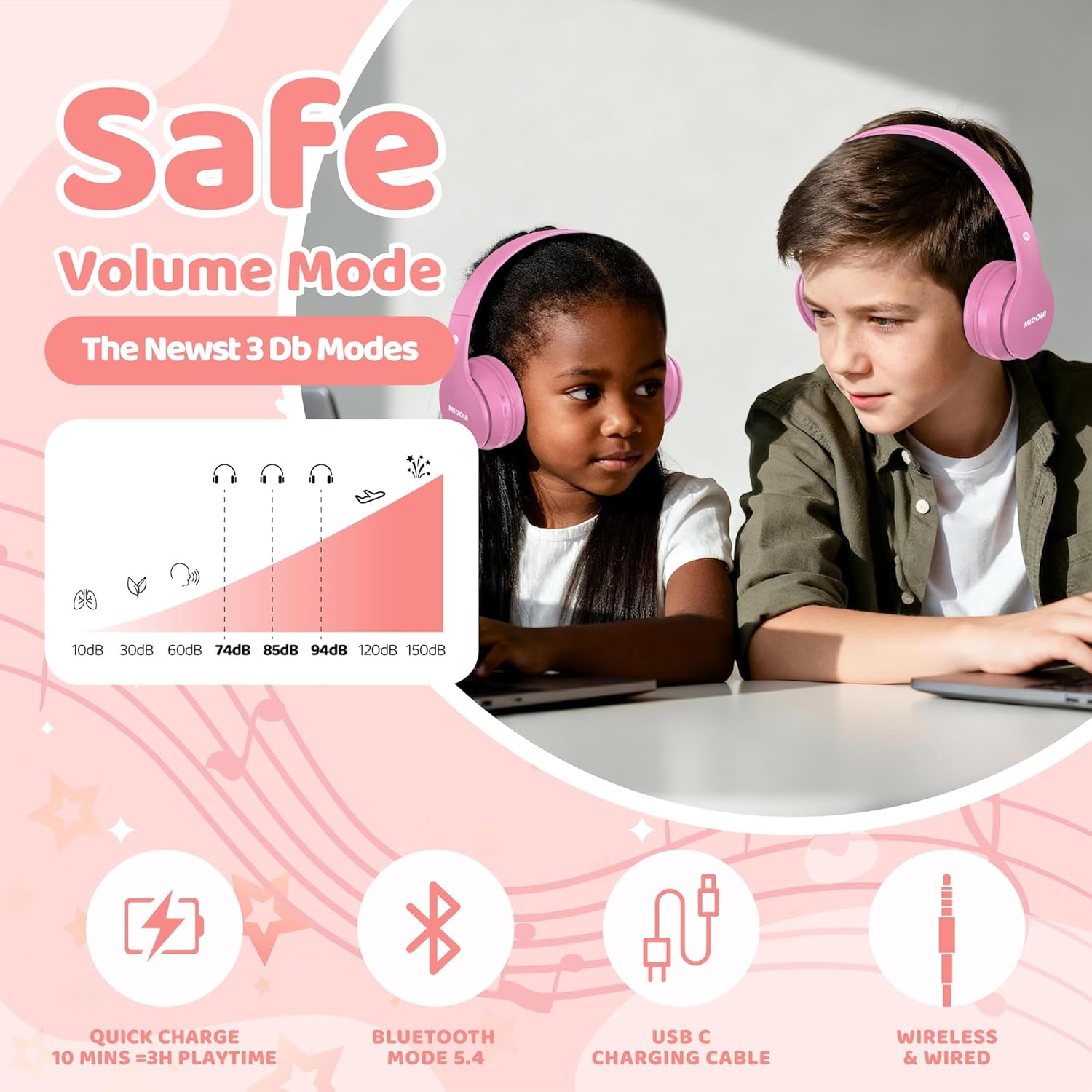
Image: Diagram illustrating the three distinct volume limit modes (74dB, 85dB, 94dB) and their recommended usage scenarios.
- 74dB Mode: Recommended for toddlers (3-6 years old) and quiet environments. This setting aligns with WHO recommendations for infant hearing safety.
- 85dB Mode: Suitable for school-aged children and general listening. This is a common safe listening level.
- 94dB Mode: For louder environments or when higher volume is temporarily needed. Parental supervision is recommended at this setting.
2. Music Playback Controls
- Play/Pause: Press the Multi-function Button (MFB) once.
- Volume Up: Press the "+" button once.
- Volume Down: Press the "-" button once.
- Next Track: Press and hold the "+" button.
- Previous Track: Press and hold the "-" button.
3. Call Functions
When connected via Bluetooth, you can manage phone calls:
- Answer/End Call: Press the MFB once.
- Reject Call: Press and hold the MFB for 2 seconds.
- Redial Last Number: Double-press the MFB.
4. Folding for Storage
The headphones are designed to be foldable for compact storage and portability. Gently fold the earcups inwards towards the headband. This helps protect the headphones during travel.
Maintenance
Cleaning
Wipe the headphones with a soft, dry cloth. Do not use abrasive cleaners, alcohol, or chemical solvents. Avoid getting moisture into any openings.
Storage
When not in use, store the headphones in a cool, dry place, away from direct sunlight and extreme temperatures. Utilize the foldable design to minimize space and protect the earcups.
Troubleshooting
| Problem | Possible Cause | Solution |
|---|---|---|
| Headphones do not power on. | Low battery. | Charge the headphones fully using the provided Type-C cable. |
| Cannot pair via Bluetooth. | Headphones not in pairing mode; Bluetooth disabled on device; interference. | Ensure headphones are in pairing mode (flashing red/blue). Enable Bluetooth on your device. Move closer to the device. Forget previous pairings and try again. |
| No sound in wireless mode. | Volume too low; not connected; incorrect audio output. | Increase headphone and device volume. Ensure headphones are successfully paired. Check device's audio output settings. |
| No sound in wired mode. | Aux cable not fully inserted; faulty cable; device volume low. | Ensure the 3.5mm Aux cable is securely connected at both ends. Test with another cable if available. Increase device volume. |
| Volume limit not changing. | DB button not pressed correctly. | Press the "DB" button firmly to cycle through the 74dB, 85dB, and 94dB modes. |
Technical Specifications
| Feature | Detail |
|---|---|
| Model Name | MD-B01 |
| Connectivity Technology | Wireless (Bluetooth 5.4), Wired (3.5mm Aux) |
| Bluetooth Version | 5.4 |
| Bluetooth Range | Up to 15 meters |
| Volume Limit Modes | 74dB, 85dB, 94dB (Switchable) |
| Audio Driver Size | 40 Millimeters |
| Battery Life (Wireless) | Up to 68 hours (advertised playtime) / 15 hours (specification) |
| Charging Time | Approximately 2 hours |
| Charging Port | Type-C |
| Microphone | Built-in |
| Ear Placement | Over-Ear |
| Foldable Design | Yes |
| Material | Plastic |
| Item Weight | 8.96 ounces (approx. 254 grams) |
| Product Dimensions | 6.7 x 4.73 x 3.35 inches |
Warranty Information
MIDOLA products are covered by a standard manufacturer's warranty against defects in materials and workmanship. For specific warranty terms and conditions, please refer to the warranty card included with your product or contact MIDOLA customer support.
Customer Support
If you encounter any issues or have questions regarding your MIDOLA Kids Headphones, please contact our customer support team. Our US customer service typically responds within 24 hours.
For support, please visit the official MIDOLA website or refer to the contact information provided on your product packaging.


