
1. Introduction
Thank you for purchasing the Portronics Dynamo 8W Portable Stereo Speaker. This manual provides essential information for the safe and efficient operation of your device. Please read it thoroughly before use and retain it for future reference.

Image 1.1: Portronics Dynamo 8W Portable Stereo Speaker (Black)
This image displays the Portronics Dynamo 8W Portable Stereo Speaker in black, showcasing its compact design and front speaker grille with the Portronics logo.
2. Package Contents
Ensure all items are present in the package:
- 1N Portronics Dynamo Speaker
- 1N Charging Cable (Micro USB)
- 1N User Manual
3. Product Overview
3.1 Key Features
- Powerful 8W Sound: Delivers crystal-clear audio with deep bass.
- Bluetooth 5.3v Connectivity: Seamless wireless connection to compatible devices.
- True Wireless Stereo (TWS): Pair two Dynamo speakers for enhanced stereo sound (16W total).
- Integrated Microphone: Enables hands-free calling.
- Long Playtime: Up to 10 hours of music playback on a single charge.
- Multiple Playback Modes: Supports Bluetooth, USB music, and FM Radio.
- Water Resistant Design: Suitable for various environments.

Image 3.1: Portronics Dynamo showcasing 8W audio excellence
This image highlights the speaker's capability to deliver 8W of clear sound and deep bass, emphasizing its audio performance.

Image 3.2: Portronics Dynamo with 10 hours playtime indication
The image illustrates the speaker's extended battery life, indicating up to 10 hours of continuous music playback.
3.2 Controls and Indicators

Image 3.3: Portronics Dynamo Speaker Control Buttons and Ports
This image details the control buttons on the speaker's top panel and the USB charging/playback port on the side. The buttons include Volume Up, Play/Pause, Volume Down, and Power/Mode.
- Power/Mode Button: Press and hold to power on/off. Short press to switch between modes (Bluetooth, USB, FM).
- Volume Up (+) / Next Track: Short press for volume up. Long press for next track.
- Play/Pause Button: Short press to play/pause music. Short press to answer/end calls. Long press to reject calls.
- Volume Down (-) / Previous Track: Short press for volume down. Long press for previous track.
- USB Port: For USB music playback and charging.
- LED Indicator: Indicates charging status and Bluetooth connection status.
4. Setup
4.1 Charging the Speaker
- Connect the provided Micro USB charging cable to the speaker's USB port.
- Connect the other end of the cable to a USB power adapter (5V/1A recommended) or a computer's USB port.
- The LED indicator will illuminate during charging and turn off when fully charged.
- A full charge takes approximately 3-4 hours.
4.2 Powering On/Off
- To power on, press and hold the Power/Mode button for approximately 3 seconds until you hear an audible prompt.
- To power off, press and hold the Power/Mode button for approximately 3 seconds until you hear an audible prompt.
4.3 Bluetooth Pairing
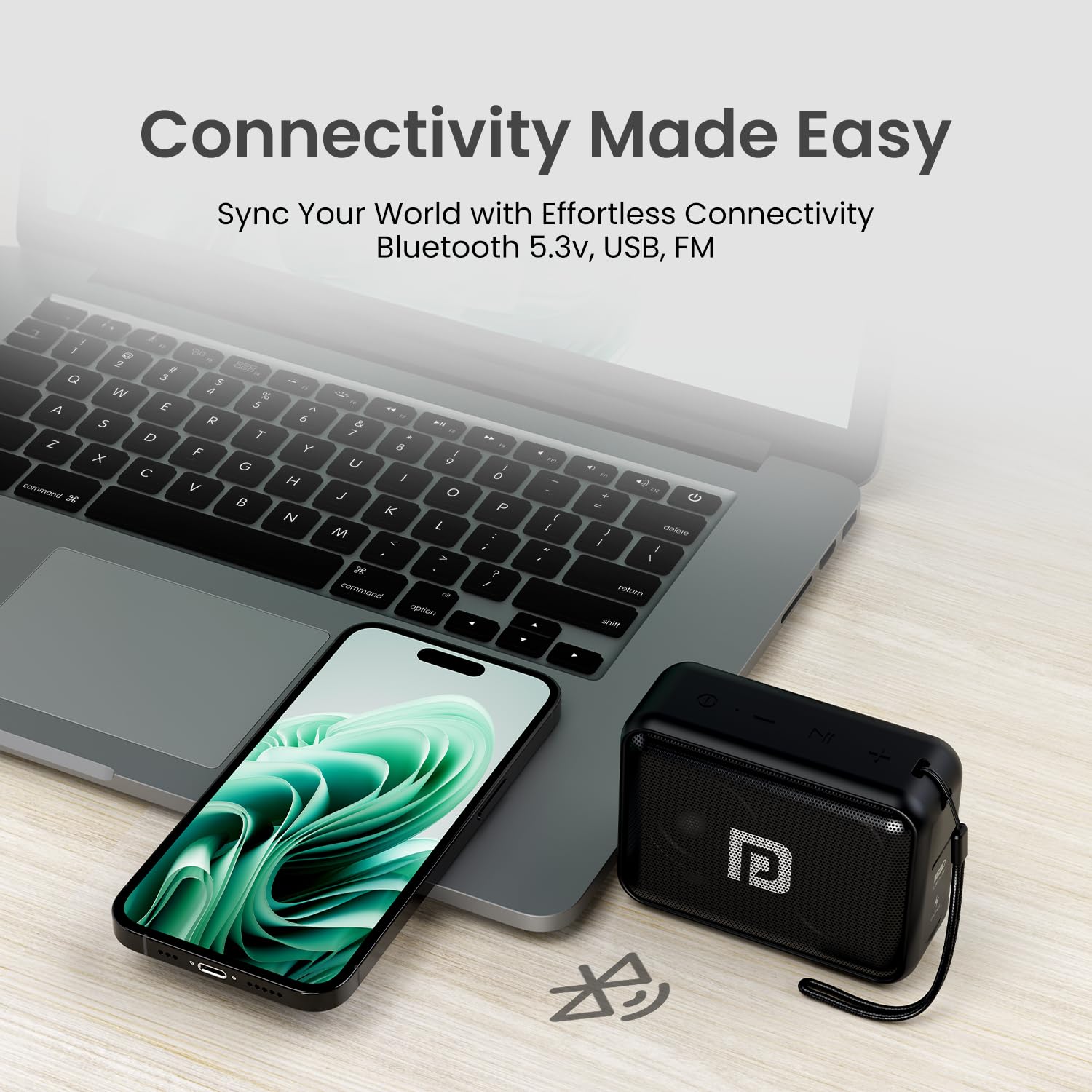
Image 4.1: Portronics Dynamo demonstrating easy Bluetooth connectivity
This image shows the speaker connected wirelessly to a smartphone and laptop, illustrating its versatile Bluetooth connectivity.
- Ensure the speaker is powered on and in Bluetooth mode (indicated by a flashing blue LED). If not, short press the Power/Mode button to switch modes.
- Enable Bluetooth on your smartphone, tablet, or other device.
- Search for "Portronics Dynamo" in the list of available Bluetooth devices.
- Select "Portronics Dynamo" to pair. Once paired, the LED indicator will stop flashing and remain solid blue.
- The speaker will automatically connect to the last paired device when powered on, if within range.
4.4 True Wireless Stereo (TWS) Pairing

Image 4.2: Two Portronics Dynamo speakers paired for TWS
This image depicts two Portronics Dynamo speakers, one black and one blue, wirelessly connected to each other to create a True Wireless Stereo setup, doubling the audio output.
To achieve a True Wireless Stereo experience with two Portronics Dynamo speakers:
- Ensure both Dynamo speakers are powered on and not connected to any Bluetooth device.
- On one of the speakers (this will be the primary speaker), double-press the Play/Pause button. You will hear a prompt indicating TWS pairing mode.
- The two speakers will automatically search and connect to each other. Once connected, you will hear a confirmation sound, and the LED indicator on the primary speaker will flash, while the secondary speaker's LED will be solid.
- Now, connect your device to the primary speaker via Bluetooth as described in Section 4.3. The audio will play through both speakers in stereo.
5. Operating Instructions
5.1 Music Playback (Bluetooth)
- After successful Bluetooth pairing, open your music player on your device and start playback.
- Short press the Play/Pause button to pause or resume music.
- Long press the + button for the next track.
- Long press the - button for the previous track.
- Short press the + button to increase volume.
- Short press the - button to decrease volume.
5.2 USB Music Playback
- Insert a USB drive containing MP3 audio files into the speaker's USB port.
- The speaker will automatically switch to USB mode and begin playing music. If not, short press the Power/Mode button to cycle to USB mode.
- Use the Play/Pause, +, and - buttons for control as described in Section 5.1.
5.3 FM Radio
- Short press the Power/Mode button to switch to FM Radio mode.
- Short press the Play/Pause button to automatically scan and save available FM stations. The speaker will then start playing the first saved station.
- Long press the + button to go to the next saved station.
- Long press the - button to go to the previous saved station.
5.4 Hands-Free Calling

Image 5.1: User making a hands-free call with Portronics Dynamo
This image shows a person using the Portronics Dynamo speaker for a hands-free phone conversation, highlighting its built-in microphone functionality.
- When a call comes in while connected via Bluetooth, the music will pause.
- Short press the Play/Pause button to answer the call.
- Short press the Play/Pause button again to end the call.
- Long press the Play/Pause button to reject an incoming call.
6. Maintenance
- Clean the speaker with a soft, dry cloth. Do not use abrasive cleaners or solvents.
- Avoid exposing the speaker to extreme temperatures, direct sunlight, or high humidity.
- While water-resistant, avoid submerging the speaker in water.
- Store the speaker in a cool, dry place when not in use for extended periods.
- Charge the speaker regularly, even if not in frequent use, to maintain battery health.
7. Troubleshooting
| Problem | Possible Cause | Solution |
|---|---|---|
| Speaker does not power on. | Low battery. | Charge the speaker fully. |
| Cannot pair via Bluetooth. | Speaker not in pairing mode; device Bluetooth off; too far from speaker. | Ensure speaker is in Bluetooth pairing mode (flashing LED). Turn on Bluetooth on your device. Move device closer to speaker (within 10 meters). Forget previous pairings on your device and try again. |
| No sound. | Volume too low; incorrect mode; device not playing. | Increase speaker and device volume. Ensure correct mode (Bluetooth, USB, FM). Check if music is playing on your connected device. |
| FM radio reception is poor. | Weak signal. | Move the speaker to an open area or near a window. Re-scan for stations. |
| TWS pairing fails. | Speakers already connected to other devices; incorrect pairing procedure. | Ensure both speakers are disconnected from all devices. Follow TWS pairing steps precisely (Section 4.4). |
8. Specifications

Image 8.1: Portronics Dynamo Speaker with dimensions
This image provides a visual representation of the speaker's physical dimensions: 11 cm (length), 5 cm (width), and 8 cm (height).
| Feature | Detail |
|---|---|
| Model Name | Dynamo (POR-394) |
| Speaker Type | Portable Stereo Speaker |
| Audio Output Power | 8W (RMS) |
| Bluetooth Version | 5.3v |
| Wireless Range | Up to 10 meters |
| Battery Capacity | 2000mAh Lithium Polymer |
| Playback Time | Up to 10 hours |
| Charging Input | DC 5V/1A (Micro USB) |
| Frequency Response | 150-160kHz |
| Signal-to-Noise Ratio | >70dB |
| Connectivity Options | Bluetooth, USB Music, FM Radio |
| Special Features | TWS Function, Built-in Mic, Water Resistant |
| Material | Plastic |
| Product Dimensions (L x W x H) | 11D x 5W x 8H Centimeters |
| Item Weight | 266 Grams |
9. Warranty and Support
The Portronics Dynamo speaker comes with a 1-year warranty from the date of purchase. Please retain your purchase receipt for warranty claims.
For technical support, service, or further inquiries, please contact Portronics customer service. Contact details can typically be found on the official Portronics website or on your product packaging.


