
Introduction
The EZVIZ C6N Indoor WiFi Security Camera offers 1080p Full HD video, 360° pan and tilt coverage, smart night vision, motion detection with auto-tracking, and two-way audio. This manual provides essential information for the proper setup, operation, and maintenance of your camera, ensuring optimal performance and security.
Package Contents
- 1 x EZVIZ C6N Camera
- 1 x Power Adapter
- 1 x Power Cable
- 1 x Mounting Plate
- 1 x Screw Kit
- 1 x Drill Template
- 1 x Quick Start Guide
Product Overview

Image: The EZVIZ C6N camera highlighting its key features including 1080p resolution, sleep mode, smart tracking, and microSD card support.
Key Features:
- 1080p Full HD & 360° Visual Coverage: The camera captures clear 1080p video and offers a 360° horizontal and 55° vertical field of view for comprehensive monitoring of your indoor space.
- Smart Night Vision with Smart IR: Equipped with Smart IR technology, the camera automatically adjusts infrared LED intensity to prevent overexposure, ensuring detailed night vision up to 10 meters.
- Two-Way Audio: Built-in microphone and speaker allow for clear two-way communication with family members or pets, and to deter unwanted visitors.
- Motion Detection & Smart Tracking: The camera detects motion and automatically tracks moving objects, sending real-time notifications to your mobile device and recording video.
- Flexible Storage Options: Supports local storage via a microSD card (up to 256GB, sold separately) and secure cloud storage through EZVIZ CloudPlay (subscription required).
- Works with Alexa: Integrate with Amazon Alexa for convenient voice control and viewing on compatible devices like Echo Show. Ensure image encryption is disabled and audio is enabled in camera settings for Alexa integration.
Setup Instructions

Image: Visual guide for the three-step setup process using the EZVIZ application.
- Download the EZVIZ App: Search for "EZVIZ" in the App Store (iOS) or Google Play (Android) and download the official application.
- Power On and Connect to WiFi: Plug in your EZVIZ C6N camera using the provided power adapter and cable. Ensure your mobile device is connected to a 2.4GHz Wi-Fi network. The camera supports 2.4GHz Wi-Fi only.
- Add Camera to App: Open the EZVIZ app. If you are a new user, create an account and log in. Tap the "+" icon to add a new device. Scan the QR code located on the bottom of your camera or on its packaging. Follow the on-screen instructions within the app to complete the network configuration and device binding.
Operating Instructions
Live View & Playback
Once your camera is successfully added to the EZVIZ app, you can access the live video feed from your camera anytime, anywhere. You can also review recorded footage stored on your microSD card or EZVIZ CloudPlay.
Pan and Tilt Control

Image: The camera illustrating its pan (horizontal) and tilt (vertical) movement capabilities.
Use the directional controls within the EZVIZ app to remotely rotate the camera horizontally (340°) and vertically (55°) to view different areas of your room.
Two-Way Talk
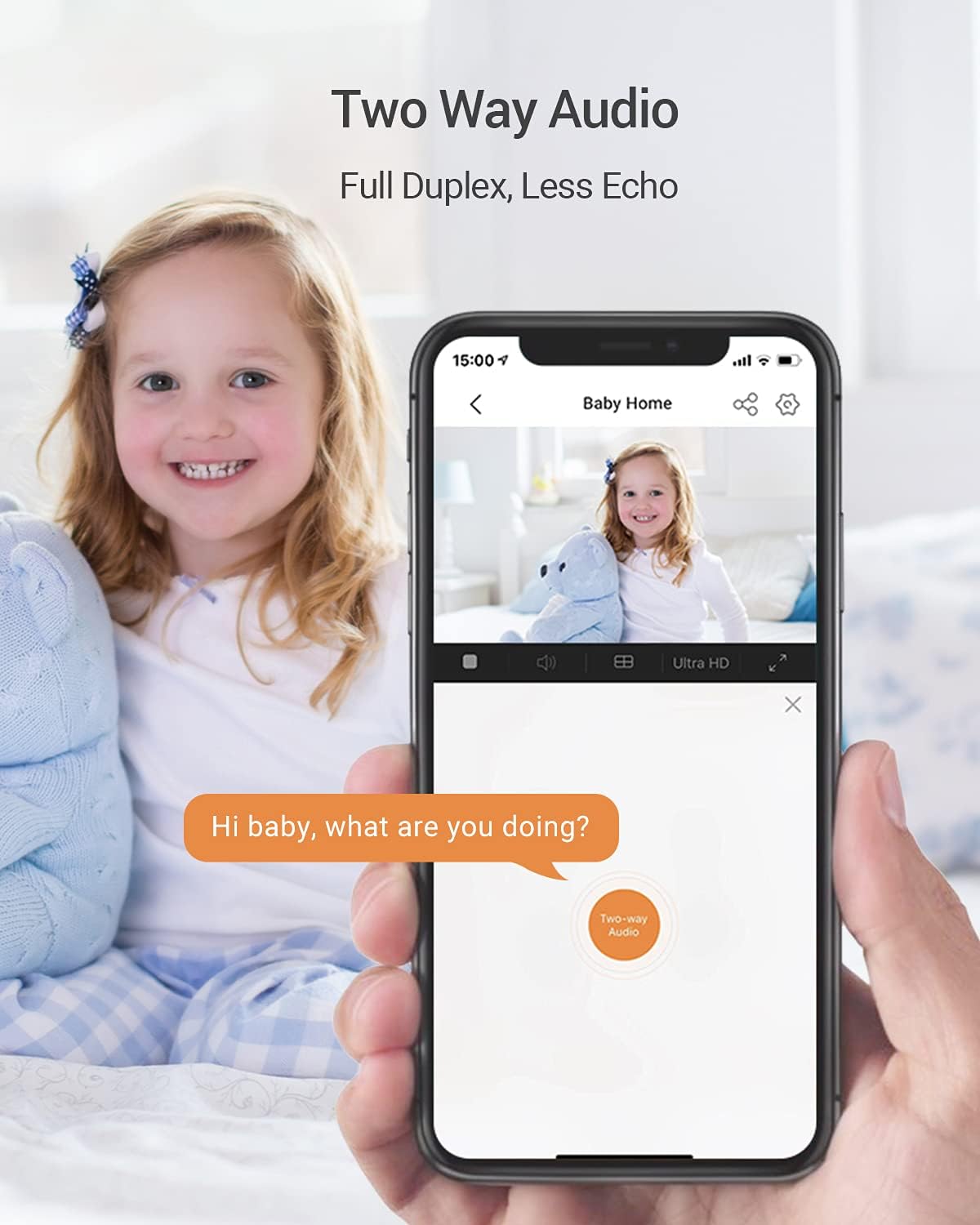
Image: Demonstrates the two-way audio feature, allowing communication through the camera via the app.
Tap the microphone icon in the live view interface of the EZVIZ app to speak through the camera's built-in speaker. You can also hear audio from the camera's environment through its microphone.
Smart Night Vision

Image: A side-by-side comparison demonstrating the improved clarity of night vision with Smart IR technology.
The camera automatically switches to night vision mode in low-light conditions. Smart IR technology adjusts the intensity of the infrared LEDs to prevent overexposure of objects close to the camera, providing clearer details in the dark.
Motion Detection and Tracking
Enable motion detection in the camera settings within the EZVIZ app. When motion is detected, the camera will automatically track the moving object and send an alert to your phone. Recorded video clips of these events will be saved.
Sleep Mode for Privacy

Image: The EZVIZ app interface showing the activation of 'Sleep Mode' for enhanced privacy.
To ensure privacy, you can activate "Sleep Mode" through the EZVIZ app. When enabled, the camera's lens will retract, disabling live viewing and recording.
Integration with Alexa

Image: The EZVIZ C6N camera integrated with Amazon Alexa, showing a live feed on an Echo Show device.
The EZVIZ C6N camera is compatible with Amazon Alexa. You can use voice commands to view the camera feed on compatible devices like the Echo Show. For connection, ensure that "Image Encryption" is disabled and "Audio" is enabled in the camera's configuration page within the EZVIZ app. Note that "turn on/off" commands only activate or deactivate motion alerts in the EZVIZ app, not the camera itself.
Storage Options

Image: Illustrates the available storage options: local microSD card and cloud storage.
- MicroSD Card: Insert a microSD card (up to 256GB, sold separately) into the camera's slot for local storage of recorded videos.
- EZVIZ CloudPlay: Subscribe to EZVIZ CloudPlay for fully encrypted and unlimited online storage, providing an additional layer of security and accessibility for your video recordings.
Maintenance
- Cleaning: Gently wipe the camera lens and body with a soft, dry cloth. Avoid using harsh chemicals or abrasive cleaners, as they may damage the camera's surface or lens.
- Firmware Updates: Regularly check for and install firmware updates through the EZVIZ app. Firmware updates often include performance improvements, new features, and security enhancements.
- Optimal Placement: Ensure the camera is placed in a stable location, away from direct sunlight, heat sources, and strong electromagnetic fields to prevent interference and ensure longevity.
Troubleshooting
- Camera Offline:
- Check if the power adapter is securely connected and the camera is powered on.
- Verify your Wi-Fi router is working correctly and the camera is within range.
- Restart the camera by unplugging and re-plugging it. Restart your Wi-Fi router.
- Ensure your Wi-Fi network is 2.4GHz, as the camera does not support 5GHz Wi-Fi.
- Poor Video Quality:
- Check your internet connection speed. A stable and fast connection is required for high-quality streaming.
- Ensure the camera lens is clean and free from dust or smudges.
- Adjust the video resolution settings in the EZVIZ app to a lower quality if your network bandwidth is limited.
- Motion Detection Not Working:
- Verify that motion detection is enabled in the camera settings within the EZVIZ app.
- Adjust the motion detection sensitivity levels. Higher sensitivity may detect more subtle movements.
- Ensure there are no obstructions blocking the camera's view in the detection zone.
- Two-Way Audio Issues:
- Check the microphone and speaker settings in the EZVIZ app to ensure they are enabled and not muted.
- Ensure the volume levels on your mobile device and within the app are adequate.
- Minimize background noise in your environment for clearer communication.
Specifications
| Feature | Specification |
|---|---|
| Model Number | CS-C6N-A0-1C2WFR |
| Resolution | 1080p Full HD (2 Megapixels) |
| Pan Angle | 340 Degrees |
| Tilt Angle | 55 Degrees |
| Night Vision Range | Up to 10 Meters (Smart IR) |
| Connectivity | Wi-Fi (2.4GHz only) |
| Storage Options | MicroSD Card (up to 256GB), EZVIZ CloudPlay |
| Audio | Two-Way Audio |
| Power Source | Cable Electric (5V, 5W) |
| Dimensions (L x W x H) | 8.8 x 8.8 x 11.3 cm |
| Weight | 218 Grams |
| Operating Temperature | Up to 55°C |
| IP Rating | IP67 (Waterproof - Note: This camera is designed for indoor use. The IP67 rating might refer to internal components or general dust/splash resistance, but it is not intended for outdoor exposure.) |
Warranty and Support
EZVIZ products typically come with a limited warranty. For detailed warranty information, technical support, or service inquiries, please visit the official EZVIZ website or contact their customer support directly. Refer to the original packaging or the EZVIZ app for specific warranty terms applicable to your region. Information regarding spare parts availability and software update guarantees is not explicitly provided.


