
Behringer BB560M
Behringer BB560M Bluetooth Headphones User Manual
Model: BB560M | Brand: Behringer
Introduction
Thank you for choosing the Behringer BB560M Bluetooth Headphones. This manual provides essential information for the safe and efficient operation of your new headphone/microphone system. The BB560M is an ideal solution for DJs, broadcasters, podcasters, music labs, and gamers, offering closed-back circumaural design with built-in microphone and Bluetooth connectivity.
Important Safety Instructions
- Read these instructions carefully before use.
- Keep these instructions for future reference.
- Heed all warnings on the product and in the operating instructions.
- Follow all instructions.
- Do not use this apparatus near water.
- Clean only with a dry cloth.
- Do not block any ventilation openings. Install in accordance with the manufacturer's instructions.
- Do not install near any heat sources such as radiators, heat registers, stoves, or other apparatus (including amplifiers) that produce heat.
- Protect the power cord from being walked on or pinched, particularly at plugs, convenience receptacles, and the point where they exit from the apparatus.
- Only use attachments/accessories specified by the manufacturer.
- Refer all servicing to qualified service personnel. Servicing is required when the apparatus has been damaged in any way.
- Prolonged listening at high volume levels can cause hearing damage.
Package Contents
Please check the package carefully to ensure all items are present and in good condition.
- Behringer BB560M Bluetooth Headphones with Built-In Microphone
- USB Charging Cable
- 3.5mm Audio Cable
- User Manual (this document)
Product Overview
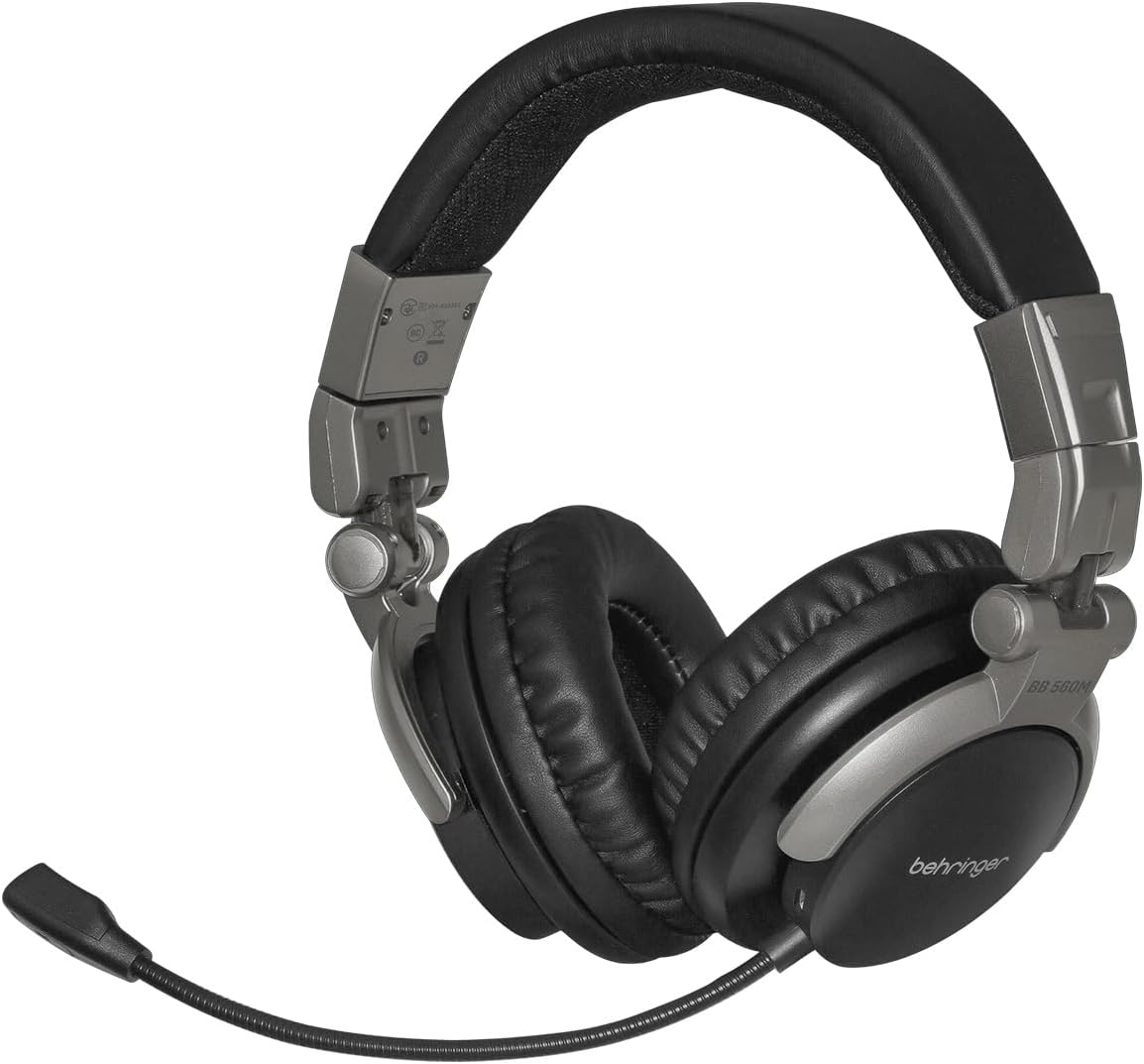


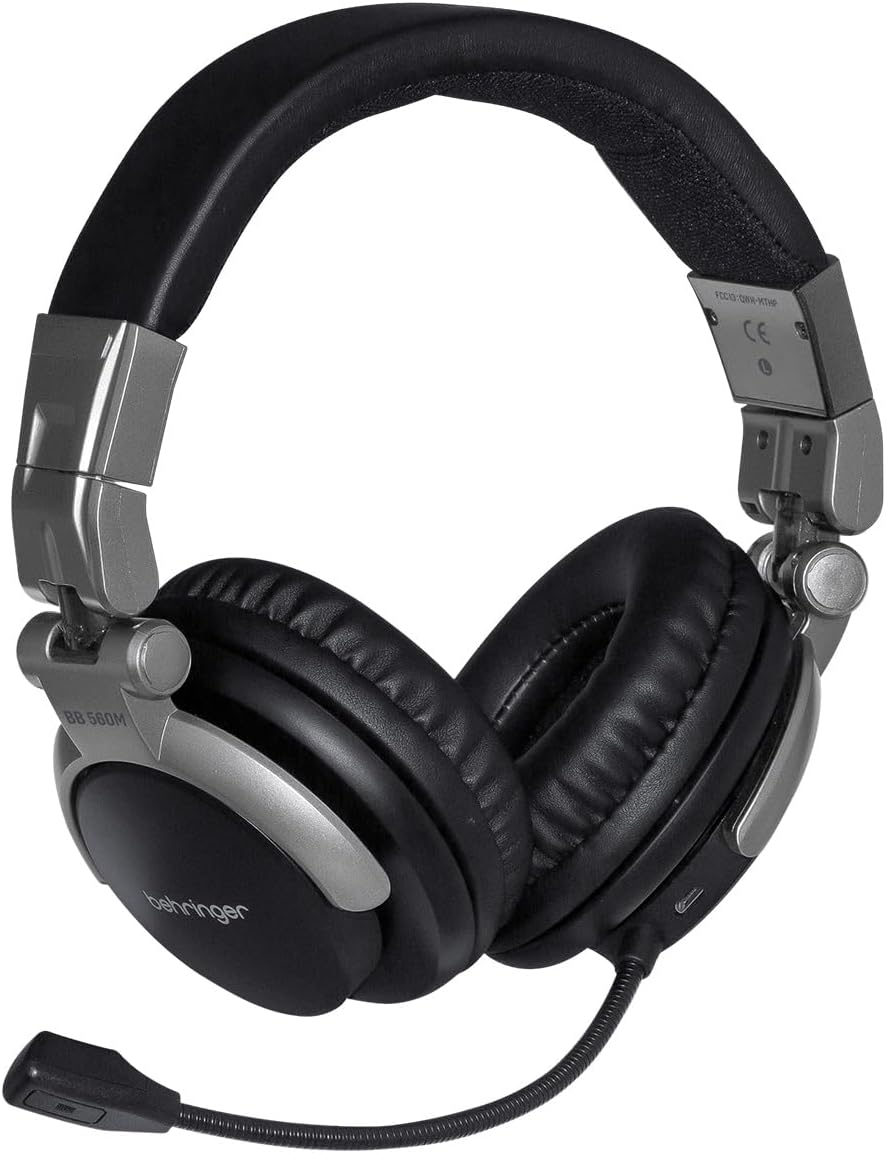
Controls and Ports:
- Power Button: Located on the right earcup, used for powering on/off and Bluetooth pairing.
- Volume Up/Next Track Button: Increases volume, short press; skips to next track, long press.
- Volume Down/Previous Track Button: Decreases volume, short press; goes to previous track, long press.
- Multi-function Button (MFB): Play/pause, answer/end calls.
- Microphone: Flexible boom microphone for clear voice communication.
- 3.5mm Audio Jack: For wired connection.
- USB Charging Port: For charging the internal battery.
- LED Indicator: Shows power, charging, and Bluetooth status.
Setup
1. Charging the Headphones
Before first use, fully charge your BB560M headphones.
- Connect the small end of the USB charging cable to the USB charging port on the headphones.
- Connect the larger end of the USB charging cable to a USB power adapter (not included) or a computer's USB port.
- The LED indicator will glow red during charging and turn off when fully charged.
- A full charge typically takes approximately 2-3 hours.
2. Bluetooth Pairing
Pair your headphones with your Bluetooth-enabled device.
- Ensure the headphones are turned off.
- Press and hold the Power button for approximately 5-7 seconds until the LED indicator flashes blue and red alternately. This indicates pairing mode.
- On your device (smartphone, tablet, computer), enable Bluetooth and search for available devices.
- Select "BB560M" from the list of found devices.
- Once successfully paired, the LED indicator will flash blue slowly.
- If prompted for a password, enter "0000".
3. Wired Connection
You can also use the headphones with a wired connection.
- Connect one end of the 3.5mm audio cable to the 3.5mm audio jack on the headphones.
- Connect the other end to the audio output jack of your device.
- The headphones will automatically switch to wired mode when the cable is connected. Bluetooth functionality will be disabled.
Operating Instructions
Power On/Off
- Power On: Press and hold the Power button for 3 seconds. The LED indicator will flash blue.
- Power Off: Press and hold the Power button for 3 seconds. The LED indicator will turn off.
Music Playback (Bluetooth Mode)
- Play/Pause: Short press the MFB.
- Volume Up: Short press the Volume Up button.
- Volume Down: Short press the Volume Down button.
- Next Track: Long press the Volume Up button.
- Previous Track: Long press the Volume Down button.
Call Management (Bluetooth Mode)
- Answer/End Call: Short press the MFB.
- Reject Call: Long press the MFB.
- Redial Last Number: Double-press the MFB.
Maintenance
- Cleaning: Use a soft, dry cloth to clean the headphones. Do not use liquid cleaners or aerosols.
- Storage: When not in use, store the headphones in a cool, dry place, away from direct sunlight and extreme temperatures. The folding design allows for compact storage.
- Battery Care: To prolong battery life, avoid fully discharging the battery frequently. Charge the headphones regularly, even if not in use for extended periods.
- Avoid Moisture: Keep the headphones away from water and excessive humidity.
Troubleshooting
| Problem | Possible Cause | Solution |
|---|---|---|
| Headphones do not power on. | Battery is low or depleted. | Charge the headphones fully. |
| Cannot pair with device. | Headphones not in pairing mode; device Bluetooth off; too far from device. | Ensure headphones are in pairing mode (flashing blue/red). Turn on device Bluetooth. Move headphones closer to device (within 10 meters). |
| No sound or low volume. | Volume too low on headphones or device; incorrect audio source; wired cable connected. | Increase volume on both headphones and device. Ensure correct audio output is selected on your device. Disconnect 3.5mm cable for Bluetooth audio. |
| Microphone not working. | Microphone muted on device; incorrect input device selected. | Check device settings to ensure microphone is not muted and BB560M is selected as the input device. |
| Intermittent Bluetooth connection. | Interference; too far from device; obstacles between devices. | Move closer to the device. Avoid physical obstructions. Reduce other wireless interference. |
Specifications
| Feature | Detail |
|---|---|
| Model Name | BB 560M |
| Connectivity Technology | Wireless (Bluetooth), Wired (3.5mm Jack) |
| Wireless Communication Technology | Bluetooth |
| Bluetooth Range | 10 Meters |
| Headphones Jack | 3.5 mm Jack |
| Ear Placement | Over Ear |
| Form Factor | Over Ear |
| Noise Control | Sound Isolation |
| Material | Leather |
| Color | Black |
| Item Weight | 0.97 Pounds (approx. 15.5 ounces) |
| Product Dimensions | 6.69 x 3.35 x 8.07 inches |
| Batteries | 1 Lithium Polymer battery (included) |
| Manufacturer | Music Tribe US |
| Country of Origin | China |
Warranty and Support
For warranty information and technical support, please refer to the official Behringer website or contact their customer service directly. Keep your proof of purchase for warranty claims.
Online Support: www.behringer.com/support.html
Manufacturer: Music Tribe US
Ask a question about this manual
Ask about setup, troubleshooting, compatibility, parts, safety, or missing instructions. Manuals+ will review the question and use this page’s manual context to help answer it.