
Andoer F9
Andoer F9 True Wireless Earbuds User Manual
Model: F9 | Brand: Andoer
1. Introduction
Thank you for choosing the Andoer F9 True Wireless Earbuds. These earbuds are designed to provide a high-quality audio experience with advanced features such as Bluetooth 5.0 connectivity, IPX7 waterproofing, and a convenient charging case with a digital display. This manual will guide you through the setup, operation, and maintenance of your new earbuds.
2. Safety Information
- Do not expose the earbuds or charging case to extreme temperatures (above 55°C or below -10°C).
- Avoid prolonged listening at high volumes to prevent hearing damage.
- Keep the device away from water and moisture, despite its IPX7 rating, to ensure longevity.
- Use only the provided charging cable and a compatible 5V 1.5A charger.
- Do not attempt to disassemble or repair the device yourself. Contact customer support if issues arise.
3. Package Contents
Please check the package for the following items:
- 1 x Pair of Andoer F9 True Wireless Earbuds
- 1 x Charging Case
- 2 x Pairs of Ear Caps (different sizes)
- 1 x USB Charging Cable
- 1 x User Manual (English)
4. Product Overview
The Andoer F9 earbuds feature a compact design with a multi-functional touch control button on each earbud. The charging case includes a digital display showing battery levels for both the case and individual earbuds.

Image: Andoer F9 Earbuds inside their charging case, displaying battery levels on the digital screen. A smartphone is visible in the background, connected to the earbuds.

Image: The Andoer F9 charging case with its lid open, demonstrating its ability to function as a phone holder, with a smartphone resting on it.
5. Setup
5.1 Charging the Earbuds and Case
Before first use, fully charge the charging case and earbuds.
- Place the earbuds into the charging case. Ensure they are correctly seated; the indicator lights on the earbuds will illuminate.
- Connect the USB charging cable to the charging port on the case and the other end to a 5V 1.5A power adapter.
- The digital display on the case will show the charging progress. Once fully charged, the display will indicate 100%.

Image: The Andoer F9 charging case connected via a USB cable to a smartphone, illustrating its capability to directly charge a mobile phone.
5.2 Pairing with Your Device
The earbuds feature automatic pairing for convenience.
- Open the charging case and take out both earbuds. They will automatically power on and attempt to pair with each other.
- On your device (smartphone, tablet, etc.), enable Bluetooth.
- Search for "F9" in the list of available Bluetooth devices and select it to connect.
- Once connected, you will hear a confirmation prompt, and the earbud indicator lights will change.

Image: A hand holding one Andoer F9 earbud and another hand holding the charging case, illustrating the automatic pairing feature when earbuds are removed from the case.
5.3 Single/Dual Earbud Mode
You can use both earbuds together (Binaural Mode) or a single earbud (Mono Mode).
- Binaural Mode: Take both earbuds out of the case. They will automatically connect to each other and then to your device.
- Mono Mode: Take only one earbud out of the case. It will automatically connect to your device. The other earbud can remain in the case or be used independently with another device if desired.
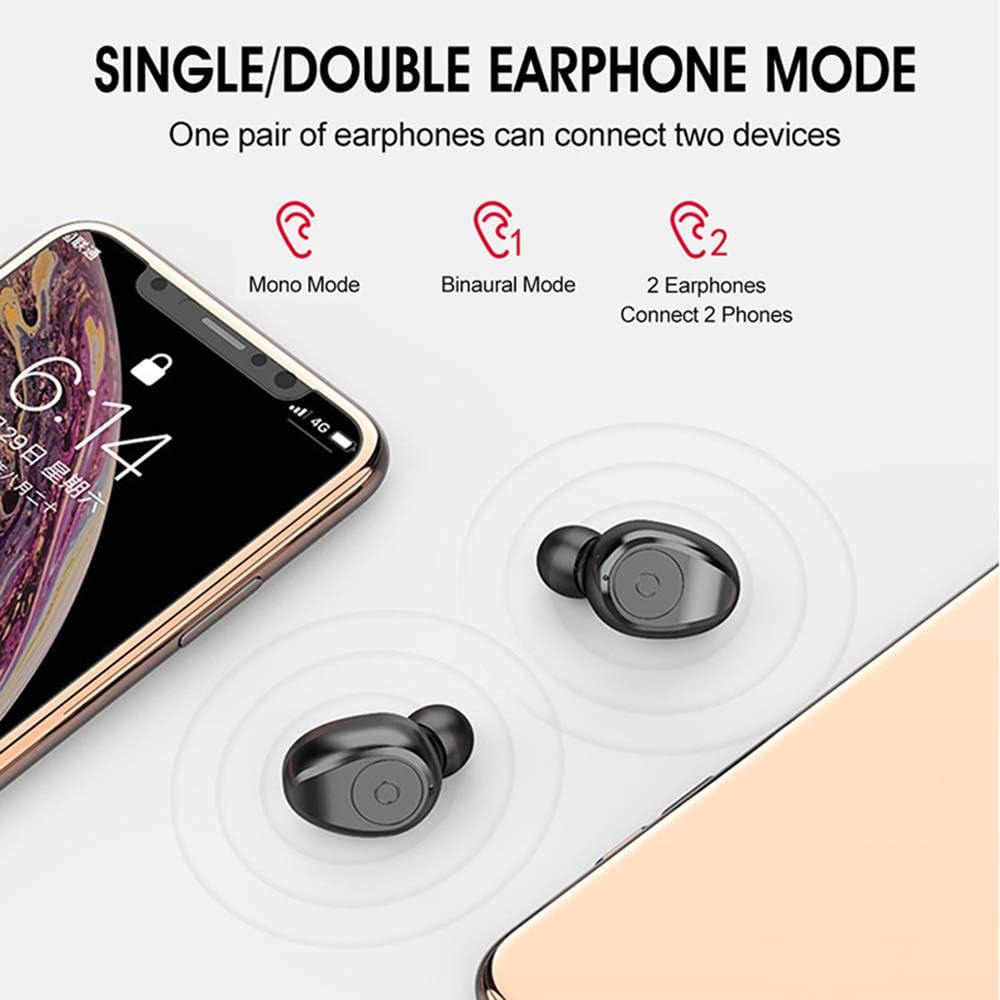
Image: Diagram showing the three modes of use for the Andoer F9 earbuds: Mono Mode (one earbud connected), Binaural Mode (both earbuds connected to one device), and 2 Earphones Connect 2 Phones (each earbud connected to a separate phone).
6. Operating Instructions
6.1 Touch Controls
The Andoer F9 earbuds feature smart one-button control for various functions:
- Play/Pause: Click once on either earbud.
- Next Song: Short press 2 times on the Right earbud.
- Previous Song: Short press 2 times on the Left earbud.
- Volume Up: Short press 3 times on the Right earbud.
- Volume Down: Short press 3 times on the Left earbud.
- Answer/End Call: Click once on either earbud.
- Reject Call: Long press for 1 second on either earbud.
- Activate Voice Assistant (Siri/Google Assistant): Long press for 2 seconds on either earbud.

Image: A diagram illustrating the one-button control functions of the Andoer F9 earbuds, showing actions like long press to reject/answer, short press for volume/song switch, and click to play/pause.
7. Maintenance
7.1 Cleaning
- Regularly clean the earbuds and charging case with a soft, dry, lint-free cloth.
- Remove ear tips and clean them with mild soap and water, then dry thoroughly before reattaching.
- Use a cotton swab to gently clean the charging contacts on both the earbuds and the case.
7.2 Storage
When not in use, store the earbuds in their charging case to protect them and keep them charged. Store the case in a cool, dry place away from direct sunlight.
7.3 Water Resistance (IPX7)
The earbuds are IPX7 waterproof, meaning they can withstand immersion in water up to 1 meter for 30 minutes. This makes them suitable for workouts and rainy conditions. However, they are not designed for swimming or prolonged submersion. Always ensure the earbuds are dry before placing them back into the charging case to prevent damage.

Image: A person submerged in water with the Andoer F9 earbuds in their ears, demonstrating the IPX7 waterproof feature for everyday life and outdoor sports.
8. Troubleshooting
| Problem | Possible Cause | Solution |
|---|---|---|
| Earbuds not pairing with device | Bluetooth is off; earbuds are out of range; earbuds not in pairing mode. | Ensure Bluetooth is on. Move earbuds closer to device. Place earbuds back in case, then take them out to re-enter pairing mode. |
| Only one earbud working | Earbuds not paired with each other; low battery. | Place both earbuds back in the charging case, close the lid, then open and take them out together. Ensure both are charged. |
| Earbuds not charging | Poor contact with charging pins; dirty charging contacts; faulty cable/charger. | Ensure earbuds are properly seated. Clean charging contacts. Try a different USB cable or power adapter. |
| Low volume or poor sound quality | Ear tips not sealed properly; earbud speaker blocked; device volume too low. | Try different sized ear tips for a better seal. Clean earbud speaker mesh. Increase volume on both earbuds and connected device. |
9. Specifications
| Feature | Specification |
|---|---|
| Model | F9 |
| Bluetooth Version | V5.0 (BT8832A) |
| Bluetooth Profiles Supported | HSP1.7/HSO1.2/A2DP1/AVRCP1.6/SPP1.2/PBAP1.0 |
| Frequency Response | 20-20000Hz |
| Sensitivity | 90dB |
| Impedance | 32Ω |
| Call Time | 4-5 hours |
| Music Playback Time | 4-5 hours |
| Earbud Battery Capacity | 60mAh |
| Charging Case Capacity | 1300mAh |
| Charging Time | 1-2 hours |
| Input | 5V 1.5A |
| Output | 5V 200mA |
| Operating Temperature | -10°C to 55°C |
| Color | Black |
| Earbud Dimensions (approx.) | 23 × 17 × 14mm |
| Earbud Weight (pair) | 9.2g / 0.32oz |
| Package Weight | 116.4g / 4.11oz |
| Package Size | 122 x 100 x 33mm / 4.80 x 3.94 x 1.30in |
10. Warranty and Support
Andoer products are manufactured to the highest quality standards. For any issues or questions regarding your Andoer F9 True Wireless Earbuds, please refer to the contact information provided on the product packaging or the official Andoer website for customer support.
Ask a question about this manual
Ask about setup, troubleshooting, compatibility, parts, safety, or missing instructions. Manuals+ will review the question and use this page’s manual context to help answer it.