
Motorola XT1921
Motorola Moto E5 Play XT1921 User Manual
Model: XT1921
Introduction
Welcome to the user manual for your Motorola Moto E5 Play XT1921. This guide provides detailed instructions to help you get started with your device, understand its features, and maintain its performance. The Motorola Moto E5 Play is a versatile smartphone designed for everyday communication and entertainment.
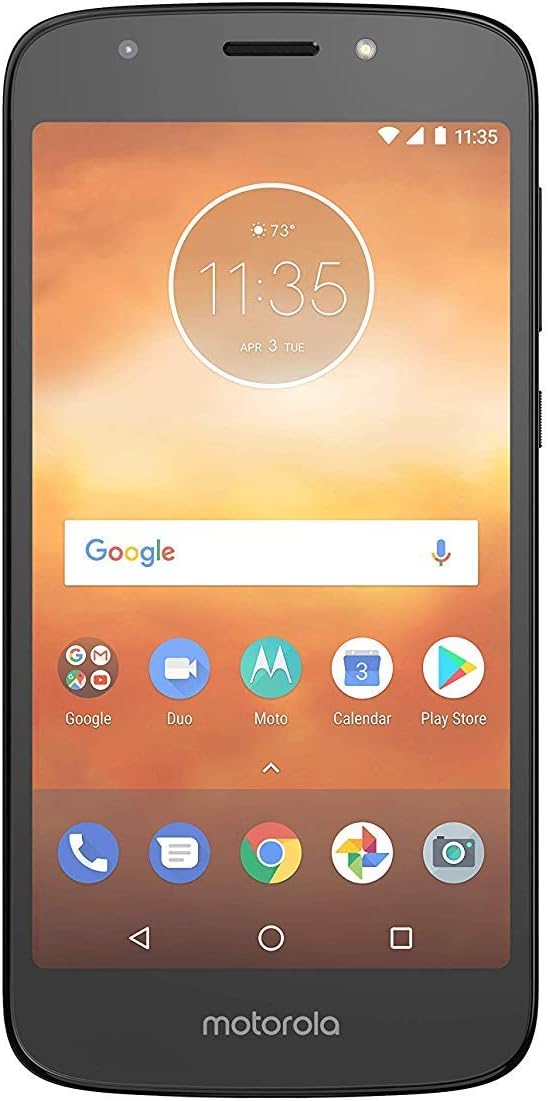
Figure 1: Front view of the Motorola Moto E5 Play.
Setup
1. What's in the Box
Upon unboxing your Motorola Moto E5 Play, please ensure the following items are present:
- Motorola Moto E5 Play XT1921 Smartphone
- Charger
- Quick Start Guide
2. Installing the SIM Card and microSD Card
To begin using your phone, you will need to install a SIM card. You may also install a microSD card for expanded storage.
- Locate the SIM/microSD card tray on the side of the phone.
- Insert the SIM ejector tool (or a small paperclip) into the small hole on the tray to pop it open.
- Carefully pull out the tray.
- Place your Nano-SIM card(s) and/or microSD card into the designated slots on the tray, ensuring they are correctly oriented.
- Gently push the tray back into the phone until it clicks into place.

Figure 2: Back view of the Motorola Moto E5 Play, indicating the general area for SIM/microSD tray access (tray is on the side).
3. Charging the Battery
Before first use, it is recommended to fully charge your device.
- Connect the charger to the charging port at the bottom of your phone.
- Plug the charger into a power outlet.
- The battery indicator on the screen will show charging progress.
4. Initial Power On and Setup
Press and hold the Power button until the Motorola logo appears. Follow the on-screen prompts to complete the initial setup, including language selection, Wi-Fi connection, Google account setup, and security settings.
Operating Your Device
1. Basic Navigation
The Moto E5 Play features a touchscreen for navigation. Use the following gestures:
- Tap: To select an item or open an app.
- Swipe: To scroll through screens or lists.
- Pinch: To zoom in or out on photos and web pages.
- Long Press: To access contextual menus or move icons.
2. Making Calls
To make a call:
- Tap the Phone icon on the home screen.
- Enter the phone number using the dial pad or select a contact from your address book.
- Tap the Call button.
3. Sending Messages
To send a text message:
- Tap the Messages icon.
- Tap the New Message icon (usually a plus sign or a chat bubble).
- Enter the recipient's number or select from contacts.
- Type your message in the text field.
- Tap the Send button.
4. Connecting to Wi-Fi
To connect to a Wi-Fi network:
- Go to Settings > Network & Internet > Wi-Fi.
- Toggle Wi-Fi On.
- Select your desired network from the list.
- If prompted, enter the network password and tap Connect.
5. Using the Camera
Your Moto E5 Play is equipped with a camera for capturing photos and videos.
- Tap the Camera icon to open the camera app.
- Tap the Shutter button to take a photo.
- Switch to video mode by tapping the video icon.
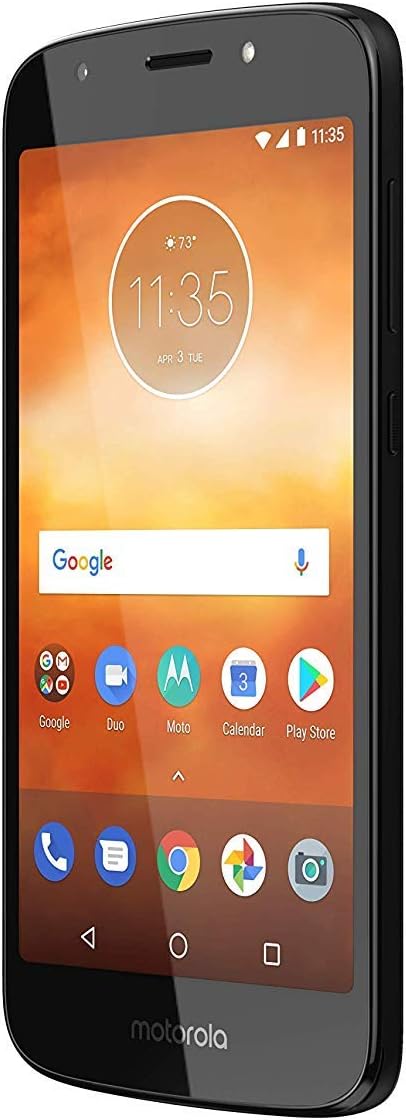
Figure 3: Angled front view of the Motorola Moto E5 Play, showing the display and icons.
6. App Management
To install new applications, open the Google Play Store app and search for your desired apps. To uninstall an app, long-press its icon on the home screen or app drawer, then drag it to the Uninstall option, or go to Settings > Apps & notifications > App info, select the app, and tap Uninstall.
Maintenance
1. Cleaning Your Device
To keep your phone clean and functioning properly:
- Use a soft, lint-free cloth to wipe the screen and body.
- Avoid using harsh chemicals or abrasive materials.
- Do not expose the phone to excessive moisture.
2. Software Updates
Keeping your software up to date ensures optimal performance and security.
- Go to Settings > System > System updates.
- Tap Check for updates.
- Follow the on-screen instructions to download and install any available updates.
3. Battery Care
To maximize battery life:
- Avoid extreme temperatures.
- Do not let the battery drain completely before recharging regularly.
- Use the original charger provided with the device.
4. Storage Management
To manage your phone's internal storage:
- Regularly delete unnecessary files, photos, and videos.
- Uninstall unused applications.
- Move large files to a microSD card if installed.
- Go to Settings > Storage to view storage usage and free up space.
Troubleshooting
This section addresses common issues you might encounter with your Motorola Moto E5 Play.
| Problem | Possible Solution |
|---|---|
| Device not turning on | Ensure the battery is charged. Press and hold the Power button for at least 10-15 seconds to force a restart. |
| Cannot connect to Wi-Fi | Check if Wi-Fi is enabled. Restart your phone and the Wi-Fi router. Verify the Wi-Fi password. |
| Apps crashing or freezing | Clear the app's cache and data (Settings > Apps & notifications > App info > [App Name] > Storage & cache). Update the app. Restart the phone. |
| Poor call quality | Check network signal strength. Move to an area with better reception. Ensure nothing is blocking the microphone or speaker. |
| Battery drains quickly | Reduce screen brightness. Close unused apps. Turn off Wi-Fi, Bluetooth, and GPS when not in use. Check battery usage in Settings to identify power-hungry apps. |
Specifications
Below are the key technical specifications for the Motorola Moto E5 Play XT1921:
| Feature | Detail |
|---|---|
| Model Name | Moto E5 Play |
| Item Model Number | XT1921 |
| Operating System | Android 8 |
| Memory Storage Capacity | 16 GB |
| RAM Memory Installed Size | 2 GB |
| Standing Screen Display Size | 5.2 Inches |
| Resolution | 720 x 1280 |
| CPU Speed | 1.4 GHz |
| Battery Capacity | 2800 Milliamp Hours |
| Color | Black |
| Item Weight | 10.5 ounces |
| Audio Jack | No headphone jack |
| Wireless Carrier | Verizon |

Figure 4: Front and back angled view of the Motorola Moto E5 Play.
Warranty and Support
This Motorola Moto E5 Play XT1921 is a renewed product. Renewed products are professionally inspected and tested to work and look like new. If not satisfied with the purchase, renewed products are eligible for replacement or refund under the Amazon Renewed Guarantee.
For further assistance or technical support, please refer to the official Motorola support website or contact your service provider (Verizon).
Related documentsXT1921


Ask a question about this manual
Ask about setup, troubleshooting, compatibility, parts, safety, or missing instructions. Manuals+ will review the question and use this page’s manual context to help answer it.