
Introduction
The Omega MeGo Personal Blender is designed for creating healthy, nutrient-dense beverages quickly and efficiently. Featuring a powerful 1000-watt motor and a durable 6-prong stainless steel blending blade, this appliance can process a variety of ingredients, from fruits and vegetables to nuts, seeds, and ice. Its compact design and included portable blending cups make it ideal for an active lifestyle.
This manual provides essential information for the safe and effective use of your Omega MeGo Personal Blender. Please read it thoroughly before first use and retain it for future reference.
Important Safeguards
When using electrical appliances, basic safety precautions should always be followed to reduce the risk of fire, electric shock, and injury to persons, including the following:
- Read all instructions before operating the blender.
- To protect against electrical shock, do not immerse the motor base, cord, or plug in water or other liquids.
- Close supervision is necessary when any appliance is used by or near children.
- Unplug from outlet when not in use, before assembling or disassembling parts, and before cleaning.
- Avoid contact with moving parts.
- Do not operate any appliance with a damaged cord or plug, or after the appliance malfunctions or has been dropped or damaged in any manner. Contact customer service for examination, repair, or adjustment.
- The use of attachments not recommended or sold by the manufacturer may cause fire, electric shock, or injury.
- Do not use outdoors.
- Do not let cord hang over edge of table or counter, or touch hot surfaces.
- Do not place on or near a hot gas or electric burner, or in a heated oven.
- Do not use appliance for other than intended use.
- Exercise extreme caution when blending hot liquids. The pressure release valve is designed for safety, but caution is still required.
- Ensure the blade assembly is securely attached to the blending cup before placing it on the motor base.
- Never blend without liquid.
- Do not overfill the blending cups beyond the maximum fill line.
Parts and Features
Your Omega MeGo Personal Blender includes the following components:
- 1000W Motor Base: The main power unit of the blender.
- 6-Prong Stainless Steel Blending Blade: The sharp blade assembly for processing ingredients.
- 32 oz Blending Cup: A larger BPA-free cup for blending.
- 27 oz Blending Cup: A smaller BPA-free cup for blending.
- 2 Flip Top Lids: For converting blending cups into portable travel cups.
- 1 Handle Ring: For comfortable carrying of the blending cups.
- 1 Comfort Lip Ring: For a smoother drinking experience directly from the cup.

Image: Components of the Omega PBL1000BD2 Personal Blender, including the motor base, blade assembly, and blending cups.
Setup
- Unpack: Carefully remove all components from the packaging.
- Clean: Before first use, wash the blending cups, flip top lids, handle ring, comfort lip ring, and blade assembly in warm, soapy water. Rinse thoroughly and dry. The motor base should be wiped clean with a damp cloth. Do not immerse the motor base in water.
- Prepare Ingredients: Cut ingredients into small pieces (approximately 1 inch) to ensure optimal blending. Add liquids first, then soft ingredients, followed by harder ingredients and ice. Do not exceed the maximum fill line on the blending cup.
- Assemble Blending Cup:
- Place your prepared ingredients into either the 32 oz or 27 oz blending cup.
- Screw the 6-prong stainless steel blending blade assembly onto the open end of the blending cup. Ensure it is tightened securely to prevent leaks.
- Position on Motor Base: Place the assembled blending cup, with the blade assembly facing down, onto the motor base. Align the tabs on the cup with the slots on the motor base.
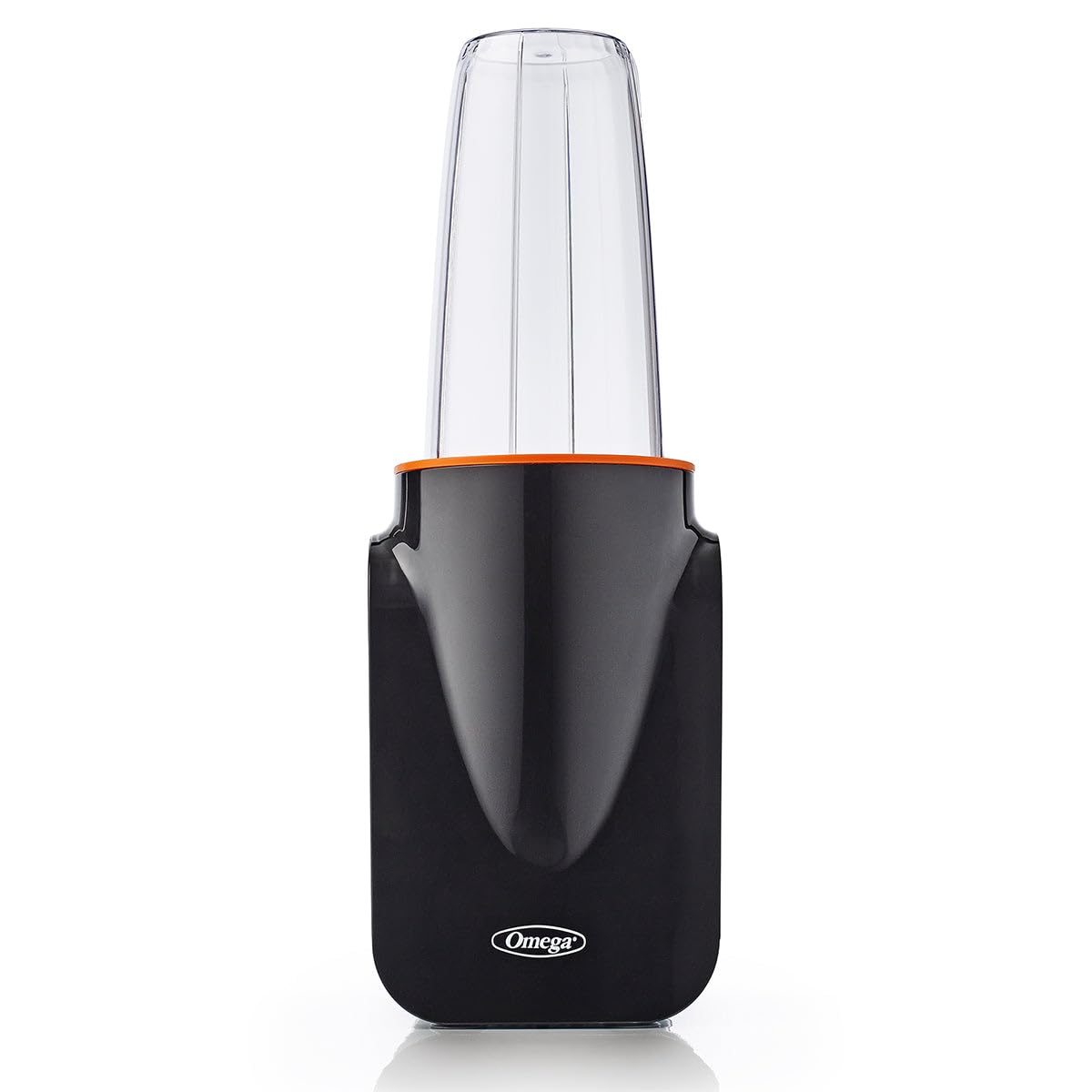
Image: The Omega PBL1000BD2 MeGo Personal Blender assembled with a blending cup filled with fruits and vegetables, ready for operation.
Operating Instructions
- Connect Power: Plug the motor base into a standard 110/120 Volt electrical outlet.
- Start Blending:
- To begin blending, gently push down on the blending cup and twist it clockwise to lock it into place on the motor base. The blender will start automatically.
- For continuous blending, keep the cup twisted and locked.
- For pulse blending, push down on the cup without twisting to lock. Release to stop.
- Blending Hot Liquids: When blending hot liquids, ensure the pressure release valve on the blade assembly is clear. Blend in small batches and exercise caution. The blender features an auto shut-off mechanism for safety.
- Stop Blending: To stop blending, twist the cup counter-clockwise and lift it off the motor base. The motor will automatically shut off.
- Serve: Unscrew the blade assembly from the blending cup. You can then attach a flip top lid, handle ring, or comfort lip ring to the cup for immediate consumption or portability.
Care and Maintenance
Proper care ensures the longevity and performance of your Omega MeGo Personal Blender.
- Cleaning the Blending Cups and Lids: The BPA-free blending cups and flip top lids are dishwasher-safe. Alternatively, wash them by hand with warm, soapy water.
- Cleaning the Blade Assembly: Carefully wash the blade assembly by hand with warm, soapy water. Use a brush to clean around the blades. Exercise extreme caution as the blades are sharp. Do not put the blade assembly in the dishwasher as this may dull the blades over time.
- Cleaning the Motor Base: Wipe the motor base with a damp cloth. Never immerse the motor base in water or any other liquid.
- Storage: Store the blender and its components in a clean, dry place when not in use.
Troubleshooting
If you encounter issues with your blender, refer to the following common problems and solutions:
- Blender does not start:
- Ensure the power cord is securely plugged into a working electrical outlet.
- Verify that the blending cup is correctly assembled with the blade and securely twisted and locked onto the motor base. The blender has a safety interlock mechanism.
- Ingredients are not blending smoothly:
- Add more liquid to the blending cup.
- Reduce the amount of ingredients in the cup.
- Cut ingredients into smaller pieces.
- Use the pulse function to break down larger chunks.
- Blender leaks during operation:
- Ensure the blade assembly is tightly screwed onto the blending cup.
- Check the gasket (seal) within the blade assembly for proper placement and damage. Replace if necessary.
- Do not overfill the blending cup beyond the maximum fill line.
- Motor smells or overheats:
- This can occur with heavy loads or prolonged blending. Unplug the blender and allow it to cool down for at least 15-20 minutes.
- Reduce the load by removing some ingredients or adding more liquid.
Specifications
| Model Number | PBL1000BD2 |
| Brand | Omega |
| Motor Power | 1000 Watts |
| Voltage | 110/120 Volts (North America) |
| Blade Material | Stainless Steel (6-prong) |
| Container Material | BPA-Free Plastic |
| Included Cups | 1 x 32 oz, 1 x 27 oz |
| Product Dimensions | 5.63 x 5.19 x 15.3 inches |
| Item Weight | 6.17 pounds |
Warranty
The Omega PBL1000BD2 MeGo Personal Blender comes with a Full Warranty. For specific details regarding the terms, duration, and coverage of your warranty, please refer to the warranty card included with your product or visit the official Omega website. Retain your proof of purchase for warranty claims.
Customer Support
For further assistance, technical support, or to inquire about replacement parts, please visit the official Omega website or contact their customer service department. Ensure you have your model number (PBL1000BD2) and proof of purchase available when contacting support.
Official Omega Store: Omega Store on Amazon
