
Introduction
The Allocacoc DesignNest Heng Balance Lamp is an innovative LED table lamp featuring a unique magnetic sphere switch. This lamp provides a warm, eye-caring glow, making it suitable for various settings such as a night light, desk light, or decorative piece in your home or office. Its distinctive design, recognized with a Red Dot Award, offers an interactive way to illuminate your space.

Image: The Heng Balance Lamp showcasing its design and key features like 2700 Kelvin warm white light, 20000 hours lifespan, and quick activation.
Setup
- Unpack all components: the Heng Balance Lamp unit and the USB power cable.
- Place the lamp on a stable, flat surface.
- Connect the USB power cable to the lamp's USB port, typically located at the base.
- Plug the other end of the USB cable into a compatible USB power adapter (not included) or a USB port on a computer or power bank.
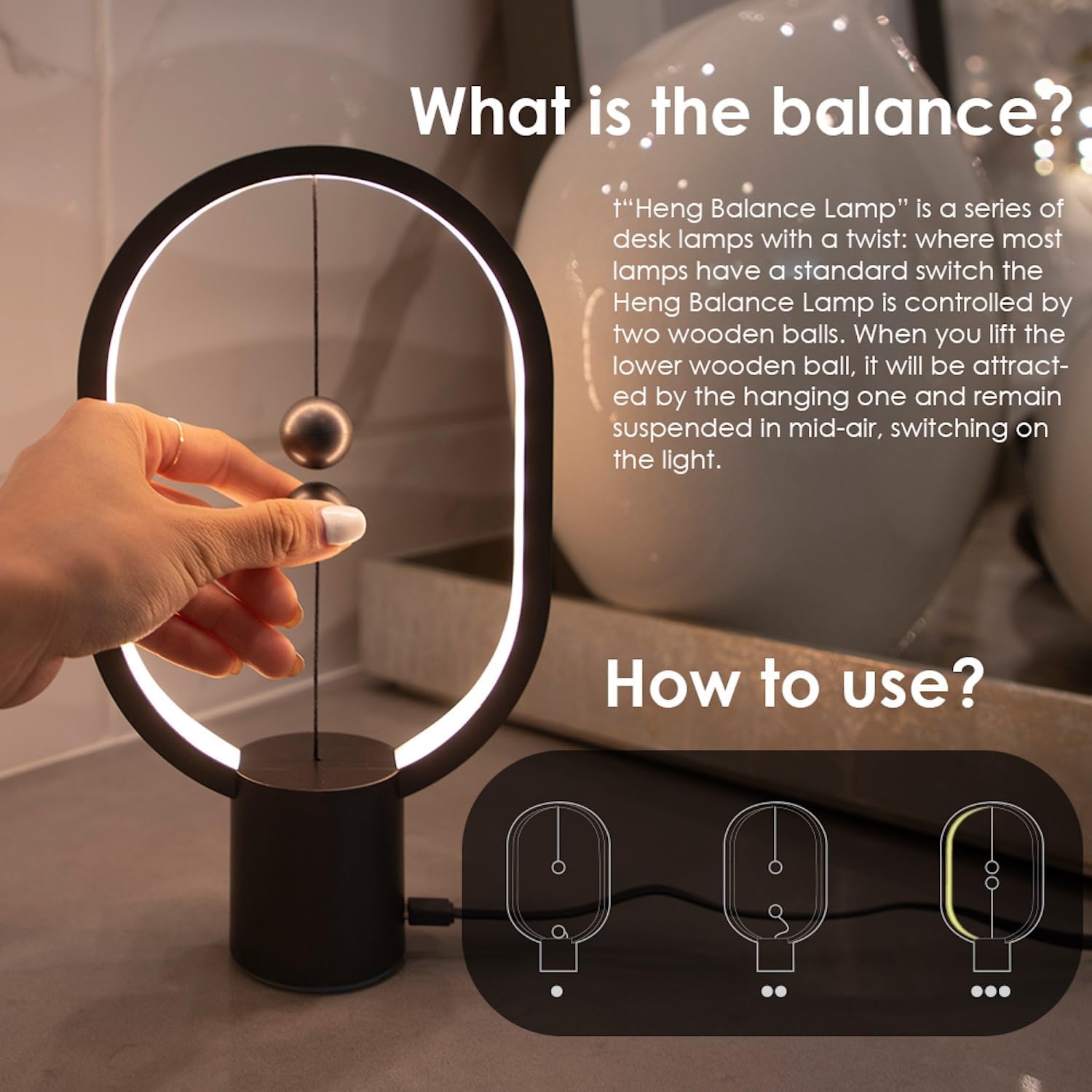
Image: A hand demonstrating the magnetic switch mechanism, illustrating how to turn the lamp on by bringing the two spheres together.
Operating Instructions
The Heng Balance Lamp is operated by its unique magnetic switch system:
- To Turn On: Gently lift the lower magnetic sphere towards the upper magnetic sphere. The magnets will attract, causing the spheres to suspend in mid-air and activate the light.
- To Turn Off: Gently separate the two magnetic spheres. The magnetic connection will break, and the light will turn off.
Ensure the spheres are allowed to connect freely for proper operation. Avoid forcing them together or pulling them apart abruptly.
Video: Official demonstration of the Heng Balance Lamp mini, showing the magnetic switch in action to turn the light on and off.
Video: Detailed overview of the DesignNest LED Heng Balance Lamp, highlighting its features and how to operate the magnetic switch.
Maintenance
- Cleaning: To clean the lamp, gently wipe the surface with a soft, dry cloth. Avoid using abrasive cleaners, solvents, or excessive moisture, as these can damage the finish or internal components.
- LED Care: The lamp uses integrated LED lighting, which is designed for long-term use and does not require bulb replacement. Do not attempt to disassemble the light source.
- Handling: Handle the magnetic spheres with care. While durable, excessive force or impact can affect their magnetic properties or the lamp's structure.
Troubleshooting
- Lamp Does Not Turn On:
- Ensure the USB cable is securely connected to both the lamp and the power source.
- Verify that the power source (USB adapter, computer port) is functional. Try a different USB port or adapter if available.
- Confirm that the two magnetic spheres are properly attracted and suspended in mid-air. If they are not connecting, gently guide them until they do.
- Light Flickers:
- Check the USB power connection for looseness.
- Ensure the magnetic spheres maintain a stable connection. External vibrations or an unstable surface can sometimes cause flickering.
- Magnetic Spheres Do Not Connect:
- Ensure there are no obstructions between the spheres.
- Gently bring the lower sphere close to the upper sphere until the magnetic force engages. Avoid sudden movements.
Specifications
| Brand | Allocacoc |
| Model Number | HENG_MINI |
| Product Dimensions | 3"D x 7"W x 11"H (7.6cm D x 17.8cm W x 27.9cm H) |
| Item Weight | 8 ounces (227 grams) |
| Light Source Type | LED |
| Color Temperature | Warm White (approx. 2700 Kelvin) |
| Power Source | USB Powered |
| Wattage | 3 watts |
| Voltage | 5 Volts |
| Switch Type | Magnetic |
| Base Material | Plastic, Wood |
| Finish Type | Polished |
| Included Components | User Manual |

Image: Visual representation of the lamp's dimensions (240mm height, 140mm width) and available colors.

Image: Detailed view of the lamp's construction, highlighting the 'No strobe' feature, the magnetic spheres, and the base connection.
Warranty & Support
Allocacoc products are manufactured with quality and durability in mind. This product comes with a standard manufacturer's warranty against defects in materials and workmanship. Please refer to the packaging or the official Allocacoc website for specific warranty terms and conditions.
For technical support, troubleshooting assistance, or warranty claims, please contact Allocacoc customer service through their official website or the retailer where the product was purchased. Keep your proof of purchase for warranty validation.
Online Resources: For additional information and support, visit the official Allocacoc website: www.allocacoc.com