
1. Introduction
The Kreg KPHJ320 Pocket-Hole Jig 320 is a versatile and portable tool designed for creating strong, reliable pocket-hole joints in various woodworking projects. This jig simplifies the process of joining wood, making it accessible for both DIY enthusiasts and professionals. It is suitable for materials ranging from 1/2 inch to 1 1/2 inches thick.
Key features of the Kreg KPHJ320 Pocket-Hole Jig 320 include:
- Easy Woodworking Tools: Facilitates fast, strong, and easy wood joinery.
- Must-Have Pocket-Hole Jig: A simple, reconfigurable jig suitable for various projects and repairs.
- Simple, Versatile Pocket-Hole Joinery: Effective for materials between 1/2 inch and 1 1/2 inches thick.
- Adjustable Pocket-Hole Jig: Allows for setting spacing between drill guides by removing or adding spacers or separating guides.
- Premium Kreg Tools: Designed to bridge the gap between concept and execution in woodworking.
2. Included Components
The Kreg KPHJ320 Pocket-Hole Jig 320 kit includes the following items:
- 1 x 6" Square-Drive Bit
- 1 x Carrying Case
- 1 x Drill Guide Spacer
- 1 x Easy-Set Drill Bit and Stop Collar
- 1 x Material Thickness Gauge/Hex Wrench
- 2 x Drill Guides with Material Thickness Stops
- 40 x Sample Screws
- Owner’s Manual

Image: All components included in the Kreg KPHJ320 Pocket-Hole Jig 320 kit, laid out on a white surface. This includes the blue jig body, drill bit, square-drive bit, stop collar, hex wrench/thickness gauge, and sample screws.
3. Setup Instructions
Proper setup ensures accurate and strong pocket-hole joints. Follow these steps to prepare your Kreg KPHJ320 Pocket-Hole Jig for use:
- Determine Material Thickness: Use the included Material Thickness Gauge to measure the thickness of your workpiece. The jig is designed for materials between 1/2" and 1 1/2" thick.
- Adjust Drill Guides: The jig features preset material thickness settings. Adjust the drill guides by sliding them to the correct setting corresponding to your material thickness. The guides have markings for 1/2", 3/4", and 1 1/2" thicknesses. For custom spacing, the modular design allows you to twist apart and remove the drill guide spacer or separate the guides entirely.

Image: Hands demonstrating the adjustment of the Kreg Pocket-Hole Jig 320's drill guides to match preset material thickness settings, visible on the side of the blue jig components.

Image: Hands twisting apart the modular components of the Kreg Pocket-Hole Jig 320, illustrating its highly versatile and adjustable design for varying pocket-hole spacing.
- Set Drill Bit Stop Collar: The Material Thickness Gauge also functions as a hex wrench. Use it to adjust the stop collar on the Easy-Set Drill Bit to the same thickness setting as your material. This ensures the correct drilling depth.

Image: A person's hands operating a drill with the Easy-Set Drill Bit and stop collar inserted into a Kreg Pocket-Hole Jig, demonstrating the quick and intuitive setup process.
- Secure the Jig: Place the jig on your workpiece. The jig features a GripMaxx anti-slip clamping surface to help hold it in place. For optimal stability, use a clamp (not included) to secure the jig to the workpiece. The clamp pad adapter makes this process simple and fast, accommodating Kreg face clamps, bar clamps, or C-clamps.
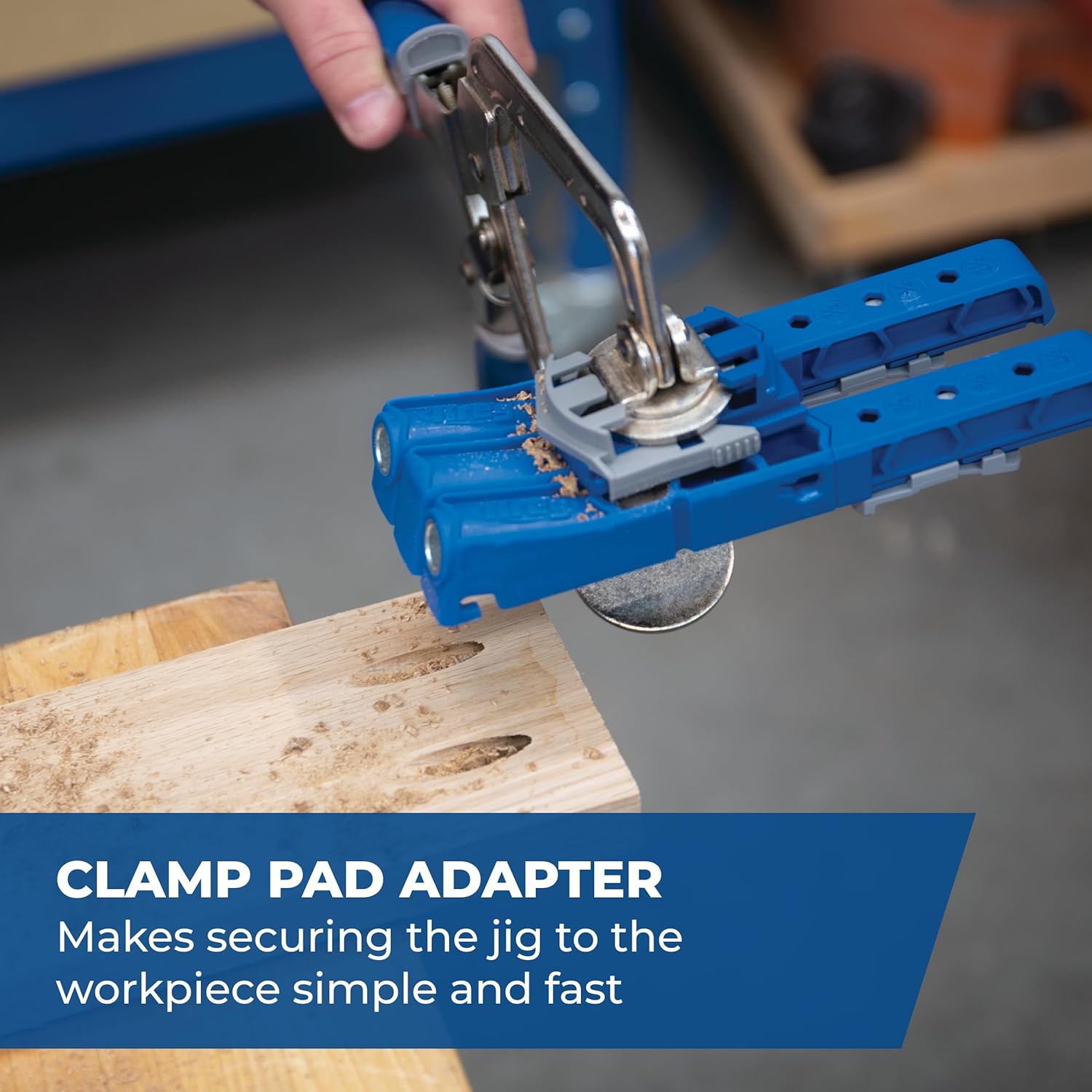
Image: The Kreg Pocket-Hole Jig 320 clamped to a wooden workpiece using a clamp pad adapter, demonstrating how to secure the jig for drilling pocket holes.

Image: A close-up view of the underside of the Kreg Pocket-Hole Jig 320, highlighting the GripMaxx anti-slip clamping surface designed to prevent movement during use.
4. Operating Instructions
Once the jig is set up and secured, you can begin creating pocket holes:
- Drill Pocket Holes: Insert the Easy-Set Drill Bit into your drill. Align the drill bit with the drill guides on the jig. Drill through the guides until the stop collar makes contact with the jig, indicating the correct depth has been reached. Ensure wood chips are cleared regularly to prevent clogging.
- Prepare for Assembly: Position the workpieces to be joined. It is crucial to clamp the faces of the pieces together to prevent shifting or lifting when screws are driven.
- Drive Screws: Insert the 6" Square-Drive Bit into your drill. Drive the Kreg pocket-hole screws into the drilled holes. For multi-joint assemblies, partially assemble all joints by driving screws until they just catch the next piece. Once all joints are partially assembled and squared, go back and fully tighten all screws. This method helps maintain squareness and prevents misalignment.

Image: A person using a drill with the Kreg Pocket-Hole Jig 320 clamped to a wooden board, demonstrating the compact and portable nature of the jig for creating pocket-hole joints.
5. Maintenance
Regular maintenance will prolong the life and performance of your Kreg KPHJ320 Pocket-Hole Jig 320:
- Cleaning: After each use, clear any sawdust or debris from the drill guides and the jig body. A brush or compressed air can be used for this purpose.
- Inspect Drill Bit and Driver Bit: Periodically inspect the Easy-Set Drill Bit and the Square-Drive Bit for signs of wear, dullness, or damage. A dull drill bit can lead to increased resistance, slower drilling, and less precise holes. A worn driver bit may strip screw heads. Replace bits as necessary to maintain optimal performance.
- Storage: Store the jig and its components in the provided carrying case in a dry, clean environment to protect them from dust and damage.
6. Troubleshooting
Here are some common issues and their solutions when using the Kreg KPHJ320 Pocket-Hole Jig 320:
| Problem | Possible Cause | Solution |
|---|---|---|
| Jig shifts during drilling | Jig not adequately clamped to workpiece. | Always use a clamp (e.g., Kreg face clamp, bar clamp, or C-clamp) to firmly secure the jig to the workpiece. Ensure the GripMaxx anti-slip surface is clean. |
| Workpieces shift or lift when screws are driven | Workpieces not clamped together during assembly. | Clamp the two workpieces together securely before driving screws. This prevents movement and ensures a flush joint. |
| Joints are not square or misaligned | Screws tightened individually before full assembly. | For multiple joints, drive all screws until they just catch the mating piece. Then, check for squareness and fully tighten all screws. |
| Drill bit feels dull or struggles to cut | Drill bit is worn or dull. | Inspect the drill bit for wear. Replace with a new Kreg Easy-Set Drill Bit if dull. |
| Wood chips clog the drill guides | Accumulation of sawdust. | Clear wood chips frequently during drilling. Use a brush or compressed air to clean the guides after use. |
| Driver bit slips or strips screw heads | Driver bit is worn or incorrect size. | Ensure you are using the correct Kreg Square-Drive Bit. Replace the bit if it shows signs of wear. |
7. Specifications
| Feature | Detail |
|---|---|
| Manufacturer | Kreg Tool Inc |
| Part Number | KPHJ320 |
| Item Weight | 1.4 pounds |
| Product Dimensions | 8.38 x 6 x 2 inches |
| Item Model Number | KPHJ320 |
| Size | Hole Jig 320 |
| Style | Jig |
| Material | Glass-filled nylon, Hardened steel |
| Item Package Quantity | 1 |
| Measurement System | Imperial |
| Mounting Type | Plate Mount |
| Usage | Amateur, Inside, Outside, Professional |
| Batteries Included? | No |
| Batteries Required? | No |
| Date First Available | August 1, 2019 |
8. Warranty Information
Specific warranty details for the Kreg KPHJ320 Pocket-Hole Jig 320 are typically provided with the product packaging or can be found on the official Kreg website. Please refer to these sources for the most accurate and up-to-date warranty terms and conditions.
9. Customer Support
For further assistance, technical support, or to purchase replacement parts and accessories, please visit the official Kreg website or contact their customer service department. You can often find helpful resources, FAQs, and contact information on their brand store page: Kreg Store on Amazon.
10. Product Videos
No official product videos could be embedded in this manual due to the absence of direct video source URLs in the provided product data. For instructional videos and demonstrations, please refer to the official Kreg website or their authorized channels.


