
GreenForest ROGER NEW
GreenForest L Shaped Desk User Manual
Model: ROGER NEW
Brand: GreenForest
1. Introduction
Thank you for choosing the GreenForest L Shaped Desk. This manual provides essential information for the proper assembly, use, and maintenance of your new desk. Please read these instructions carefully before beginning assembly and retain them for future reference.

Image 1.1: The GreenForest L Shaped Desk, showcasing its spacious L-shape design and integrated hutch for organization.
2. Safety Information
To ensure safe use and longevity of your GreenForest L Shaped Desk, please adhere to the following safety guidelines:
- Always follow the assembly instructions carefully.
- Avoid using power tools during assembly, as this may overtighten screws and damage components.
- Do not exceed the maximum weight recommendation of 220 pounds (100 kg) to maintain the desk's stability and structural integrity.
- Place the desk on a flat, stable surface to prevent wobbling or tipping.
- Keep small parts and packaging materials away from children and pets.
WARNING: Failure to follow these safety instructions may result in injury or damage to the product.
3. Components List
Before beginning assembly, please verify that all parts listed below are present and undamaged. If any parts are missing or damaged, please contact customer support.
- Desk Panels (L-shaped desktop sections)
- Steel Frame Components (Legs, support bars)
- Hutch/Storage Shelf
- Keyboard Tray (Optional/Included)
- Monitor Arm (Optional/Included)
- Assembly Hardware (Screws, bolts, nuts, washers, Allen wrench)
- Adjustable Foot Pads

Image 3.1: Detailed dimensions of the L Shaped Desk, indicating its overall size and specific measurements for each section.
4. Setup and Assembly
Assembly of the GreenForest L Shaped Desk is required. It is recommended that 1 person perform the assembly. For detailed step-by-step instructions, please refer to the official Installation Manual PDF provided with your purchase or available online.
General Assembly Steps:
- Unpack and Identify: Carefully unpack all components and lay them out on a clean, soft surface to prevent scratches. Identify each part using the provided components list.
- Assemble the Frame: Attach the steel legs and support bars according to the diagrams in the manual. Ensure all connections are secure but do not fully tighten screws until all frame parts are loosely assembled.
- Attach Desktop Panels: Carefully place the desktop panels onto the assembled frame. Align the pre-drilled holes and secure the panels with the provided screws.
- Install Hutch and Accessories: Attach the hutch/storage shelf to the designated area on the desktop. If included, install the keyboard tray and monitor arm as per their specific instructions.
- Final Tightening: Once all components are in place and aligned, systematically tighten all screws and bolts. Do not overtighten.
- Adjust Leveling Feet: Adjust the foot pads at the bottom of the legs to ensure the desk is stable and level on your floor.

Image 4.1: Detailed views of the desk's features, including the baffle design for preventing items from slipping and the decorative barbed wire element on the hutch.

Image 4.2: Further detail shots highlighting the metal baffle for item retention, the blend of metal and wood in the baffle design, and the protective rubber feet.
5. Operating and Usage
The GreenForest L Shaped Desk is designed for versatile use in home offices, study areas, or gaming setups. Its L-shape provides ample workspace for multiple monitors, laptops, and other office essentials.
- Workspace: Utilize the expansive desktop for computers, documents, and other work-related items.
- Storage: The integrated hutch offers convenient storage for books, files, or decorative items, helping to keep your workspace organized.
- Weight Capacity: Always observe the maximum weight recommendation of 220 pounds (100 kg) to prevent damage or instability. Distribute weight evenly across the desk surface.
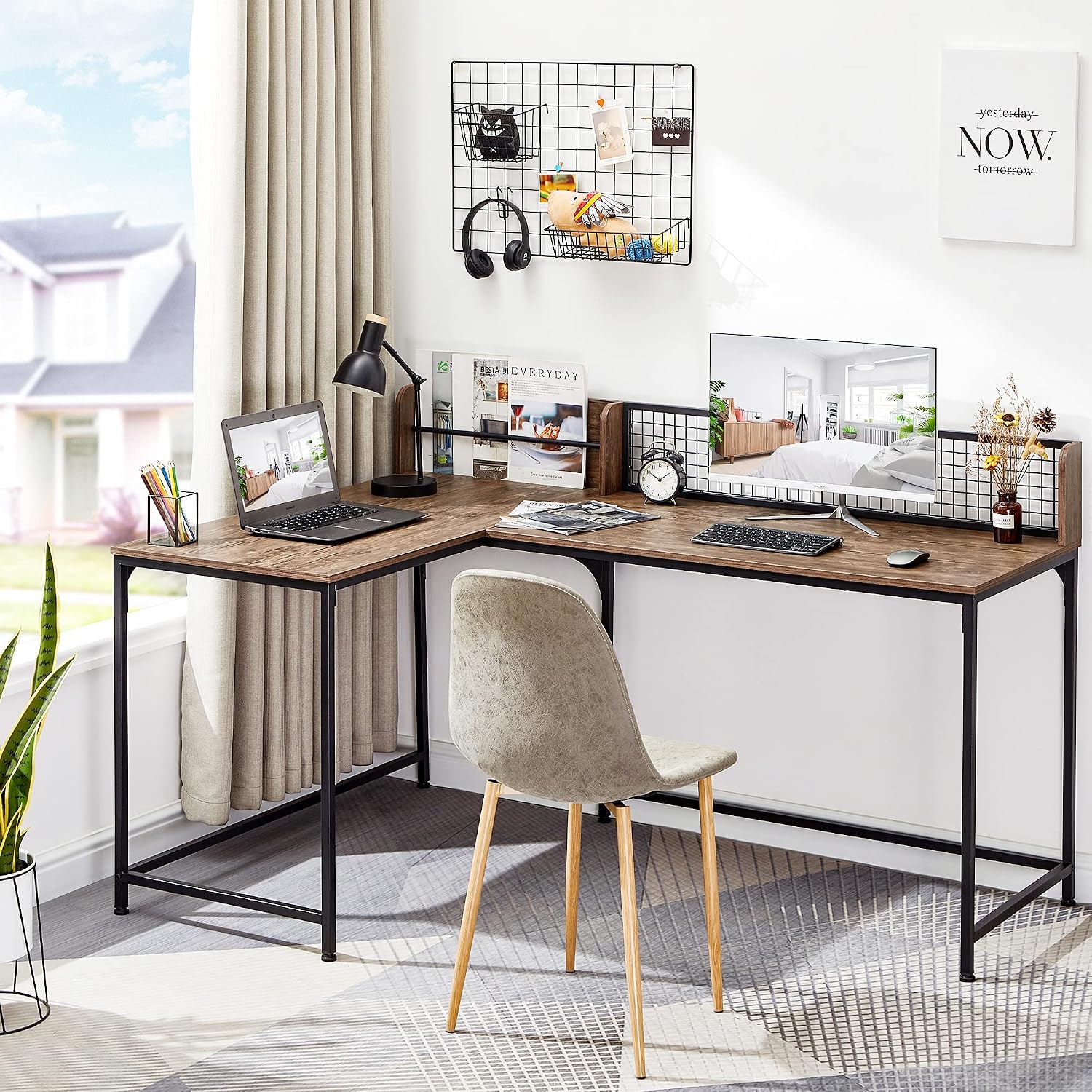
Image 5.1: The L Shaped Desk in a functional setup, illustrating its capacity for a laptop, monitor, and various office supplies.

Image 5.2: An aerial perspective of the desk, emphasizing the integrated hutch and the generous surface area available for various tasks.

Image 5.3: The desk accommodating a dual-monitor setup, showcasing its ample space for complex computing needs.
6. Maintenance
Proper care will help maintain the appearance and functionality of your desk for years to come.
- Cleaning: Wipe surfaces with a soft, damp cloth. For stubborn marks, use a mild, non-abrasive cleaner. Avoid harsh chemicals, abrasive cleaners, or solvents, as they can damage the finish.
- Dusting: Regularly dust the desk with a dry, soft cloth.
- Fasteners: Periodically check all screws and bolts to ensure they remain tight. Retighten if necessary, but do not overtighten.
- Spills: Clean up spills immediately to prevent staining or damage to the wood finish.
7. Troubleshooting
If you encounter any issues with your GreenForest L Shaped Desk, consider the following common solutions:
- Wobbling Desk: Ensure the desk is on a level surface. Adjust the individual foot pads at the bottom of the legs until the desk is stable. Check that all assembly screws are securely tightened.
- Missing Parts: Double-check the packaging and all corners of the box. If parts are genuinely missing, contact customer support with your purchase details.
- Difficulty Assembling: Review the assembly instructions carefully. Ensure you are using the correct hardware for each step. Do not force parts together.
If problems persist, please refer to the Warranty and Support section for contact information.
8. Specifications
| Feature | Detail |
|---|---|
| Brand | GreenForest |
| Model Number | ROGER NEW |
| Product Dimensions (D x W x H) | 43.3"D x 65"W x 29.5"H |
| Color | Walnut (Top), Black (Base) |
| Style | Modern |
| Top Material Type | Engineered Wood |
| Base Material | Alloy Steel |
| Item Weight | 50.8 Pounds |
| Maximum Weight Recommendation | 220 Pounds |
| Required Assembly | Yes |
| Recommended Number of People for Assembly | 1 |
| Included Components | Desk, Keyboard Tray, Monitor Arm |
9. Warranty and Support
The GreenForest L Shaped Desk comes with a 1 Year Limited Warranty. This warranty covers manufacturing defects and ensures the product meets quality standards under normal use.
For warranty claims, technical assistance, or any questions regarding your desk, please contact GreenForest customer support through the retailer where the product was purchased or visit the official GreenForest website for contact information.
Please have your model number (ROGER NEW) and proof of purchase ready when contacting support.
Related documentsROGER NEW


Ask a question about this manual
Ask about setup, troubleshooting, compatibility, parts, safety, or missing instructions. Manuals+ will review the question and use this page’s manual context to help answer it.