
Important Safeguards
When using electrical appliances, basic safety precautions should always be followed to reduce the risk of fire, electric shock, and injury to persons. Read all instructions before using this appliance.
- Do not attempt to operate this oven with the door open as this can result in harmful exposure to microwave energy.
- Do not place any object between the oven front face and the door or allow soil or cleaner residue to accumulate on sealing surfaces.
- Do not operate the oven if it is damaged. It is particularly important that the oven door closes properly and that there is no damage to the: (1) door (bent), (2) hinges and latches (broken or loosened), (3) door seals and sealing surfaces.
- The oven should not be adjusted or repaired by anyone except properly qualified service personnel.
- Ensure the appliance is properly grounded.
Product Overview
The Farberware 1.1 Cu. Ft Stainless Countertop Microwave Oven is designed for convenient and efficient cooking. It features 1000 watts of power, multiple power levels, and various auto-cook settings to simplify meal preparation.

Image: Front view of the Farberware 1.1 Cu. Ft Stainless Countertop Microwave Oven, showcasing its sleek design and digital display.

Image: Diagram highlighting key features: 1.1 cubic feet capacity, 10 power levels, and 1000 watts of power.
Setup
Unpacking and Placement
- Remove all packaging materials from inside the oven cavity and from the oven door.
- Check the oven for any damage, such as dents or a misaligned door. Do not operate the oven if it is damaged.
- Place the microwave oven on a flat, stable surface that is strong enough to hold the oven and the food you place in it.
- Ensure adequate ventilation. Leave a minimum of 3 inches (7.5 cm) of space on the top, sides, and back of the oven for proper airflow.
Electrical Requirements
This appliance requires a standard 230 Volt, 60 Hz, 15 Amp electrical outlet with a grounded three-prong plug. Do not use an extension cord or adapter.
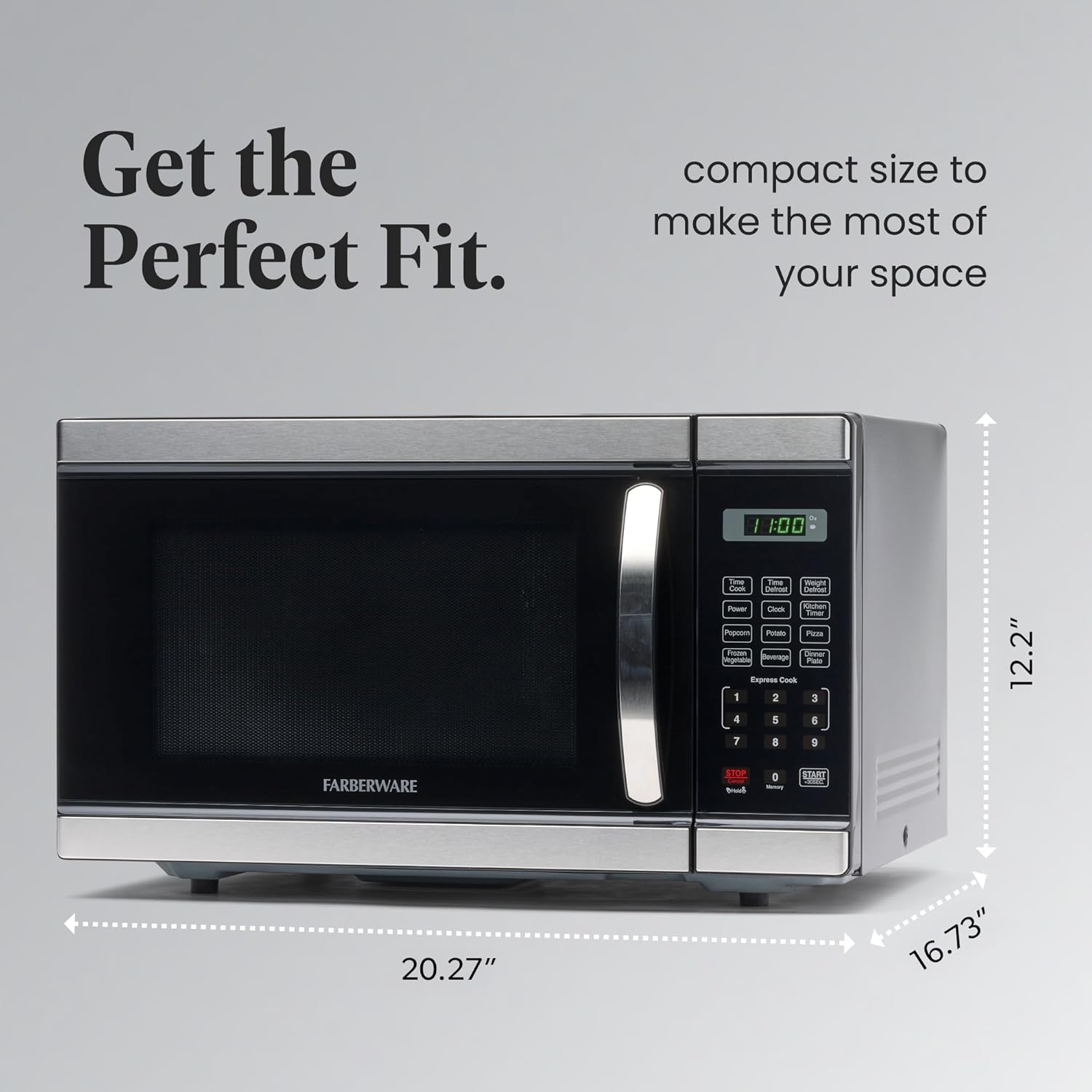
Image: Diagram illustrating the external dimensions of the microwave oven for proper placement.
Operating Instructions
Control Panel Overview
The control panel features a digital display, function buttons, and a numeric keypad for precise control.

Image: Detailed view of the control panel, highlighting defrost options, six auto-cook presets, the intuitive keypad, one-touch start, and the child safety lock button.
Setting the Clock
- Press the CLOCK button once.
- Use the numeric keypad to enter the current time (e.g., 12:30).
- Press the CLOCK button again to confirm.
Microwave Cooking
- Place food in a microwave-safe container inside the oven.
- Close the oven door securely.
- Press the TIME COOK button.
- Enter the desired cooking time using the numeric keypad.
- Press the POWER button, then use the numeric keypad to select a power level (1-10, 10 being 100% power).
- Press START/+30SEC to begin cooking.
One-Touch Cooking
The oven includes six one-touch options for common food items:
- Popcorn
- Potato
- Pizza
- Frozen Vegetable
- Beverage
- Dinner Plate
Simply press the corresponding button for the desired food item, and the oven will automatically set the optimal cooking time and power level.
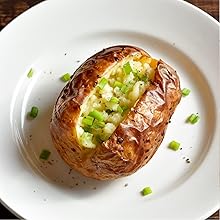
Image: A baked potato garnished with chives, illustrating the 'Potato' one-touch cooking function.
Defrosting
The microwave offers two defrost options:
- Time Defrost: Press TIME DEFROST, enter the desired defrosting time, then press START/+30SEC.
- Weight Defrost: Press WEIGHT DEFROST, enter the weight of the food in ounces, then press START/+30SEC.

Image: Frozen tuna steaks on a wooden cutting board, demonstrating the defrosting capability.
Child Safety Lock
To activate the child safety lock, press and hold the STOP/CANCEL button for 3 seconds. The lock indicator will appear on the display. To deactivate, press and hold the STOP/CANCEL button again for 3 seconds.
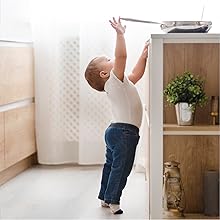
Image: A young child reaching towards a microwave, illustrating the importance of the child safety lock feature.
Maintenance
Cleaning the Oven
Regular cleaning helps maintain the performance and appearance of your microwave oven.
- Interior: Wipe the interior cavity with a damp cloth after each use. For stubborn stains, use a mild detergent or microwave-safe cleaner. Do not use abrasive cleaners or scouring pads.
- Exterior: Clean the exterior surfaces with a soft, damp cloth. Avoid spraying cleaners directly onto the control panel.
- Turntable: The glass turntable and roller ring can be removed for cleaning. Wash them in warm, soapy water or in the dishwasher. Ensure they are completely dry before placing them back in the oven.

Image: The microwave door open, showing the easy-to-clean interior and glass turntable with a bowl of popcorn.
Troubleshooting
If you experience issues with your microwave oven, consult the following common problems and solutions:
| Problem | Possible Cause | Solution |
|---|---|---|
| Oven does not start | Door not closed properly; Power cord unplugged; Fuse blown or circuit breaker tripped. | Ensure door is securely closed; Check power cord connection; Check household fuse or reset circuit breaker. |
| Food not heating | Incorrect cooking time/power level; Door not closed properly. | Adjust cooking time/power; Ensure door is securely closed. |
| Uneven heating | Food not stirred or rotated; Turntable not rotating. | Stir or rotate food during cooking; Ensure turntable and roller ring are correctly placed and free of obstructions. |
| Loud noise during operation | Turntable or roller ring misalignment; Foreign object in cavity. | Realign turntable and roller ring; Check for and remove any foreign objects. |
If the problem persists after attempting these solutions, please contact customer support.
Specifications
| Feature | Specification |
|---|---|
| Brand | Farberware |
| Model | 1.1 Cu. Ft Countertop Microwave Oven |
| Capacity | 1.1 Cubic Feet |
| Wattage | 1000 watts |
| Voltage | 230 Volts |
| Product Dimensions (D x W x H) | 16.54 x 20.12 x 12.03 inches |
| Item Weight | 34.3 Pounds |
| Material | Stainless Steel |
| Installation Type | Countertop |
| Special Feature | Child Safety Lock |
Warranty and Support
Warranty Information
For detailed warranty information, please refer to the warranty card included with your product or visit the official Farberware website. Keep your purchase receipt as proof of purchase for any warranty claims.
Customer Support
If you have any questions, require technical assistance, or need to report a problem, please contact Farberware customer support. Contact details can typically be found on the official brand website or in the product packaging.
You can visit the Farberware Store for more information and product registration.


