
MEDca JH-339SG
MEDca Digital Hearing Amplifiers User Manual
Model: JH-339SG
1. Introduction
Thank you for choosing the MEDca Digital Hearing Amplifiers. This manual provides essential information for the safe and effective use of your new device. Please read it thoroughly before operation and retain it for future reference.
Product Overview
The MEDca Digital Hearing Amplifiers are designed to provide clear sound amplification for speech frequencies, featuring advanced digital noise reduction and cancellation technology. These Behind-The-Ear (BTE) devices are compact, lightweight, and discreet, offering a comfortable listening experience.

Image: A pair of silver MEDca Digital Hearing Amplifiers resting in their black USB charging dock.
2. Package Contents
Upon opening your MEDca Digital Hearing Amplifiers package, please verify that all items listed below are present and in good condition:
- 1 Pair of MEDca Digital Hearing Amplifiers
- 1 Hard Plastic Storage Case
- 1 USB Rechargeable Dock
- 1 Power Adapter
- 1 Cleaning Set (brush included)
- 1 Storage Bag
- 1 Instruction Manual (this document)
- 9 Easy Comfort Ear Plugs (various sizes)

Image: A flat lay showing all included accessories: two hearing amplifiers, USB charging dock, ear domes, cleaning brush, charging cable, and user manual.
3. Components and Controls
Familiarize yourself with the different parts and controls of your MEDca Digital Hearing Amplifier:

Image: A diagram labeling the components of the hearing amplifier, including the ear tube, ear hook, microphone, volume control, on/off switch, receiver, ear tip, and charging contact.
- Ear Hook: Sits over the top of your ear.
- Ear Tube: Connects the main unit to the receiver and ear tip.
- Microphone: Captures sound from your environment.
- Volume Control: Adjusts the amplification level.
- On/Off Switch: Toggles the device power (N=On, O=Off).
- Charging Contact: Connects to the charging dock for power.
- Receiver: Delivers amplified sound into the ear canal.
- Ear Tip: Soft silicone dome that fits inside the ear canal.
4. Setup
4.1 Initial Charging
Before first use, fully charge your hearing amplifiers. The devices are designed to last all day on a single charge.
- Connect the USB charging dock to the power adapter.
- Plug the power adapter into a standard electrical outlet.
- Place the hearing amplifiers into the charging slots on the dock. Ensure the charging contacts align.
- The charging indicator light on the dock will illuminate to confirm charging.
- A full charge takes approximately 8.5 hours, providing up to 18 hours of working time.
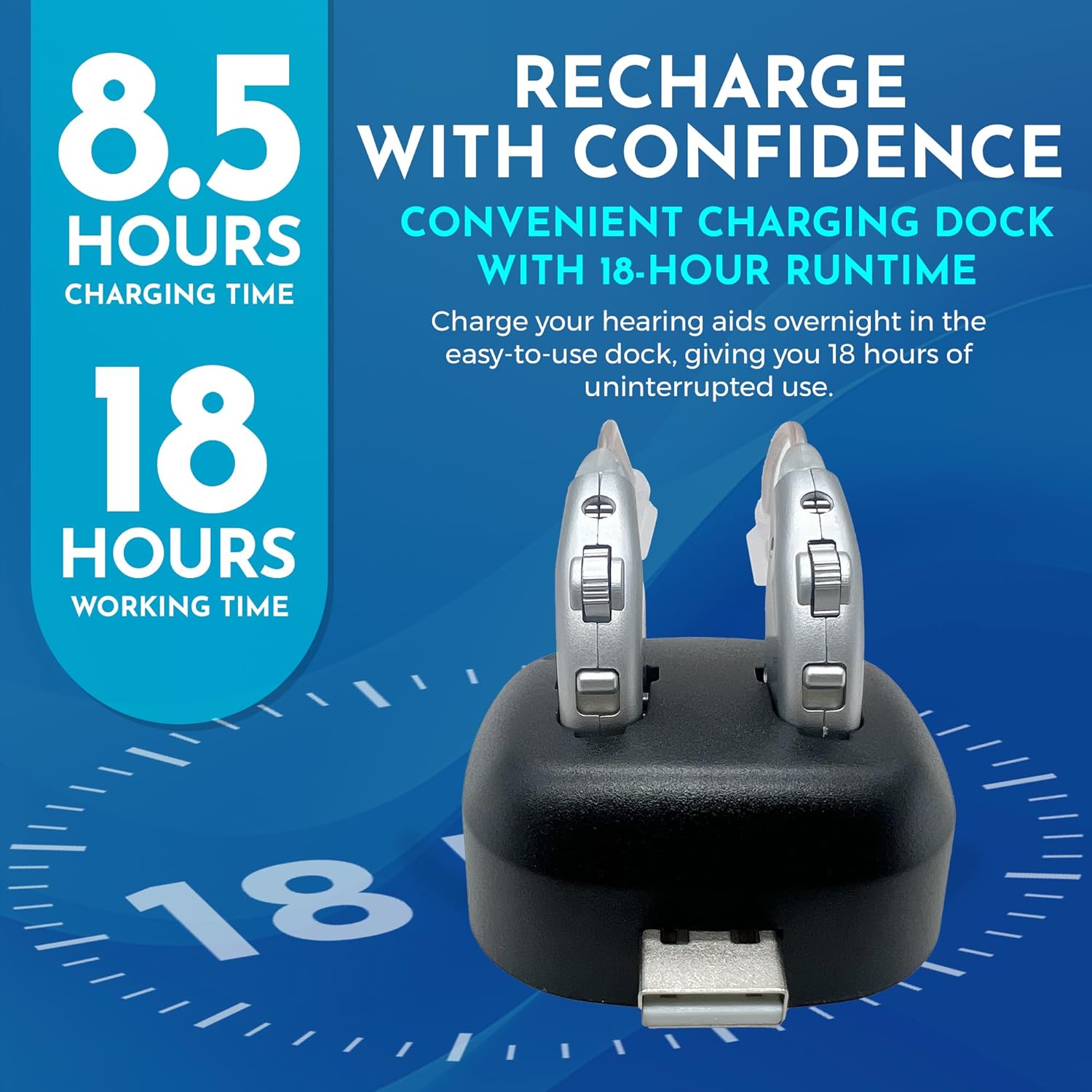
Image: The hearing amplifiers in their charging dock, with text indicating 8.5 hours charging time for 18 hours working time.
4.2 Selecting Ear Tips
Choose the ear tip size that provides a comfortable and secure fit in your ear canal. A proper fit is crucial for optimal sound quality and to prevent feedback.
- Experiment with the different sizes of ear plugs provided (9 included).
- The correct size should feel snug but not cause discomfort.
5. Operating Instructions
5.1 Turning On/Off
The MEDca hearing amplifiers feature an intuitive on/off switch for easy use.
- To turn on: Slide the switch to the 'N' position.
- To turn off: Slide the switch to the 'O' position.

Image: A close-up of the hearing amplifier highlighting the on/off switch with 'N' for On and 'O' for Off.
5.2 Wearing the Amplifiers
These BTE amplifiers are designed to fit discreetly and comfortably behind your ear.
- Ensure the amplifier is turned off before placing it on your ear.
- Place the main body of the amplifier behind your ear, with the ear hook resting over the top.
- Gently insert the ear tip into your ear canal until it feels secure and comfortable.
- Adjust the ear tube and main body for a snug fit.

Image: A person wearing the MEDca Digital Hearing Amplifiers, demonstrating their discreet fit behind the ear.
5.3 Adjusting Volume
The volume control allows you to personalize your hearing experience.
- Once the amplifier is comfortably in place and turned on, slowly adjust the volume control to a comfortable listening level.
- Start with a lower volume and gradually increase it until sounds are clear and comfortable, without being too loud or causing feedback.

Image: A close-up of the hearing amplifier highlighting the volume control wheel.
5.4 Important Operating Notes
- No programming is required; the devices are ready to use out of the box.
- The advanced digital technology helps eliminate static and unwanted background noise.
6. Maintenance and Care
Proper maintenance ensures the longevity and optimal performance of your hearing amplifiers.
6.1 Daily Cleaning
- After each use, gently wipe the hearing amplifier and ear tip with a soft, dry cloth.
- Use the provided cleaning brush to remove any wax or debris from the ear tip and sound outlet.
- Do not use water or cleaning solutions directly on the amplifier.
6.2 Storage
- When not in use, store the hearing amplifiers in the provided hard plastic storage case or storage bag.
- Store in a cool, dry place away from direct sunlight and extreme temperatures.
- Keep out of reach of children and pets.
6.3 Battery Care
- Always use the original USB charging dock and adapter for charging.
- Avoid overcharging by removing the devices from the dock once fully charged, especially if not using them immediately.
- If storing for an extended period, charge the devices periodically to maintain battery health.
7. Troubleshooting
If you experience issues with your MEDca Digital Hearing Amplifiers, please refer to the following common problems and solutions:
| Problem | Possible Cause | Solution |
|---|---|---|
| No Sound |
|
|
| Weak or Distorted Sound |
|
|
| Whistling or Feedback Noise |
|
|
| Device Not Charging |
|
|
If the problem persists after trying these solutions, please contact MEDca customer support.
8. Specifications
| Feature | Detail |
|---|---|
| Model Number | JH-339SG |
| Product Dimensions | 0.39 x 0.39 x 0.39 inches (each amplifier) |
| Weight | 8 ounces (total package weight) |
| Battery Type | 2 Lithium Ion batteries (rechargeable) |
| Charging Time | Approx. 8.5 hours for full charge |
| Working Time | Up to 18 hours on a single charge |
| Color | Silver |
| Material | Plastic |
| Style | Behind The Ear (BTE) |
| Manufacturer | MEDca |
9. Important Safety Information
- Consult a medical professional before using hearing amplifiers if you have any pre-existing ear conditions or severe hearing loss.
- Do not expose the devices to excessive moisture, heat, or direct sunlight.
- Keep small parts, such as ear tips, out of reach of children to prevent choking hazards.
- Do not attempt to repair or modify the device yourself. Contact qualified service personnel.
- Remove devices before showering, swimming, or using hairspray/perfume.
10. Official Product Video
Watch the official MEDca product video for a visual guide on the features and benefits of your Digital Hearing Amplifiers.
Video: An official product video titled "Medca Digital Hearing Amplifier" demonstrating the features and ease of use of the hearing amplifiers.
11. Warranty and Support
MEDca stands by the quality of its products. Our digital hearing amplifiers undergo extensive testing to ensure superb quality and optimal performance.
For warranty information, technical support, or any inquiries, please visit the official MEDca website or contact our customer service team. Contact details can typically be found on the product packaging or on the MEDca brand store page on Amazon.
You can visit the MEDca Store for more information: MEDca Store on Amazon
Ask a question about this manual
Ask about setup, troubleshooting, compatibility, parts, safety, or missing instructions. Manuals+ will review the question and use this page’s manual context to help answer it.