
1. Introduction
Thank you for choosing the Racold Omnis Wi-Fi 15L Vertical Storage Water Heater. This manual provides essential information for the safe installation, operation, and maintenance of your appliance. Please read these instructions carefully before using the water heater and retain them for future reference.
Important Safety Information
- Ensure the water heater is installed by a qualified technician in accordance with local regulations and this manual.
- Do not operate the appliance if it is damaged or malfunctioning.
- Always disconnect power before performing any maintenance or cleaning.
- This appliance is designed for heating water only. Do not use it for other purposes.
- Ensure proper earthing for electrical safety.
2. Product Overview and Features
The Racold Omnis Wi-Fi water heater combines advanced technology with energy efficiency to provide a comfortable and convenient hot water experience.
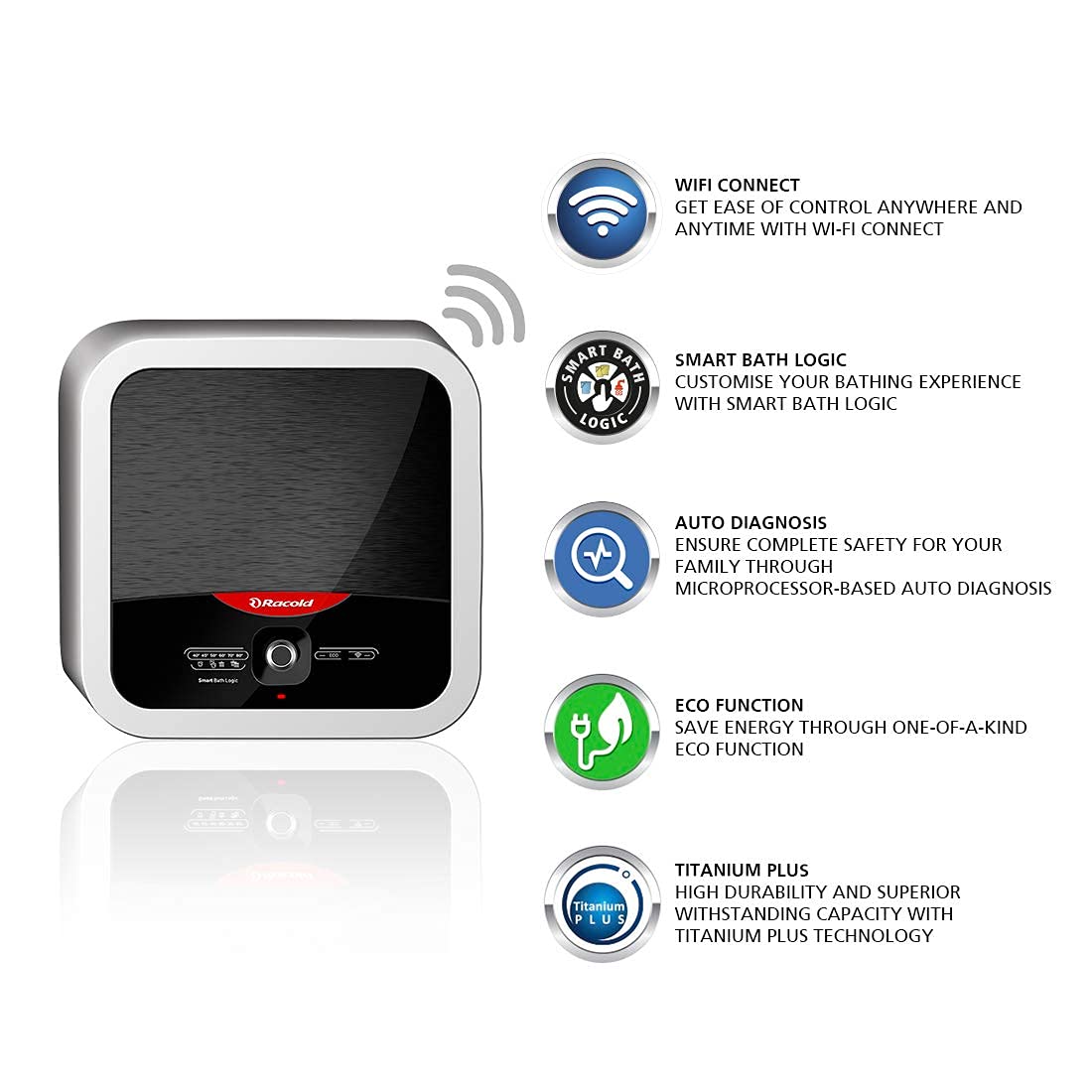
Figure 2.1: Front view of the Racold Omnis Wi-Fi 15L Water Heater.
Key Features:
- Titanium Plus Technology: Features a specially designed titanium steel tank with titanium enamel coating and a heating element resistant to pressure and water impurities, ensuring superior durability.
- Eco Function: A self-learning function that monitors and regulates water temperature based on usage patterns, optimizing energy savings without compromising comfort.
- Auto Diagnosis: A microprocessor-based system that automatically checks all parameters, providing safety against electric shocks, sending notifications, and shutting off in case of malfunction.
- Ease of Control (Racold Net App): Control your water heater remotely from anywhere, anytime using the Racold Net App. Schedule baths, adjust temperature, and monitor energy usage.
- Smart Bath Logic: Intelligent functions allow you to choose from options like bucket bath or shower bath, helping to save up to 30% electricity.
- Safety Plus: Provides three levels of safety against high temperature and pressure with a cutout, thermostat, and safety valve.
- Voice Control: Compatible with Alexa and Google Assistant for convenient voice commands.

Figure 2.2: Overview of Racold Omnis Wi-Fi smart features.
3. Setup and Installation
Professional installation is highly recommended for the Racold Omnis Wi-Fi water heater to ensure safety and optimal performance. Please contact Racold customer care for installation assistance.
Installation Steps (Overview):
- Mounting: The water heater is designed for vertical wall mounting. Ensure the wall can support the weight of the unit when full of water.
- Water Connections: Connect the inlet and outlet pipes. Note that inlet and outlet pipes are typically provided by the technician during installation. Ensure all connections are watertight.
- Electrical Connection: Connect the water heater to a dedicated electrical circuit with proper earthing, as per local electrical codes.
- Filling the Tank: Before switching on the power, open a hot water tap in your home to allow air to escape and the tank to fill completely with water. Close the tap once water flows steadily.
- Initial Check: Inspect for any leaks from the connections.

Figure 3.1: Example of Racold Omnis Wi-Fi water heater installed.
Racold Net App Setup:
- Download the Racold Net App from your smartphone's app store.
- Follow the in-app instructions to create an account and connect your water heater to your home Wi-Fi network.
- Once connected, you can control the water heater remotely.
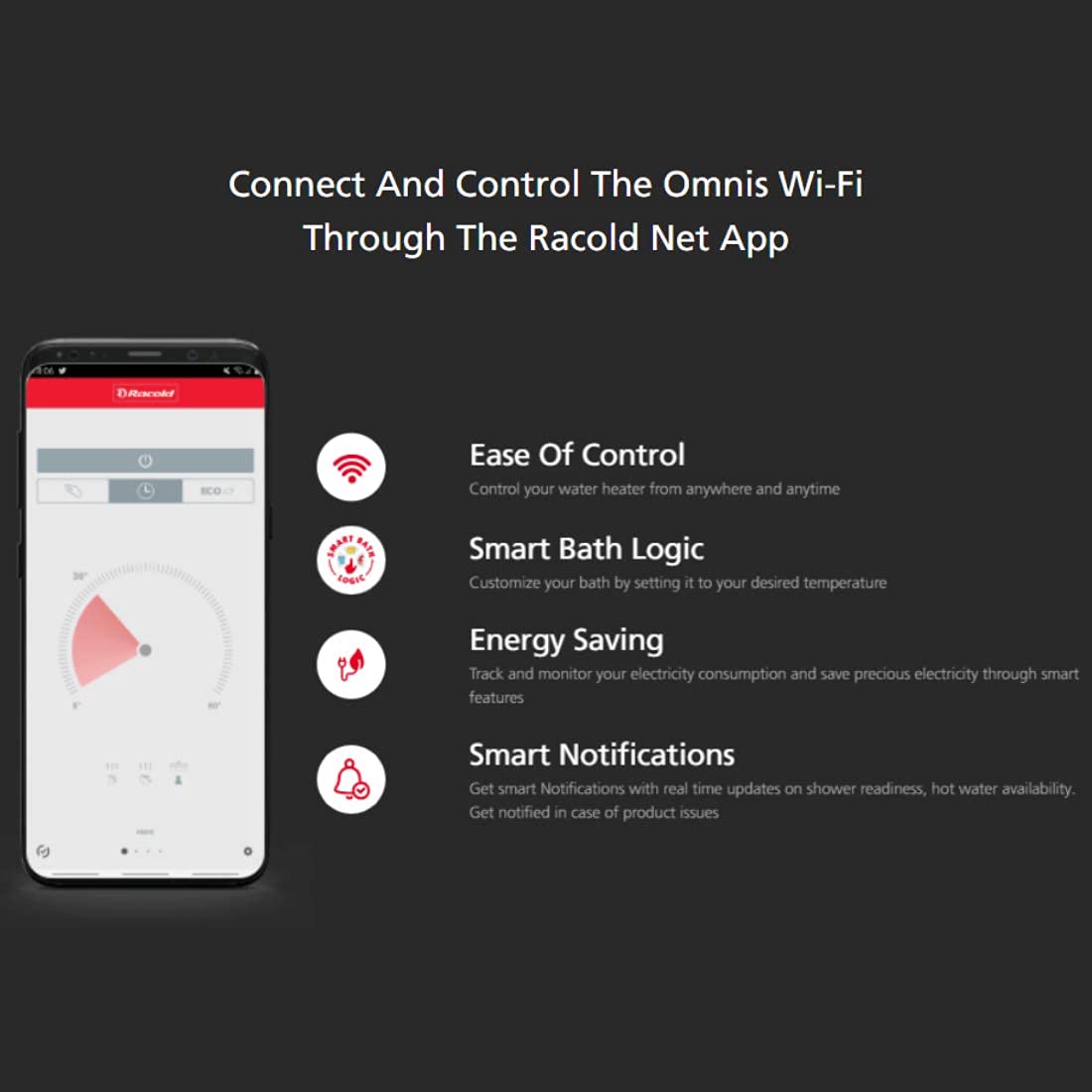
Figure 3.2: Racold Net App interface for remote control.
4. Operating Instructions
Your Racold Omnis Wi-Fi water heater offers both manual and smart control options.

Figure 4.1: Water heater control panel.
Manual Operation:
- Power On/Off: Use the main power switch on the appliance or the wall switch to turn the unit on or off.
- Temperature Adjustment: Use the control knob or buttons on the front panel to set your desired water temperature. The display will show the current settings.
Smart Operation (Racold Net App):
- Remote Control: Open the Racold Net App on your smartphone to turn the water heater on/off, adjust temperature, and monitor its status from anywhere.
- Scheduling: Set weekly schedules for heating cycles to ensure hot water is available when needed, optimizing energy consumption.
- Smart Bath Logic: Select specific bathing modes (e.g., 'Bucket Bath', 'Shower Bath') through the app. The water heater will then heat water to the optimal temperature and quantity for your chosen mode, saving energy.
- Eco Function: Activate the Eco Function via the app. The appliance will learn your usage patterns and automatically adjust heating cycles to maximize energy savings.
- Energy Monitoring: The app provides insights into your energy consumption, helping you track and manage electricity usage.
- Notifications: Receive smart notifications regarding shower readiness, hot water availability, and any potential product issues detected by the Auto Diagnosis system.
Voice Control:
Integrate your Racold Omnis Wi-Fi water heater with Alexa or Google Assistant. Follow the instructions in the Racold Net App to link your device and use voice commands for basic operations like turning on/off or adjusting temperature.
5. Maintenance
Regular maintenance ensures the longevity and efficient operation of your water heater.
Routine Maintenance:
- Exterior Cleaning: Clean the exterior casing with a soft, damp cloth. Do not use abrasive cleaners or solvents.
- Safety Valve Check: Periodically check the pressure relief valve (safety valve) by lifting its lever. Ensure water flows out and then reseats properly. Refer to the installation diagram for its location.
- Draining the Tank (if needed): If the water heater will be out of use for an extended period or for descaling, drain the tank. This process should ideally be performed by a qualified technician.
- Anode Rod Inspection: The sacrificial anode rod protects the tank from corrosion. It should be inspected and replaced periodically by a qualified technician, typically every 1-3 years depending on water quality.
Warning: Always disconnect power to the water heater before performing any maintenance.
6. Troubleshooting
This section addresses common issues you might encounter with your Racold Omnis Wi-Fi water heater.
| Problem | Possible Cause | Solution |
|---|---|---|
| No hot water | No power; thermostat setting too low; heating element failure. | Check power supply and circuit breaker. Adjust thermostat. Contact customer care if element failure is suspected. |
| Water not hot enough | Thermostat setting too low; excessive hot water usage; sediment buildup. | Increase thermostat setting. Allow more recovery time. Consider professional descaling. |
| Water heater leaking | Loose connections; faulty pressure relief valve; tank corrosion. | Tighten connections. Check pressure relief valve. Contact customer care for tank issues. |
| Wi-Fi connectivity issues | Incorrect Wi-Fi password; router too far; network interference. | Verify Wi-Fi password. Move router closer or use a Wi-Fi extender. Restart router and water heater. Reconfigure Wi-Fi in the app. |
| Error codes/Malfunction | Internal system fault detected by Auto Diagnosis. | Refer to the Racold Net App for specific error details. Disconnect power for a few minutes and restart. If the issue persists, contact customer care. |
For issues not listed here or if solutions do not resolve the problem, please contact Racold customer care.
7. Specifications
| Specification | Value |
|---|---|
| Brand | Racold |
| Model Number | OMNSWIFI15L |
| Capacity | 15 Litres |
| Wattage | 2000 Watts |
| Voltage | 240 Volts (AC) |
| Maximum Operating Pressure | 8 Bars |
| Mounting Type | Vertical Wall Mount |
| Product Dimensions | 32.4W x 36H Centimeters |
| Colour | Silver |
| BEE Star Rating | 4 Star |
| Country of Origin | Vietnam |
8. Warranty and Support
Warranty Information:
- Product Warranty: 2 years
- Heating Element Warranty: 4 years
- Tank Warranty: 7 years
Please refer to the included Warranty Manual and Warranty Card for complete terms and conditions.
Customer Support:
For any assistance related to the product, installation, or service, please contact Racold customer care. Contact details can be found on your warranty card or the official Racold website.
Included Components: Product, Warranty manual, Warranty card.
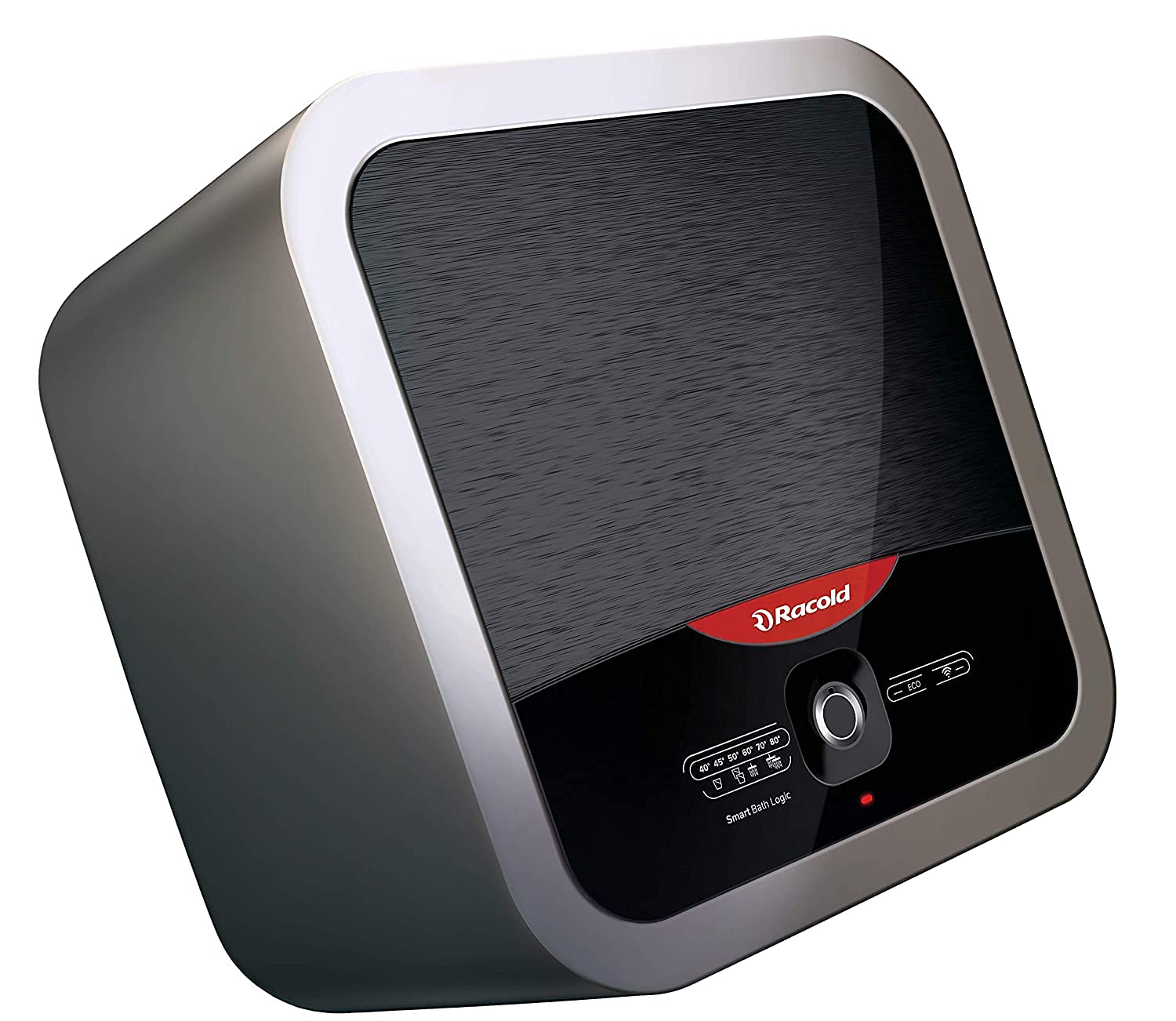
Figure 8.1: Racold's recognition for energy efficiency.
9. Product Video
Video 9.1: An overview of the Racold Omnis Wi-Fi water heater's features and benefits.


