
Introduction
The EasyAcc Wireless Charger Desk Organizer (Model WCTO10W) is designed to streamline your workspace by combining a multi-device charging station with practical storage compartments. This device supports wireless charging for compatible smartphones and offers additional USB output for other devices, alongside dedicated spaces for office supplies, keys, and other personal items.

The EasyAcc Wireless Charger Desk Organizer helps maintain a tidy workspace by consolidating items and charging devices.
Package Contents
Please verify that all items are present in the package:
- 1 x EasyAcc Wireless Charger Desk Organizer (Model WCTO10W)
- 1 x USB Charging Cable (for powering the organizer)
Setup
- Unpack the Organizer: Carefully remove the EasyAcc Wireless Charger Desk Organizer from its packaging.
- Connect Power: Connect the provided USB charging cable to the input port on the back or side of the organizer. Plug the other end of the cable into a compatible USB power adapter (not included). For optimal performance, especially for fast wireless charging, a Quick Charge 2.0 or 3.0 wall charger (5V/2A minimum) is recommended. Standard iPhone chargers (5V/1A) may not provide sufficient power for efficient charging.
- Placement: Place the organizer on a stable, flat surface such as a desk or nightstand.

Ensure the organizer is connected to a suitable power source for wireless quick charging.
Operating Instructions
Wireless Charging
- Place Device: Position your Qi-enabled smartphone centrally on the wireless charging pad.
- Charging Indicator: A green indicator light on the front of the organizer will illuminate when a device is successfully charging wirelessly.
- Case Compatibility: The wireless charger is designed to work with most smartphone cases up to 5mm thick. Cases containing metal, magnets, or those that are excessively thick (e.g., battery charger cases, metal subject cases, shock-proof cases, cases with card holders) may interfere with charging and should be removed.
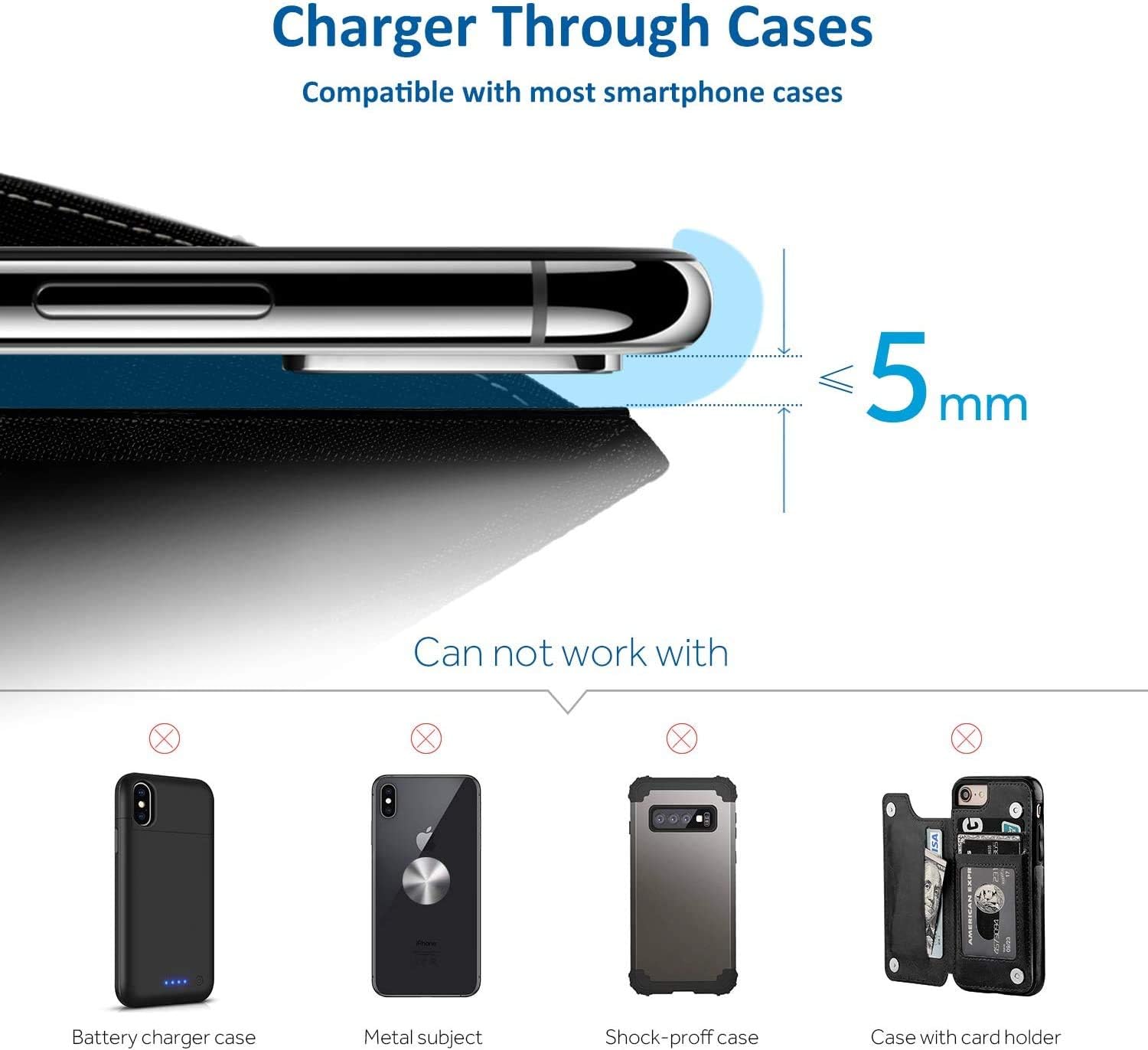
Wireless charging is compatible with most cases up to 5mm. Avoid cases with metal or excessive thickness.
USB Charging
The organizer includes an extra USB output port on the side. Use this port to charge other devices that require a wired connection, such as tablets, smartwatches, or non-Qi enabled phones. Connect your device's charging cable to this USB port.
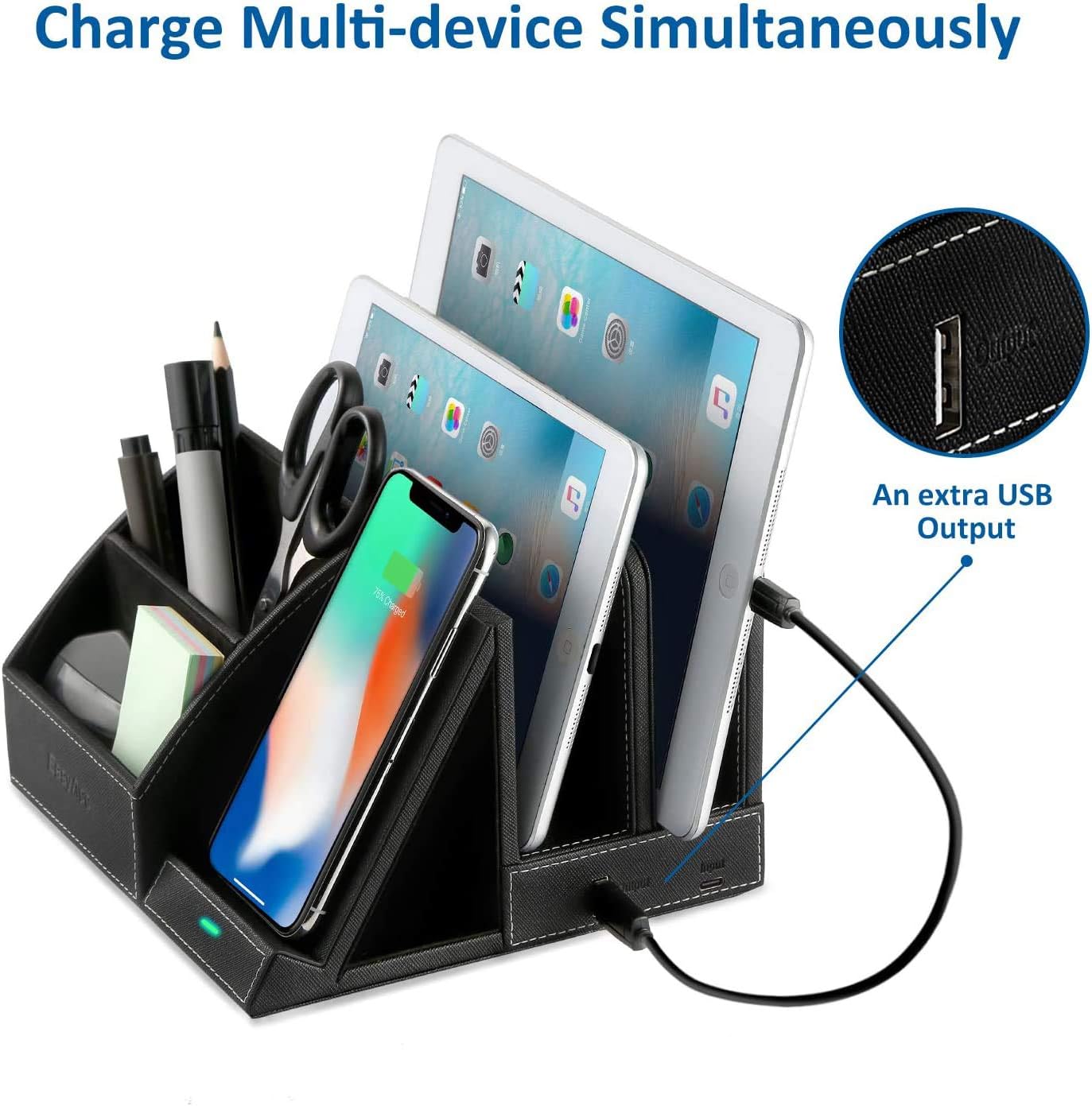
The organizer supports simultaneous charging of multiple devices, including wired charging via the extra USB port.
Organization
Utilize the various compartments to store and organize your desk essentials:
- Front Compartments: Ideal for smaller items like pens, pencils, scissors, sticky notes, or keys.
- Rear Slots: Suitable for holding tablets, larger notebooks, or documents upright.

The organizer features multiple compartments for efficient storage of office supplies and personal items.
Compatibility
The EasyAcc Wireless Charger Desk Organizer is compatible with a wide range of Qi-enabled devices:
- 10W Fast Wireless Charging: Samsung Galaxy S20 / S10 / S9+ / S9 / S8 / S8+ / S7 edge / S7 / S6 edge+, Samsung Note 20 / Note 10 / Note 9 / Note 8, LG V30/G7.
- 7.5W Fast Wireless Charging: iPhone SE 2020 / 11 / 11 Pro / 11 Pro Max / XS MAX / XS / XR / X / 8 / 8 Plus.
- 5W Wireless Charging: Huawei Mate RS / Mate 20 Pro / Mate 20 RS, Google NEXUS 4-7 / Pixel 3/3XL, Nokia Lumia 920 / 928 / 822 / 930 / 830 / 735, LG G2-6 / LTE2 / DIL, and other 4-6.5 inch Qi-enabled smartphones.

The organizer supports a broad range of Qi-compatible smartphones for wireless charging.
Specifications
| Feature | Specification |
|---|---|
| Model Number | WCTO10W |
| Input | 5V/2A |
| Wireless Output | 10W (Samsung), 7.5W (iPhone), 5W (Other Qi-enabled devices) |
| Transmission Distance | ≤5mm |
| Efficiency | ≥75% |
| Product Dimensions | 7.8 x 7.09 x 5.16 inches (19.8 x 18 x 13.1 cm) |
| Item Weight | 1.62 pounds (0.73 kg) |
| Material | PU Leather |
| Indicator Light | Green (charging) |
Maintenance
To ensure the longevity and proper functioning of your EasyAcc Wireless Charger Desk Organizer, follow these maintenance guidelines:
- Cleaning: Wipe the surface with a soft, dry, or slightly damp cloth. Avoid using harsh chemicals, abrasive cleaners, or excessive moisture, as these can damage the material and electronic components.
- Storage: Store the organizer in a cool, dry place away from direct sunlight and extreme temperatures when not in use for extended periods.
- Avoid Obstructions: Ensure the wireless charging pad is free from dust, debris, or foreign objects that could hinder charging efficiency or cause overheating.
Troubleshooting
- Device not charging wirelessly:
- Ensure your device is Qi-enabled and placed centrally on the charging pad.
- Check if the indicator light is on. If not, verify the power connection to the organizer.
- Remove any phone cases that are thicker than 5mm or contain metal, magnets, or card holders.
- Ensure no foreign objects are between the phone and the charging pad.
- Slow wireless charging:
- Confirm that you are using a Quick Charge 2.0 or 3.0 wall adapter (5V/2A minimum) to power the organizer. Standard 5V/1A chargers may result in slower charging speeds.
- Ensure your phone supports fast wireless charging.
- Avoid using your phone extensively while it is wirelessly charging, as this can slow down the process.
- USB port not charging:
- Verify that the organizer is properly powered.
- Try a different USB cable for your device.
- Ensure the device you are trying to charge is compatible with USB charging.
Warranty and Support
For warranty information or technical support, please refer to the documentation provided with your purchase or contact EasyAcc customer service directly. Contact details can typically be found on the EasyAcc official website or through the retailer where the product was purchased.