
Introduction
Thank you for choosing the Dioche 5-Letter Word Combination Padlock. This padlock is designed for security and convenience, featuring a durable zinc alloy body and a customizable 5-letter word combination. It is ideal for securing gym lockers, large chests, outdoor gates, office cabinets, suitcases, and backpacks.

Image: The Dioche 5-Letter Word Combination Padlock shown in various use cases, such as securing luggage, gym bags, and lockers.
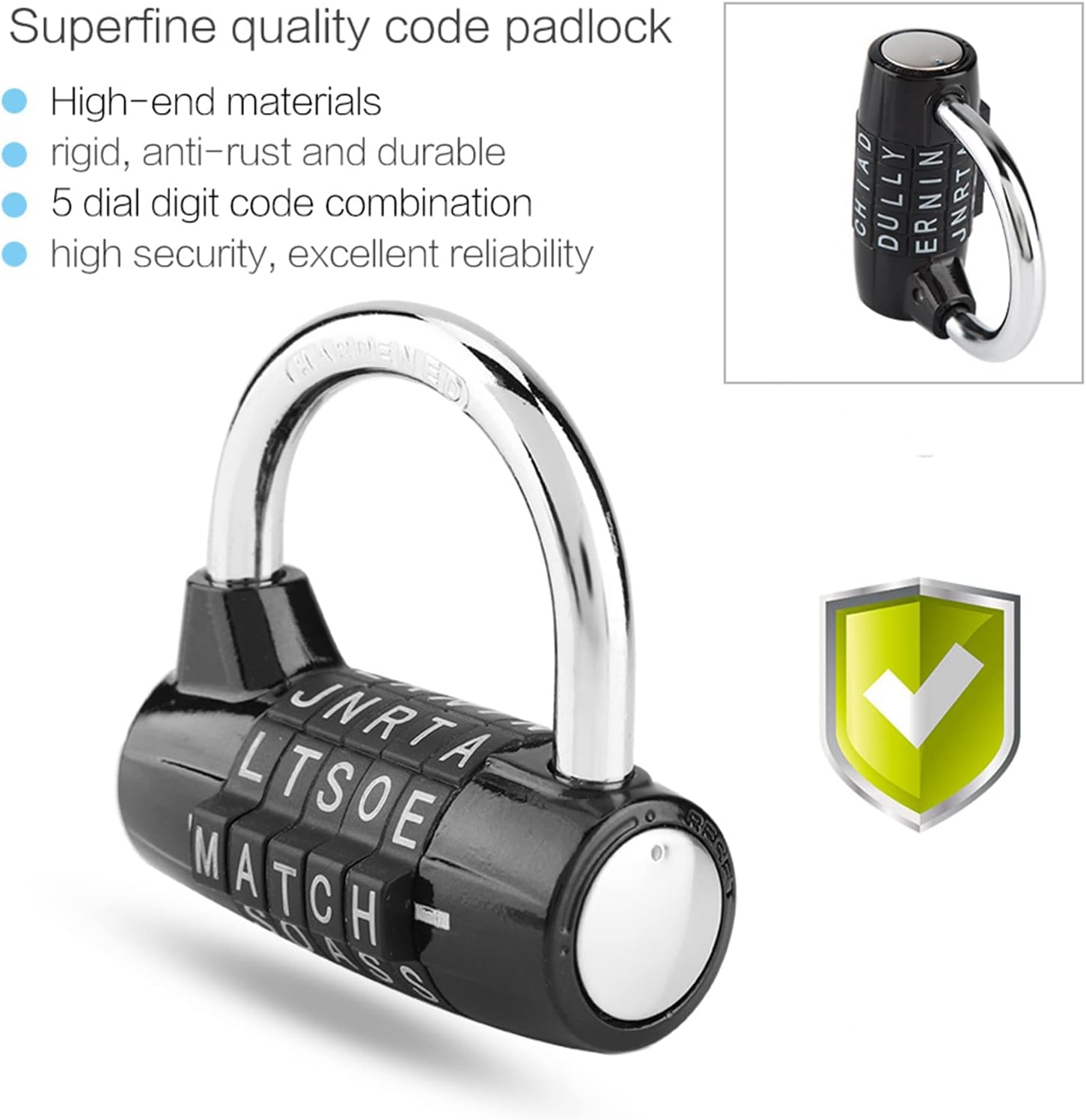
Image: Features of the Dioche 5-Letter Word Combination Padlock, emphasizing its robust construction and security.
Video: An overview of the Dioche 5-Letter Word Combination Padlock, demonstrating its design and potential applications.
Setup: Setting Your Combination
Your padlock comes with a factory preset combination, usually 'MATCH' or a similar default word. Follow these steps to set your personalized 5-letter word combination:
- Open the Lock: Align the preset word (e.g., 'MATCH') on the dials with the indicator line and pull up the shackle to open the lock.
- Rotate the Shackle: With the shackle open, rotate it 90 degrees counter-clockwise until it aligns with the notch on the lock body.
- Press Down and Rotate: Press the shackle down firmly into the lock body. While holding it down, rotate the shackle another 90 degrees counter-clockwise (total 180 degrees from the open position).
- Set Your New Combination: With the shackle held in this position, rotate the dials to set your desired 5-letter word. Ensure the letters are clearly aligned with the indicator line. Choose a memorable word.
- Return Shackle: Once your new combination is set, lift the shackle, rotate it back 180 degrees clockwise to its original open position, and then push it down to close the lock.
- Test Your New Combination: Scramble the dials. Then, enter your new combination to ensure the lock opens correctly.
Important: Remember your new combination. There is no master key or override to reset the lock if the combination is forgotten.

Image: The padlock in its open state, ready for combination setting.
Video: Detailed instructions on how to set a new combination for the padlock.
Video: A visual guide demonstrating how to set your own code on the combination padlock.
Operating Instructions
To operate your Dioche 5-Letter Word Combination Padlock:
- To Open: Rotate the dials to align your personalized 5-letter word with the indicator line on the lock body. Once aligned, pull the shackle upwards to release it.
- To Close: With the shackle open, insert it back into the lock body. Scramble the dials to a random set of letters to secure the lock.
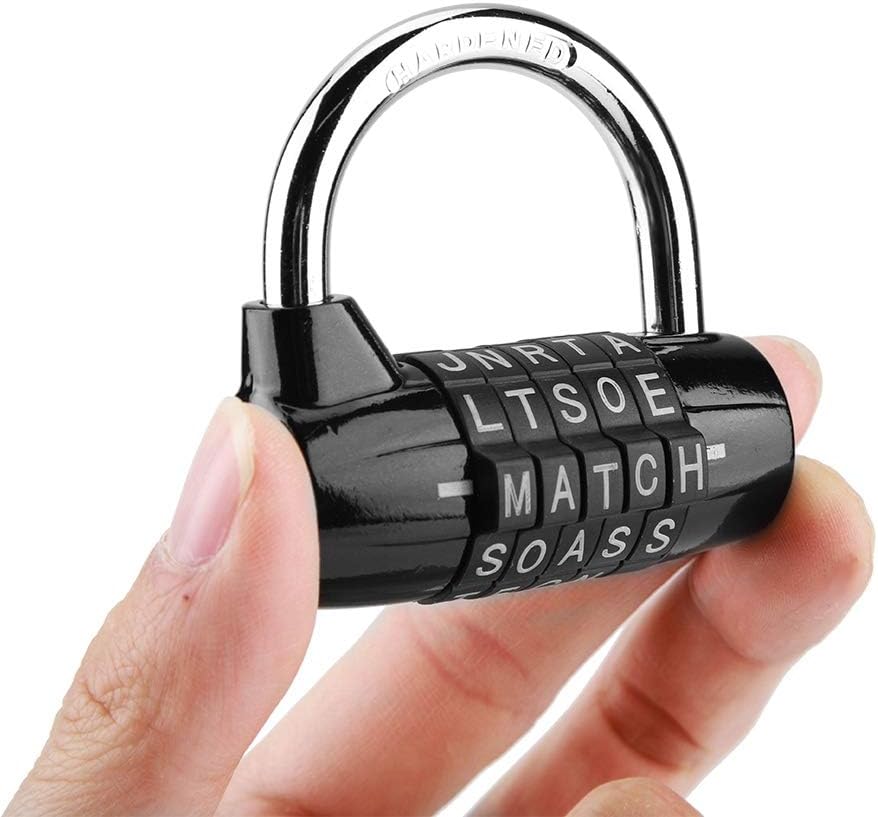
Image: The padlock held in a hand, illustrating its size and how it is handled during operation.
Maintenance
To ensure the longevity and smooth operation of your padlock:
- Cleaning: Wipe the lock body and dials with a soft, dry cloth to remove dust and grime. Avoid using abrasive cleaners or solvents, as these can damage the finish or internal mechanisms.
- Lubrication: If the dials become stiff over time, apply a small amount of graphite lubricant or a silicone-based spray to the moving parts. Do not use oil-based lubricants, as they can attract dirt.
- Storage: Store the padlock in a dry environment when not in use to prevent rust and corrosion.
Troubleshooting
- Lock Does Not Open:
- Ensure all 5 letters of your combination are perfectly aligned with the indicator line.
- Verify that you are using the correct combination. If you have recently changed it, try both the old and new combinations.
- Check for any debris or foreign objects obstructing the shackle mechanism.
- Dials Are Stiff:
- Apply a small amount of graphite lubricant or silicone spray to the dials and rotate them repeatedly to distribute the lubricant.
- Clean any visible dirt or residue from between the dials.
- Forgotten Combination:
- Unfortunately, if the combination is forgotten and not recorded, there is no way to reset the lock without knowing the current combination. It is highly recommended to write down your combination and store it in a secure, memorable location.
Specifications
| Brand | Dioche |
| Model Name | Gym Locker Lock |
| Lock Type | Combination Lock |
| Special Feature | Keyless |
| Material | Zinc Alloy |
| Color | Black |
| Number of Pieces | 1 |
| Item Dimensions (L x W x H) | 65mm x 40mm x 57mm (approx. 2.6 x 1.6 x 2.2 inches) |

Image: Dimensions of the Dioche 5-Letter Word Combination Padlock.
Warranty and Support
Dioche is committed to providing high-quality products. If you have any questions, suggestions, or encounter any issues with your 5-Letter Word Combination Padlock, please do not hesitate to contact us. We are dedicated to resolving any concerns and ensuring your satisfaction.
For support, please refer to the contact information provided with your purchase or visit the official Dioche store page on Amazon.