
GLOBE 50054
GLOBE Wi-Fi Smart Indoor Security Camera User Manual
Model: 50054 | Brand: GLOBE
Introduction
The GLOBE Wi-Fi Smart Indoor Security Camera is designed to provide reliable indoor surveillance with smart features for enhanced home security and monitoring. This camera offers 720p HD video, night vision, motion detection, and two-way audio communication, allowing you to stay connected to your home from anywhere. It integrates seamlessly with the GLOBE SUITE App and is compatible with voice assistants like Amazon Alexa and Google Chromecast.
What's in the Box
Upon unboxing your GLOBE Smart Indoor Security Camera, please ensure all the following components are present:
- GLOBE Wi-Fi Smart Indoor Security Camera
- USB Cord
- AC Adapter
- Instruction Sheet (Quick Start Guide)
- 3M Mounting Tape
- Reset Pin

Image: The GLOBE Smart Indoor Security Camera and its retail packaging, showing included accessories.
Video: An official product video demonstrating the unboxing and contents of the GLOBE Smart Indoor Security Camera package.
Setup Guide
Follow these steps to set up your GLOBE Wi-Fi Smart Indoor Security Camera:
Step 1: Download the GLOBE SUITE App
Download the free GLOBE SUITE App from your smartphone's app store (available for iOS and Android). This app is essential for controlling and managing your smart camera.
Step 2: Power On Your Camera
Connect the provided USB cord to the camera and the AC adapter. Plug the AC adapter into a standard wall outlet. The camera will power on, indicated by a flashing red light.
Step 3: Connect to Wi-Fi
Open the GLOBE SUITE App and follow the on-screen instructions to add your new device. Ensure your phone is connected to a 2.4 GHz Wi-Fi network during the initial setup. The camera will connect to your home Wi-Fi, and the light indicator will change to a solid blue once connected.

Image: A close-up front view of the GLOBE Smart Indoor Security Camera, highlighting its compact design.
Mounting Your Camera
The camera can be placed on any flat surface or mounted to a wall using the included 3M mounting tape. The base allows for 360-degree adjustment, and the camera head pivots 90 degrees, providing flexibility to capture the desired viewing angle.

Image: The GLOBE Smart Indoor Security Camera positioned on a dresser in a nursery, demonstrating its use for baby monitoring.

Image: The GLOBE Smart Indoor Security Camera shown mounted on a wall, illustrating its versatile placement options.
Video: An official product video demonstrating the setup process, including app installation, powering on, connecting, and mounting the GLOBE Smart Indoor Security Camera.
Operating Your Camera
Key Features
- 720p HD Resolution: Provides clear video monitoring.
- Night Vision: Automatically activates in low-light conditions, ensuring continuous monitoring day and night.
- Motion Detection: Detects motion up to 26 feet (8 meters) and sends instant notifications to your GLOBE SUITE App with a screenshot.
- Two-Way Communication: The built-in microphone and speaker allow you to listen in and speak through the camera.

Image: A smartphone screen displaying the GLOBE SUITE App interface, showing a motion detection notification from the camera.
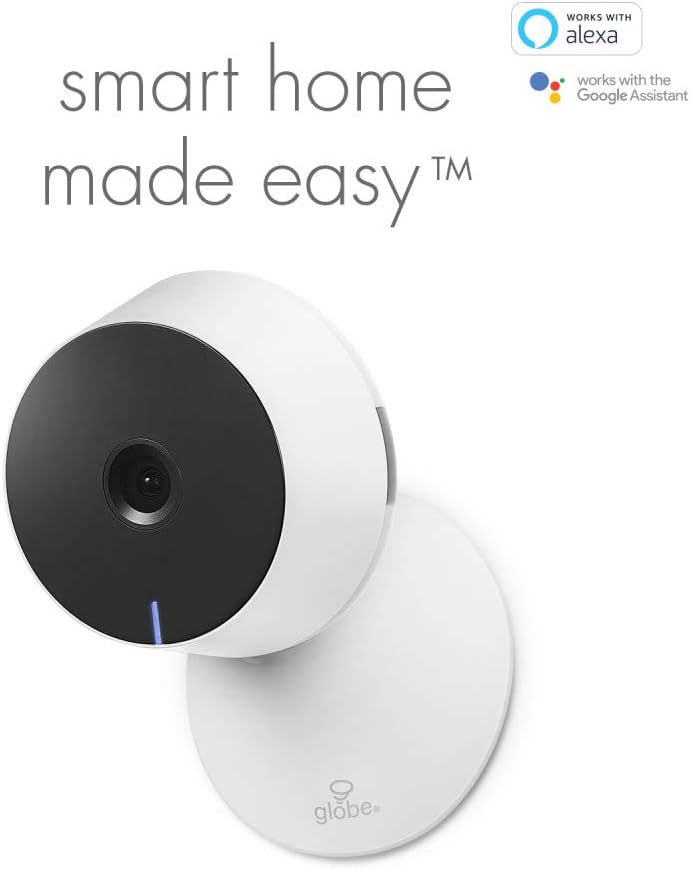
Image: A smartphone screen displaying the GLOBE SUITE App interface in night vision mode, showing a baby sleeping in a crib.
Continuous Recording (MicroSD)
The camera features a MicroSD card reader (MicroSD card not included) that supports continuous 24-hour recording for up to 128GB of storage. This allows for extended video storage without the need for cloud subscriptions.
Smart Home Integration
The GLOBE Smart Camera can be easily paired with other smart devices within the GLOBE SUITE ecosystem, such as smart plugs and bulbs, to create custom smart scenes. For example, you can set up a scene where the hallway light turns on when the camera detects motion at your entrance.
The camera is also compatible with voice control platforms:
- Amazon Alexa: Display your camera feed on Amazon Smart Displays by simply using voice commands (e.g., "Alexa, display the Globe Smart Camera").
- Google Chromecast: View your camera feed on your TV via Google Chromecast.
Video: An official product video demonstrating the key operating features of the GLOBE Smart Indoor Security Camera, including night vision, motion detection notifications, MicroSD recording, smart scene creation, and compatibility with Amazon Alexa and Google Chromecast.
Maintenance
To ensure optimal performance and longevity of your GLOBE Smart Indoor Security Camera, follow these simple maintenance guidelines:
- Cleaning: Gently wipe the camera lens and body with a soft, dry cloth. Avoid using harsh chemicals or abrasive materials that could scratch the surface or damage the lens.
- Placement: Ensure the camera is placed in a stable location, away from direct sunlight, extreme temperatures, and high humidity.
- Cable Management: Keep the power cable neatly organized and away from areas where it could be tripped over or damaged.
Troubleshooting
If you encounter issues with your GLOBE Wi-Fi Smart Indoor Security Camera, please refer to the following common troubleshooting steps:
- Camera Not Connecting to Wi-Fi:
- Ensure your Wi-Fi network is 2.4 GHz. The camera does not support 5 GHz networks for initial setup.
- Verify your Wi-Fi password is correct.
- Move the camera closer to your Wi-Fi router to improve signal strength.
- Reset the camera using the provided reset pin (refer to the Quick Start Guide for exact location).
- Motion Detection Not Working:
- Check the motion detection settings in the GLOBE SUITE App to ensure it is enabled and configured correctly.
- Adjust the sensitivity settings if you are receiving too many or too few notifications.
- No Video Feed:
- Confirm the camera is powered on and connected to Wi-Fi (solid blue light).
- Check your internet connection.
- Restart the GLOBE SUITE App or your smartphone.
- Two-Way Audio Issues:
- Ensure microphone and speaker permissions are granted to the GLOBE SUITE App on your smartphone.
- Check the volume settings within the app.
For additional support and detailed how-to videos, please visit the official GLOBE Electric website or refer to the online resources linked in the GLOBE SUITE App.
Specifications
| Feature | Detail |
|---|---|
| Model Number | 50054 |
| Video Capture Resolution | 720p |
| Connectivity Protocol | Wi-Fi (2.4 GHz) |
| Controller Type | Smartphone App (GLOBE SUITE), Amazon Alexa, Google Chromecast |
| Mounting Type | Wall Mount, Flat Surface |
| Special Features | Motion Sensor, Night Vision, Two-Way Audio |
| Power Requirements | 5 Volts, 3 Watts (minimum 1A) |
| Dimensions (L x W x H) | 4.13 x 3.85 x 4.05 inches |
| Item Weight | 8.4 ounces |
| Material | Plastic |
| Color | White |
| International Protection Rating | IP65 |
Warranty and Support
Warranty: This GLOBE Wi-Fi Smart Indoor Security Camera comes with a 1-year manufacturer's limited warranty. Please retain your proof of purchase for warranty claims.
Support: For further assistance, product registration, or to explore other smart home products from GLOBE, please visit the official GLOBE Electric website or contact their customer support. Online how-to videos are also available to guide you through various features and troubleshooting steps.
You can visit the GLOBE Store for more information: GLOBE Store on Amazon
Related documents50054


Ask a question about this manual
Ask about setup, troubleshooting, compatibility, parts, safety, or missing instructions. Manuals+ will review the question and use this page’s manual context to help answer it.