
1. Overview
This manual provides instructions for the installation and maintenance of the MAYTRONICS Dolphin Active Front Grey Brush, part number 9983122-R1. This is a genuine replacement part designed to restore optimal cleaning performance to your compatible Dolphin robotic pool cleaner.
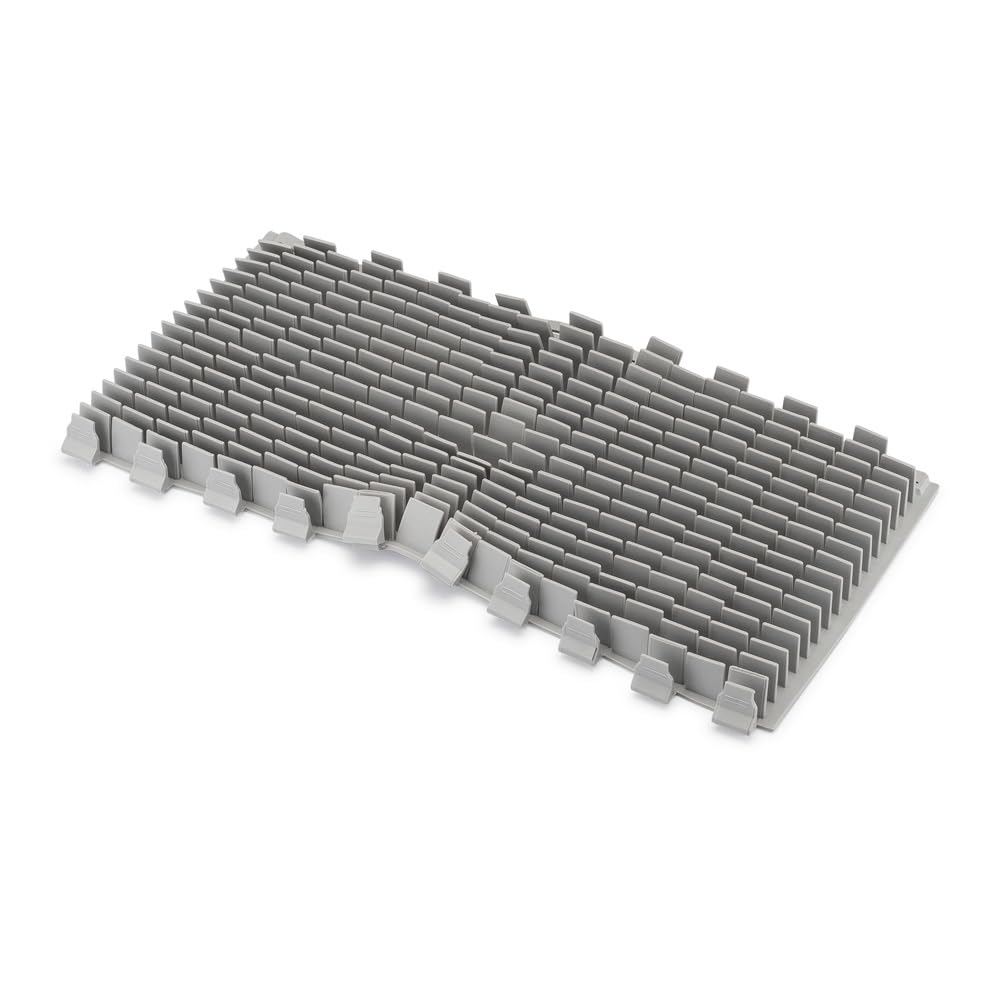
Image 1.1: The Dolphin Active Front Grey Brush, part number 9983122-R1.
2. Product Description
The Active Front Grey Brush (9983122-R1) is a durable plastic brush designed for effective scrubbing and cleaning of pool surfaces. It is engineered as a heavy-duty brush to provide powerful scrubbing action, ensuring thorough cleaning by your Dolphin robotic pool cleaner.

Image 2.1: Product anatomy highlighting the durable PVC material and heavy-duty design of the brush.
3. Compatibility
This Active Front Grey Brush (9983122-R1) is compatible with a wide range of Dolphin robotic pool cleaner models. Ensure your model is listed below for proper fit and function:
- Nautilus CC
- E10
- Triton PS, Triton PS Plus
- Saturn
- Advantage
- Discovery
- Mercury
- Cayman
- Quantum
- Escape
- Proteus DX3, DX4, DX5i
- Echo
- Encore
- Solo, Active Solo
- Active 10, Active 15, Active 20, Active 30, Active 30i
- T15, T25, T35, T45, T55i
- Premium
- M600
- Prowler 910, 917, 920, 930
- Warrior SI, SE, SL
- Explorer E20, E30, E50
Note: This part is NOT compatible with: DX3, DX4, DX6, Triton (Old).

Image 3.1: The Grey Active Front Brush and its extensive list of compatible Dolphin pool cleaners.
4. Installation Instructions
Follow these steps to replace the Active Front Grey Brush on your Dolphin robotic pool cleaner:
- Power Off and Disconnect: Before beginning, ensure your Dolphin pool cleaner is turned off and unplugged from its power source. Remove the cleaner from the pool.
- Access Brush Assembly: Carefully turn the cleaner upside down or to its side to access the brush assembly located at the front of the unit.
- Remove Old Brush: Depending on your specific Dolphin model, the brush may be held in place by clips, pins, or a sliding mechanism. Gently release any retaining clips or pins, or slide the old brush off its mounting points. Note how the old brush was oriented.
- Install New Brush: Align the new Active Front Grey Brush (9983122-R1) with the mounting points. Slide it into place or secure it with the clips/pins, ensuring it is firmly seated and correctly oriented. The brush should rotate freely once installed.
- Verify Installation: Double-check that the new brush is securely attached and that there are no loose parts.
- Return to Operation: Place your Dolphin cleaner back into the pool, connect the power supply, and turn it on. Observe the cleaner during its initial operation to ensure the new brush is functioning correctly.
5. Maintenance
To ensure the longevity and effectiveness of your Active Front Grey Brush:
- Regular Cleaning: After each cleaning cycle, remove any debris (hair, leaves, etc.) that may have become entangled in the brush bristles.
- Inspection: Periodically inspect the brush for signs of wear, damage, or excessive flattening of the bristles. Replace the brush if it appears worn to maintain optimal cleaning performance.
- Storage: When the pool cleaner is not in use for extended periods, store it in a cool, dry place away from direct sunlight to prevent material degradation.
6. Troubleshooting
If you encounter issues after replacing the brush, consider the following:
- Brush Not Fitting: Ensure you have the correct replacement part (9983122-R1) for your specific Dolphin model. Refer to the compatibility list in Section 3.
- Poor Cleaning Performance: Verify that the brush is installed correctly and securely. Check for any debris still caught in the brush or other parts of the cleaner. If the brush is old, it might be time for a replacement.
- Unusual Noises: If the cleaner makes unusual noises after brush replacement, immediately power off and inspect the brush for improper installation or foreign objects.
7. Specifications
| Feature | Detail |
|---|---|
| Part Number | 9983122-R1 |
| Brand | MAYTRONICS (Dolphin) |
| Material | Plastic (Durable PVC) |
| Color | Gray |
| Special Feature | Reusable |
| Installation Type | Robotic Pool Cleaner Component |
| UPC | 724131496524 |
8. Warranty and Support
This is a Maytronics Certified Genuine Part, ensuring quality and compatibility with your Dolphin pool cleaner. Using genuine parts helps maintain your cleaner's warranty and performance.
For further assistance, technical support, or warranty information, please contact Maytronics customer service or visit the official Maytronics website. Always refer to your specific Dolphin pool cleaner's user manual for detailed instructions on part replacement and overall cleaner operation.

Image 8.1: Maytronics Certified Genuine Replacement Parts.
