
Introduction
This manual provides comprehensive instructions for the installation, operation, and maintenance of your Runleader BI001-12/24V LED Battery Capacity Meter. This device is designed to monitor the charge and discharge status of 12V to 24V lead-acid batteries, providing clear visual feedback through a 10-segment LED bar graph. Please read this manual thoroughly before use to ensure proper function and longevity of the product.
Product Features
- LED Battery Indicator: 10-bar LED display with 3 colors (1 red, 2 yellow, 7 green) to indicate battery power. Each bar represents 10% battery capacity.
- Battery State of Charge & Discharge: Displays charge status by LED bars ascending and discharge status by LED bars descending. Features a charge delay time of 200 seconds and a discharge delay time of 155 seconds.
- Low Battery Reminder: Provides visual warnings when battery capacity is low. One flashing LED bar indicates ≤20% capacity, and two alternately flashing bars indicate ≤10% capacity.
- Easy Installation: Designed for snap-in panel mounting with a cut-out size of 37.00mm x 25.00mm (1.46 inches x 0.98 inch).
- Flexible Power Connection: Supports both direct power connection and key switch power connection.
- Water Resistance: Favorable water resistance rating of IP65.
Specifications
| Feature | Detail |
|---|---|
| Model Number | BI001-12/24V |
| Applicable Battery Type | Lead-acid batteries (12V to 24V) |
| Display Type | 10-segment LED bar graph (1 Red, 2 Yellow, 7 Green) |
| Charge Delay Time | 200 seconds |
| Discharge Delay Time | 155 seconds |
| Panel Cut-out Size | 37.00mm x 25.00mm (1.46 inches x 0.98 inch) |
| Product Dimensions | 53.1mm (2.09in) x 31.1mm (1.22in) x 34.8mm (1.37in) |
| Item Weight | 1.41 ounces |
| Water Resistance Rating | IP65 |
Installation
1. Snap-in Mounting
The Runleader BI001-12/24V is designed for easy snap-in panel mounting. Follow these steps:
- Prepare a panel cut-out with dimensions of 37.00mm x 25.00mm (1.46 inches x 0.98 inch).
- Insert the meter into the prepared opening. The snap-in design will secure the meter in place.

2. Power Connection
The meter offers two methods for power connection:
- Direct Connection: Connect the meter directly to the battery system.
- Key Switch Connection: Connect the meter through a key switch, allowing the meter to be powered on/off with the vehicle or equipment.
Important: Ensure the 'C' pole (control/signal terminal) is connected to the positive (+) terminal of the battery system for normal battery power display. Refer to the wiring diagram below.

Operation
1. Battery State Display
The meter utilizes a 10-segment LED bar graph to indicate the battery's charge level. Each illuminated bar represents approximately 10% of the battery's capacity. The display scans from 'Empty' to 'Full' upon connection and then settles at the actual voltage level.
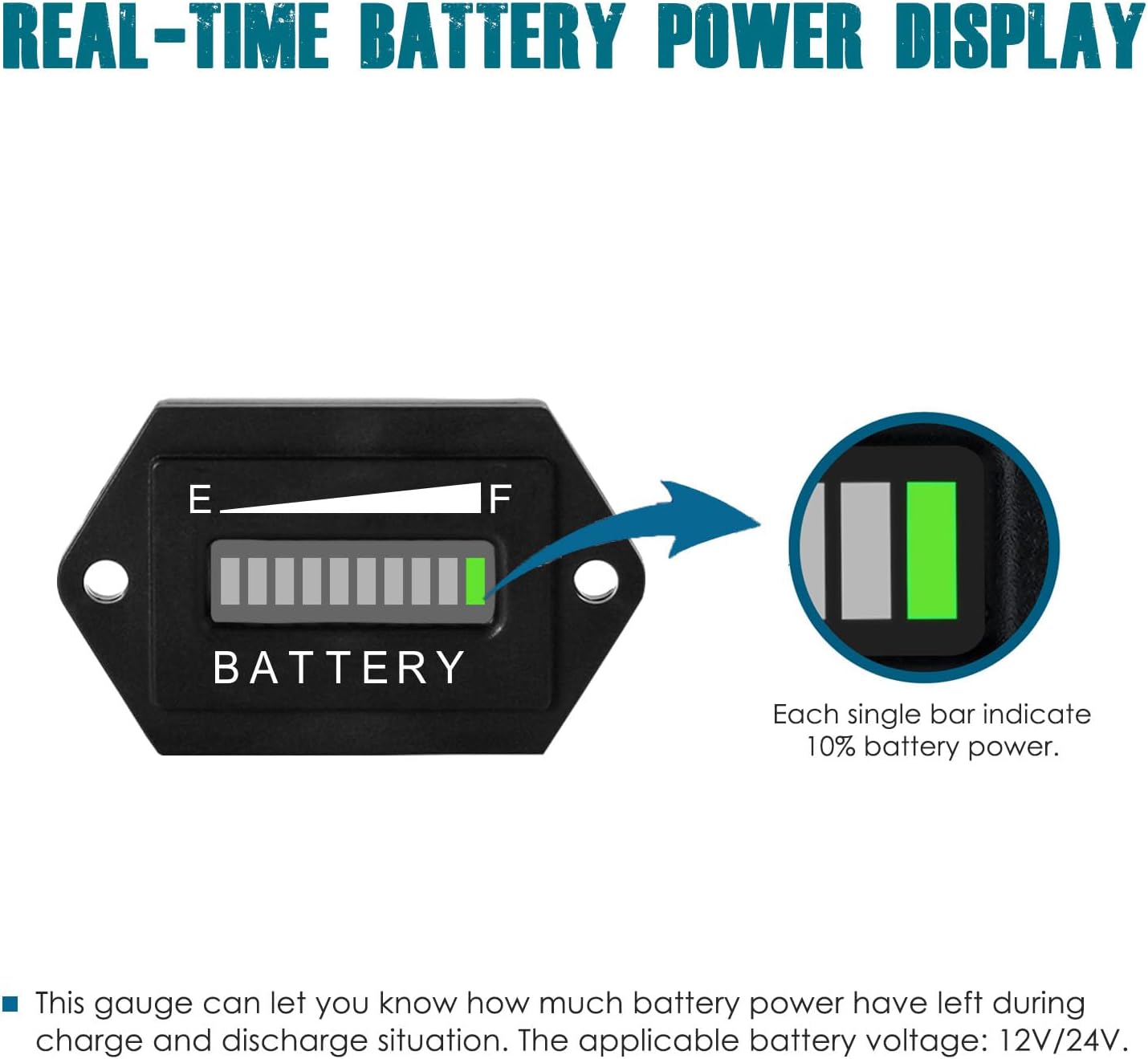
2. Charge and Discharge Indication
- Charging: When the battery is charging, the LEDs will quickly and repeatedly scan from 'Empty' to 'Full', indicating that charging is in progress. Once fully charged, only the 10th LED will remain lit.
- Discharging: During discharge, the LED bars will progressively turn off from 'Full' to 'Empty'.

3. Low Battery Reminder
The meter provides visual alerts for low battery conditions:
- When battery capacity is ≤20%, the second LED bar from the left will flash to remind you to charge.
- When battery capacity is ≤10%, the first and second LED bars from the left will flash alternately, indicating a very low charge level.

Applications
The Runleader BI001-12/24V Battery Capacity Meter is suitable for monitoring DC 12V/24V lead-acid batteries in various equipment, including but not limited to:
- Golf Carts
- Forklifts
- Motorhomes
- Lawn Mowers
- Leaf Trimmers
- Floor Care Equipment
- Other battery-powered equipment

Accessories
The following accessories are typically included with your Runleader BI001-12/24V Battery Capacity Meter:
- User Manual
- Plug Spring Sheaths (x3)
- Insert Springs (x3)

Maintenance
The Runleader BI001-12/24V Battery Capacity Meter requires minimal maintenance. To ensure optimal performance and longevity:
- Keep the display clean and free from dust and debris. Use a soft, dry cloth for cleaning.
- Ensure all electrical connections are secure and free from corrosion.
- Avoid exposing the meter to extreme temperatures or harsh chemicals.
- Periodically check the water resistance seal if the meter is exposed to wet environments.
Troubleshooting
If you encounter issues with your Runleader BI001-12/24V Battery Capacity Meter, consider the following:
- No Display: Check all power connections to ensure they are secure and correctly wired. Verify that the battery system has sufficient voltage.
- Inaccurate Reading: Ensure the 'C' pole is correctly connected to the positive terminal. Allow for the specified charge (200s) and discharge (155s) delay times before assessing accuracy. Confirm the meter is compatible with your battery type (12V-24V lead-acid).
- Flashing LEDs (Incorrectly): If LEDs are flashing when the battery is known to be charged, re-check connections. Disconnect and reconnect the meter to reset its internal logic.
- Intermittent Display: Inspect wiring for loose connections or damaged insulation. Ensure the mounting is secure and not causing stress on the internal components.
If problems persist after attempting these steps, please contact customer support.
Warranty and Support
Runleader products are manufactured to high-quality standards. For warranty information or technical support, please refer to the contact details provided with your purchase documentation or visit the official Runleader website. Keep your purchase receipt as proof of purchase for warranty claims.