1. Product Overview
The NineLeaf Motion Sensor Doorbell (Model KS-SF20R) is a versatile wireless alert system designed to detect movement and provide various notifications. It is suitable for business entrances, home security, caregiver reminders, and more. The system consists of a receiver and a motion sensor, offering multiple operational modes and customization options.

Image 1: The NineLeaf Motion Sensor Doorbell system, showing the receiver unit on the left and the motion sensor unit on the right.
2. Package Contents
Please verify that all items are present in your package:
- 1 x NineLeaf Motion Sensor Receiver
- 1 x NineLeaf Motion Sensor
- Mounting accessories (screws, adhesive tape)
- User Manual (this document)
3. Product Components
Familiarize yourself with the different parts of your NineLeaf Motion Sensor Doorbell system:

Image 2: Detailed diagram illustrating the components of both the receiver and the motion sensor. Key features include the ON/OFF switch, mode switch key, Micro USB power interface, alarm horn, wall hanging hole, battery case, song selection key, volume key, colorful LED flashing indicator, speaker, LED light indicator, infrared motion sensor, and base support/adjustment.
- Receiver: ON/OFF switch, Mode switch key, Micro USB Power Interface, Alarm horn, Wall hanging hole, Battery case, Select Songs key, Volume key, Colorful LED Flashing Indicator, Speaker.
- Motion Sensor: ON/OFF switch, Micro USB Power Interface, Base support/Adjustment, LED Light Indicator, Infrared Motion Sensor.
4. Setup
4.1 Powering the Devices
Both the receiver and the motion sensor can be powered by batteries or via a Micro USB power supply.
- Receiver: Open the battery case and insert the required batteries (not included). Alternatively, connect a Micro USB cable to the power interface.
- Motion Sensor: Open the battery compartment and insert the required batteries (not included). Alternatively, connect a Micro USB cable to the power interface.
Note: Batteries are not included and must be purchased separately.
4.2 Installation
The receiver and sensor are designed for easy installation.
- Receiver: The receiver features self-adhesive installation. Choose a suitable indoor location and secure it using the adhesive or by hanging it on a wall using the wall hanging hole.
- Motion Sensor: The detector is wall-mounted. Secure it in your desired location using the provided screws or adhesive.
4.3 Adjusting Sensor Angle
To optimize detection and avoid false alarms, adjust the motion sensor's angle. The sensor offers 180° and 360° adjustable angles.

Image 3: Illustration of the motion sensor's adjustable angle (180° and 360°) and its detection range of approximately 2-8 meters (6.6-26 feet). It also shows the transmission range of up to 280 meters (918 feet) between the sensor and receiver.
The detection range is approximately 2 to 8 meters (6.6 to 26 feet). Position the sensor to cover the desired area while minimizing exposure to irrelevant movements (e.g., pets, swaying curtains).
5. Operating Instructions
The NineLeaf Motion Sensor Doorbell offers five distinct operational modes and various customization options.
5.1 Selecting Modes
Use the Mode switch key on the receiver to cycle through the following modes:
- Welcome Mode: Plays a welcome message when motion is detected. Five languages are selectable.
- Doorbell Mode: Functions as a traditional doorbell, playing one of 36 selectable ringtones upon motion detection.
- Alarm Mode: Emits a loud alarm (up to 113dB) when motion is detected, providing a security alert.
- Color Light Mode: Activates a colored light (4 colors selectable) without sound when motion is detected. Ideal for silent alerts or individuals with hearing disabilities.
- Lighting Mode: Activates a white light for 2 minutes upon motion detection. Features 4 levels of brightness adjustment.

Image 4: Visual representation of the doorbell's features, including 4 light colors, 4 volume levels (25-113dB), Welcome Mode with 5 languages, Doorbell Mode with 36 ringtones, and Alarm Mode with a 110dB loud alarm.
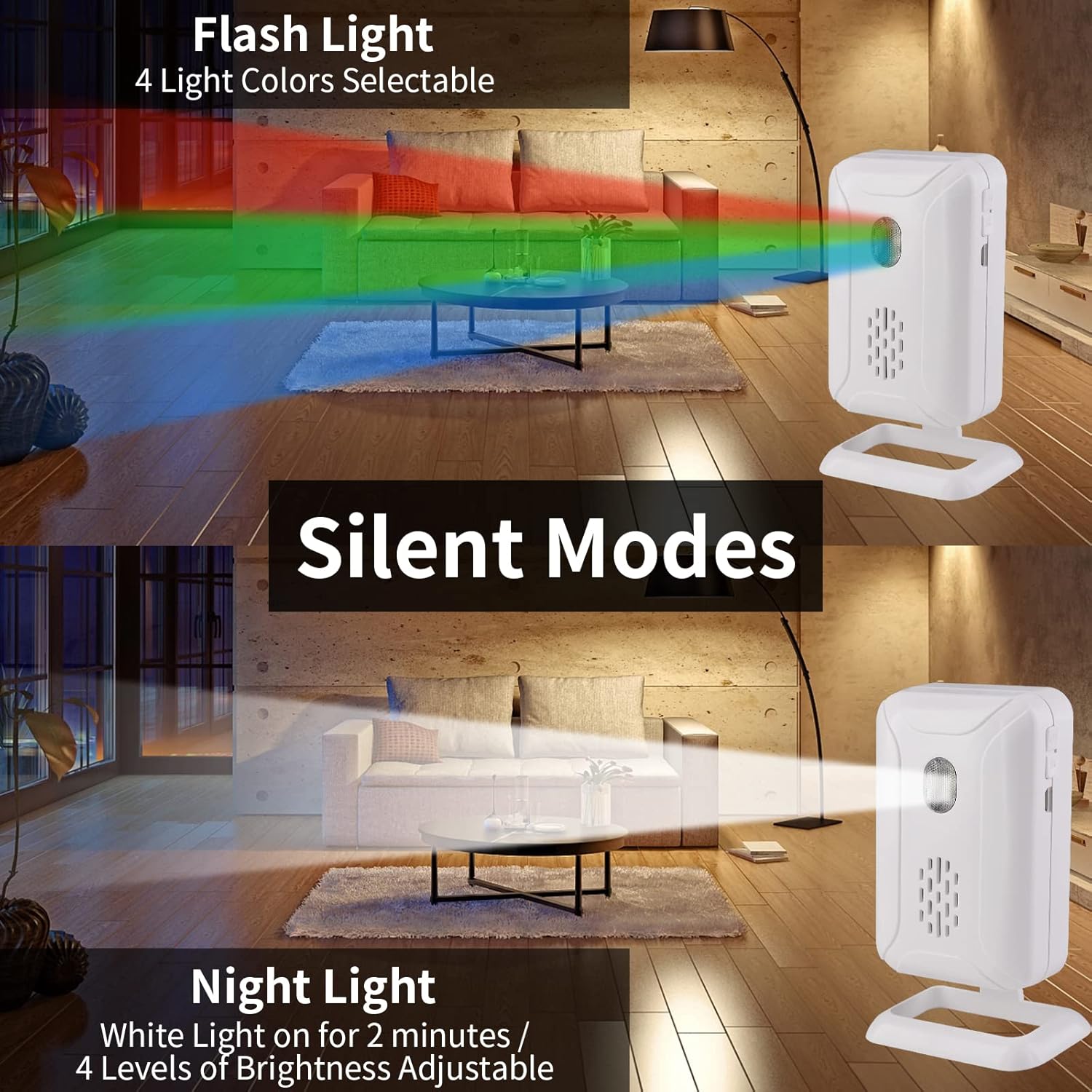
Image 5: Depicts the silent modes, specifically the Flash Light mode with 4 selectable colors and the Night Light mode, which provides white light for 2 minutes with 4 adjustable brightness levels.
5.2 Adjusting Volume and Selecting Tones/Languages
- Volume Adjustment: In Welcome, Doorbell, and Alarm modes, use the Volume key on the receiver to select one of four volume levels (Loud, High, Middle, Low), ranging from 25dB to 113dB.
- Ringtone Selection: In Doorbell mode, use the Select Songs key to choose from 36 available ringtones.
- Language Selection: In Welcome mode, use the Select Songs key to cycle through the 5 selectable welcome languages.
- Brightness/Color Adjustment: In Color Light and Lighting modes, the Volume key adjusts brightness, and the Select Songs key changes the light color (for Color Light mode).

Image 6: Illustrates the variety of sounds available, including 36 doorbell songs and 5 welcome songs, enhancing the customization of the receiver's alerts.
5.3 DIY Pairing and Expandable System
The system supports DIY pairing, allowing you to customize your setup:
- Each receiver can learn a maximum of 32 wireless sensor accessories (infrared, vibration, magnetic, etc.) and 8 remote controllers.
- You can add additional transmitters (sensors) and receivers as needed to expand your coverage.

Image 7: Depicts an expandable system, demonstrating how additional sensors and remote controllers can be added to cover a larger area, such as a house with multiple entry points.
6. Maintenance
- Cleaning: Wipe the devices with a soft, dry cloth. Do not use abrasive cleaners or solvents.
- Battery Replacement: When the device's performance degrades or the indicator light signals low power, replace the batteries in both the receiver and the sensor. Ensure correct polarity.
- Environmental Conditions: Avoid exposing the devices to extreme temperatures, direct sunlight, or excessive moisture.
7. Troubleshooting
| Problem | Possible Cause | Solution |
|---|---|---|
| Device not powering on. | Low or dead batteries; incorrect battery installation; USB cable not connected properly. | Replace batteries, ensuring correct polarity. Check USB cable connection and power source. |
| No alert when motion is detected. | Sensor out of range; sensor angle incorrect; receiver volume too low; sensor or receiver OFF. | Ensure sensor and receiver are within 280m range. Adjust sensor angle. Increase receiver volume. Turn ON both devices. |
| False alarms. | Sensor detecting unintended movement (e.g., pets, wind, sunlight). | Adjust sensor angle and placement to focus on the desired detection area. Avoid direct sunlight. |
| Poor transmission range. | Obstructions (walls, metal objects); interference. | Relocate receiver and sensor to minimize obstructions. Avoid placing near large metal objects or other wireless devices. |
8. Specifications
- Brand: NineLeaf
- Model Number: KS-SF20R
- Power Source: Battery Powered (batteries not included) or Micro USB
- Maximum Transmission Range: Up to 280m (918ft)
- Motion Detection Range: Approximately 2-8m (6.6-26ft)
- Mounting Type: Surface (Receiver: self-adhesive; Sensor: wall-mounted)
- Volume Levels: 4 levels (25dB to 113dB)
- Ringtones: 36 selectable
- Welcome Languages: 5 selectable
- Light Colors: 4 selectable (Color Light Mode)
- Brightness Levels: 4 adjustable (Lighting Mode)
- Expandability: Each receiver supports up to 32 wireless sensors and 8 remote controllers.
- Item Weight: Approximately 7 ounces
- Package Dimensions: Approximately 6.65 x 4.02 x 2.05 inches

Image 8: Displays the approximate dimensions of both the receiver and the motion sensor units in inches.
9. Warranty and Support
For warranty information or technical support, please refer to the official NineLeaf website or contact their customer service directly. Keep your purchase receipt for warranty claims.


