1. Introduction
The NineLeaf Wireless Vibration Anti-Theft Bicycle Alarm is designed to provide enhanced security for your bicycle, motorcycle, electric bike, electric scooter, and other valuable assets. This device features a motion-sensing alarm that triggers a loud alert upon detecting unauthorized movement or tampering. With adjustable sensitivity and volume, it offers a customizable security solution to deter potential thieves and alert you to any suspicious activity.
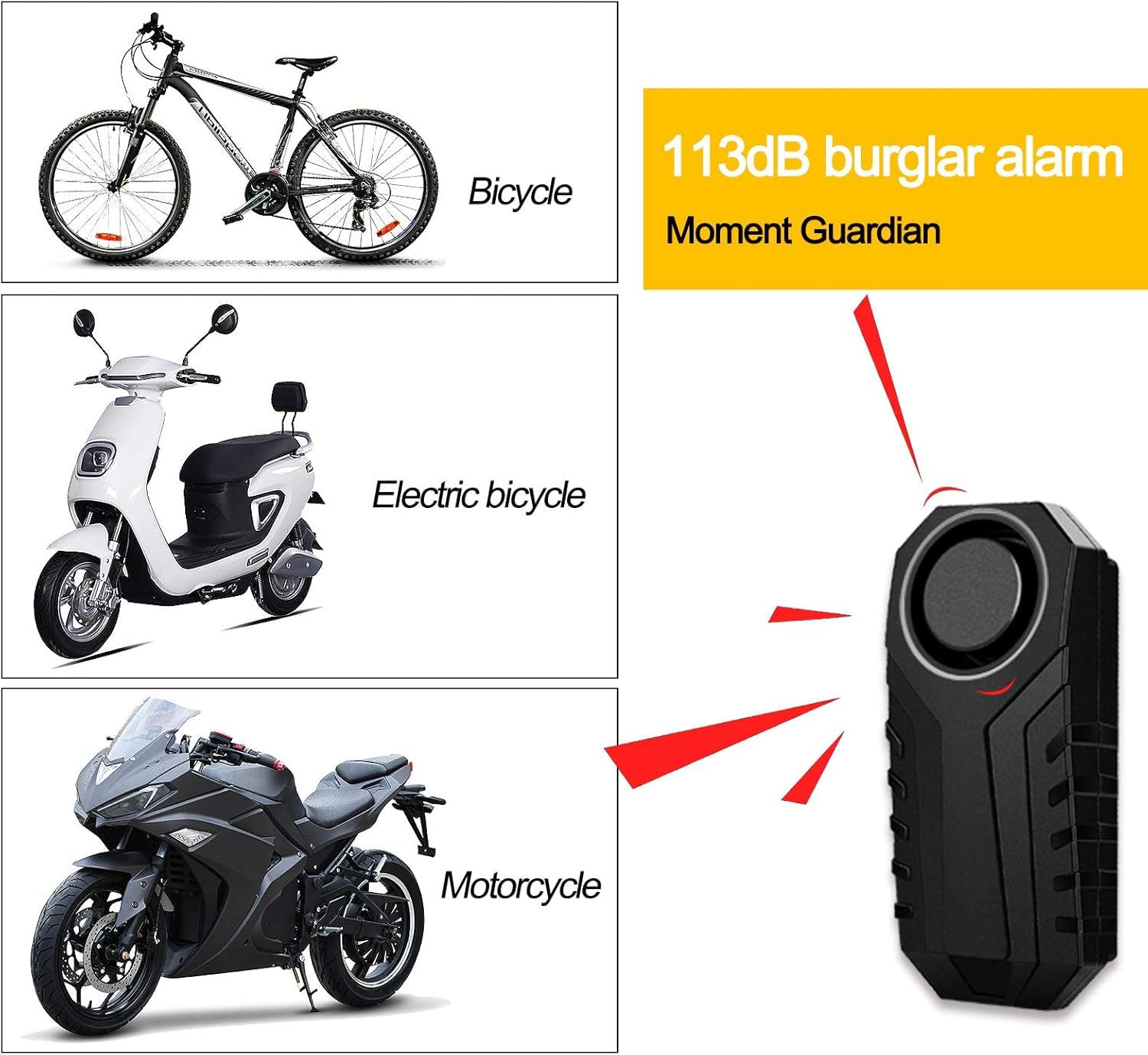
Image: The NineLeaf alarm unit shown alongside illustrations of a bicycle, electric bicycle, and motorcycle, indicating its versatile application for vehicle security.
2. Key Features
- Multipurpose Anti-Theft: Suitable for bicycles, motorcycles, electric bikes, electric scooters, and can also be used for doors or windows.
- Adjustable Sensitivity: Features 7 levels of sensitivity, from gentle touch to strong impact, allowing customization based on your needs.
- SOS Emergency Alarm: Automatically triggers an alarm if the device detects a tilt of more than 45 degrees, indicating a fall or significant impact.
- Adjustable Volume: Offers 3 levels of volume adjustment, with a maximum loudness of 113dB to effectively deter thieves and attract attention.
- Wireless Remote Control: Operates wirelessly with a strong range of up to 20 meters (66 feet) for convenient arming, disarming, and vehicle search.
- IP55 Waterproof: Designed with IP55 rating, making it resistant to dust and water splashes, suitable for outdoor use in various weather conditions.
- Easy Installation: Can be installed quickly using double-sided adhesive or straps, requiring no screws or complex wiring.

Image: The NineLeaf alarm unit displayed with icons highlighting its key features: 3-dimensional sensing, 7-level sensitivity, 113dB sound, SOS function, and long-time power supply.
3. Package Contents
Please verify that all items listed below are included in your package:
- Alarm Unit
- Remote Control
- Screwdriver
- Strap
- Sticky Paper (Double-sided adhesive)
- User Manual
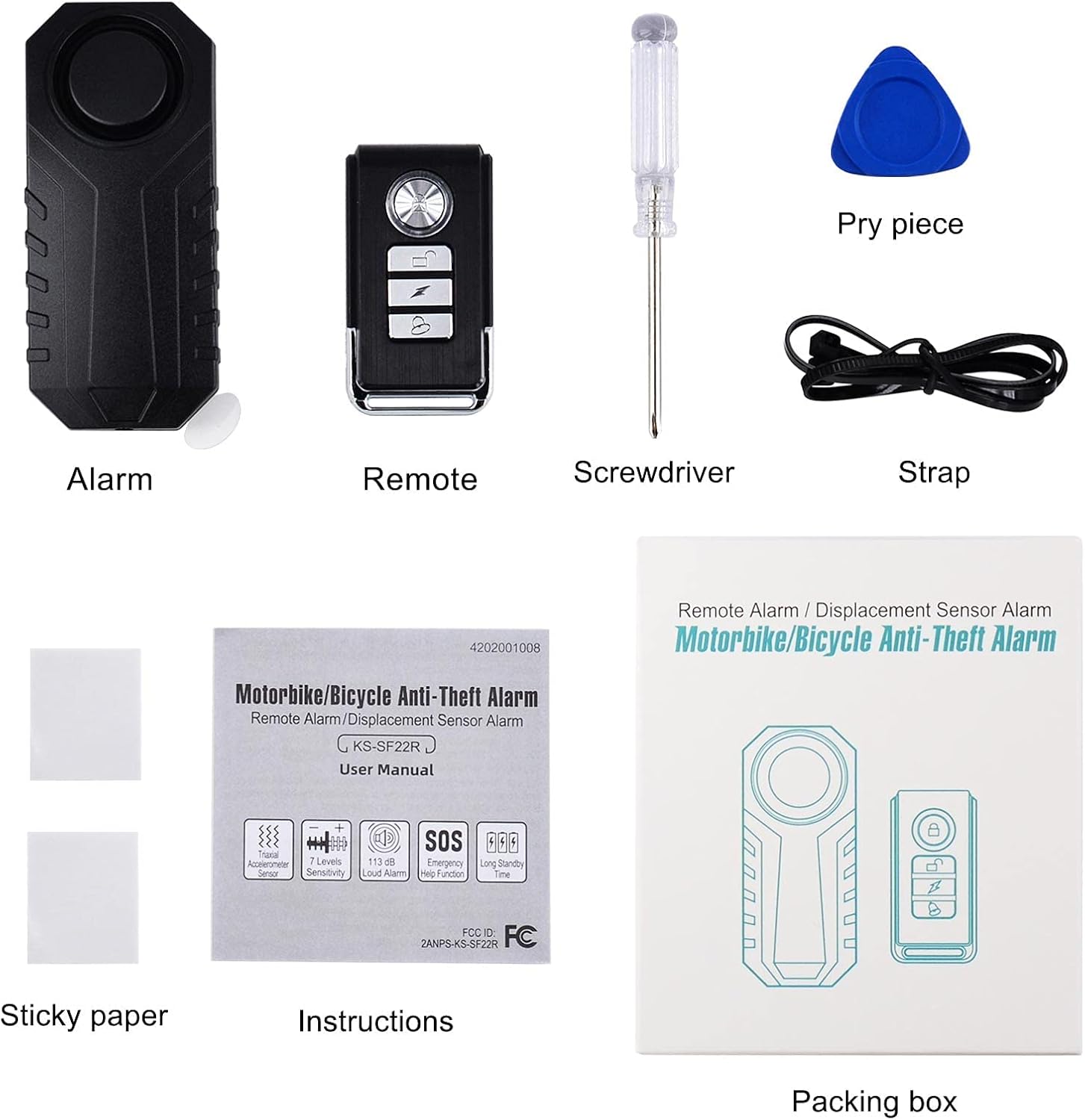
Image: A visual representation of the NineLeaf bike alarm package contents, including the alarm unit, remote, screwdriver, strap, sticky paper, and user manual.
4. Setup and Installation
The NineLeaf bike alarm is designed for easy installation without the need for screws or complex wiring. You can choose between two methods:
- Using Sticky Paper: Peel off the protective film from the double-sided adhesive sticky paper and firmly attach it to the back of the alarm unit. Then, press the alarm unit onto a clean, flat surface on your vehicle or desired location.
- Using Straps: Thread the provided straps through the designated slots on the alarm unit. Securely fasten the alarm unit to a suitable bar or frame on your bicycle, motorcycle, or scooter.
Ensure the alarm unit is mounted in a location where it is stable and can effectively detect vibrations.

Image: The NineLeaf bike alarm unit securely attached to the frame of a bicycle using straps, demonstrating its IP55 waterproof design in an outdoor setting.
5. Remote Control Pairing
The alarm unit needs to be paired with its remote control(s) to function correctly. The alarm can be paired with a maximum of 8 remotes. If more than 8 remotes are paired, the code of the first remote will be overwritten.
5.1. Pairing the First Remote Control
- Remove the batteries from the alarm unit for 30 seconds.
- Reinsert the batteries into the alarm unit. The alarm will emit a 'Bi' sound.
- Within 5 seconds of reinserting batteries, press and hold the sound button (bell icon) on the remote control.
- After hearing a 'Bi' sound, press either the ARM (locked padlock icon) or DISARM (unlocked padlock icon) button on the remote.
- You will hear 'Bi... Bi' twice, indicating successful pairing.
Video: Demonstrates the process of pairing the first remote control with the NineLeaf bike alarm unit, including battery removal, reinsertion, and button presses for successful pairing.
5.2. Pairing Additional Remote Controls
To pair additional remotes (up to 8 total) after the first one:
- First, disarm the alarm using an already paired remote's DISARM (unlocked padlock icon) key.
- Long-press the DISARM (unlocked padlock icon) key on an already paired remote to enter code learning mode. The alarm will emit a 'Bi' sound.
- After one 'Bi' sound, press the ARM (locked padlock icon) or DISARM (unlocked padlock icon) key on the new remote you wish to pair.
- You will hear 'Bi... Bi' twice, indicating the new remote is successfully added and ready to use.
- Repeat for any other additional remotes.
Video: Illustrates how to pair additional remote controls with the NineLeaf bike alarm. It shows disarming with an existing remote, entering learning mode, and then pairing a new remote.
5.3. Deleting Remote Control Pairings
To delete all paired remote controls from the alarm unit:
- Firstly, ensure that the bike alarm is not in arming mode (disarmed).
- Secondly, press and hold the DISARM (unlocked padlock icon) button on any learned remote control.
- Thirdly, after hearing the 'Bi' sound, press the sound button (bell icon) on the same remote control.
- Finally, you will hear 'Bi... Bi... Bi' three times. At this point, all the pairing codes in the alarm will be reset.
Video: Explains the procedure for deleting all paired remote controls from the NineLeaf bike alarm, involving specific button presses on a learned remote.
6. Operation
6.1. Arming and Disarming
- Arm: Press the ARM (locked padlock icon) button on the remote control. The alarm will emit a 'Bi' sound and enter armed mode after a few seconds.
- Disarm: Press the DISARM (unlocked padlock icon) button on the remote control. The alarm will emit a 'Bi' sound and exit armed mode.
6.2. Adjusting Sensitivity
The alarm offers 7 levels of sensitivity. To adjust:
- In disarmed mode, press the DISARM (unlocked padlock icon) button on the remote control.
- The alarm will emit a 'Bi' sound followed by a series of 'Bi' sounds corresponding to the current sensitivity level (e.g., 'Bi' for level 1, 'Bi Bi' for level 2, up to 'Bi Bi Bi Bi Bi Bi Bi' for level 7).
- To change the sensitivity, press the DISARM button again while the alarm is indicating the current level. Each press will cycle through the sensitivity levels.
- Once you reach your desired sensitivity level, stop pressing the button. The alarm will save the setting after a few seconds of inactivity.

Image: A visual guide illustrating the 7 adjustable sensitivity levels of the NineLeaf bike alarm, ranging from low sensitivity (96dB) to high sensitivity (113dB).
6.3. Adjusting Volume
The alarm has 3 adjustable volume levels, with a maximum output of 113dB. To adjust the volume:
- In disarmed mode, press the ARM (locked padlock icon) button on the remote control.
- The alarm will emit a 'Bi' sound followed by a series of 'Bi' sounds corresponding to the current volume level.
- To change the volume, press the ARM button again while the alarm is indicating the current level. Each press will cycle through the volume levels.
- Once you reach your desired volume level, stop pressing the button. The alarm will save the setting after a few seconds of inactivity.
6.4. SOS Emergency Alarm
The SOS function is designed to provide assistance in case of an accidental fall. If the alarm unit detects a tilt of more than 45 degrees for a sustained period, it will automatically trigger a call for help tone. If the normal position is restored, the system will automatically turn off the call for help.
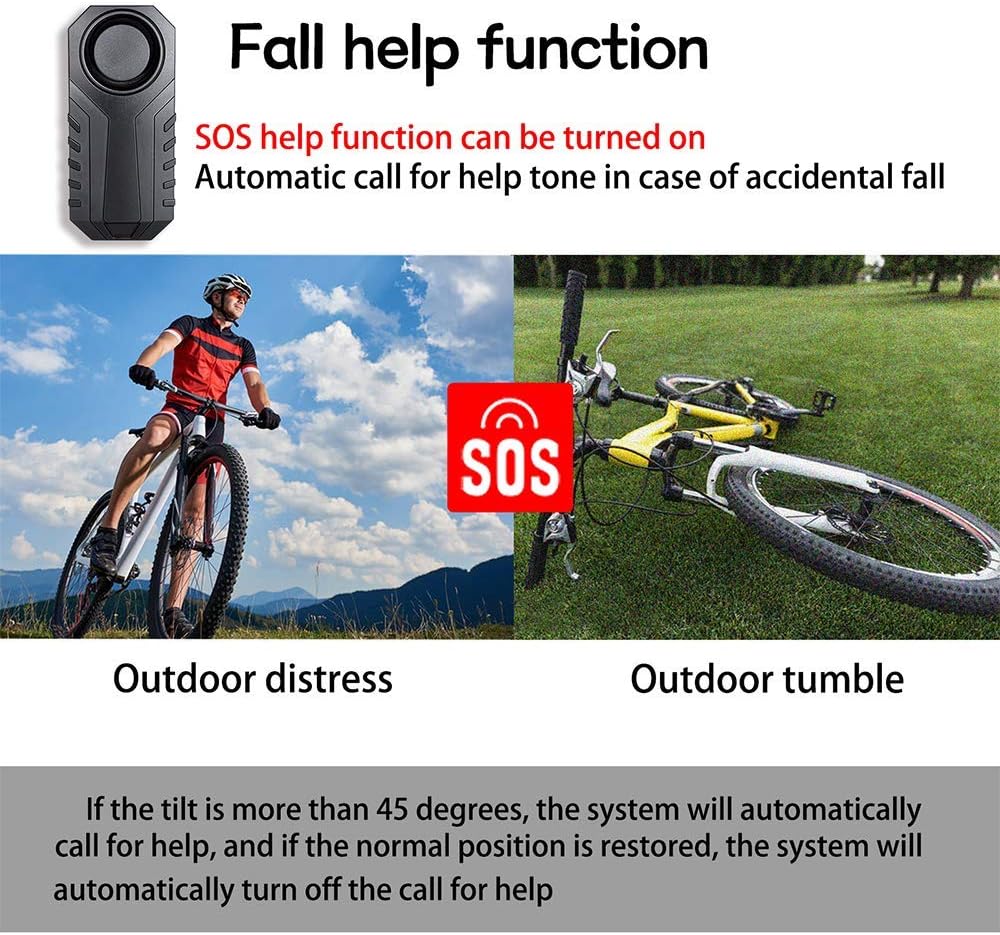
Image: Depicts the SOS fall help function of the NineLeaf bike alarm, showing scenarios of outdoor distress and an outdoor tumble, where the alarm activates if tilted more than 45 degrees.
6.5. Vehicle Search Function
To locate your vehicle in a parking lot or crowded area, press the bell icon button on the remote control. The alarm unit will emit a distinct sound, helping you to easily find your vehicle. Note that this function is not available when the alarm is in armed mode.
7. Maintenance
7.1. Battery Replacement
The alarm unit and remote control are battery-operated. When the battery is low, the alarm may indicate this with a specific sound or reduced performance. To replace batteries:
- Alarm Unit: Carefully open the battery compartment on the alarm unit, typically located on the back. Replace the old batteries with new ones of the correct type and polarity. Close the compartment securely.
- Remote Control: Open the remote control casing (a small screwdriver may be needed). Replace the button cell battery with a new one of the correct type and ensure correct polarity. Close the casing.
Dispose of old batteries responsibly according to local regulations.
7.2. Waterproof Rating
The NineLeaf bike alarm has an IP55 waterproof rating. This means it is protected against dust ingress and low-pressure water jets from any direction. While it is suitable for outdoor use and can withstand rain, it should not be submerged in water.
8. Troubleshooting
- Alarm not responding to remote: Check if the remote control battery is dead and replace it if necessary. Ensure the alarm unit's batteries are not low. Re-pair the remote control following the instructions in Section 5.
- False alarms: Adjust the sensitivity level to a lower setting (refer to Section 6.2). Ensure the alarm unit is securely mounted and not subject to excessive vibrations from external sources (e.g., strong winds, passing heavy vehicles).
- Alarm too quiet/loud: Adjust the volume level as described in Section 6.3.
- Alarm not arming/disarming: Ensure you are within the wireless range of 20 meters (66 feet). Check for any obstructions between the remote and the alarm unit.
- SOS function not activating: Ensure the alarm unit is mounted in a stable position. The tilt must exceed 45 degrees for the function to activate.
9. Specifications
| Feature | Detail |
|---|---|
| Brand | NineLeaf |
| Model Number | NL-AMA01-KS-SF22R-1PK |
| Item Weight | 4.3 ounces |
| Package Dimensions | 4.17 x 1.26 x 0.98 inches |
| Noise Level | 113 Decibels |
| Maximum Remote Range | 30 Meters (66 feet) |
| Waterproof Rating | IP55 |
| Special Features | Arming and disarming, 7 adjusting touch sensitivity, Search function, SOS function, Battery low indicate |
| Other Display Features | Wireless |
| Remote Control Included? | Yes |
10. Warranty and Support
NineLeaf products are manufactured with quality and durability in mind. For specific warranty information, please refer to the documentation included with your purchase or contact NineLeaf customer support. If you encounter any issues or have questions regarding the operation or maintenance of your bike alarm, please reach out to our customer service team for assistance.
You can typically find contact information on the product packaging or on the official NineLeaf website.


