
Introduction
Thank you for choosing the Cable Matters 6-Outlet Surge Protector Power Strip with USB Ports. This device is designed to provide reliable power distribution and surge protection for your electronic equipment. It features six standard AC outlets and two USB-A charging ports, all protected by a 490 Joule surge suppression rating and a 15 Amp circuit breaker. The 12-foot long extension cord offers flexibility in placement, making it suitable for various home and office environments.
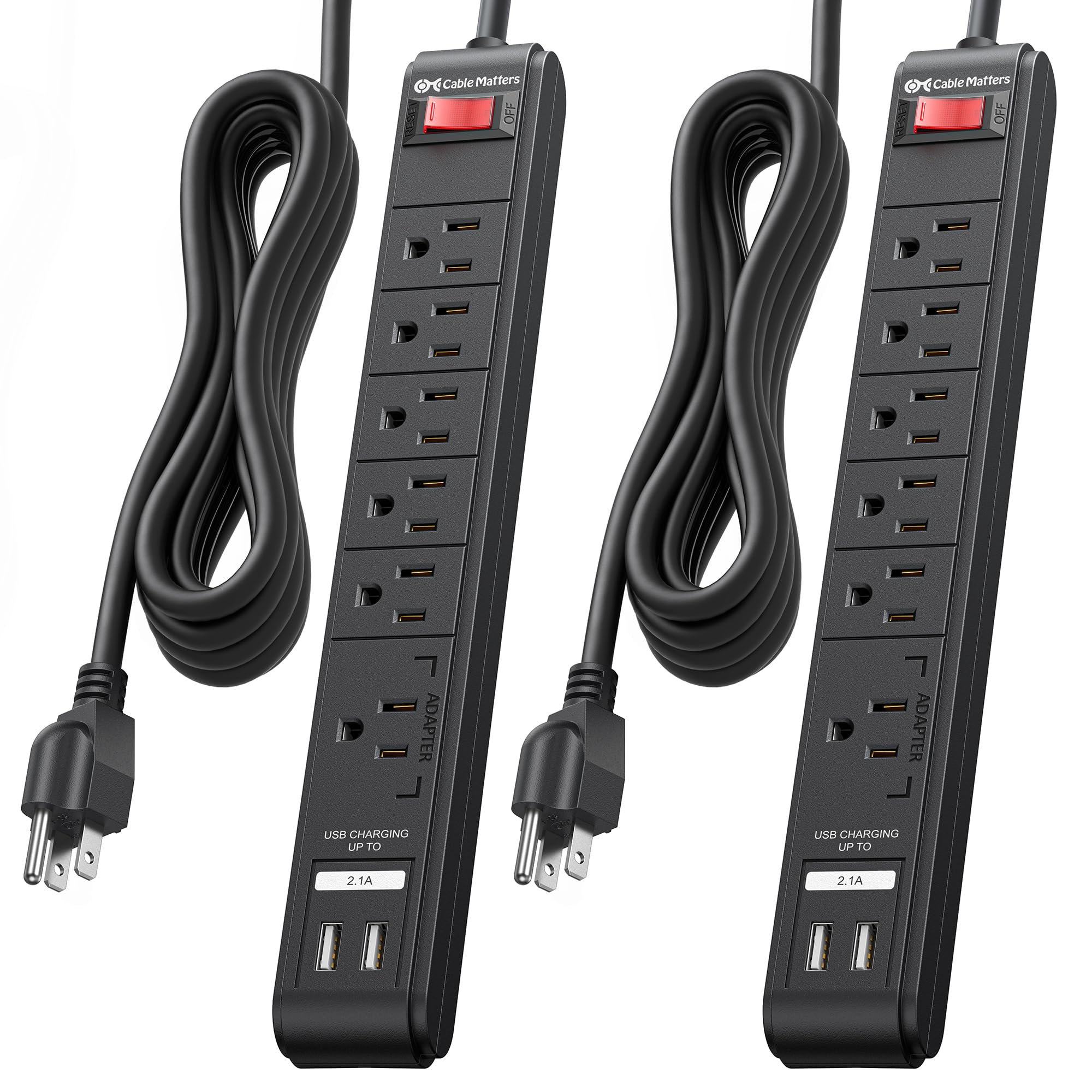
Image: The Cable Matters 6-Outlet Surge Protector Power Strip with USB Ports, featuring a 12-foot cord and a black finish.
Safety Information
This surge protector is ETL Listed, ensuring it meets recognized safety standards. It provides 490 Joules of surge suppression to protect your connected devices from power spikes and surges. A built-in 15 Amp circuit breaker offers protection against overloads. For optimal safety, please observe the following:
- Indoor Use Only: This product is intended for indoor use in dry locations. Do not expose to moisture or wet conditions.
- Proper Grounding: Always plug the surge protector into a properly grounded 3-prong AC outlet.
- Avoid Overloading: Do not exceed the maximum power rating of 15 Amps, 125VAC, 1875W. Overloading can trip the circuit breaker or cause damage.
- Inspect Regularly: Periodically check the power cord and the unit for any signs of damage. Discontinue use if damaged.
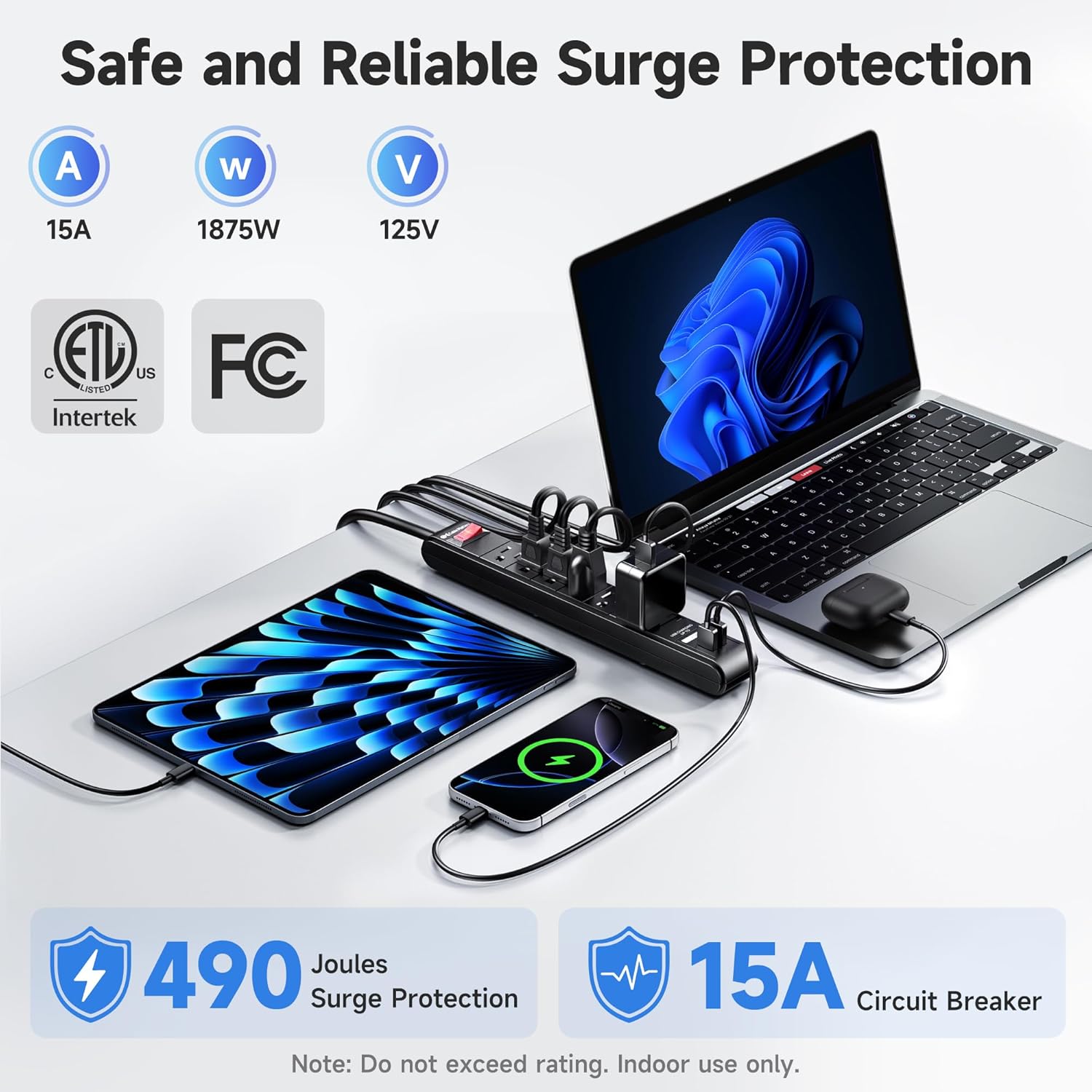
Image: A visual representation highlighting the 490 Joules surge protection and 15 Amp circuit breaker features of the power strip.
Setup Instructions
- Unpack: Carefully remove the surge protector from its packaging.
- Placement: Position the surge protector in a convenient location, ensuring the 12-foot cord can reach a grounded AC wall outlet without being stretched or obstructed.
- Plug In: Insert the surge protector's 3-prong plug into a standard 125V AC grounded wall outlet.
- Power On: Press the red ON/OFF switch to the 'ON' position. The switch will illuminate, indicating that the unit is receiving power and providing surge protection.
- Mounting (Optional): The power strip can be wall-mounted or installed under a desk. Use the included mounting template to mark screw locations. Secure the unit using #6 screws (not included) through the mounting holes on the back of the strip.

Image: The Cable Matters surge protector shown mounted under a desk, illustrating its wall-mountable design and indicating the use of #6 screws for installation.
Operating Instructions
Once the surge protector is plugged in and powered on, you can connect your devices:
- AC Outlets: Plug your electronic devices (computers, monitors, printers, etc.) into the six available AC outlets. Ensure that the total power draw does not exceed 1875W.
- USB Charging Ports: Use the two USB-A ports (5V 2.1A total output) to charge smartphones, tablets, and other USB-powered devices. These ports are located at one end of the strip for easy access.
- Power Switch: The illuminated ON/OFF switch controls power to all connected AC outlets and USB ports. Press it to turn power on or off.

Image: A close-up view of the Cable Matters surge protector, demonstrating the use of its USB ports for charging various mobile devices without requiring additional adapters.
Maintenance
To ensure the longevity and optimal performance of your surge protector, follow these maintenance guidelines:
- Cleaning: Disconnect the surge protector from the wall outlet before cleaning. Use a dry, soft cloth to wipe the exterior. Do not use liquid or aerosol cleaners.
- Cord Care: Avoid bending, twisting, or crimping the power cord excessively. Do not place heavy objects on the cord.
- Storage: When not in use, store the surge protector in a cool, dry place away from direct sunlight and extreme temperatures.

Image: A detailed view of the Cable Matters surge protector, emphasizing its robust construction, including the sturdy rocker switch, 14AWG heavy-duty copper wire, flame-retardant ABS housing, and flexible PVC cable jacket.
Troubleshooting
If you encounter issues with your Cable Matters surge protector, refer to the following common solutions:
- No Power to Outlets/USB Ports:
- Ensure the surge protector's ON/OFF switch is pressed to the 'ON' position and illuminated.
- Check if the wall outlet is functioning by plugging in another device.
- If the circuit breaker has tripped (the switch might be recessed or popped out), unplug all devices, reset the switch, and then plug devices back in one by one to identify the overloaded item.
- USB Ports Not Charging:
- Verify that the USB cable is securely connected to both the device and the surge protector.
- Ensure your device is compatible with 5V 2.1A USB charging.
- Try a different USB cable or device to rule out a faulty cable or device.
- Surge Protection Indicator (if applicable): If the surge protection indicator light (if present on your model) is off, it may indicate that the surge protection components have been consumed, and the unit should be replaced to ensure continued protection.
Specifications
| Brand | Cable Matters |
| Model Number | 402025-BLK-12x2 |
| Color | Black |
| Total Power Outlets | 6 AC Outlets |
| Total USB Ports | 2 USB-A Ports |
| USB Output | 5V 2.1A (shared) |
| Voltage | 125 Volts (AC) |
| Maximum Current | 15 Amps |
| Power Rating | 1875W |
| Surge Protection Rating | 490 Joules |
| Cord Length | 12 feet |
| Wire Gauge | 14 AWG |
| Certifications | ETL Listed |
Warranty and Support
For product support, technical assistance, or warranty inquiries, please contact Cable Matters customer service. Refer to the product packaging or the official Cable Matters website for contact information and detailed warranty terms.

