
Product Overview
The Yaheetech Sideboard Buffet Cabinet, Model 689806180460, is a versatile storage solution designed for various rooms including the living room, kitchen, dining room, and hallway. This black cabinet features sliding doors, an adjustable interior shelf, and a sturdy P2 MDF construction.
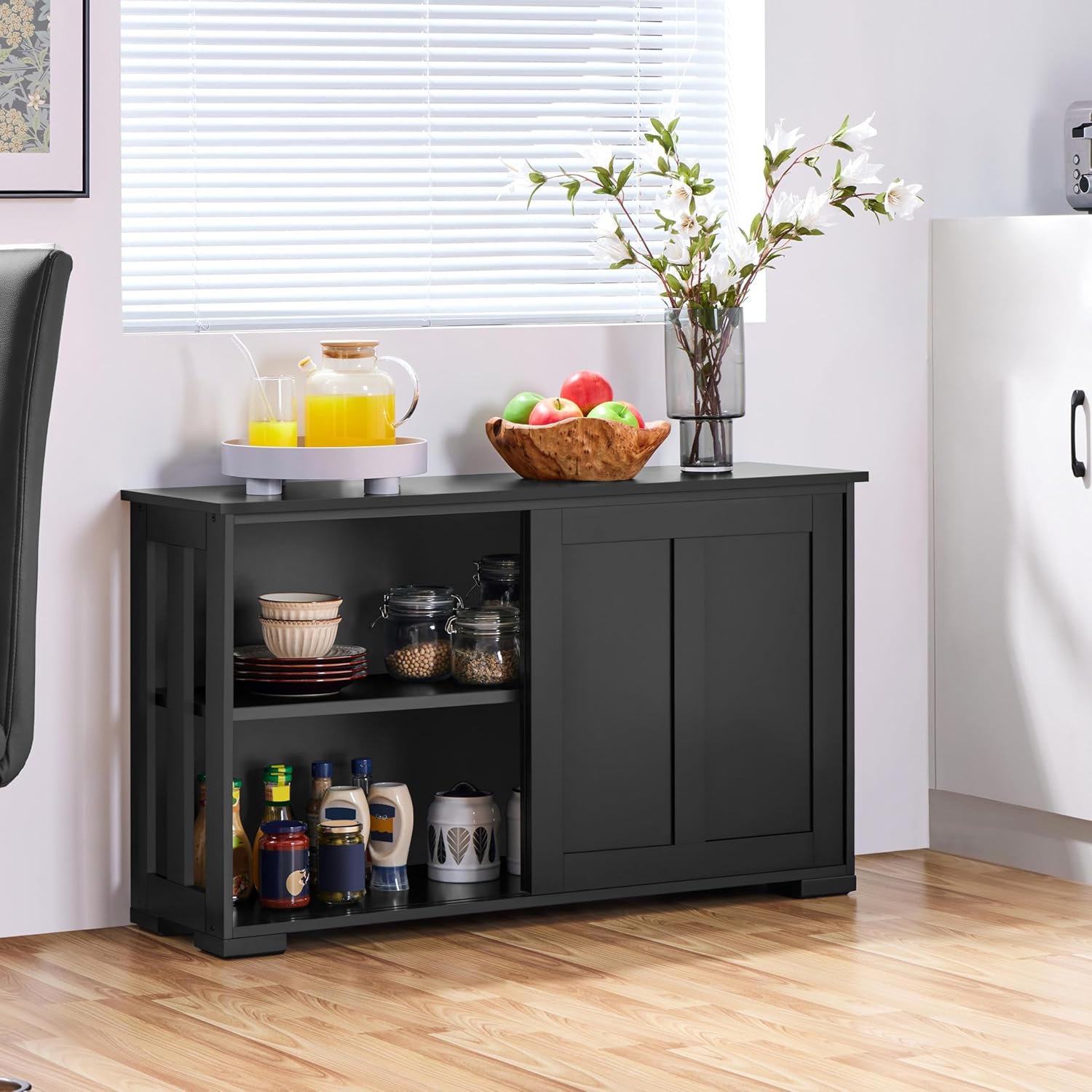
Image: The Yaheetech Sideboard Buffet Cabinet in black, showcasing its design and functionality in a dining room setting.

Image: Visual examples of the cabinet's versatility, demonstrating its use as a locker in a dining room, a cabinet in a living room, a bookcase in a study, and a TV stand in a living room.

Image: Detailed views highlighting key features such as space-saving sliding doors, durable MDF construction for improved weight capacity, airy side panels for ventilation, and a height-adjustable shelf for better adaptability.

Image: A close-up shot of the cabinet's base and feet, illustrating the design and stability of the support structure.
Safety Information
Please read and understand all safety instructions before assembly and use. Failure to follow these instructions may result in injury or product damage.
- Weight Capacity: The maximum load capacity for the top surface is 66 lb (30 kg), and for each shelf is 59.4 lb (27 kg). Do not exceed these limits.
- Proper Use: This product is designed for storage. Do not stand or sit on the cabinet.
- Assembly: Ensure all parts are correctly assembled and tightened according to the instructions to maintain structural integrity.
- Stability: Place the cabinet on a flat, level surface to prevent tipping. Consider using wall anchor kits (if provided) for added stability, especially in homes with children or pets.
Specifications
| Feature | Detail |
|---|---|
| Model Number | 689806180460 |
| Color | Black |
| Material | P2 MDF (Engineered Wood) |
| Overall Dimensions (W x D x H) | 42" x 13" x 25" (106.7 cm x 33 cm x 63.5 cm) |
| Adjustable Shelf Height Range | 7.6" - 12.6" (19.3 cm - 32 cm) |
| Max Weight Capacity (Top) | 66 lb (30 kg) |
| Max Weight Capacity (Shelf) | 59.4 lb (27 kg) |
| Item Weight | 45.4 lb (20.6 kg) |
| Door Style | Sliding |
| Number of Shelves | 1 (adjustable) |

Image: Detailed dimensions of the Yaheetech Sideboard Buffet Cabinet, including width, depth, height, and shelf adjustment range.
Assembly Instructions
For a visual guide to assembly, please refer to the official installation video below. Ensure all components are present before beginning assembly.
Video: Official installation steps for the Yaheetech Accent Cabinet. This video demonstrates the step-by-step process of assembling the cabinet, including attaching hardware, connecting panels, and installing doors.
Key Assembly Steps:
- Unpack and Identify Parts: Carefully unpack all components and compare them against the parts list in your physical manual. Separate hardware by type.
- Assemble Base Structure: Attach the side panels to the bottom panel using the provided hardware. Ensure all connections are secure.
- Install Back Panel: Secure the back panel to the assembled frame.
- Attach Top Panel: Carefully place and secure the top panel to the main structure.
- Prepare Sliding Doors: Attach the sliding mechanisms and handles to the doors as per the instructions.
- Install Sliding Doors: Insert the prepared doors into the tracks on the cabinet. Adjust for smooth operation.
- Insert Adjustable Shelf: Place the adjustable shelf at your desired height using the shelf pins.
Refer to the detailed diagrams and step-by-step instructions in your included manual for precise assembly guidance.
Operating Instructions
Sliding Doors:
The cabinet features smooth-gliding sliding doors. To open or close, gently push or pull the door along its track. Avoid forcing the doors to prevent damage to the mechanism.

Image: A close-up view of the sliding door mechanism, highlighting the smooth operation of the doors.
Adjustable Shelf:
The interior shelf can be adjusted to different heights to accommodate items of various sizes. To adjust:
- Empty the shelf of all contents.
- Remove the shelf pins from their current positions.
- Insert the shelf pins into the desired holes on the side panels. Ensure all four pins are securely in place and level.
- Carefully place the shelf onto the pins.

Image: A close-up of the adjustable shelf pins and pre-drilled holes on the cabinet's interior, demonstrating how to customize shelf height.
Maintenance
- Cleaning: Wipe surfaces with a soft, damp cloth. Avoid harsh chemicals or abrasive cleaners, which can damage the finish.
- Dusting: Regularly dust the cabinet to prevent buildup.
- Hardware Check: Periodically check all screws and fasteners to ensure they remain tight. Re-tighten if necessary.
- Avoid Moisture: Protect the cabinet from excessive moisture and direct sunlight to prevent warping or fading.
Troubleshooting
- Doors not sliding smoothly: Check the tracks for any obstructions or debris. Ensure the doors are properly seated in their grooves. Lubrication of the tracks with a silicone-based spray may help.
- Cabinet feels wobbly: Verify that all assembly screws are securely tightened. Ensure the cabinet is placed on a level surface. If wobbling persists, consider using furniture levelers or wall anchors.
- Shelf not level: Remove the shelf and re-insert the shelf pins, ensuring they are fully seated in corresponding holes on both sides.
Warranty and Support
For warranty information or further assistance, please contact Yaheetech customer support. Keep your purchase receipt and model number handy for quicker service.
You can often find contact details on the manufacturer's website or through your original point of purchase.


