
Introduction
Welcome to the user manual for your SACKit WOOFit Go portable speaker. This guide provides essential information for setting up, operating, and maintaining your device to ensure optimal performance and longevity. Please read this manual thoroughly before using your speaker.

The SACKit WOOFit Go speaker is a compact and portable audio device designed for on-the-go use. It features a durable black fabric grille and a convenient carrying strap.
Important Safety Information
To prevent damage to your device or injury to yourself or others, please observe the following safety precautions:
- Do not expose the speaker to extreme temperatures or direct sunlight for extended periods.
- While the speaker is IPX4 water-resistant, do not submerge it in water. Protect it from heavy rain or strong water jets.
- Do not attempt to disassemble, repair, or modify the speaker. This will void the warranty and may cause damage.
- Use only the provided charging cable or a certified equivalent.
- Keep the speaker away from medical devices, as it contains magnets.
- Clean the speaker with a soft, dry cloth. Do not use abrasive cleaners or solvents.
Package Contents
Please check that all items are present in your package:
- SACKit WOOFit Go Speaker
- USB Charging Cable
- User Manual
Product Overview
Familiarize yourself with the various parts and controls of your WOOFit Go speaker:
- Power Button: Press and hold to turn the speaker on or off.
- Bluetooth Pairing Button: Activates Bluetooth pairing mode.
- Volume Up/Next Track Button: Increases volume or skips to the next song.
- Volume Down/Previous Track Button: Decreases volume or goes to the previous song.
- Multi-function Button: Play/Pause, Answer/End calls.
- USB Charging Port: For connecting the charging cable.
- Microphone: For hands-free calling.
- LED Indicator: Shows power, charging, and Bluetooth status.

The WOOFit Go speaker connects wirelessly via Bluetooth, offering a seamless audio experience without the need for cables.
Setup
Charging the Speaker
Before first use, fully charge your WOOFit Go speaker. Connect the USB charging cable to the speaker's charging port and the other end to a USB power adapter (not included) or a computer's USB port. The LED indicator will show charging status and turn off when fully charged.
Initial Bluetooth Pairing
- Ensure the speaker is charged and turned off.
- Press and hold the Power button to turn on the speaker. The LED indicator will flash, indicating it's in pairing mode.
- On your smartphone or Bluetooth-enabled device, go to the Bluetooth settings and search for available devices.
- Select "WOOFit Go" from the list of devices.
- Once connected, the LED indicator will stop flashing and remain solid. You are now ready to play audio.
Operating Instructions
Power On/Off
Press and hold the Power button for approximately 3 seconds to turn the speaker on or off.
Bluetooth Connection
After initial pairing, the speaker will automatically attempt to connect to the last paired device when powered on. If connection fails, manually select "WOOFit Go" from your device's Bluetooth settings.
Audio Playback
- Play/Pause: Press the Multi-function button once.
- Volume Up: Short press the Volume Up button.
- Volume Down: Short press the Volume Down button.
- Next Track: Long press the Volume Up button.
- Previous Track: Long press the Volume Down button.

Enjoy extended listening sessions with the WOOFit Go speaker, offering up to 8 hours of battery life on a single charge.
Hands-Free Calling
With the built-in microphone, you can answer calls directly through the speaker:
- Answer/End Call: Press the Multi-function button once.
- Reject Call: Press and hold the Multi-function button for 2 seconds.
Stereo Pairing (True Wireless Stereo - TWS)
You can pair two SACKit WOOFit Go speakers together for a true stereo sound experience:
- Ensure both WOOFit Go speakers are turned on and not connected to any other Bluetooth device.
- On one speaker (this will be the primary speaker), double-press the Bluetooth pairing button. You will hear an indication sound.
- The two speakers will automatically connect to each other. Once connected, you will hear another confirmation sound.
- Now, connect your device to the primary speaker via Bluetooth as described in the "Initial Bluetooth Pairing" section. Audio will play through both speakers in stereo.

For an immersive audio experience, two WOOFit Go speakers can be paired together to create a stereo sound system.
Maintenance
Cleaning
To clean your WOOFit Go speaker, gently wipe the surface with a soft, dry, lint-free cloth. For stubborn dirt, slightly dampen the cloth with water. Do not use harsh chemicals, cleaning solvents, or strong detergents.
Storage
When not in use for extended periods, store the speaker in a cool, dry place away from direct sunlight and extreme temperatures. Ensure the battery is partially charged (around 50%) before storing to prolong its lifespan.
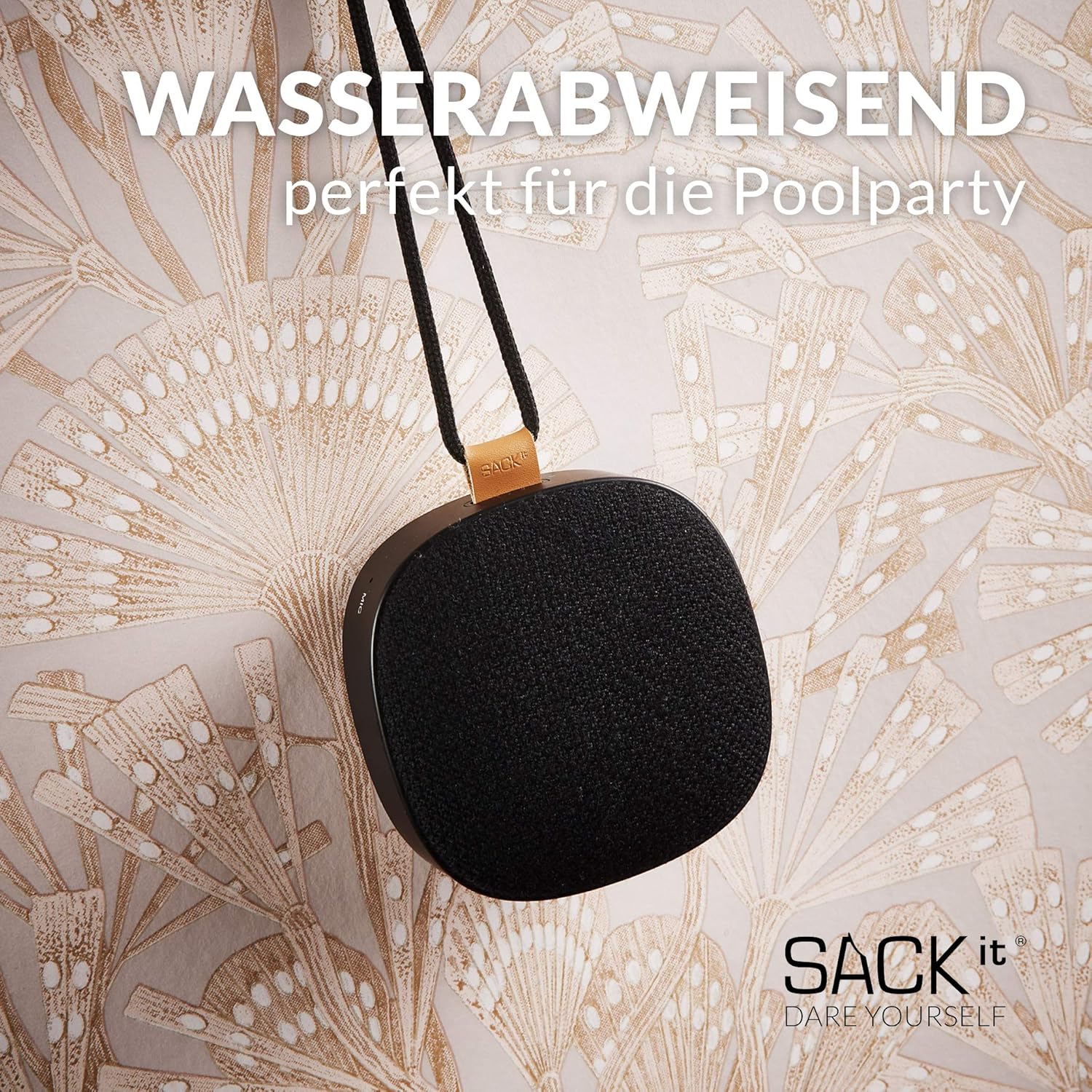
The WOOFit Go speaker is water-resistant (IPX4), making it suitable for outdoor use and protection against splashes.
Troubleshooting
If you encounter any issues with your WOOFit Go speaker, please refer to the table below for common problems and their solutions:
| Problem | Possible Cause | Solution |
|---|---|---|
| Speaker does not turn on. | Battery is depleted. | Charge the speaker fully. |
| Cannot pair with Bluetooth device. | Speaker is not in pairing mode or device's Bluetooth is off. | Ensure speaker is in pairing mode (flashing LED). Turn Bluetooth on/off on your device. Forget previous pairings and try again. |
| No sound or low volume. | Volume too low on speaker or device, or speaker not connected. | Increase volume on both speaker and connected device. Ensure speaker is properly connected via Bluetooth. |
| Sound distortion. | Device volume too high, or speaker too far from device. | Reduce volume on your device. Move speaker closer to the connected device (within 10 meters). |
| Stereo pairing not working. | Speakers not properly reset or paired. | Ensure both speakers are disconnected from other devices. Follow the stereo pairing instructions carefully. |
Specifications
| Feature | Specification |
|---|---|
| Model Name | WOOFit Go X |
| Model Number | 60601 |
| Dimensions (H x W x D) | 9.1 cm x 9.1 cm x 4.5 cm |
| Weight | Approx. 280 grams |
| Connectivity Technology | Bluetooth |
| Max. Speaker Output Power | 10 Watts |
| Battery Type | Lithium-ion |
| Battery Life | Up to 8 hours |
| Water Resistance | IPX4 (Splash-proof) |
| Special Features | Hands-free calling, Stereo Pairing (TWS) |
Warranty and Support
SACKit products are designed and manufactured to the highest quality standards. For information regarding warranty coverage, technical support, or service, please visit the official SACKit website or contact their customer service directly. Keep your proof of purchase for warranty claims.
For further assistance, please refer to the contact information provided on the SACKit official website: www.sackit.dk


