
Retevis RT47
Retevis RT47 IP67 Waterproof Two-Way Radio Instruction Manual
Model: RT47 | Brand: Retevis
Introduction
The Retevis RT47 is a heavy-duty, IP67 waterproof and dustproof two-way radio designed for reliable communication in challenging environments. This license-free FRS radio features 16 channels, a durable construction, and an 1100 mAh rechargeable battery for extended use. It is suitable for various applications including construction, manufacturing, and outdoor activities. This manual provides essential information for setting up, operating, and maintaining your RT47 radios.

Figure 1: Retevis RT47 Two-Way Radio
What's in the Box
Each Retevis RT47 package includes the following components:
- 4 x Retevis RT47 Two Way Radio and 1100mAh (Li-ion) Battery
- 4 x USB charging dock
- 4 x Charger adapter
- 4 x Belt Clip
- 1 x User Manual
Video 1: Unboxing and contents of the Retevis RT47 package.
Video 2: Detailed look at the items included in the RT47 FRS radio box.
Getting Familiar with Your Radio
Understand the various parts and controls of your Retevis RT47 two-way radio for optimal use.
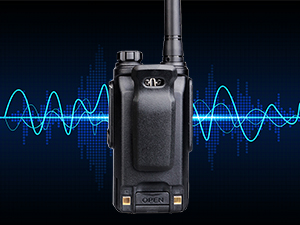
Figure 2: Product Diagram showing antenna, indicator light, power/volume knob, mic/speaker jack, PTT switch, speaker, and microphone.
- Antenna: For transmitting and receiving signals.
- Power/Volume Knob: Turn clockwise to power on and increase volume; turn counter-clockwise to decrease volume and power off.
- Indicator Light: Shows radio status (e.g., green for receiving, red for transmitting).
- Mic/Speaker Jack: Connect external audio accessories like headsets or speaker mics.
- PTT Switch (Push-to-Talk): Press and hold to transmit, release to receive.
- Channel Up/Down Buttons: Change the operating channel.
- Speaker: Audio output.
- Microphone: Audio input.
Setup
Battery Installation
To install the 1100mAh Li-ion battery, align the battery pack with the back of the radio and slide it into place until it clicks securely. Ensure the battery is fully seated to maintain the IP67 waterproof seal.
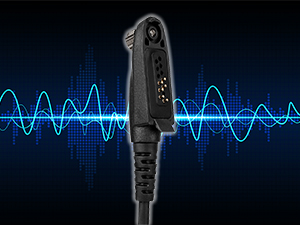
Figure 3: Proper battery installation for the RT47 radio.
Charging the Radio
Place the radio (with battery installed) into the USB charging dock. Connect the charger adapter to the dock and a power source. The indicator light on the charging dock will show the charging status. A full charge provides approximately 12 hours of use.
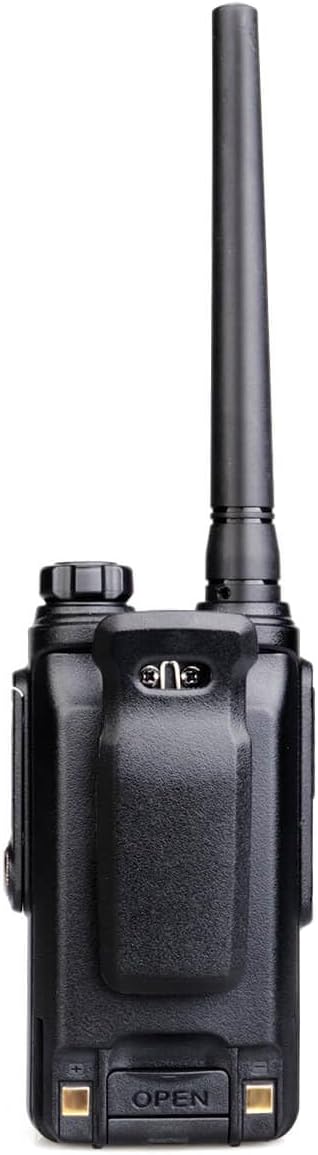
Figure 4: Retevis RT47 radio placed in its charging dock.
Belt Clip Installation
Attach the belt clip to the back of the radio using the provided screws. Ensure it is firmly secured for safe carrying.
Figure 5: Installation of the belt clip on the RT47 radio.
Operation
Power On/Off and Volume Control
To power on the radio, rotate the Power/Volume knob clockwise until you hear a click and the radio announces the channel number. Continue rotating clockwise to increase the volume. Rotate counter-clockwise to decrease the volume and eventually power off the radio.
Video 3: Demonstrating easy operation, including power on/off and channel selection.
Channel Selection
Use the Channel Up/Down buttons on the side of the radio to select one of the 16 available channels. The radio will announce the selected channel number.
Push-to-Talk (PTT)
To transmit your voice, press and hold the large PTT button on the side of the radio. Speak clearly into the microphone. Release the PTT button to stop transmitting and listen for a response.
VOX Function (Hands-Free)
The RT47 supports VOX (Voice Operated Exchange) function for hands-free communication. When VOX is enabled, the radio transmits automatically when it detects your voice, eliminating the need to press the PTT button. This feature can be programmed via software.
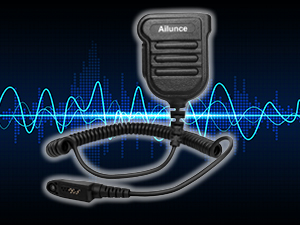
Figure 6: Illustration of VOX function for hands-free communication.
Busy Channel Lock
The Busy Channel Lockout (BCL) feature prevents transmission on a channel that is already in use, minimizing interference and ensuring clear communication. This feature can be programmed via software.
IP67 Waterproof and Dustproof Features
The Retevis RT47 is IP67 rated, offering protection against dust ingress and immersion in water up to 1 meter for 30 minutes. This makes it suitable for use in harsh, noisy, and dusty environments, as well as during outdoor activities where exposure to water is possible.

Figure 7: The RT47 radio demonstrating its IP67 waterproof and dustproof capabilities.
Video 4: Overview of the Retevis RT47's waterproof features and design.
Compatibility
The Retevis RT47 walkie-talkies are license-free and directly compatible with other Retevis FRS radios such as RT22, RT68, RT21, RT27, and H-777. They can also communicate with other brand walkie-talkies on the same frequency band.
Maintenance
- Cleaning: Wipe the radio with a soft, damp cloth. Do not use harsh chemicals or abrasive cleaners.
- Storage: Store the radio in a cool, dry place when not in use. Remove the battery if storing for extended periods.
- Battery Care: Avoid overcharging or completely draining the battery. Charge regularly to maintain battery health.
Specifications
| Feature | Detail |
|---|---|
| Brand | Retevis |
| Model Number | RT47 |
| Color | Black |
| Number of Channels | 16 |
| Frequency Range | FRS |
| Voltage | 3.7 Volts (DC) |
| Waterproof Rating | IP67 |
| Product Dimensions | 2"D x 4"W x 10"H |
| Battery Type | 1100mAh Lithium Ion (included) |
| Battery Average Life | 8 Hours |
| Temperature Range | -10-50 Degrees Celsius |
| FCC ID | 2ASNSRT47 |
Warranty and Support
Retevis provides a 2-year warranty for the radio body and a 1-year warranty for accessories. Additionally, there is a 30-day no-reason return policy. For support or warranty claims, please contact Retevis customer service via Amazon. They aim to reply within 12 hours.
Safety Information
- Do not disassemble or modify the radio.
- Use only approved batteries and chargers.
- Keep the radio away from extreme temperatures and direct sunlight.
- Avoid exposing the radio to strong electromagnetic fields.
- Do not operate the radio in explosive atmospheres.
- Ensure the battery cover is securely closed to maintain waterproof integrity.
Related documentsRT47


Ask a question about this manual
Ask about setup, troubleshooting, compatibility, parts, safety, or missing instructions. Manuals+ will review the question and use this page’s manual context to help answer it.