1. Introduction
This user manual provides essential information for the safe and effective operation of your Holy Stone HS720 GPS Drone. The HS720 is a foldable quadcopter equipped with a 4K UHD camera, brushless motors, and intelligent flight features designed for stable and high-quality aerial photography and videography.

Image: Holy Stone HS720 GPS Drone, its remote controller, two intelligent batteries, spare blades, and a portable carrying case, all laid out on a dark surface.
2. What's Included
Verify that all components are present in your package:
- Holy Stone HS720 Drone x 1
- Transmitter (Remote Controller) x 1
- Drone Battery x 2
- Blade (Set of spare blades)
- Portable Bag x 1
- USB Charging Cable x 1
- Screwdriver x 1

Image: A comprehensive view of all items included in the Holy Stone HS720 package, including the drone, controller, batteries, charging accessories, and tools.
3. Setup
3.1 Battery Charging
Ensure both intelligent batteries are fully charged before first use. Connect the batteries to the provided charging hub and power adapter. Charging time may vary. Do not use batteries from other brands, as this may cause product issues or safety concerns.
3.2 Controller Preparation
Unfold the antennas and the phone holder on the remote controller. Connect your smartphone to the controller using the provided cable. Ensure the scratch-proof film is removed from the controller and camera before use.
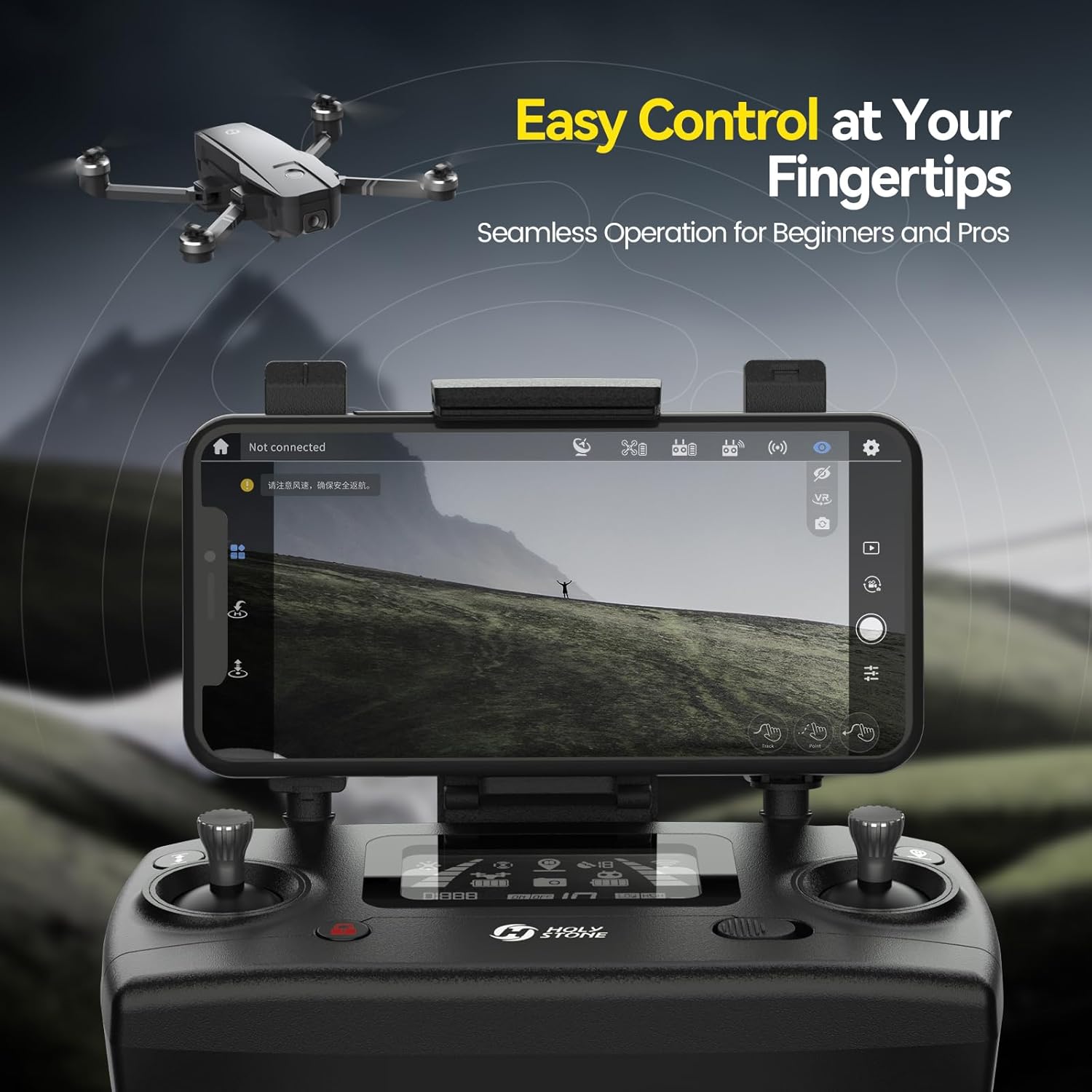
Image: A user's hands holding the Holy Stone HS720 remote controller, with a smartphone securely mounted in the holder, displaying the drone's camera feed.
3.3 Drone Preparation
Unfold the drone arms and propellers. Insert a charged intelligent battery into the drone. It is recommended to register your drone with the FAA if required by local regulations.

Image: The Federal Aviation Administration (FAA) logo, signifying the importance of adhering to drone regulations and registration.
4. Operating the Drone
4.1 Flight Controls
The HS720 features simple controls for beginners. Use the joysticks on the transmitter for movement. Functions like one-key start/stop, emergency stop, and altitude hold simplify operation. The controller's LED screen displays battery level and GPS signal strength. Right-hand throttle mode is available for left-handed users.

Image: A person holding the Holy Stone drone controller, with the drone flying in the background, illustrating its beginner-friendly operation.
4.2 Intelligent Flight Modes
- GPS Assisted Flight: The drone utilizes GPS for stable hovering and precise positioning.
- Auto Return Home (RTH): The drone automatically returns to its takeoff point when the battery is low, signal is lost, or the RTH button is pressed.
- Follow Me Mode: The drone can automatically follow a moving subject, capturing dynamic footage.
- Optical Flow Positioning: Provides stable hovering in environments where GPS signals are weak or unavailable.
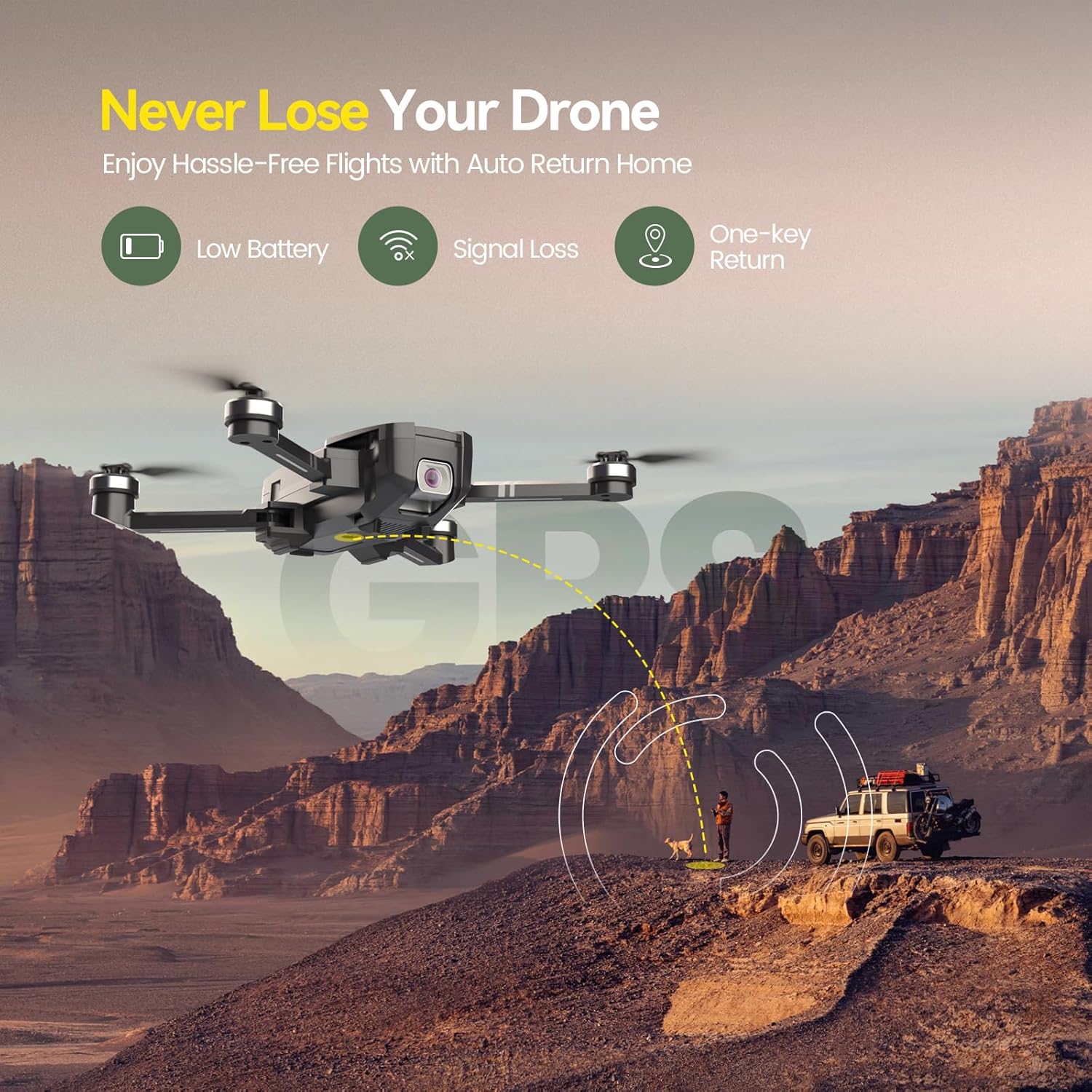
Image: The Holy Stone HS720 drone in mid-flight, illustrating its "Return Home" feature with a dotted line showing its path back to the user.

Image: The Holy Stone HS720 drone flying behind a person walking in a desert, demonstrating its "Follow Me" intelligent flight mode.
4.3 Camera Operation
The integrated 4K UHD camera captures high-resolution images and videos (3840 x 2160). It features a shock absorption holder for image stabilization and a 90° adjustable lens. 5GHz FPV transmission allows for real-time viewing on your connected smartphone.

Image: The Holy Stone HS720 drone flying with its 4K UHD camera pointed downwards, capturing stunning aerial shots of a mountainous landscape.
4.4 Flight Performance
The HS720 is equipped with long-life brushless motors, which offer lower power consumption and quieter flight. The drone is designed for stable flight and can withstand certain wind conditions.

Image: The Holy Stone HS720 drone flying over a rugged, mountainous terrain, emphasizing its powerful and stable flight capabilities due to brushless motors.

Image: A Holy Stone drone flying above palm trees swaying in the wind, illustrating its Level-6 wind resistance.
5. Maintenance
5.1 Cleaning and Storage
Regularly clean the drone body and propellers with a soft, dry cloth. Store the drone in its portable carrying case in a cool, dry place when not in use. Remove batteries if storing for extended periods.

Image: The Holy Stone HS720 drone in its folded, compact form, positioned next to its grey carrying case, emphasizing its portability for adventures.
5.2 Propeller Inspection
Before each flight, inspect the propellers for any damage or cracks. Replace damaged blades immediately using the provided spares and screwdriver.
6. Troubleshooting
- Drone not powering on: Ensure batteries are fully charged and correctly inserted.
- Loss of signal/control: Check the controller's battery level and ensure you are within the 3000 feet control range. Re-pair the drone and controller if necessary.
- Unstable flight: Calibrate the drone's sensors before flight. Ensure propellers are not damaged and are securely attached. Fly in calm conditions, avoiding strong winds.
- Camera image quality issues: Ensure the camera lens is clean. Verify the 5GHz FPV transmission is stable. The camera's shock absorption holder helps minimize vibration for clear images.
7. Specifications
| Brand | Holy Stone |
| Model Name | HS720 |
| Item Model Number | 946227 |
| Item Weight | 460 Grams (1.01 pounds) |
| Product Dimensions | 13.2"L x 14.54"W x 2.2"H |
| Video Capture Resolution | 4K (3840 x 2160) |
| Video Capture Format | 4k |
| Supported Image Format | JPEG |
| Optical Sensor Technology | CMOS |
| Battery Capacity | 2800 Milliamp Hours (2 batteries included) |
| Flight Time | Up to 26 minutes per battery; 52 minutes total with 2 batteries |
| Maximum Range | 999 Meters (approx. 3277 feet) |
| Connectivity Technology | Bluetooth, Wi-Fi (5GHz FPV transmission) |
| Control Type | Remote Control |
| Skill Level | Beginner |
| Recommended Age | 14 years and up |
8. Warranty and Support
Holy Stone provides product support for the HS720 drone. For detailed warranty information or technical assistance, please refer to the official Holy Stone website or contact their customer service directly.
Additional resources: