
Introduction
Thank you for choosing TRANYA B530 True Wireless Earbuds. This manual provides essential information for setting up, operating, and maintaining your earbuds. Please read it thoroughly before use to ensure optimal performance and longevity of your device.
The TRANYA B530 earbuds feature Bluetooth 5.0 technology, Aptx/AAC compatibility for high-quality audio, CVC8.0 noise cancellation for clear calls, and an IPX5 waterproof rating, making them suitable for various activities including sports and exercise.
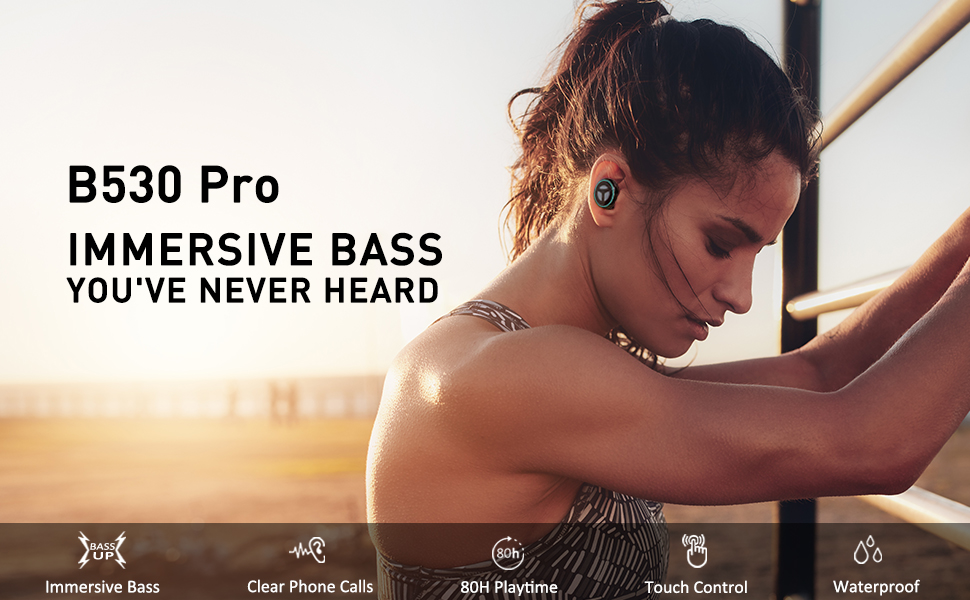
Image: TRANYA B530 True Wireless Earbuds and their charging case, showcasing the sleek black design.
Package Contents
Ensure all items are present in your package:
- TRANYA B530 True Wireless Earbuds (Left & Right)
- Charging Case
- Silicone Eartips (3 pairs: Small, Medium, Large)
- Micro USB Charging Cable
- User Manual


Image: Micro USB charging cable and various sizes of silicone eartips included in the package.
Setup
1. Charging the Earbuds and Case
Before first use, fully charge the earbuds and the charging case. Connect the Micro USB charging cable to the charging port on the case and a power source. The LED indicators on the case will show the charging status.
- Charging Case: Up to 80 hours total playtime.
- Earbuds: Up to 10 hours of playtime on a single charge.

Image: TRANYA B530 earbuds shown with their charging case, highlighting the ultra-long playtime of up to 80 hours.
2. Pairing with Your Device
The earbuds support effortless pairing and automatic on/off functionality.
- Remove both earbuds from the charging case. They will automatically power on and enter pairing mode.
- On your device (smartphone, tablet, etc.), go to Bluetooth settings and select "TRANYA B530" from the list of available devices.
- Once connected, you will hear a confirmation tone, and the earbud indicator lights will turn off.
The earbuds support both Sync Mode (stereo) and Mono Mode (single earbud use).

Image: Illustration showing TRANYA B530 earbuds in both Sync Mode (stereo) and Mono Mode (single earbud), with a smartphone screen displaying successful Bluetooth pairing.
Operating Instructions
The TRANYA B530 earbuds feature multi-functional touch controls for easy management of music and calls.

Image: A person using TRANYA B530 earbuds, demonstrating the multi-functional touch controls for volume, calling, voice assistance, and audio playback.
Music Control
- Play/Pause: Single tap on either earbud.
- Volume Up: Double tap on the Right earbud.
- Volume Down: Double tap on the Left earbud.
- Next Track: Triple tap on the Right earbud.
- Previous Track: Triple tap on the Left earbud.
Call Management
- Answer/End Call: Single tap on either earbud.
- Reject Call: Press and hold either earbud for 2 seconds.
Voice Assistant
- Activate Voice Assistant (Siri, Google Assistant): Press and hold either earbud for 3 seconds.
Maintenance
Proper maintenance ensures the longevity and performance of your TRANYA B530 earbuds.
- Cleaning: Regularly clean the earbuds and charging case with a soft, dry cloth. Avoid using harsh chemicals or abrasive materials.
- Storage: When not in use, store the earbuds in their charging case to protect them from dust and damage.
- Water Exposure: While IPX5 waterproof, avoid prolonged exposure to water or submersion. Ensure earbuds are dry before placing them back in the charging case.
Troubleshooting
If you encounter issues with your earbuds, try the following solutions:
| Problem | Solution |
|---|---|
| Earbuds not pairing | Ensure earbuds are fully charged. Turn off and on your device's Bluetooth. Try resetting the earbuds (refer to user manual for specific reset instructions). |
| Only one earbud working | Place both earbuds back in the case, then remove them simultaneously to re-establish stereo connection. Check battery levels of both earbuds. |
| Poor sound quality | Ensure earbuds are properly seated in your ears with the correct size eartips for a good seal. Check for obstructions in the earbud nozzles. Ensure your device is within Bluetooth range. |
| Charging issues | Ensure the charging cable is securely connected. Try a different charging cable or power adapter. Clean the charging contacts on the earbuds and inside the case. |
Specifications
- Model: B530
- Bluetooth Version: 5.0
- Wireless Technology: Bluetooth
- Bluetooth Range: 10 Meters
- Audio Codecs: Aptx, AAC
- Noise Control: CVC8.0 Noise Cancellation (for calls)
- Driver: Nano-Ti Diaphragm
- Water Resistance Level: IPX5 (Waterproof)
- Earbud Playtime (Single Charge): Up to 10 Hours
- Total Playtime (with Charging Case): Up to 80 Hours
- Control Type: Touch Control (Media, Call, Voice Assistant, Volume)
- Weight: 4.54 Grams (per earbud)
- Material: Plastic
Warranty & Support
TRANYA B530 True Wireless Earbuds come with a standard 12-month warranty. You can extend your warranty to 15 months by registering your product on the official TRANYA website within 14 days of purchase.
For product information, support, or warranty claims, please visit www.tranya.com or contact customer support at support@tranya.com.
Official Product Video
Video: An official product overview of the TRANYA B530 Pro Wireless Earbuds, highlighting key features and design.


