
Genius A81455
Genius Invictus X5 Cordless Vacuum Cleaner Instruction Manual
Model: A81455
Introduction
Thank you for choosing the Genius Invictus X5 Cordless Vacuum Cleaner. This 2-in-1 device offers powerful 180W suction, integrated LED lights, and a versatile design for efficient cleaning. This manual provides essential information for the safe and effective use, maintenance, and troubleshooting of your new vacuum cleaner. Please read it thoroughly before first use and keep it for future reference.
Important Safety Instructions
When using electrical appliances, basic precautions should always be followed, including the following:
- Read all instructions before using this appliance.
- Do not use outdoors or on wet surfaces.
- Do not allow to be used as a toy. Close attention is necessary when used by or near children.
- Use only as described in this manual. Use only manufacturer's recommended attachments.
- Do not use with damaged cord or plug. If appliance is not working as it should, has been dropped, damaged, left outdoors, or dropped into water, return it to a service center.
- Do not pull or carry by cord, use cord as a handle, close a door on cord, or pull cord around sharp edges or corners. Do not run appliance over cord. Keep cord away from heated surfaces.
- Do not unplug by pulling on cord. To unplug, grasp the plug, not the cord.
- Do not handle plug or appliance with wet hands.
- Do not put any object into openings. Do not use with any opening blocked; keep free of dust, lint, hair, and anything that may reduce airflow.
- Keep hair, loose clothing, fingers, and all parts of body away from openings and moving parts.
- Do not pick up anything that is burning or smoking, such as cigarettes, matches, or hot ashes.
- Do not use to pick up flammable or combustible liquids, such as gasoline, or use in areas where they may be present.
- Do not pick up toxic material, such as chlorine bleach, ammonia, or drain cleaner.
- Do not use without dust bag and/or filters in place.
- Turn off all controls before unplugging.
- Use extra care when cleaning on stairs.
- Do not use to pick up hard or sharp objects such as glass, nails, screws, coins, etc.
Included Components
Your Genius Invictus X5 package includes the following items:
- 1 x Invictus X5 Handheld Unit
- 1 x Dust Container
- 1 x Pre-motor Filter
- 1 x HEPA Filter (Post-motor filter)
- 1 x Cyclone Filter
- 1 x Motorized Electric Brush (Main Floor Nozzle)
- 1 x Universal Brush Roller
- 1 x Suction Tube
- 1 x Charger
- 1 x Lithium-ion Battery
- 1 x Crevice Nozzle
- 1 x Wall Mount
- 1 x Motorized Mini Electric Brush
Setup and Initial Charging
Assembly
- Attach the Suction Tube: Insert the suction tube into the handheld unit until it clicks securely into place.
- Connect the Main Floor Nozzle: Attach the motorized electric brush (main floor nozzle) to the other end of the suction tube, ensuring it locks firmly.
- Install Filters and Dust Container: Ensure the pre-motor filter, cyclone filter, and HEPA filter are correctly seated within the dust container, and the dust container is securely attached to the handheld unit.
Initial Charging
Before first use, fully charge the vacuum cleaner's lithium-ion battery.
- Connect the charger to the charging port on the handheld unit.
- Plug the charger into a suitable power outlet.
- The charging indicator light will illuminate. A full charge typically takes approximately 3-4 hours.
- Once fully charged, disconnect the charger.
Wall Mount Installation (Optional)
To store your vacuum conveniently, you can install the included wall mount.
- Choose a suitable location near a power outlet, ensuring it is at an appropriate height for easy access.
- Mark the drilling points for the wall mount.
- Drill holes and insert wall plugs (if necessary for your wall type).
- Secure the wall mount to the wall using screws.
- Hang the vacuum cleaner on the wall mount for storage and charging.
Operating Instructions
Power On/Off and Suction Modes
- To turn on the vacuum, press the power button. It will start in normal suction mode.
- To switch to boost mode for increased suction power, press the mode button.
- To turn off the vacuum, press the power button again.
Using Attachments
The Invictus X5 is versatile and can be used with various attachments for different cleaning tasks.

The main motorized electric brush is ideal for cleaning both carpets and hard floors, featuring integrated LED lights to illuminate dust.
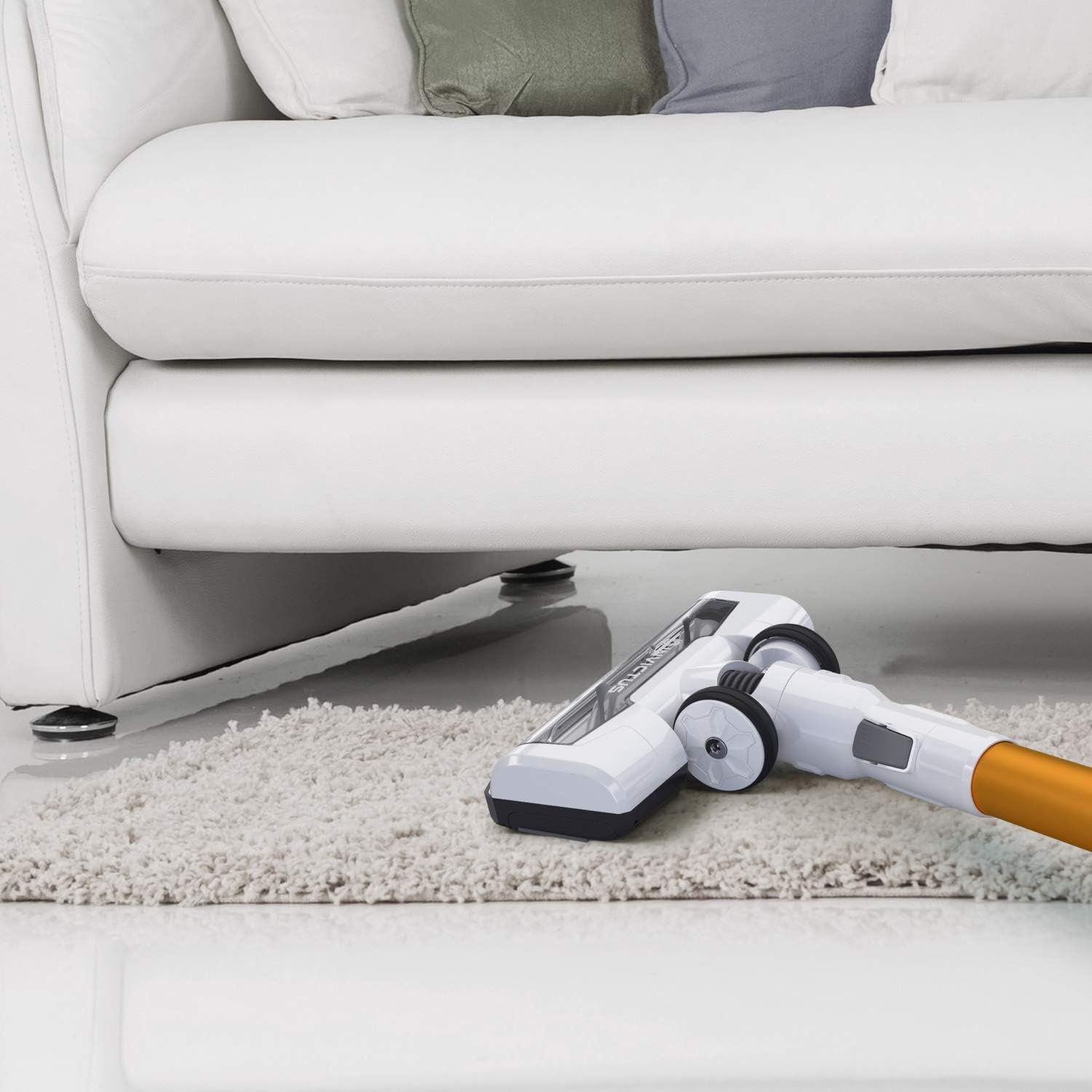
The flexible design of the main floor nozzle allows for easy cleaning under furniture and in tight spaces.

For high-reach cleaning, the handheld unit can be used with the suction tube and various nozzles to clean ceilings, curtains, or window frames.

The lightweight design and maneuverable head make cleaning stairs simple and effective.

The crevice nozzle is perfect for reaching narrow gaps, corners, and tight spaces like inside drawers or car interiors.

The motorized mini electric brush is designed for deep cleaning upholstery, pet hair removal from fabric surfaces, and small carpeted areas.
Maintenance
Regular maintenance ensures optimal performance and extends the lifespan of your vacuum cleaner.
Emptying the Dust Container
Empty the dust container regularly, ideally after each use, to maintain strong suction.
- Ensure the vacuum is turned off.
- Press the release button to detach the dust container from the handheld unit.
- Open the bottom flap of the dust container over a waste bin.
- Shake out all dust and debris.
- Close the flap and reattach the dust container to the handheld unit.

The dust container is designed for easy, hygienic emptying with a simple release mechanism.
Cleaning the Filters
The Invictus X5 features a 3-fold filter system, including a HEPA filter. Clean these filters regularly to prevent loss of suction and ensure efficient filtration.
- Remove the dust container as described above.
- Carefully remove the pre-motor filter, cyclone filter, and HEPA filter.
- Tap the filters gently over a bin to remove loose dust.
- The pre-motor and cyclone filters can be rinsed under cold running water. Ensure they are completely dry before reinserting. Do not wash the HEPA filter unless specified by the manufacturer; typically, HEPA filters are tapped clean or replaced.
- Reassemble the filters and dust container once all parts are dry.

The multi-stage filter system, including a HEPA filter, captures fine dust and allergens.
Cleaning the Brush Roller
Hair and debris can get tangled in the brush roller, affecting performance. Clean it periodically.
- Ensure the vacuum is off and disconnected from the power source.
- Detach the main floor nozzle from the suction tube.
- Locate the brush roller release mechanism (usually a latch or button) on the side of the nozzle.
- Remove the brush roller.
- Use scissors or a brush to remove any tangled hair, threads, or debris from the roller.
- Reinsert the clean brush roller and secure it in place.

The universal brush roller can be easily removed for cleaning to maintain effective debris pickup.
Troubleshooting
If you encounter issues with your Invictus X5, refer to the following common problems and solutions:
| Problem | Possible Cause | Solution |
|---|---|---|
| Vacuum does not turn on | Battery is not charged Battery not properly inserted | Charge the battery fully Ensure battery is securely clicked into place |
| Low suction power | Dust container is full Filters are clogged Nozzle/tube is blocked | Empty the dust container Clean or replace filters Check and clear any blockages in the nozzle or suction tube |
| Brush roller not rotating | Hair or debris tangled in brush Brush roller not properly installed | Clean the brush roller Ensure the brush roller is correctly inserted and secured |
| Short run time | Battery not fully charged Using boost mode excessively Battery degradation | Ensure battery is fully charged Use normal mode for general cleaning Contact customer support for battery replacement options |
Specifications
| Brand | Genius |
| Model | A81455 |
| Power | 180 W |
| Run Time (Normal Mode) | Up to 30 minutes |
| Run Time (Boost Mode) | Up to 15 minutes |
| Charging Time | Approx. 3-4 hours |
| Weight (Handheld Unit) | Approx. 1.66 kg |
| Filter Type | HEPA filter (3-fold system) |
| Special Features | Bagless, Cordless, 2-in-1 functionality, Integrated LED lights |
| Power Source | Battery powered (Lithium-ion) |
| Surface Recommendation | Hard floors, carpets, upholstery |
Warranty and Support
For information regarding warranty coverage, technical support, or replacement parts, please refer to the warranty card included with your product or contact the Genius customer service department. Contact details can typically be found on the product packaging or the official Genius website.
Related documentsA81455


Ask a question about this manual
Ask about setup, troubleshooting, compatibility, parts, safety, or missing instructions. Manuals+ will review the question and use this page’s manual context to help answer it.