
Introduction
This manual provides essential information for the proper use and care of your Deeoee Light Trigger 3.5mm Plug to Male Flash PC Sync Cord Cable. This cable is designed to connect cameras with strobe flashes or flash receivers, facilitating studio photography setups.
Please read this manual thoroughly before using the product to ensure optimal performance and longevity.
Product Overview
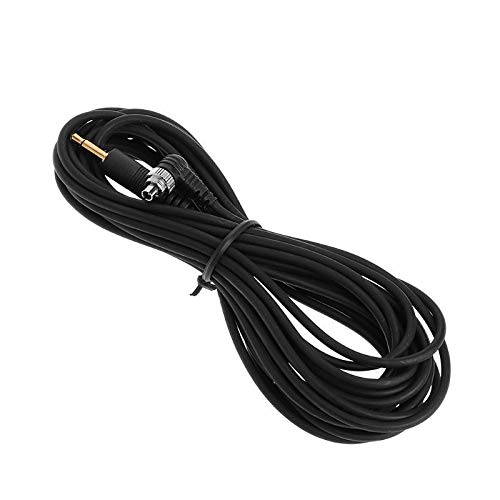
The Deeoee Light Trigger 3.5mm Plug to Male Flash PC Sync Cord Cable, shown coiled. This cable is approximately 5 meters (196.85 inches) in length, providing ample reach for studio setups.
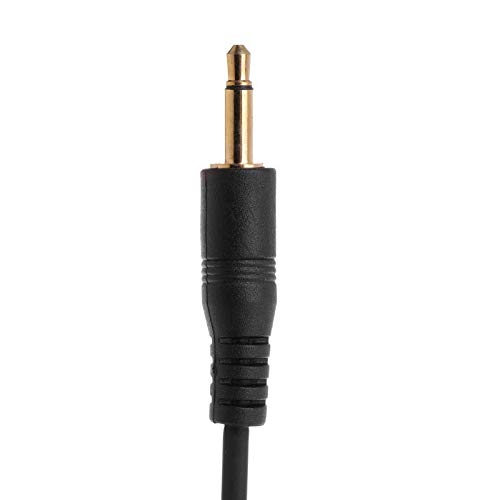
A detailed view of the 3.5mm plug, which connects to compatible camera sync jacks or flash receivers.
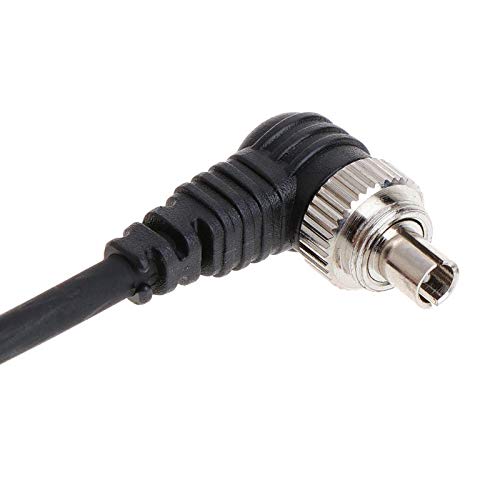
A close-up of the male PC sync plug, designed to connect to studio strobe flashes.
The cable features a 3.5mm plug on one end and a male PC sync plug on the other. It is constructed from durable plastic and metal components, ensuring reliable performance.
Setup
- Identify Ports: Locate the 3.5mm sync jack on your camera or flash receiver, and the PC sync port on your studio strobe flash.
- Connect 3.5mm Plug: Insert the 3.5mm plug end of the cable into the corresponding 3.5mm sync jack on your camera or flash receiver. Ensure a secure connection.
- Connect PC Sync Plug: Insert the male PC sync plug end of the cable into the PC sync port on your studio strobe flash. Ensure it is fully seated.
- Position Equipment: Utilize the 5-meter (196.85-inch) length of the cable to position your flash unit freely within the desired distance from your camera.
This cable allows for direct wired synchronization between your camera and flash unit, eliminating the need for wireless triggers in certain setups.
Operating Instructions
Once the cable is securely connected between your camera (or flash receiver) and the studio strobe flash, the synchronization is established. The operation of the flash unit will then be governed by your camera's settings or the flash receiver's commands.
- Direct Camera-to-Flash Sync: If connecting directly from camera to flash, ensure your camera's flash sync settings are correctly configured for external flash.
- Flash Receiver Integration: If using a flash receiver, connect the 3.5mm plug to the receiver and the PC sync plug to the flash. The receiver will then trigger the flash based on its own wireless signal.
- Testing: Before a shoot, perform a test fire to confirm proper synchronization between your camera and flash unit.
This cable is designed for reliable wired connectivity, providing consistent flash triggering.
Maintenance
Proper maintenance will extend the life of your sync cord.
- Cleaning: Wipe the cable and connectors with a soft, dry cloth. Avoid using harsh chemicals or abrasive materials.
- Storage: When not in use, coil the cable loosely to prevent kinks and damage. Store it in a cool, dry place away from direct sunlight and extreme temperatures.
- Handling: Always grasp the plugs when connecting or disconnecting the cable, not the cable itself, to prevent strain on the connections. Avoid sharp bends or excessive pulling.
- Inspection: Periodically inspect the cable for any signs of wear, fraying, or damage to the insulation or connectors. If damage is observed, discontinue use.
Troubleshooting
| Problem | Possible Cause | Solution |
|---|---|---|
| Flash not firing. | Loose connection. | Ensure both the 3.5mm plug and PC sync plug are fully inserted into their respective ports. |
| Flash not firing. | Incorrect camera/flash settings. | Verify that your camera's flash sync settings are correctly configured for an external flash. Check flash unit power and mode settings. |
| Intermittent flash firing. | Damaged cable or connectors. | Inspect the cable for any visible damage. If damaged, replace the cable. |
| Cable does not fit. | Incompatible port. | Ensure your camera or flash receiver has a 3.5mm sync jack and your strobe flash has a PC sync port. This cable is not universally compatible with all flash types. |
Specifications
- Product Name: Light Trigger 3.5mm Plug to Male Flash PC Sync Cord Cable
- Brand: Deeoee
- Model Number: 4814005060497
- Connectivity: Wired
- Connectors: One end 3.5mm plug, other end Male PC Sync plug
- Cable Length: Approximately 500 cm (5 meters / 196.85 inches)
- External Material: Plastic, Metal
- Color: Black
- Included Components: 1Pc x 3.5mm Plug to Male Flash PC Sync Cord
- Compatible Mountings: 3.5mm Sync Jack
- Camera Flash Type: Studio
Warranty Information
Specific warranty details for this product are not provided in the available information. Please refer to the retailer or manufacturer's official website for any applicable warranty policies or contact their customer support directly for assistance.
Support
For further assistance or inquiries regarding your Deeoee Light Trigger 3.5mm Plug to Male Flash PC Sync Cord Cable, please contact the seller or manufacturer directly through their official support channels.
You may also refer to the product listing page on Amazon.ca for additional information or frequently asked questions: https://www.amazon.ca/dp/B07TZTPV8R