
Introduction
Thank you for choosing the Beetel BT Headphone SBT668. This manual provides essential information for the proper setup, operation, and maintenance of your new Bluetooth headphones. Please read this manual thoroughly before using the product to ensure optimal performance and longevity.

Image: Front view of the Beetel BT Headphone SBT668, showcasing its over-ear design and black finish.
What's in the Box
Ensure all items are present upon unboxing:
- Beetel BT Headphone SBT668
- Charging Cable (Micro USB)
Setup
1. Charging the Headphones
Before first use, fully charge the headphones.
- Connect the small end of the supplied Micro USB charging cable to the charging port on the headphone.
- Connect the large end of the charging cable to a USB power source (e.g., computer USB port, USB wall adapter).
- The LED indicator on the headphone will illuminate during charging and turn off or change color when fully charged.
Note: A full charge takes approximately 2 hours. The built-in Li-polymer battery has a capacity of 250mAh.
2. Bluetooth Pairing
Pair your headphones with your Bluetooth-enabled device (smartphone, tablet, laptop).
- Ensure the headphones are turned off.
- Press and hold the multi-function button (usually the power button) on the headphone until the LED indicator flashes red and blue alternately. This indicates pairing mode.
- On your device, go to Bluetooth settings and ensure Bluetooth is enabled.
- Search for available devices. You should see "SBT668" or "Beetel SBT668" in the list.
- Select "SBT668" to connect. Once connected, the LED indicator on the headphone will typically flash blue slowly or turn solid blue.
Note: The headphones support Bluetooth 5.0 for stable and efficient connection. The operating distance is approximately 10 meters (33 feet) in an open environment.
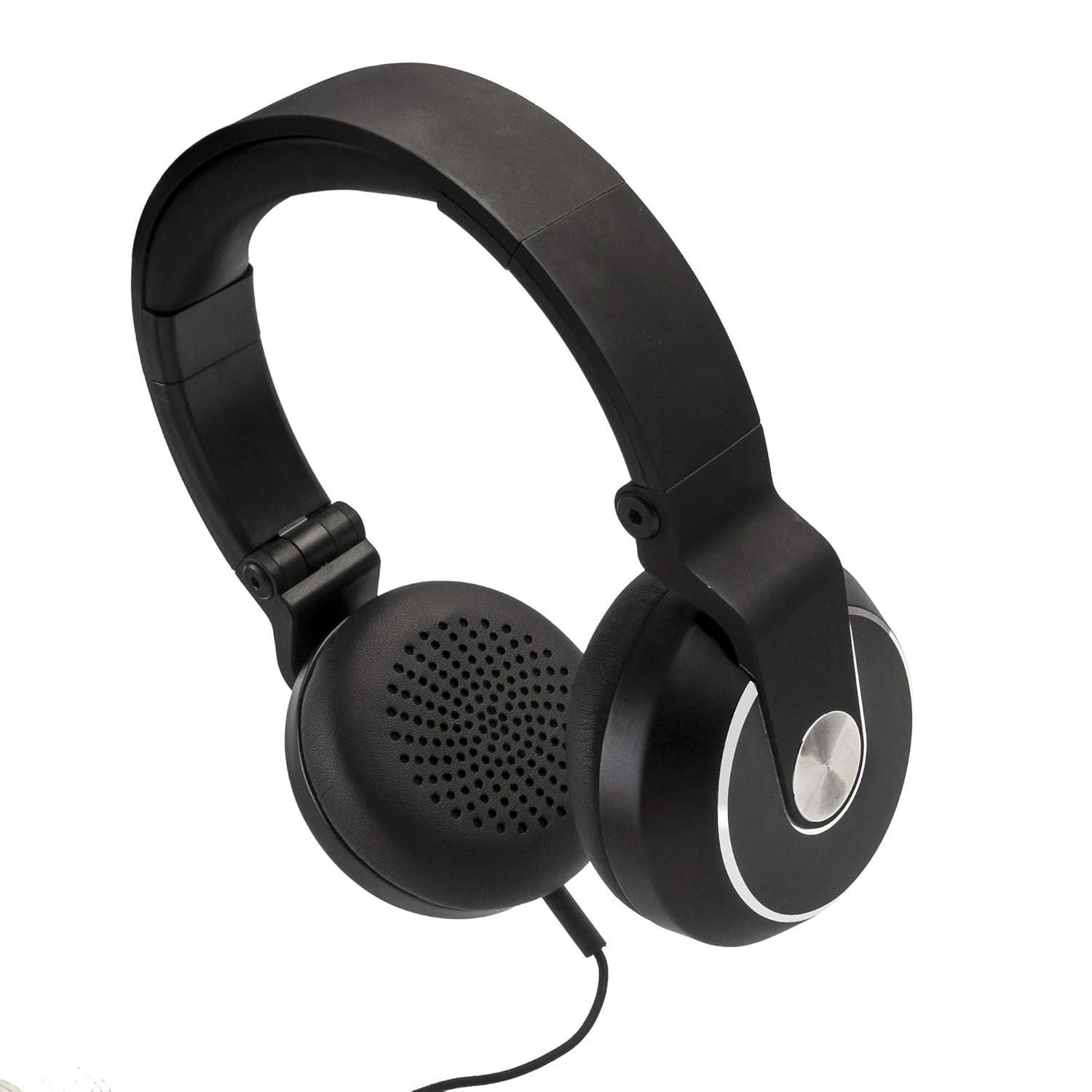
Image: Side view of the Beetel BT Headphone SBT668, highlighting the ear cup and potential location of control buttons.
Operating Instructions
Power On/Off
- Power On: Press and hold the multi-function button for approximately 3 seconds until the LED indicator flashes blue.
- Power Off: Press and hold the multi-function button for approximately 3-5 seconds until the LED indicator flashes red and then turns off.
Music Playback
The headphones offer approximately 6 hours of playing time on a full charge at medium volume.
- Play/Pause: Short press the multi-function button.
- Next Track: Long press the '+' button (if available, or specific touch control).
- Previous Track: Long press the '-' button (if available, or specific touch control).
- Volume Up: Short press the '+' button.
- Volume Down: Short press the '-' button.
Note: The control method is touch-based. Refer to the specific touch areas on your headphone for precise control.
Hands-Free Calling
The headphones feature a built-in microphone for hands-free communication.
- Answer Call: Short press the multi-function button when a call comes in.
- End Call: Short press the multi-function button during a call.
- Reject Call: Long press the multi-function button when a call comes in.
- Redial Last Number: Double-press the multi-function button.
Maintenance
- Cleaning: Use a soft, dry cloth to clean the headphones. Do not use abrasive cleaners or solvents.
- Storage: When not in use, store the headphones in a cool, dry place, away from direct sunlight and extreme temperatures. The headphones are foldable for compact storage.
- Battery Care: To preserve battery life, charge the headphones at least once every three months if not used regularly. Avoid fully discharging the battery frequently.

Image: The Beetel BT Headphone SBT668 shown in its folded configuration, demonstrating its portability and ease of storage.
Troubleshooting
| Problem | Possible Cause | Solution |
|---|---|---|
| Headphones do not power on. | Low battery. | Charge the headphones fully. |
| Cannot pair with device. | Headphones not in pairing mode; Device Bluetooth off; Too far from device. | Ensure headphones are in pairing mode (flashing red/blue). Turn device Bluetooth off and on. Move headphones closer to device (within 10m). |
| No sound or distorted sound. | Volume too low; Not properly connected; Interference. | Increase volume on both headphones and device. Re-pair the headphones. Move away from other wireless devices. |
| Charging not working. | Faulty cable or power source. | Try a different charging cable or USB power source. |
Specifications
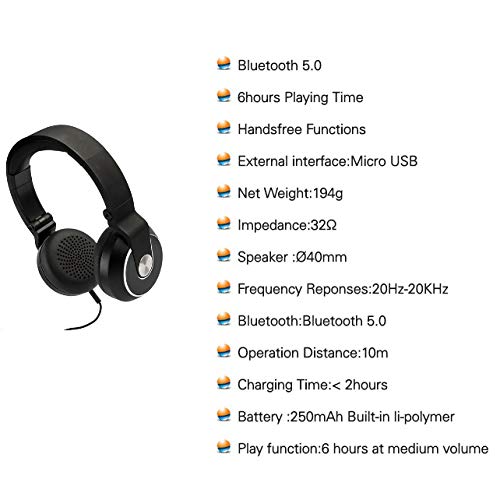
Image: A visual representation of key specifications for the Beetel BT Headphone SBT668, including Bluetooth version, playing time, and battery details.
| Feature | Detail |
|---|---|
| Model Name | BT Headphone |
| Model Number | SBT668 |
| Connectivity Technology | Wireless (Bluetooth) |
| Bluetooth Version | Bluetooth 5.0 |
| Playing Time | Up to 6 hours |
| Charging Time | Approximately 2 hours |
| Battery Capacity | 250mAh built-in Li-polymer |
| Control Method | Touch |
| Microphone | Built-In |
| Frequency Range | 20Hz - 20kHz |
| Impedance | 32 Ohm |
| Item Weight | 194 Grams |
| Product Dimensions | 15 x 8.5 x 18.5 cm |
| Country of Origin | China |
Warranty and Support
The Beetel BT Headphone SBT668 comes with a 1-Year Warranty from the date of purchase. This warranty covers manufacturing defects and workmanship. It does not cover damage caused by misuse, accidents, unauthorized modifications, or normal wear and tear.
For warranty claims, technical support, or any inquiries regarding your product, please contact Beetel customer service. Keep your purchase receipt as proof of purchase.
Manufacturer: Beetel, Brightstar Telecommunications India Limited.