
1. Introduction
This manual provides essential information for the proper installation, operation, and maintenance of your PRV AUDIO WGP14-50 2-Inch Exit Waveguide. Please read this manual thoroughly before installation to ensure optimal performance and longevity of the product. This waveguide is designed to be paired with compatible 2-inch exit bolt-on compression drivers.
2. Product Features
- Exit Throat: 2-inch diameter, compatible with standard 2-inch exit bolt-on compression drivers.
- Dispersion: 45° x 45° nominal coverage pattern.
- Construction: Non-resonant, reinforced plastic for reduced distortion and durability.
- Finish: UV-resistant Chrome White finish for enhanced aesthetics and protection.
- Compact Mounting: Designed with a 5.30-inch depth for installation in tight spaces.
- Frequency Range: Minimum recommended operating frequency of 600 Hz.
3. Setup and Installation
Proper installation is crucial for the performance of your waveguide. It is recommended that installation be performed by a qualified audio technician.
3.1 Unpacking
Carefully remove the waveguide from its packaging. Inspect the unit for any signs of damage that may have occurred during shipping. If damage is found, contact your retailer immediately.
3.2 Compatibility
Ensure that your compression driver has a 2-inch exit and a bolt-on mounting pattern compatible with the WGP14-50 waveguide.
3.3 Mounting the Compression Driver
- Align the compression driver's mounting holes with the corresponding holes on the rear flange of the WGP14-50 waveguide.
- Secure the driver to the waveguide using appropriate bolts and washers (not included). Do not overtighten, as this may damage the driver or waveguide.
- Ensure a tight seal between the driver and the waveguide to prevent air leaks, which can degrade sound quality.
3.4 Enclosure Integration
The waveguide is designed for integration into custom speaker enclosures. Refer to the provided dimensions for precise cutout and mounting requirements.

Image 1: Angled view of the PRV AUDIO WGP14-50 Chrome White Horn, showcasing its reflective finish and bolt-on flange.
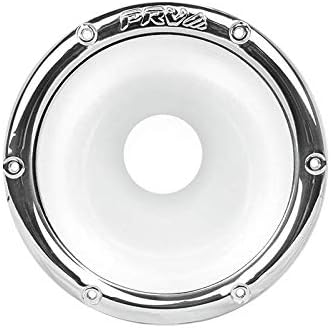
Image 2: Front view of the PRV AUDIO WGP14-50 waveguide, highlighting the 2-inch exit throat and the PRV logo.

Image 3: Technical drawing displaying the dimensions of the PRV AUDIO WGP14-50 waveguide, including overall diameter, mounting depth, and throat size.
4. Operating Instructions
The WGP14-50 is a passive acoustic component. Its operation is directly tied to the compression driver it is paired with and the amplifier driving that compression driver.
- Ensure the compression driver connected to the waveguide is properly wired to an appropriate crossover network.
- Connect the crossover network to a suitable amplifier output.
- Always start with the amplifier volume at its lowest setting and gradually increase it to the desired listening level.
- Avoid operating the system at excessively high volumes for extended periods, as this can damage the compression driver.
5. Maintenance
The PRV AUDIO WGP14-50 waveguide requires minimal maintenance.
- Cleaning: Use a soft, dry, or slightly damp cloth to wipe the exterior of the waveguide. Avoid abrasive cleaners or solvents, as they may damage the chrome finish.
- Inspection: Periodically check the mounting bolts for tightness and ensure there are no cracks or damage to the waveguide material.
- Environment: While the finish is UV-resistant, prolonged exposure to extreme temperatures or direct sunlight should be minimized to preserve its appearance and structural integrity.
6. Troubleshooting
As a passive component, most issues related to sound output will originate from the connected compression driver, crossover, or amplifier.
- No Sound: Check all wiring connections from the amplifier to the crossover, and from the crossover to the compression driver. Ensure the compression driver is functioning correctly.
- Distorted Sound: Verify that the compression driver is not overdriven. Check for proper crossover settings. Ensure the compression driver is securely mounted to the waveguide without air leaks.
- Reduced Output: Confirm that the compression driver is correctly connected and receiving adequate power.
If problems persist, consult a qualified audio technician.
7. Specifications
| Feature | Specification |
|---|---|
| Brand | PRV AUDIO |
| Model | WGP14-50 |
| Color | Chrome White |
| Material | Plastic |
| Exit Throat Diameter | 2 inches |
| Dispersion Angle | 45° x 45° |
| Minimum Frequency | 600 Hz |
| Item Dimensions (L x W x H) | 6.92 x 6.92 x 5.3 inches |
| Item Weight | 8.2 ounces |
| UPC | 602938022453 |
8. Warranty and Support
For warranty information and customer support, please refer to the documentation provided with your purchase or contact PRV AUDIO directly. You can also visit the official PRV AUDIO store for additional product information and support resources.


