
BOBLOV KSA2163XLZH020165913
BOBLOV P100 1296P Body Mounted Camera User Manual
Model: P100
Introduction
Thank you for choosing the BOBLOV P100 Body Mounted Camera. This device is designed for reliable video recording in various environments, featuring high-definition video capture, long battery life, and robust construction. Please read this manual thoroughly before operating the device to ensure proper usage and optimal performance.
The BOBLOV P100 is a portable 1296P body-worn camera equipped with a 2-inch LCD display and one-button operation. It offers 8-9 hours of recording time (1080p, screen off) with its 2800mAh rechargeable battery. Key features include a 140° ultra-wide angle lens, file protection, and manual night vision capabilities.

Image: Front and back view of the BOBLOV P100 Body Mounted Camera, showing the lens, display, and control buttons.
Package Contents
Verify that all items are present in the package:
- 1x P100 Video Camera
- 1x USB Connecting Cable
- 1x Back Clip
- 1x Shoulder Clip
- 1x Manual Guide (this document)

Image: All components included in the BOBLOV P100 package: the camera, USB cable, back clip, shoulder clip, and user manual.
Setup
1. Charging the Battery
Before first use, fully charge the camera's built-in 2800mAh rechargeable battery. Connect the camera to a power source using the provided USB connecting cable. The charging time is approximately 4 hours when the device is powered off.

Image: The BOBLOV P100 camera connected via USB cable to a laptop for charging, illustrating the charging process.
2. Attaching the Clip
Select either the back clip or the shoulder clip based on your preference and intended use. Attach the chosen clip securely to the back of the camera. This allows for easy mounting on clothing or gear.

Image: A law enforcement officer wearing the BOBLOV P100 body camera clipped to their uniform, demonstrating typical usage.
Operating Instructions
1. Power On/Off
Press and hold the Power button to turn the camera on or off. The 2-inch LCD display will illuminate upon power-on.
2. Recording Video
Once powered on, press the Record button to start video recording. Press it again to stop recording. The camera supports various video resolutions, including 2304x1296 30P (default), 2560x1080 30P, 1920x1080 45P, and more.
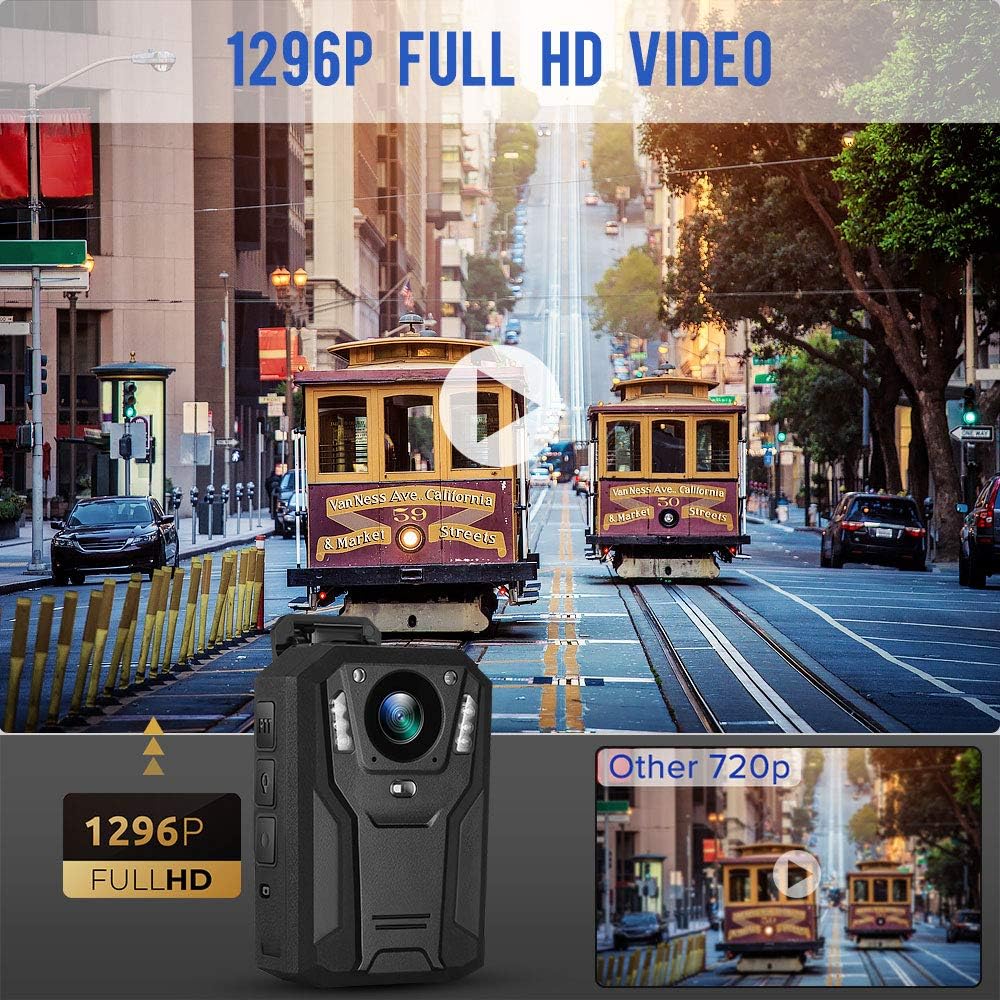
Image: A comparison showing the superior clarity of 1296P Full HD video captured by the BOBLOV P100 compared to standard 720p, with a street scene featuring cable cars.
3. Capturing Photos
While in standby mode, press the Photo button to capture still images. The camera supports photo sizes up to 34M (7808x4392 16:9) by default.

Image: The BOBLOV P100 camera in a scene depicting an accident, highlighting its 34MP photo capturing capability to clearly record important moments.
4. Night Vision
The P100 features manual night vision with built-in 6PCS high-performance infrared lights. Activate night vision mode for clear recording in low-light or no-light conditions.

Image: The BOBLOV P100 camera with its infrared lights illuminated, demonstrating its night vision capability in a dark outdoor setting.
5. Auxiliary Light Functions
The camera includes multiple auxiliary light functions:
- White Auxiliary Light: Provides illumination for recording in dim environments.
- Red Pointing Light: A red laser pointer for indicating the recording direction or specific points of interest.

Image: Diagram illustrating the white auxiliary light and red pointing light features of the BOBLOV P100 camera.
6. File Protection
The P100 features file protection to prevent accidental deletion of important recordings. Refer to the on-screen menu for options to mark or protect files.
7. Wide Angle View
Benefit from the 140° ultra-wide angle lens, capturing a broader field of view and more information in critical scenes.

Image: A street scene demonstrating the 140-degree wide view angle of the BOBLOV P100 camera, showing a significantly expanded field of vision.
Maintenance
1. Cleaning the Camera
Use a soft, dry cloth to clean the camera body and lens. Avoid using liquid cleaners or abrasive materials that could damage the device.
2. Storage
Store the camera in a cool, dry place away from direct sunlight and extreme temperatures. Ensure the battery is partially charged before long-term storage to maintain battery health.
3. Data Management
Regularly transfer recorded video and photo files to a computer or external storage device to free up camera memory and prevent data loss. Connect the camera via the provided USB cable to access files.
Troubleshooting
| Problem | Possible Cause | Solution |
|---|---|---|
| Camera does not power on. | Battery is depleted. | Charge the camera fully using the USB cable. |
| Cannot record video/take photos. | Insufficient storage space. | Transfer files to a computer and delete them from the camera to free up space. |
| Video quality is poor. | Lens is dirty; Low light conditions; Incorrect resolution setting. | Clean the lens. Activate night vision in low light. Check video resolution settings in the menu. |
| Audio missing from recorded video (as per review). | Potential software or codec issue during transfer. | Ensure media player supports the video format. Try different media players. Contact BOBLOV customer support for potential firmware updates or specific transfer instructions. |
Specifications
| Feature | Detail |
|---|---|
| Model | P100 |
| Video Resolution | 2304x1296 30P 16:9 (default), 2560x1080 30P 21:9, 1920x1080 45P 16:9, 1920x1080 30P 16:9, 1440x1080 30P 16:9, 1280x720 60P 16:9, 1280x720 30P 16:9, 848x480 30P 16:9 |
| Video Quality | High (default) / Medium / Low |
| Photo Size | 34M(7808x4392 16:9) (default), 23M(6400x3600 16:9), 18M(5632x3168 16:9), 13M(4800x7200 16:9), 9M(4032x2266 16:9), 6M(3200x1800 16:9), 4M(2688x1512 16:9) |
| Photo Quality | High (default) / Medium / Low |
| Battery | 2800mAh rechargeable battery |
| Recording Time | 8-9 hours (1080p, screen off) |
| Charging Time | Approx. 3-4 hours (in power off condition) |
| Display | 2-inch LCD |
| Lens Angle | 140° Ultra Wide Angle |
| Special Features | Manual Night Vision (6PCS IR lights), Pre-record (Off/On), Record Delay (Off/On), Motion Detect (Off/On), File Protection, White Auxiliary Light, Red Pointing Light |
| Connectivity | USB |
| Dimensions | 15.01 x 9.8 x 7.19 cm |
| Weight | 358 g |
Warranty and Support
BOBLOV provides a one-year device replacement warranty and lifetime parts warranty for this product. For any after-sale issues or technical support, please contact BOBLOV customer service. They aim to reply within 24 hours through any available after-sale channel.
For the most up-to-date support information, please visit the official BOBLOV website or refer to the contact details provided with your purchase.
Ask a question about this manual
Ask about setup, troubleshooting, compatibility, parts, safety, or missing instructions. Manuals+ will review the question and use this page’s manual context to help answer it.